Coveo is an enterprise search platform for large, complex organizations where knowledge is spread across too many systems to consolidate cleanly.
Through Workplace, its employee search product, Coveo can index content across those systems, carry over source permissions, and let employees search across them from one place.
Coveo is built for organizations where fragmentation is already part of the operating environment. Dell, for example, used Coveo across an intranet serving 165,000 employees after the Dell-EMC merger, when employees had dozens of destinations and systems to navigate.
So before you consider Coveo, the question you should answer, and likely the one that landed you here, is: does your company have enough search complexity to justify the setup, cost, and ongoing work?
We’ll answer that, and also cover:
- How Coveo Workplace works
- The Workplace features that matter in practice
- Who uses Coveo for employee search
- Where Coveo works well and where it falls short
- How Coveo pricing works
- How Coveo compares with Slite
- The main Coveo alternatives
Key takeaways
- Coveo is an enterprise AI search and discovery platform, with employee search handled through Workplace. It indexes content across existing systems, preserves source permissions, and lets employees search across them from one place.
- Coveo is the right tool when useful company knowledge is already spread across many repositories and moving everything into one system would be impractical.
- On G2, reviewers repeatedly point to setup, customization, and a steep learning curve as recurring pain points.
- Coveo’s search still depends on the quality of its sources. If an underlying document is stale or wrong, Coveo can still retrieve it; maintaining and verifying that source remains the responsibility of the system where it lives.
- Coveo uses sales-led pricing and does not publish self-serve pricing, including for Workplace. Licensing depends on the Platform Plan, the Workplace solution you deploy, user count, indexed-content entitlements, and any add-ons.
- A good alternative to Coveo is Slite if you need enterprise search alongside a self-maintaining knowledge base, with document ownership, verification, drift detection, and human-reviewed updates built into the knowledge layer.
What is Coveo?
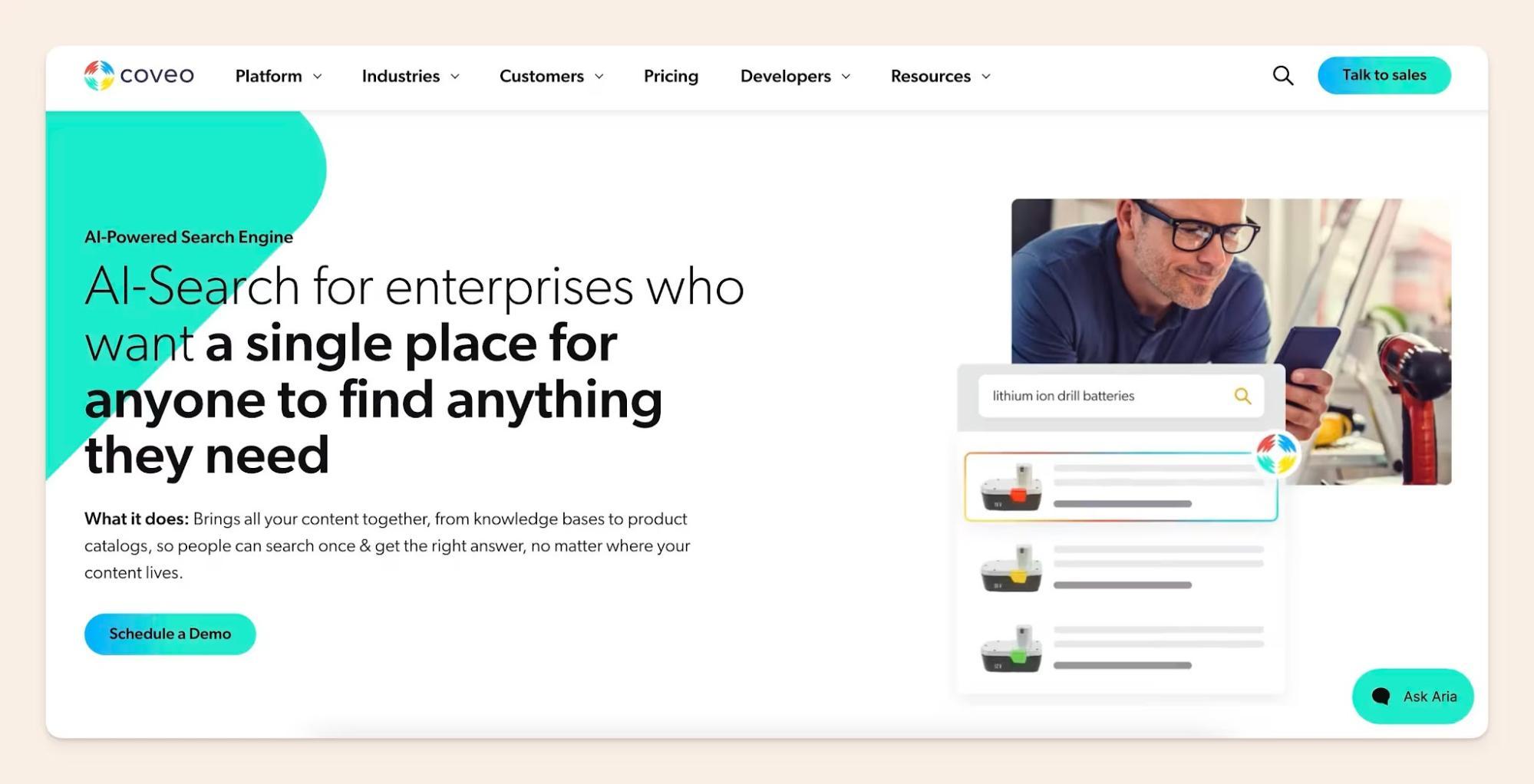
Coveo is an enterprise AI search and discovery platform that connects to existing sources, indexes their content, and applies search and relevance across that information.
Coveo’s product portfolio spans commerce, website search, customer service, and workplace search. Workplace is our focus in this review because it is Coveo’s employee-search use case.
Coveo’s role in employee search is primarily as a search and relevance layer over your company’s existing tool stack. Company knowledge continues to live in the original systems where it is created and maintained.
Source: Coveo
Coveo’s four solution areas
Coveo groups its platform around four solution areas:
- Commerce: Product discovery for B2C and B2B commerce, including search, product listings, recommendations, merchandising, and personalization.
- Website: AI-powered search and content discovery across websites, web applications, and content management systems.
- Service: Search and knowledge discovery for customer self-service and service teams, including support agents.
- Workplace: Enterprise search across internal company systems, with results filtered by the permissions each employee already has.
Workplace is Coveo’s employee-search use case, but it is not sold as one standalone product. Coveo sells Workplace through specific Workplace Solutions, including Coveo for Intranet, Coveo for Salesforce Platform, Coveo for Salesforce Sales Cloud, and Coveo for ServiceNow Employee Experience. Each Coveo subscription combines a Platform Plan with a Solution Plan.
How Coveo Workplace works for employee search
Coveo Workplace leaves company knowledge in the systems where it already lives and builds a search layer across them.
Coveo can:
- Connect to your existing sources.
- Index their content and metadata.
- Bring source permissions into the index.
- Apply relevance and machine learning.
- Surface ranked results or generated answers through a Coveo-powered search experience.
Employees do not have to decide where to search first. A policy can live in SharePoint, customer context in Salesforce, and an internal process in Confluence. Coveo puts those sources behind the same search experience while the original content stays where it was created.
Coveo Workplace features
Coveo Workplace is built around five core capabilities: cross-system search, permission-aware retrieval, relevance tuning, generative answering, and search analytics.
Cross-system search without moving content
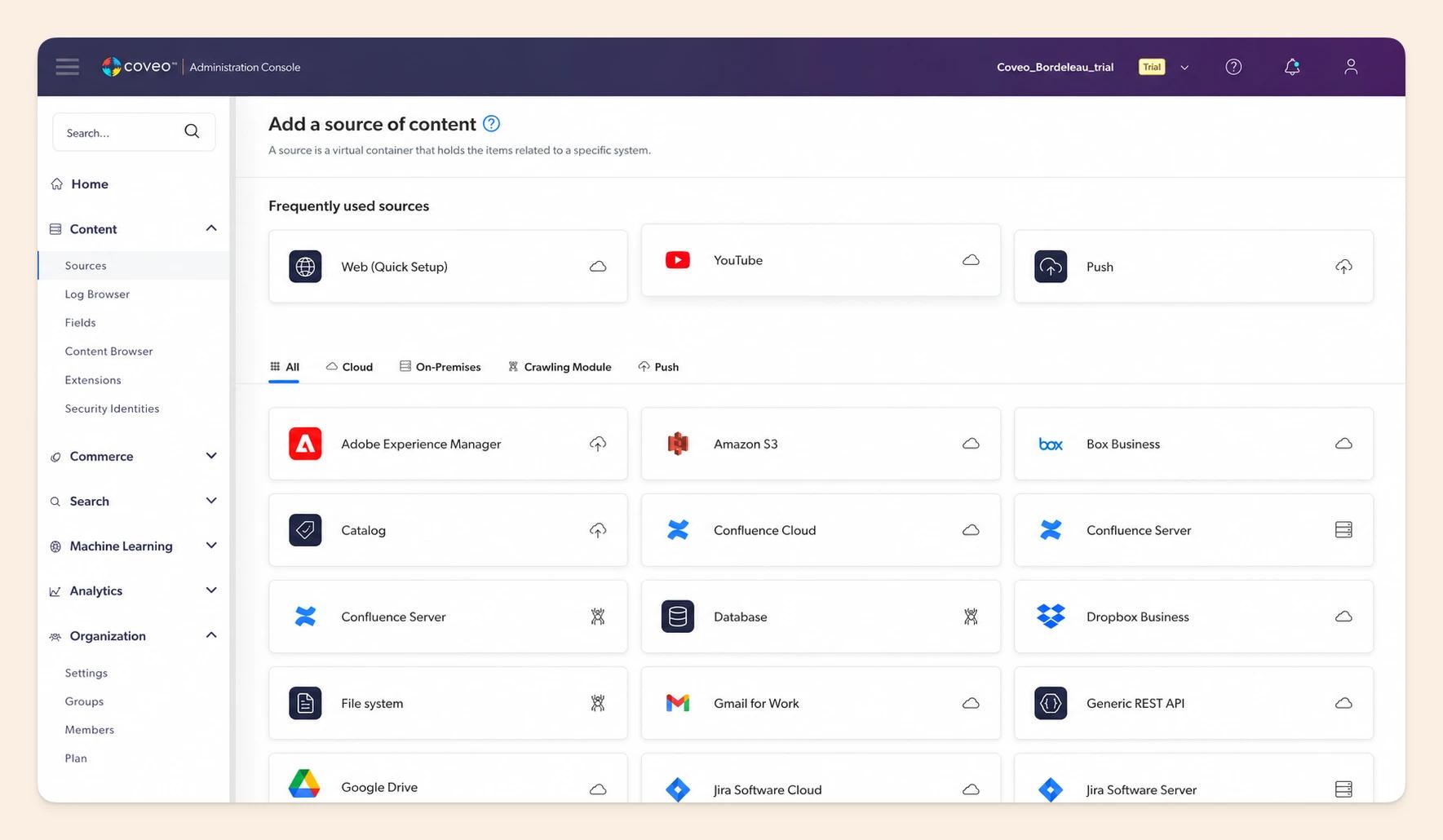
Coveo Workplace can unify knowledge through more than 30 native connectors across 100+ enterprise systems, including tools such as Salesforce, ServiceNow, SharePoint, Confluence, Google Drive, and Jira.
Once those sources are indexed, employees can search across them without knowing which repository contains the answer.
For example, if a new employee is looking for an expense policy, they should not need to know whether Finance published it in SharePoint, linked it from the intranet, or documented part of the process somewhere else. Coveo can surface those repositories through the same search experience.
Source: Coveo
Permission-aware search
Putting every repository behind one search bar creates a security risk if the original access controls disappear during indexing.
Coveo carries supported source permissions into the search experience, so two employees can run the same query and see different results because their access rights differ.
For example, a general HR policy can appear for everyone while a restricted finance or legal document remains visible only to the people who already had access in the source system. For companies with different regions, departments, roles, and security groups, this is a basic requirement for making unified search usable.
Relevance ranking and tuning
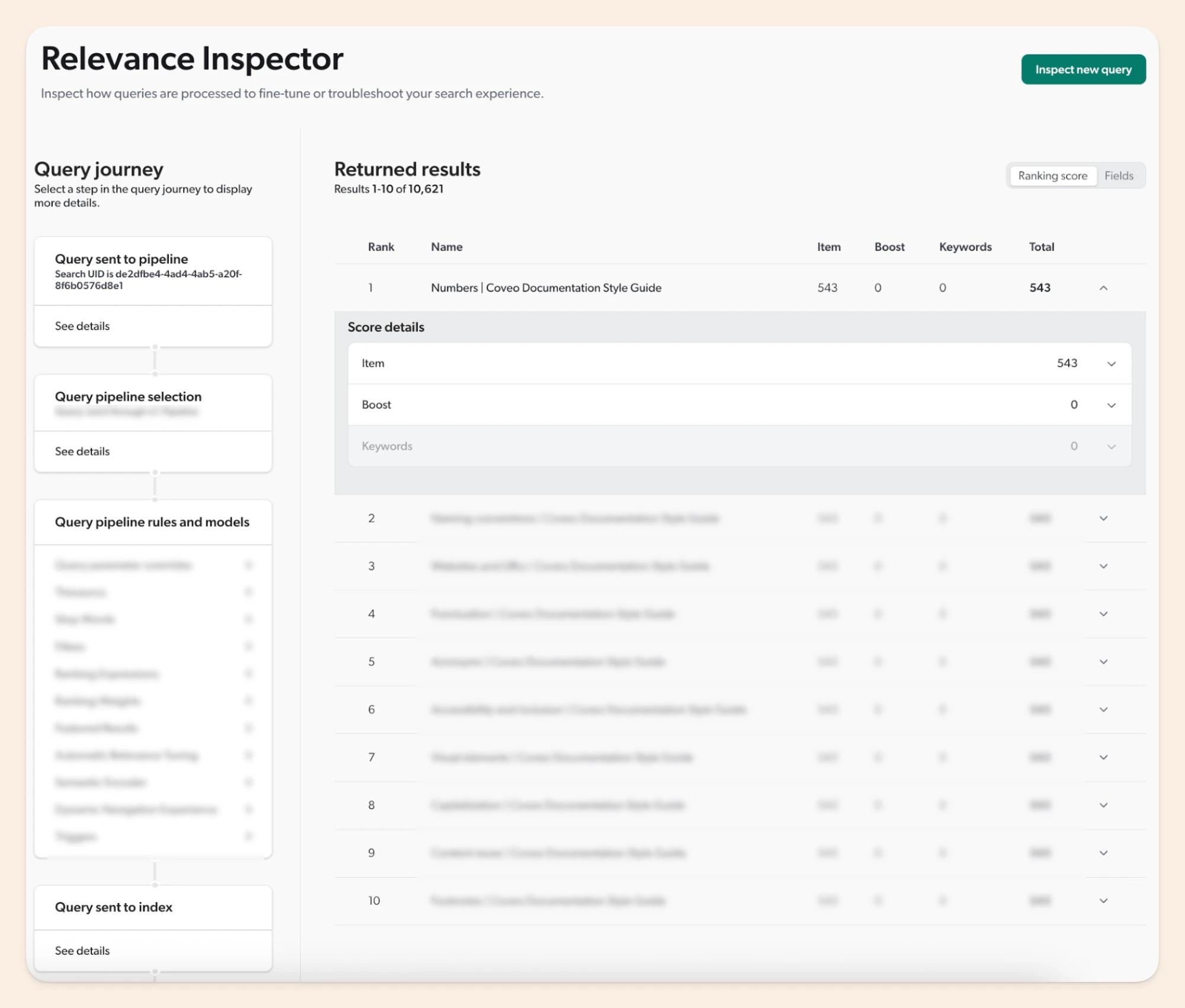
Coveo uses semantic search, machine learning, behavioral signals, recommendations, and configurable relevance rules to rank what should appear first. It also supports smart snippets that can pull the most relevant passage into the search result itself.
Administrators can tune ranking through query pipelines and relevance rules when the default order does not reflect how the company actually works. Geography, role, department, or source quality can all change what the best result should be.
Source: Coveo
Search Agent and generative answers
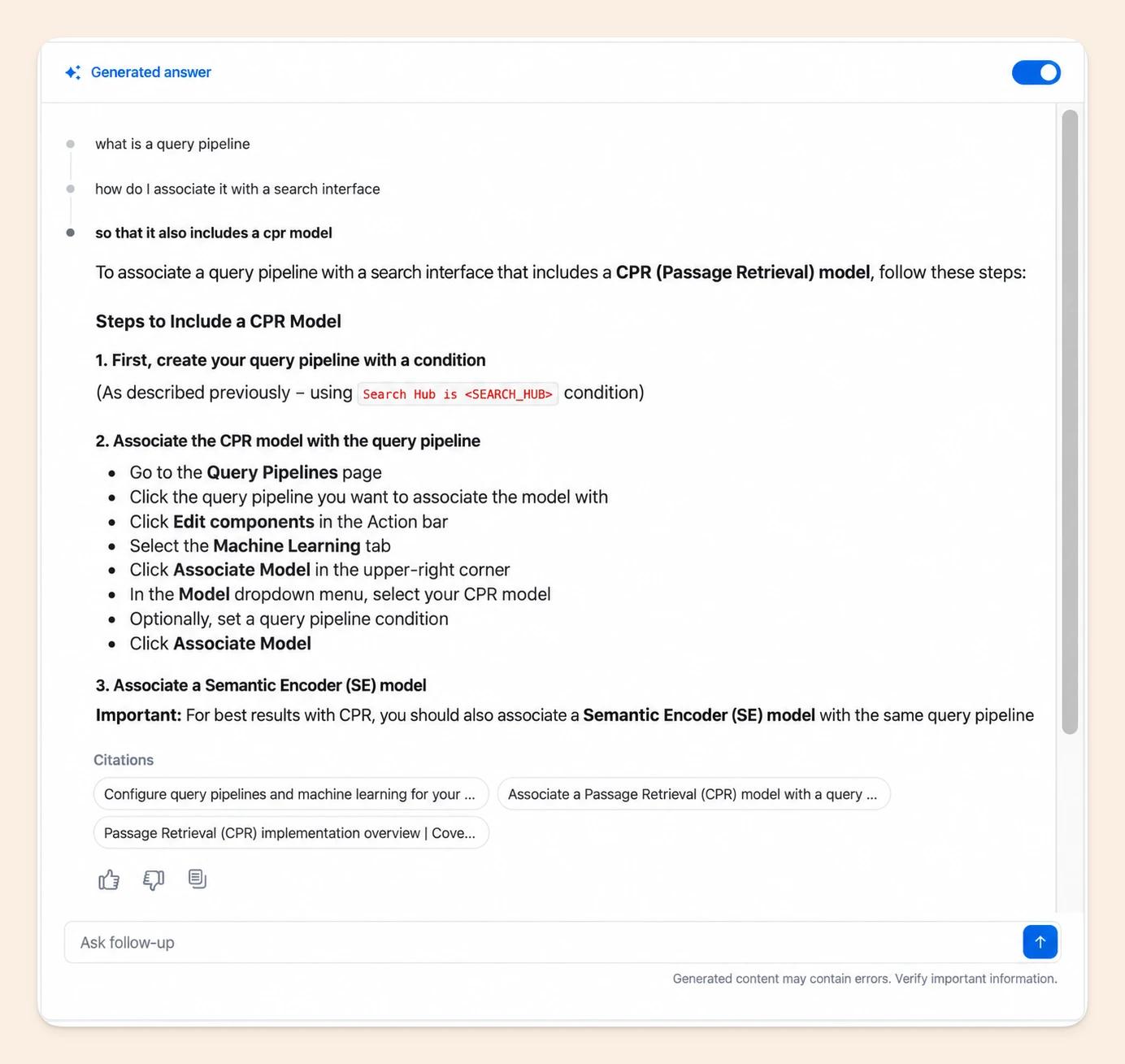
Relevance Generative Answering can synthesize information from multiple relevant sources while respecting source permissions. Coveo Search Agent supports multi-turn conversational search, so employees can ask a question, get an answer, and follow up without starting the search again.
An employee could ask about the travel reimbursement policy, then follow up with a question about international travel while Search Agent keeps the previous question in context.
By the way: Conversational Search is a separate add-on that enables Search Agent, so it is not included automatically with every Workplace deployment.
Source: Coveo
Search analytics and content gaps
Coveo Analytics gives search teams a feedback loop after launch by showing how employees use search in practice.
Administrators can see what employees search for, which results they click, how they interact with search, and where content gaps or unsuccessful searches keep appearing. As a result, teams have something concrete to investigate and are not left guessing why employees keep asking the same questions in Slack.
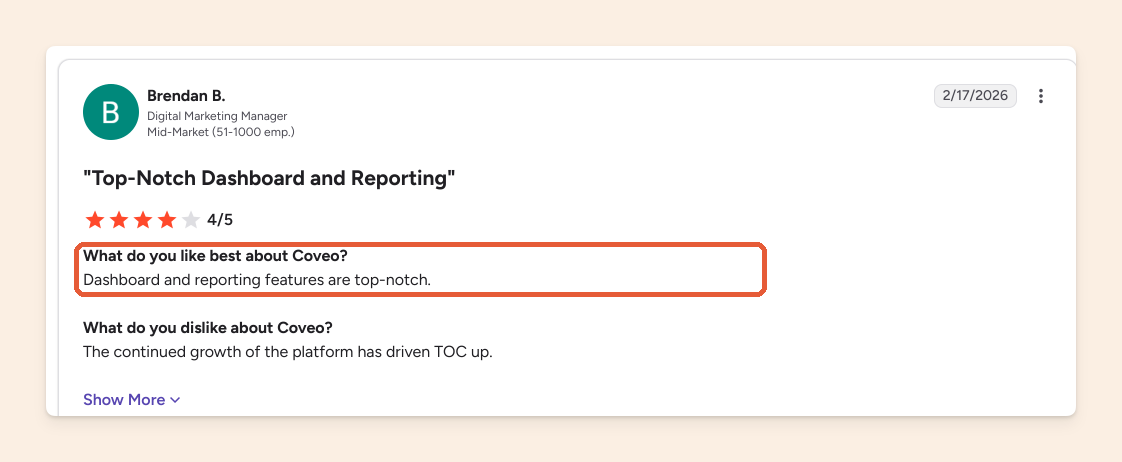
Coveo’s analytics are also one of the capabilities users appreciate. Brendan B., a G2 reviewer in February 2026, described Coveo’s dashboard and reporting as “top-notch.”
Source: G2
Who uses Coveo Workplace for employee search?
Coveo Workplace is primarily aimed at organizations with large, fragmented information environments where employees have to search across multiple systems.
Dell
After the Dell-EMC merger, employees had to navigate dozens of internal destinations. Dell’s employee intranet, Inside Dell, served about 165,000 employees, with systems including Jive, ServiceNow, and Workday sitting behind the employee experience.
Dell used Coveo as the search and relevance layer across that environment. Inside Dell’s employee satisfaction (ESAT) score rose from 23% before the relaunch to 70%.
Manulife
Manulife used Coveo across its global intranet to surface both general and role-specific information.
Coveo reports that Manulife was seeing about 65,000 intranet searches per month, with more than 70% guided by AI suggestions and an average click rank of 2.1.
Coveo Workplace is also relevant for:
- Multinational companies operating across regions, business units, and systems, where employees need one search experience across a distributed stack
- Companies that have accumulated multiple platforms through acquisitions and now have overlapping repositories they cannot easily consolidate
- Permission-heavy organizations where the same query should return different information depending on an employee’s role or access rights
- Enterprises with mature repositories across systems such as ServiceNow, SharePoint, Salesforce, and Confluence
- Companies where consolidating the existing stack would be more disruptive or expensive than adding a search layer across it
Where Coveo works well (Pros)
Coveo has a 4.3/5 rating on G2 across 142 reviews. Among its highest-rated G2 categories are data centralization at 9.2/10 and search analysis at 8.8/10.
One search entry point across a fragmented stack
Employees do not need to know which system contains the answer before they search.
Take Dell, for example. Coveo sat across several major workplace systems, giving employees one place to start instead of making them understand the boundaries between each repository.
Petyr C., an enterprise G2 reviewer, described a similar setup across Salesforce Knowledge, Jira, Confluence, and a customer portal. In his words, “I don’t have to go into each separate system(s) to find what I’m looking for.”
Configurable relevance ranking
In large companies, the same query can legitimately require different result priorities. Region, role, department, access level, and content type can all change which result should appear first.
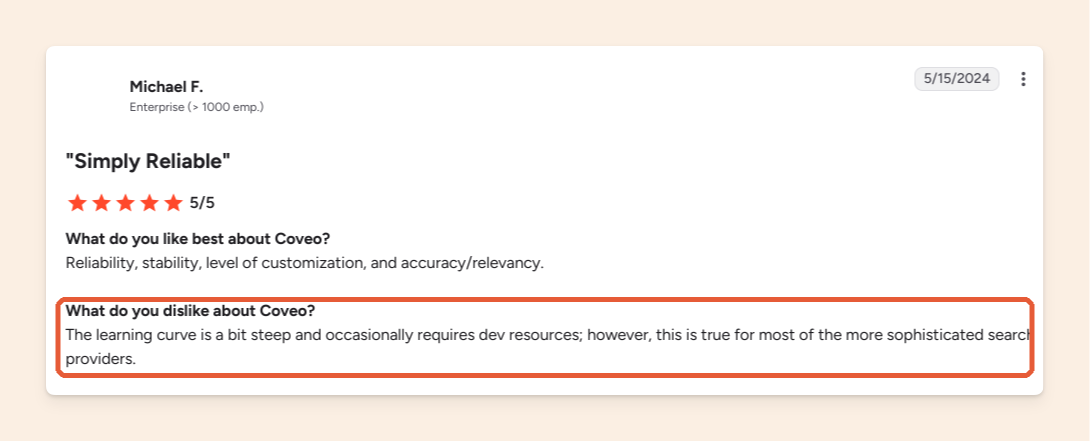
Coveo lets search teams tune that behavior through relevance rules and query pipelines. Michael F., an enterprise G2 reviewer, praised Coveo’s reliability, customization, and relevance, but added that “the learning curve is a bit steep and occasionally requires dev resources.”
Search analytics help teams improve relevance over time
Search teams can see the queries employees run, how they interact with results, and where searches repeatedly fail. They can then use that evidence to tune ranking, fix the search experience, or address missing content.
The analytics show what the search experience is failing to answer, so the team can work from actual search behavior.
Where Coveo falls short (Cons)
Coveo falls short in a few areas, especially implementation complexity, ongoing administration, and its dependence on the quality of the source content. On G2, its ease-of-use score is 8.0/10.
Coveo search is only as reliable as the source content
Coveo indexes and ranks information from source systems, but the source systems remain responsible for the content itself.
If an old SharePoint policy is still accessible, Coveo can retrieve it. If two Confluence pages contradict each other, better ranking does not resolve the disagreement at the source.
Coveo’s analytics can help expose content gaps and search problems, but Workplace still depends on information being maintained in the original systems. If the actual problem is stale documentation, Coveo can make that documentation easier to find without ensuring the information is accurate or current.
By the way: Slite addresses this problem at the documentation layer. Its self-maintaining knowledge base puts docs on an ownership and verification cycle, while Slite Agent flags knowledge that has drifted before stale content becomes the answer people rely on.
Coveo implementation can be complex
Enterprise teams get substantial control over sources, ranking, permissions, and the search experience. However, that level of control also increases implementation complexity.
On G2, users repeatedly mention the work required for setup, the complexity of customization, and a steep learning curve. G2 currently reports an average implementation time of four months.
A Salesforce practitioner on Reddit also described the learning curve as steep, even while praising Coveo’s professional services team for helping with implementation.
The complexity is manageable with the right technical ownership, but someone still needs to own the platform after rollout.
The learning curve continues after launch
After implementation, the platform still needs ongoing administration across sources, permissions, relevance, analytics, and the search experience.
Ongoing work increases as a deployment moves beyond basic retrieval and begins to rely on custom query pipelines, relevance rules, or more advanced search experiences. Michael F. specifically notes that this depth can require developer resources, even though he rates Coveo highly for customization and relevance.
Support experiences are mixed
Some reviewers praise Coveo’s support and onboarding. Others report the opposite. A Verified User in Research said Coveo needs to improve “the support response & documentation.”
Support is not the main problem users report with Coveo, but it appeared often enough in the reviews we evaluated that it is worth checking during evaluation, especially if your team expects to rely heavily on Coveo during rollout.
Coveo pricing
Coveo does not publish self-serve pricing, so there is no public sticker price for Coveo Workplace.
Coveo’s licensing structure also means Workplace is not something you simply buy as one standalone plan. According to Coveo, every subscription combines a Platform Plan with a Solution Plan. If you want Coveo for employee search, the exact package depends on the Workplace Solution you need and the entitlements attached to it.
In practice, buying Coveo for Workplace search looks like this:
- Choose a Platform Plan. Coveo currently offers two Platform Plans: Pro and Enterprise.
- Add the Workplace Solution that matches your environment. Options include Coveo for Intranet, Coveo for Salesforce Platform, Coveo for Salesforce Sales Cloud, and Coveo for ServiceNow Employee Experience.
- Most Workplace Solutions are licensed per user. Some are available with either Pro or Enterprise, while others require the Enterprise Platform Plan.
- Indexed-content entitlements also vary by Solution and Platform Plan. Coveo for Intranet, for example, includes up to 500,000 indexed items on Pro, while the Enterprise allowance scales with the number of licensed users.
- Some capabilities require separate add-ons. Conversational Search, which enables Search Agent, is one example.
- Generative AI can also increase the final cost because Coveo tracks generative queries as a separate usage entitlement.
So before you can get a meaningful quote from Coveo, you need to know which Workplace Solution you need, how many users you are licensing, whether the deployment requires Pro or Enterprise, and which add-ons or usage entitlements you expect to use.
What Coveo can cost in practice
Third-party buyer data and user reports give us a rough sense of the range:
- Vendr: Its Coveo pricing data currently shows a median buyer spend of about $52,535 per year, with observed contracts ranging from roughly $28,504 to $345,643.
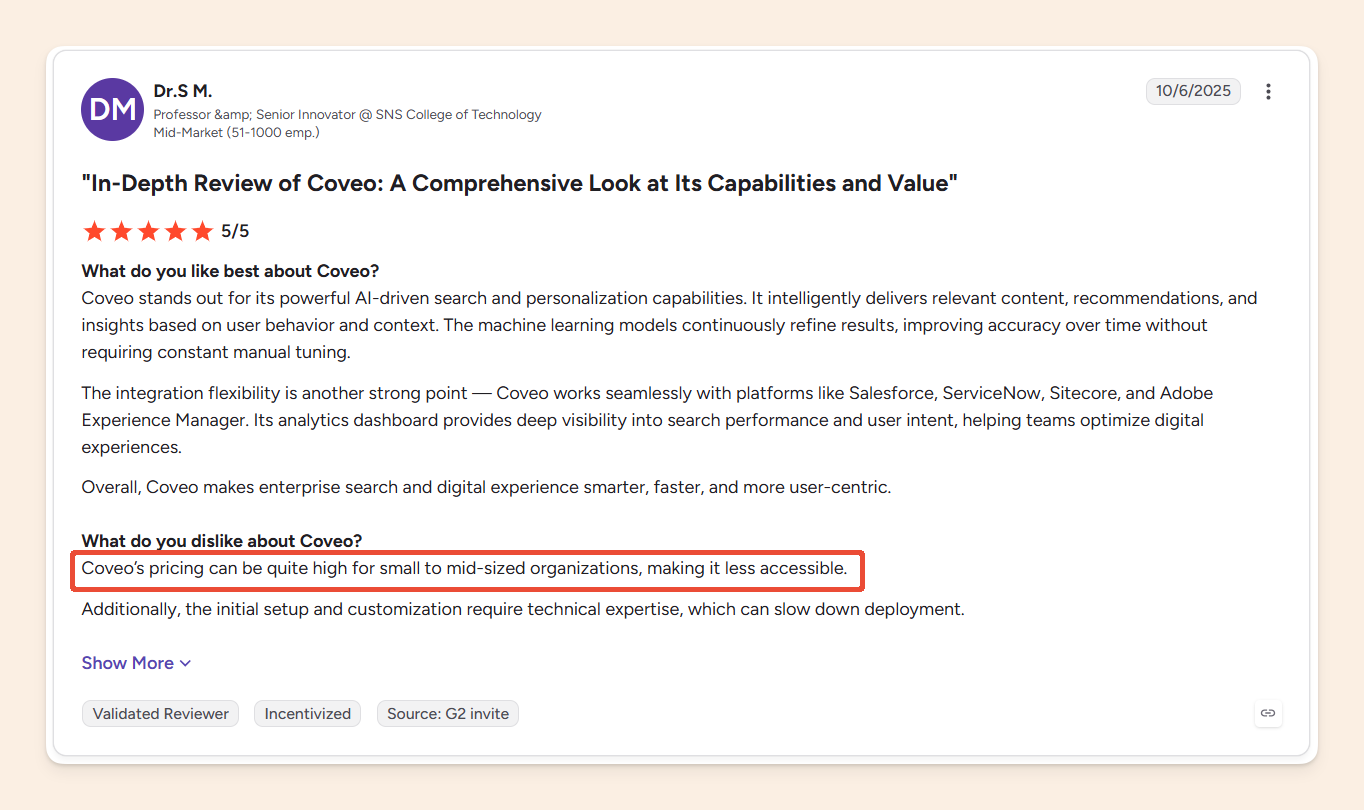
- G2: Dr. S M., a mid-market reviewer, said: “Coveo’s pricing can be quite high for small to mid-sized organizations.”
- Reddit: A software company evaluating Coveo to unify search across a Salesforce Experience site and an external documentation site said Coveo wanted a roughly $150,000 budget commitment before meeting to flesh out requirements. The poster did not share company size, user count, or the exact Coveo package.
These figures are rough benchmarks meant to give you a sense of what Coveo can cost. Your actual quote will depend on your deployment, product mix, number of users, content volume, usage, and additional capabilities or services.
Coveo vs Slite
Coveo indexes information across the systems your company already uses. Slite gives your team a knowledge base to write and maintain documentation, plus enterprise search across connected tools and Slite Agent to help keep that documentation current.
Here’s how the two compare head-to-head:
| Coveo | Slite | |
|---|---|---|
| Primary job | Enterprise search and relevance across an existing stack | Self-maintaining knowledge base with enterprise search |
| Where knowledge lives | Original source systems | Slite plus connected company tools |
| Search | Search across a broad enterprise connector ecosystem | AI search across Slite and 20+ connected tools on Pro and Enterprise |
| Knowledge maintenance | Source documents remain maintained in their original tools | Doc ownership, verification cycles, freshness workflows, and Slite Agent |
| AI updates | Generated answers operate over indexed source information | Slite Agent detects stale or missing knowledge and proposes changes |
| Human review | Depends on the maintenance workflow in the source system | Proposed Agent changes go through the Triage UI before they are applied |
| Operating model | Search layer across existing systems, with ongoing relevance and search administration | Knowledge base, search, verification, and maintenance in one system |
| Best fit | Organizations that need search across a deeply distributed stack they are not going to consolidate | Teams that need search alongside documentation that stays current and trustworthy |
Coveo returns information from the systems already in place, while Slite gives your organization a maintained documentation layer underneath the search.
Slite keeps documentation on a defined maintenance cycle
In Slite, docs have owners, and owners can set verification cycles for six months, one year, a custom period, or forever. Readers can also flag outdated content and request re-verification.
The Knowledge Management Panel gives your team one place to see outdated docs, expired verifications, and empty docs. This maintenance loop is part of what Slite means by a self-maintaining knowledge base: the system surfaces what needs attention instead of relying on someone to remember every page that might be stale.
Slite Agent can detect when the source knowledge has drifted
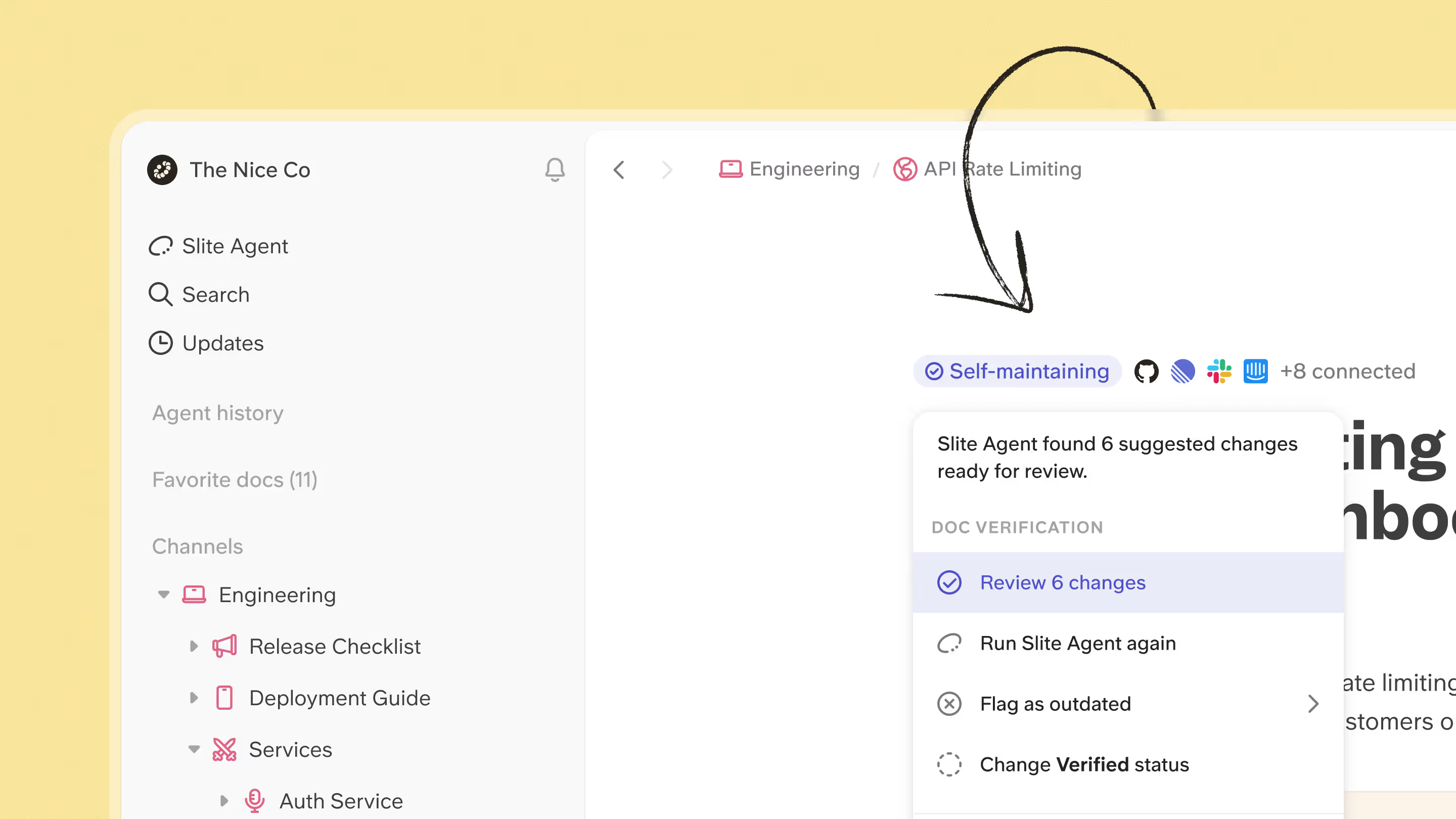
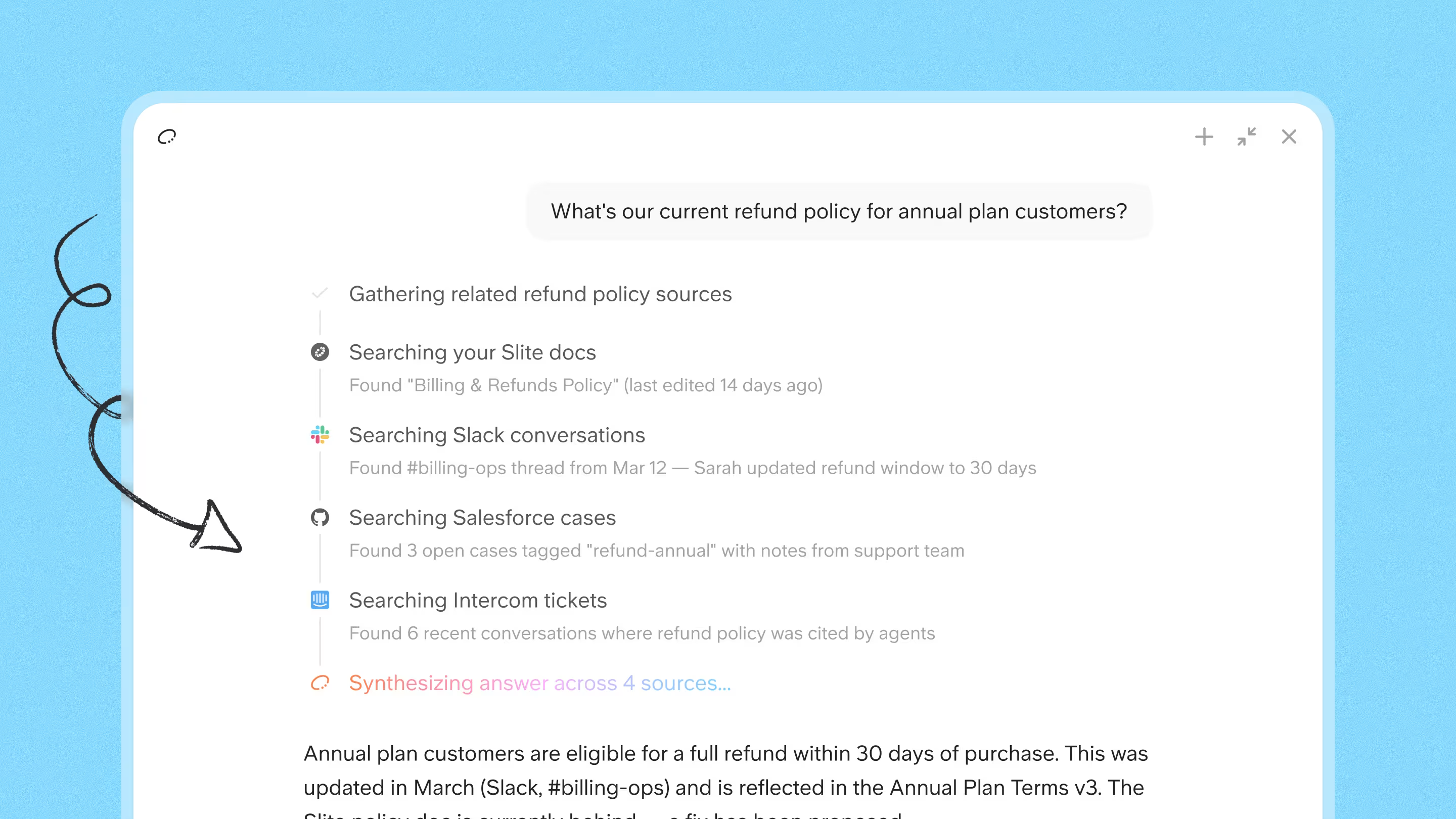
Slite Agent cross-references existing Slite docs against 20+ connected tools, including Slack, Linear, GitHub, and Intercom, then flags knowledge that appears to have gone stale.
It can prepare a change, but it does not silently rewrite the knowledge base. Every proposed update goes through the Triage UI for human review before it becomes part of the documentation.
The person responsible for the knowledge still controls what becomes official.
Slite also searches outside the knowledge base
On Pro and Enterprise, Slite Agent can search across 20+ connected tools, including Slack, Google Drive, Linear, GitHub, Jira, and Intercom.
Slite can search the wider company context while keeping the documentation your team relies on inside an ownership and verification workflow.
Coveo is the right fit for you if:
- Your company already has knowledge spread across many enterprise systems.
- Consolidating those repositories would be impractical.
- Permissions differ substantially across teams, roles, or departments.
- You need deep control over relevance and search configuration.
- You have the technical resources to own implementation and ongoing search management.
Slite is the right fit for you if:
- You need enterprise search and a maintained company knowledge base.
- You want docs with clear owners and verification cycles.
- You want stale documentation detected as processes change elsewhere.
- You want AI-proposed changes to stay under human review.
- You want the source knowledge behind AI answers to remain current and easy to trust.
Other Coveo alternatives
If you still want to consider options outside Coveo, there are several other enterprise-search products worth evaluating. We also cover the category in full in our guide to enterprise search software if you are still deciding which type of search product you need.
Glean
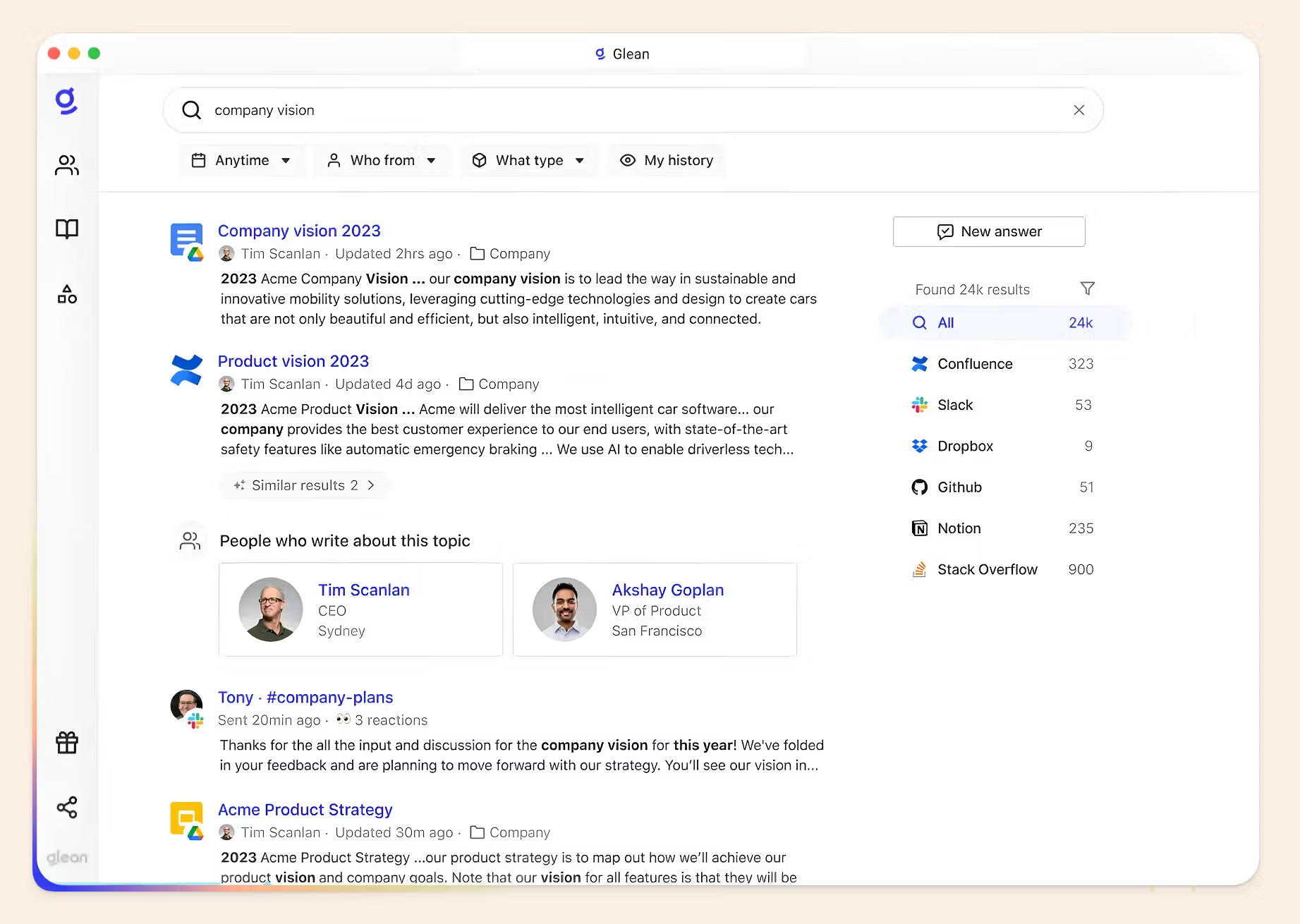
Glean is one of Coveo’s closest alternatives for employee search. Both products search across distributed workplace systems and return permission-aware results.
Glean is more focused on workplace AI. Enterprise search sits alongside Glean Assistant and Agents, while Coveo also serves commerce, website search, and customer service use cases.
Coveo vs Glean
| Coveo | Glean | |
|---|---|---|
| Core focus | Configurable enterprise search and relevance across several business use cases | Enterprise search and workplace AI |
| AI layer | Generative answering and Search Agent | Assistant and Agents |
| Search approach | More hands-on relevance configuration and tuning | Greater emphasis on company context and automated personalization |
| Best fit | Enterprises that need granular control over complex search environments | Enterprises that want search alongside a broader employee AI layer |
Best for: Enterprises that want company-wide search alongside a broader workplace AI layer.
If Glean is also on your shortlist, our Glean review goes deeper into its search experience, rollout, pricing, and user feedback.
GoSearch
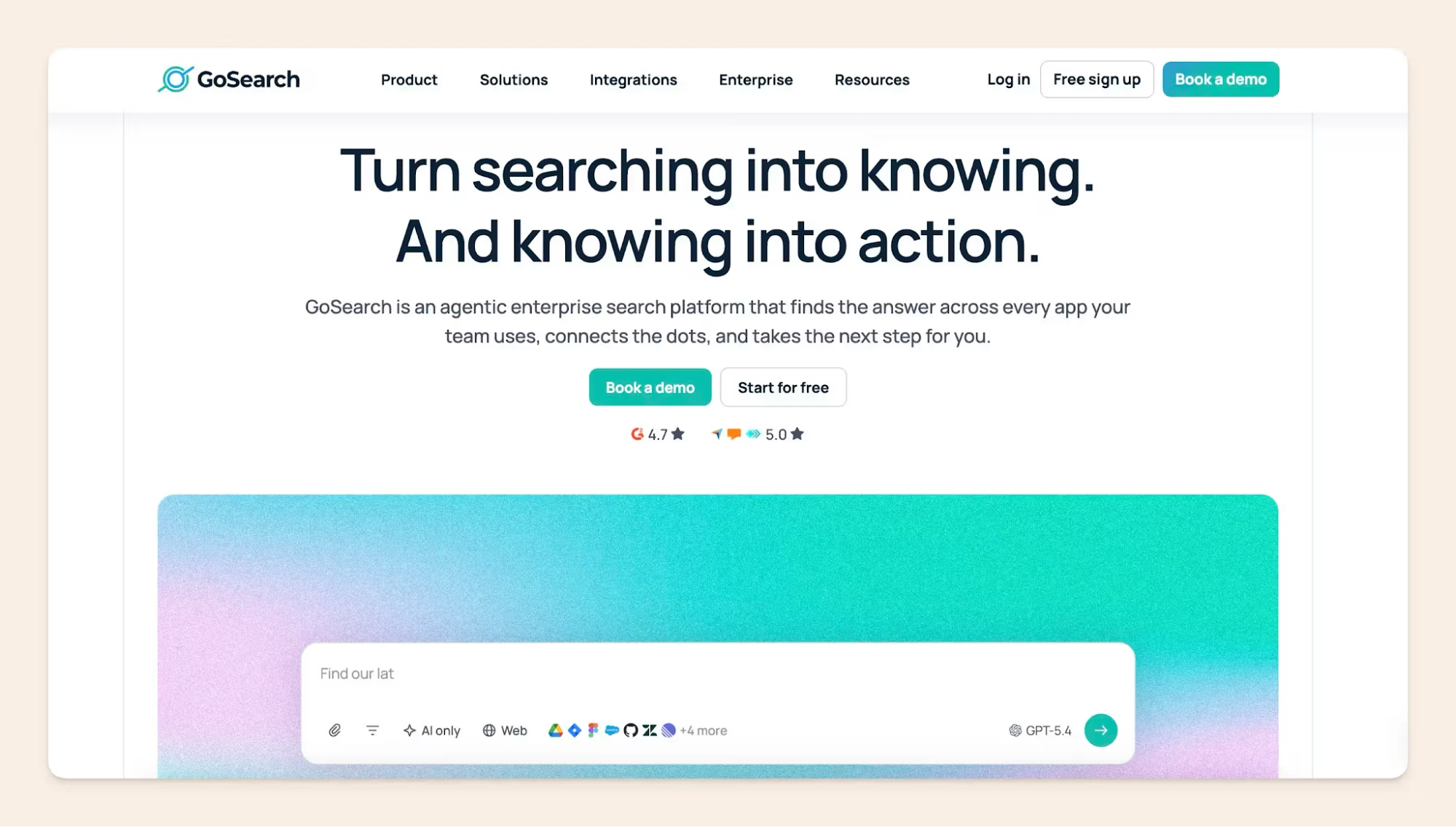
GoSearch is another workplace-focused enterprise search option. It offers indexed and federated search alongside AI answers, agents, and workflows, making it worth considering if you are comparing search overlays instead of systems for authoring and maintaining the underlying documentation.
Best for: Teams that want enterprise search, AI answers, and agent workflows in a workplace-focused product.
Sinequa
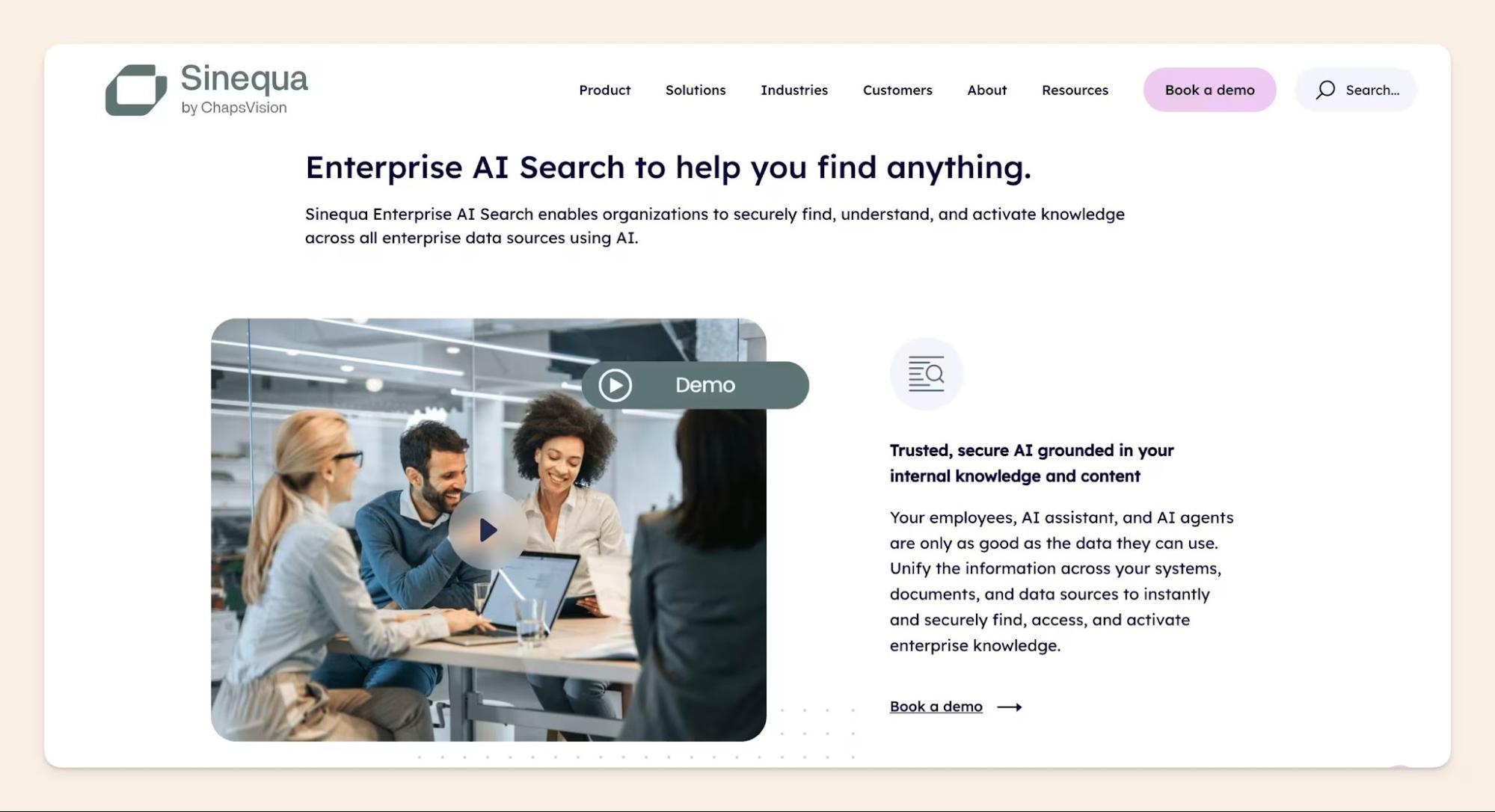
Sinequa is built for complex enterprise search deployments. It connects structured and unstructured information across large data estates and is designed for organizations with strict security, governance, deployment, and infrastructure requirements.
Best for: Large or regulated organizations with complex data estates and technical teams that can support a highly configurable enterprise search deployment.
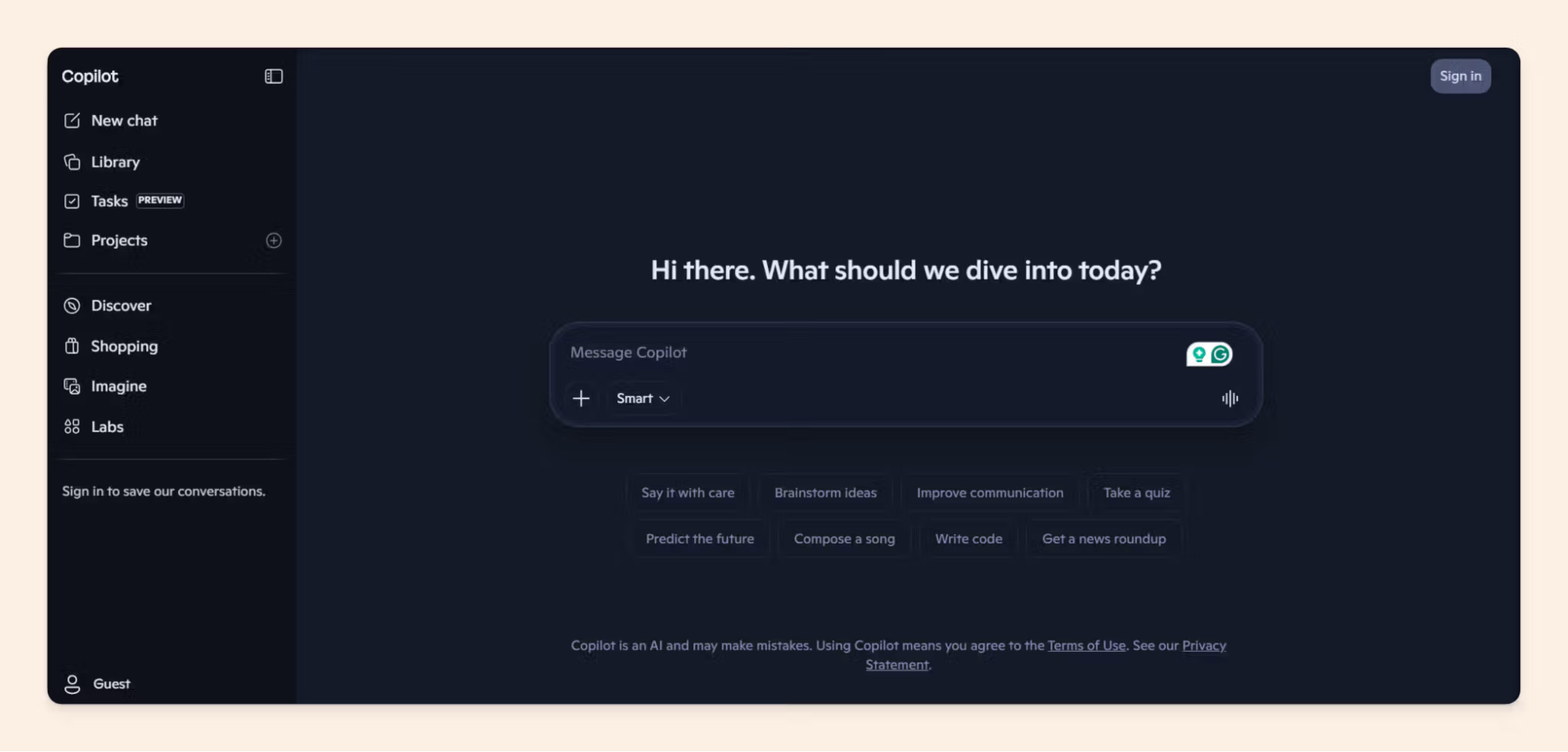
Microsoft Copilot
Microsoft Copilot is worth evaluating if your organization already runs on Microsoft 365. Search and AI are embedded across Outlook, Teams, SharePoint, Word, Excel, and the broader Microsoft stack, with connectors extending the company context available to Copilot.
Best for: Microsoft-heavy organizations that want enterprise search and AI assistance inside their existing Microsoft stack.
Coveo fits companies with distributed enterprise stacks
If your company has years of knowledge spread across systems you cannot realistically consolidate, Coveo gives employees one place to search that stack while preserving source permissions and giving search teams deep control over relevance.
If the bigger problem is that the knowledge itself goes stale, search only solves part of it. Slite brings the knowledge base and enterprise search layer together, with owners, verification cycles, Slite Agent drift detection, and human-reviewed updates.
Book a demo with Slite to see how it keeps company knowledge current and easy to find.
FAQ
Is Coveo a knowledge base?
No, Coveo is primarily an enterprise search and relevance platform. It indexes information from the systems where company knowledge already lives and makes that information searchable, while the original content continues to be created and maintained in those source systems.
Does Coveo replace your existing workplace tools?
No, Coveo sits across the workplace systems a company already uses. It indexes information from those sources, respects supported source permissions, and gives employees one search experience across them without replacing SharePoint, Salesforce, ServiceNow, Confluence, or the other systems underneath it.
Does Coveo require companies to migrate or re-platform their knowledge?
No, Coveo is designed to search information where it already lives, so companies do not need to move all of their knowledge into a new repository before using Workplace. That is one reason it fits organizations where consolidation would be impractical.
Is Coveo suitable for smaller companies?
Yes, depending on the complexity of the company’s search problem. A smaller organization with many repositories, complex permissions, or a genuinely fragmented stack may still have a reason to use Coveo, but the setup and custom pricing are harder to justify when most company knowledge already lives in a small number of well-organized tools.
What is the difference between enterprise search and a self-maintaining knowledge base?
Enterprise search helps employees find information across existing systems, while a self-maintaining knowledge base also manages the documentation behind those answers through ownership, verification, freshness checks, and update workflows so the source knowledge itself stays current.