Search for SOP software, and you'll get a strange mix of tools that barely look like they belong in the same category.
Some turn screen recordings into step-by-step guides. Others run procedures as workflows, train employees, manage maintenance work, or put controlled documents behind approvals and audit trails.
And then even with all these options, one company we spoke with was still updating SOPs by opening Word, editing the file, saving it as a PDF, and uploading it again.
So we've organized this guide by purpose, with the best tools for writing and maintaining internal SOPs, training employees, capturing work from a screen, running frontline processes, and managing procedures in regulated environments.
Key takeaways
- Slite: Best for internal SOPs that need clear ownership, regular verification, and ongoing maintenance alongside the rest of company knowledge.
- SweetProcess: Best for small and mid-sized businesses formalizing policies, procedures, and processes.
- Whale: Best for SOPs that flow into onboarding and team training.
- Trainual: Best for companies that use SOPs for onboarding and employee training.
- Process Street: Best for procedures employees need to execute as tracked workflows.
- Scribe: Best for quickly turning screen-based work into visual SOPs.
- Mitti (by SafetyCulture): Best for frontline inspections, checklists, and corrective actions.
- MaintainX: Best for maintenance SOPs connected to assets and work orders.
- Dozuki: Best for manufacturers creating visual work instructions and shop-floor training.
- MasterControl: Best for highly regulated life-science companies that need SOPs inside a formal quality management system.
What is SOP software?
SOP software is any tool that helps teams to create, organize, distribute, execute, and maintain standard operating procedures. Broadly, the category covers two types of software:
- SOP creation software helps you get a process documented through templates, AI writing, screenshots, screen recording, video capture, or similar tools.
- SOP management software handles more of what happens afterward, including ownership, review cycles, version history, training, workflow execution, approvals, and compliance controls.
Sometimes, different tools solve different parts of that lifecycle. Scribe can capture a process and turn it into an SOP, but someone still has to notice when that process changes. A knowledge base can organize hundreds of SOPs, but organization alone does not tell you whether the instructions are still true.
Types of SOPs and who owns them
| SOP type | Common use | Typical owner |
|---|---|---|
| Step-by-step SOP | Straightforward tasks completed in a fixed sequence | Team lead or process owner |
| Hierarchical SOP | Larger processes with steps and substeps | Operations or department lead |
| Flowchart SOP | Processes with decisions and branching paths | Process owner |
| Compliance or policy SOP | Controlled or regulated procedures | Quality or compliance |
| Technical SOP | IT, engineering, troubleshooting, and incidents | IT or engineering |
Sales SOPs, for example, can cover repeatable processes such as lead qualification, approvals, and handoffs between sales and customer success.
What to look for in SOP software
Start with the job to be done, then work backward through the features.
- Fit for the work: Does the software match the kind of SOP you need to manage, whether that is reference documentation, training, workflow execution, frontline work, or regulated procedures?
- Ease of creation: How quickly can your team turn an existing process into a usable SOP?
- Ownership: Can every procedure have someone clearly responsible for reviewing and updating it?
- Maintenance and freshness: Can you schedule reviews, flag stale SOPs, track acknowledgments, or detect when the underlying process has changed?
- Version control: Can employees tell which version is current, see what changed, and keep an audit-ready version history?
- Ease of use: Can people find and follow the procedure where they actually work? A documented SOP is not much use if employees cannot find it when they need it.
- AI features: Can AI help with drafting, process capture, search, execution monitoring, or maintenance?
- Compliance: If you need approvals, e-signatures, audit trails, or validated document controls, are they built in?
SOP software comparison
| Tool | Best for | Main SOP job | Maintenance | AI feature | Pricing |
|---|---|---|---|---|---|
| Slite | Internal SOPs and company knowledge | Write + maintain | Owners, verification, drift detection | Detects drift and proposes updates | $10/user/mo Basic; $20 Pro |
| SweetProcess | SMB policies and procedures | Write + assign | Version history | SOP drafting and rewriting | From $495/year |
| Whale | SOPs that flow into onboarding and training | Capture + train | Expert review cycles, version history | AI assistant answers from SOPs; AI SOP writer, video to SOP | Free; Scale from $249/month; Advance from $499/month |
| Trainual | Training and onboarding | Train + track | Completion and acknowledgment | SOPs, quizzes, Q&A | Custom |
| Process Street | Executable procedures | Run | Workflow monitoring and audit trails | Builds and monitors workflows | Custom |
| Scribe | Screen-based SOPs | Capture | Manual review and recapture | Turns screen activity into guides | Free + paid |
| Mitti (by SafetyCulture) | Frontline operations | Execute | Inspections, issues, actions | Checklists, courses, search | Free; Premium from $24/user/mo annually |
| MaintainX | Maintenance teams | Execute | Work orders, PM, inspections | Procedure generation and Assist | Free; Essential from $20/user/mo annually |
| Dozuki | Manufacturing | Capture + train | Versioning, reviews, acknowledgments | Video-to-procedure | Custom |
| MasterControl | Regulated life sciences | Control | Formal QMS lifecycle | Regulatory SOP analysis | Custom |
The 10 best SOP software tools for 2026
1. Slite: Best for internal SOPs that need to stay current
Slite is a self-maintaining knowledge base where SOPs live alongside the policies, onboarding docs, technical guides, and other company knowledge they depend on.
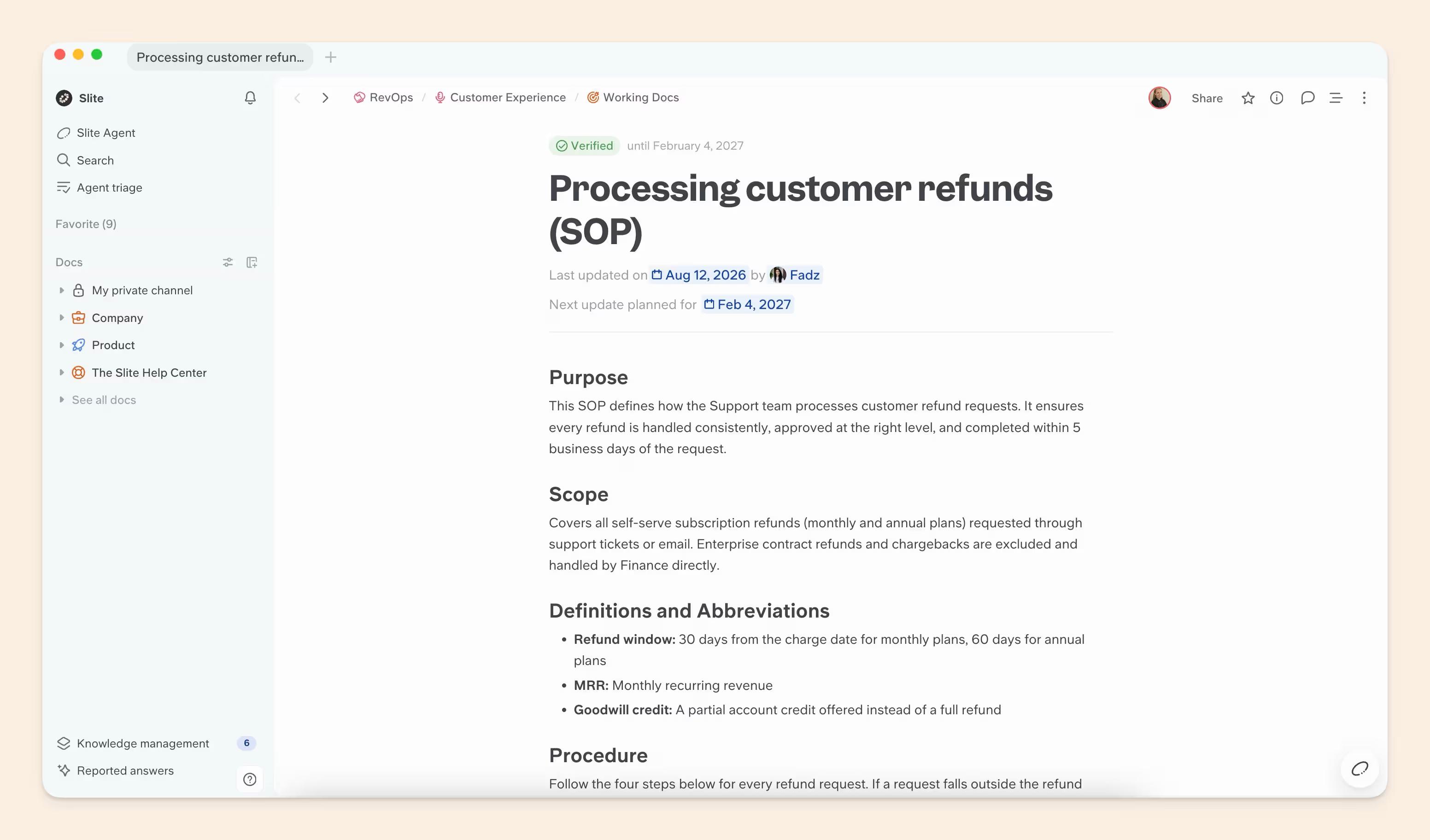
With Slite, every important procedure has an owner and a verification cycle.
Slite Agent can then check documentation against activity across connected company tools and prepare an update when the documented process no longer matches what is happening in practice.
Every proposed change goes through human review before it reaches the document.
Key features
- Document ownership: Assign one person or group responsibility for each SOP.
- Verification: Set a six-month, one-year, or custom review cycle, with reminders as the next review approaches.
- Freshness states: See whether a document is Verified, Verification expired, Outdated, Verification requested, or has no status.
- Knowledge Management Panel: Find outdated, expired, ownerless, or otherwise neglected documentation from one dashboard.
- Slite Agent: Cross-references documentation with 20+ connected tools to find information that has drifted.
- Triage: Review the current document and proposed update side by side before accepting or dismissing the change.
- AI search: Ask and Ask on a Doc return answers from company knowledge, while known outdated documents are excluded from Slite Agent answers.
- MCP and API: Bring Slite knowledge into other AI tools and workflows.
Pros
- SOPs stay alongside the rest of the company knowledge they depend on.
- Ownership and verification are available on every plan.
- Slite Agent can surface changes between scheduled reviews.
- Known outdated documentation is kept out of Agent answers.
- AI-proposed changes remain under human approval.
Cons
- No native e-signatures.
- No FDA 21 CFR Part 11 support.
- No mandatory-read acknowledgment tracking.
- Cloud-only, with no OCR for scanned procedure PDFs.
Slite pricing
- Basic: $10/user/month, billed annually. Includes the knowledge base, Ask, ownership, verification, Knowledge Management Panel, MCP, and API access.
- Pro: $20/user/month, billed annually. Adds Slite Agent, cross-tool search, suggested fixes, and Agent workflows.
- Enterprise: Custom pricing.
- Free trial: 14 days, no credit card required.
2. SweetProcess: Best for SMBs formalizing policies and procedures
SweetProcess gives smaller operations teams one place to document policies, procedures, and processes. You can also assign a procedure as a task, which works well for recurring processes that need a clear owner.
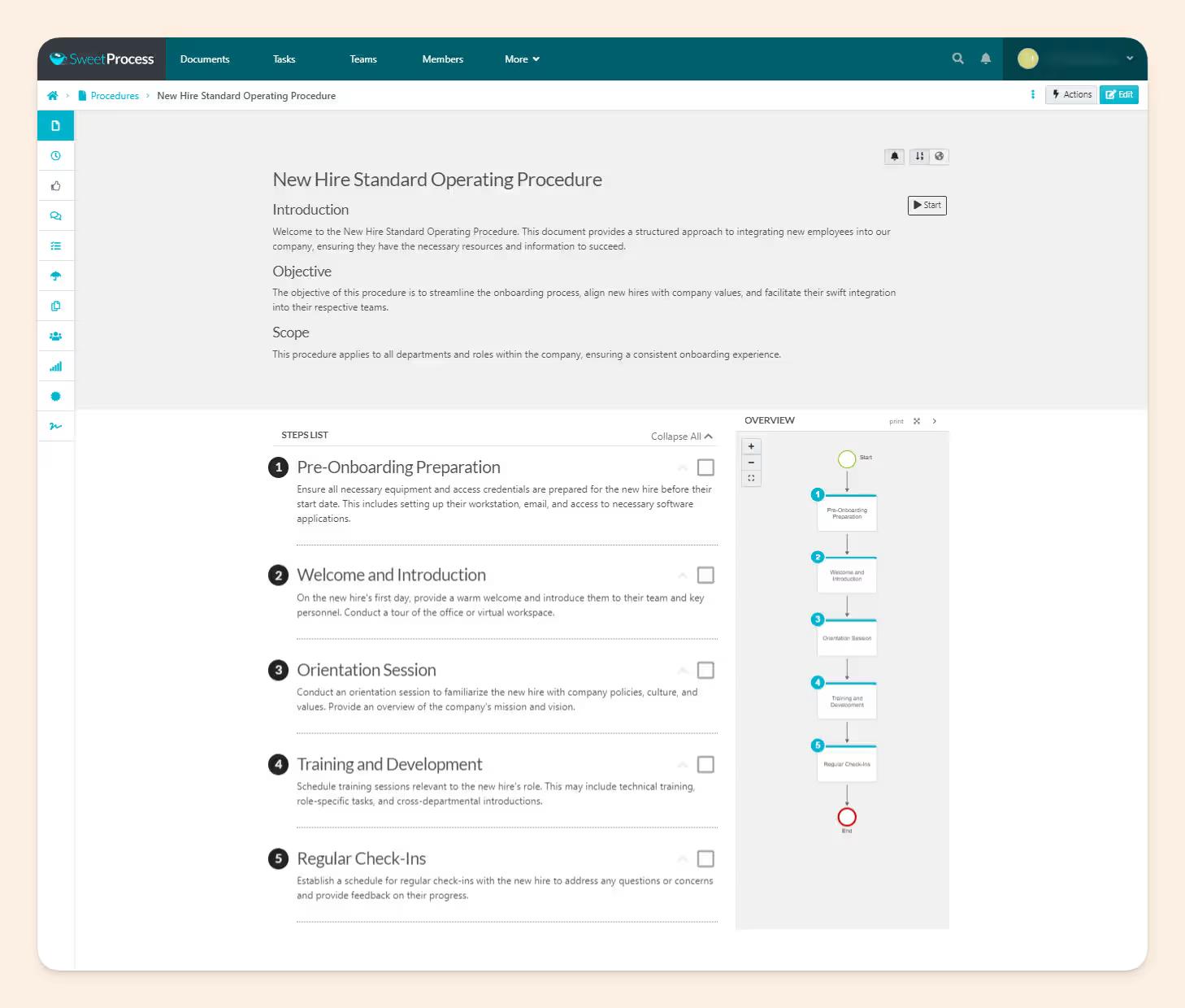
SweetAI can generate an SOP from a title and clean up rough instructions. Version history records later edits, although the team still needs to identify when the real process has changed and update the SOP accordingly.
Key features
- Procedures, policies, and processes in one library
- Assignable procedure tasks
- Version history
- SOP templates
- SweetAI drafting and rewriting
Pros
- Focused on process documentation.
- AI is included across plans.
- Procedures can become tasks.
- Pricing is public.
Cons
- Maintenance still depends heavily on the team.
- Limited frontline and maintenance workflows.
- No formal regulated QMS controls.
SweetProcess pricing
- Small Team: $495/year for up to five users.
- Monthly: $99/month for up to 10 users, plus $5/month per additional user.
- Annual: $990/year for up to 10 users, plus $50/year per additional user.
- Free trial: 14 days.
3. Whale: Best for SOPs that turn into training
Whale is SOP software built for the step after documentation: turning a captured process into something a team can be trained on.
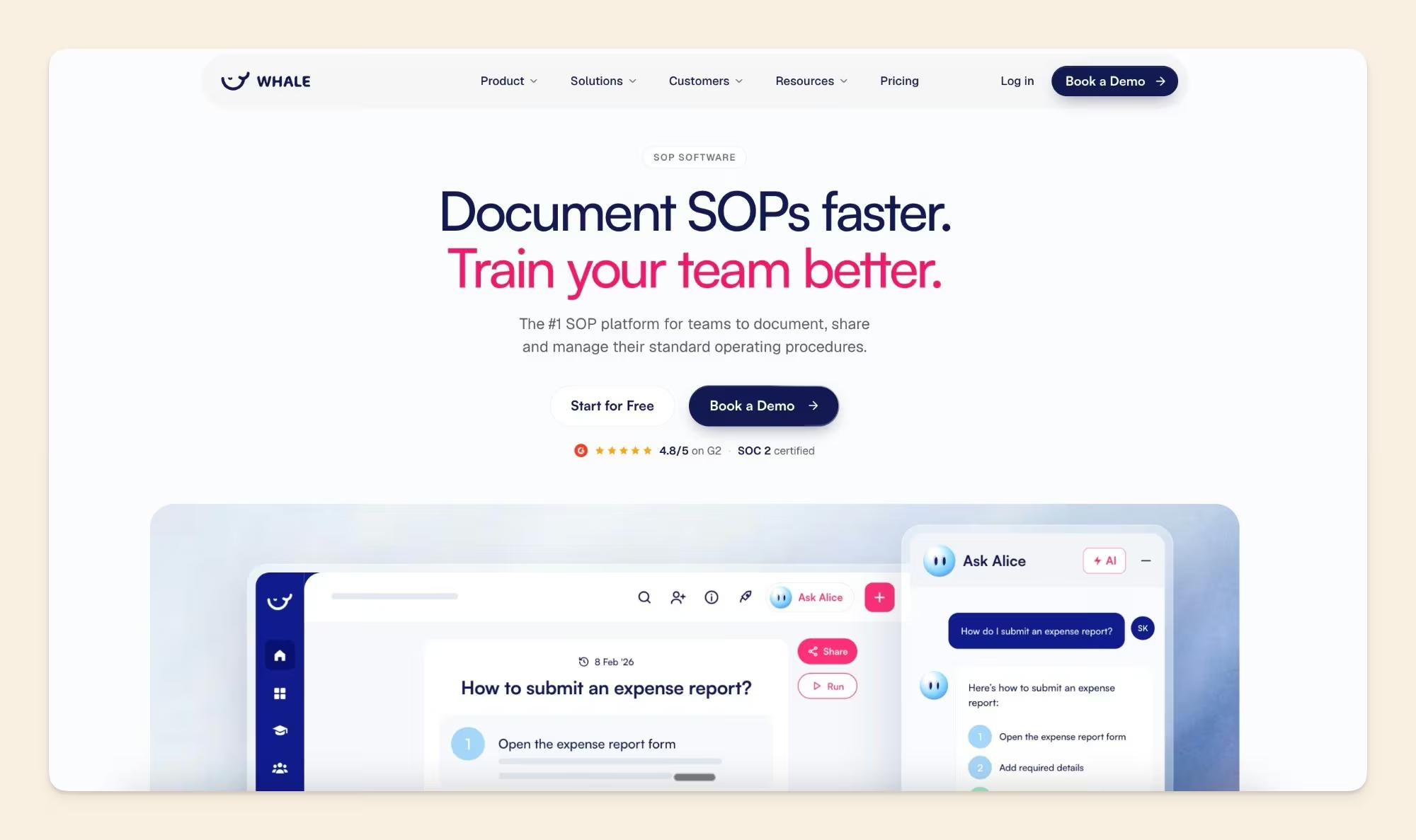
The Step Recorder turns a task on screen into a video, annotated screenshots, and a written guide in one pass, while video to SOP and an AI SOP writer cover work that does not happen on a screen.
Guides can then go into role-based training flows, be assigned with due dates, and be tracked to completion, and the AI assistant answers employee questions from the finished SOPs.
Key features
- Step Recorder and video to SOP
- AI SOP writer for off-screen processes
- Role-based training flows with due dates
- AI-generated quizzes and checklists
- AI assistant and CoPilot browser extension
- Version history and expert review cycles
Pros
- Capture, SOPs, and training live in one system.
- Works for processes that happen off screen.
- Assignments, quizzes, and e-signatures show who has read and understood a procedure.
- A free plan lets teams test it on real processes.
Cons
- Built around SOPs and training, so it suits a general company wiki less well.
- E-signatures and enforced SSO need Advance, and approval flows need Enterprise.
- The free plan stops at one creator and 20 playbook items, and the first paid plan is $249 per month.
Whale pricing
- Free: $0, with one creator, up to ten members, and 20 playbook items.
- Scale: $249/month, billed annually, with three creators.
- Advance: $499/month, billed annually, with five creators.
- Enterprise: Custom pricing.
4. Trainual: Best for SOPs tied to employee training
Trainual combines process documentation with onboarding and employee training. SOPs can be assigned according to role, with completion tracking, quizzes, and e-signatures to show that employees have gone through the material.
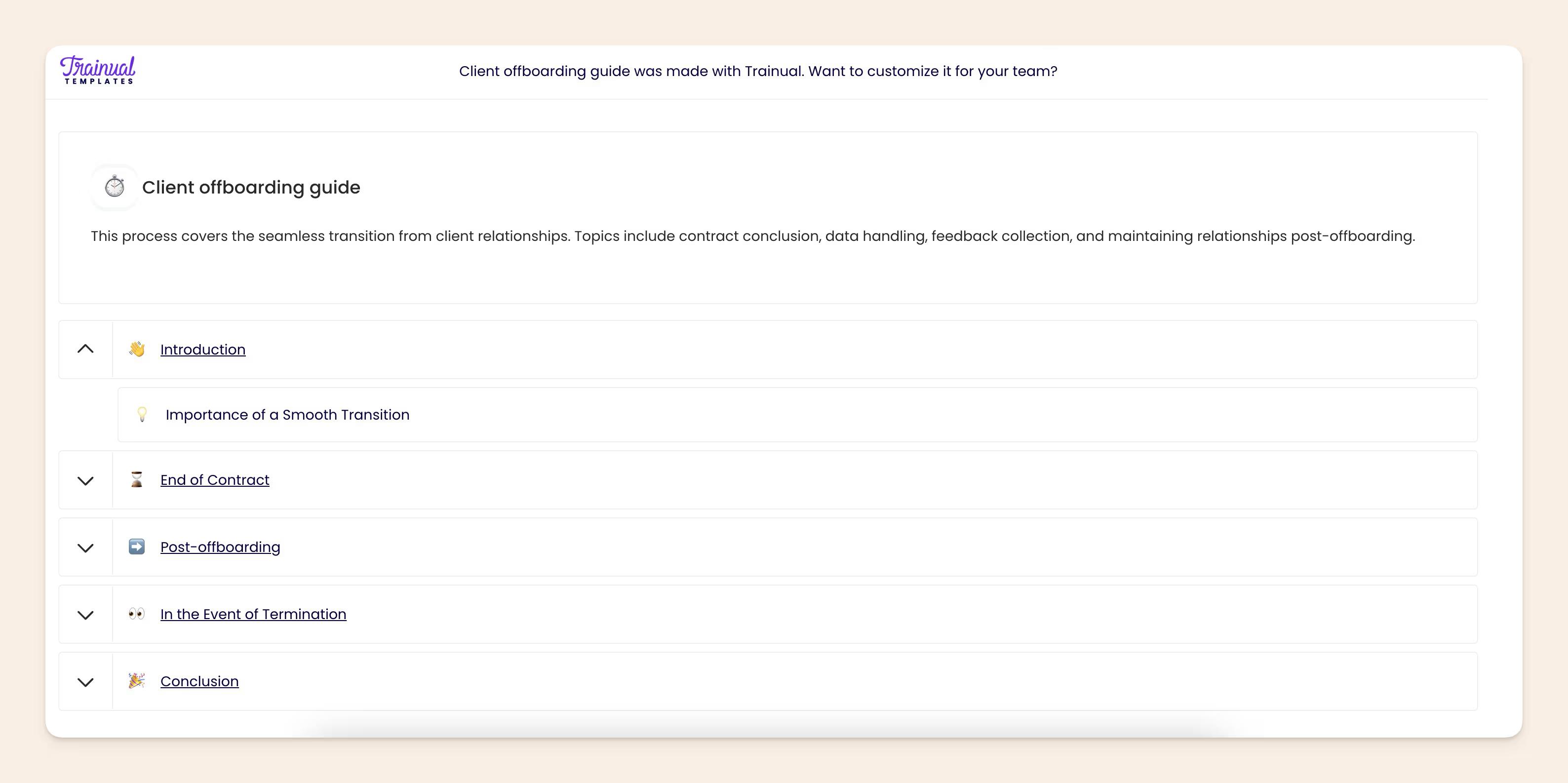
Its AI follows the same workflow. Trainual can generate SOPs and policies, turn content into quizzes, answer employee questions, and translate training material.
Key features
- Role-based training
- Completion tracking
- Tests and quizzes
- E-signatures
- Built-in screen recorder
- AI SOP and policy generation
- AI Q&A and translation
Pros
- SOP documentation and training stay together.
- Managers can track completion.
- Quizzes test understanding.
- E-signatures support acknowledgment.
Cons
- More training infrastructure than a reference library needs.
- Less suited to deep workflow execution.
- Pricing requires a sales conversation.
Trainual pricing
- Core: Custom pricing.
- Pro: Custom pricing.
- Premium: Custom pricing.
- Enterprise: Custom pricing.
- Implementation: New customers currently pay a one-time $1,000 implementation fee.
5. Process Street: Best for SOPs employees need to run
In Process Street, employees follow the SOP as a live workflow, with each step, form, approval, and handoff tracked as they go. Conditional logic and automations can then adapt the process based on what happens along the way.
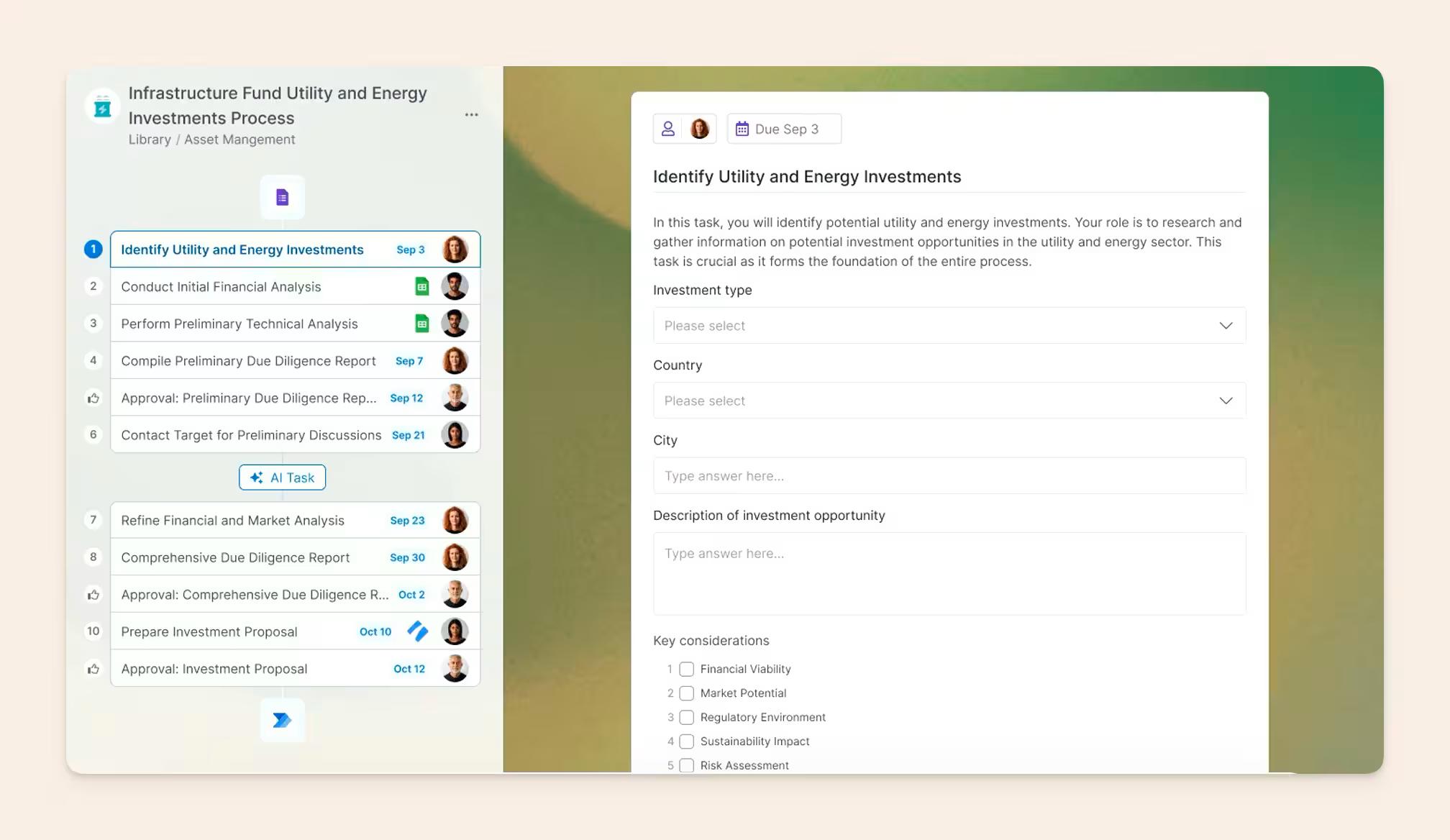
Cora, its AI compliance agent, can turn policy documents into auditable workflows and monitor what happens afterward.
Key features
- No-code workflows
- Forms and conditional logic
- Assignments and approvals
- Automations
- Audit trails
- Cora AI compliance agent
- MCP server
Pros
- SOPs become executable workflows.
- Strong conditional logic and approvals.
- Tracks process execution.
- AI can monitor missed steps.
Cons
- Too much workflow for simple reference SOPs.
- No public per-seat pricing.
- Multiple user roles can count toward billing.
Process Street pricing
- Startup: Custom pricing.
- Pro: Custom pricing.
- Enterprise: Custom pricing.
- Free trial: 14-day Pro trial.
6. Scribe: Best for quickly capturing screen-based SOPs
Scribe records someone performing a task and turns the session into a visual guide with screenshots and written instructions.
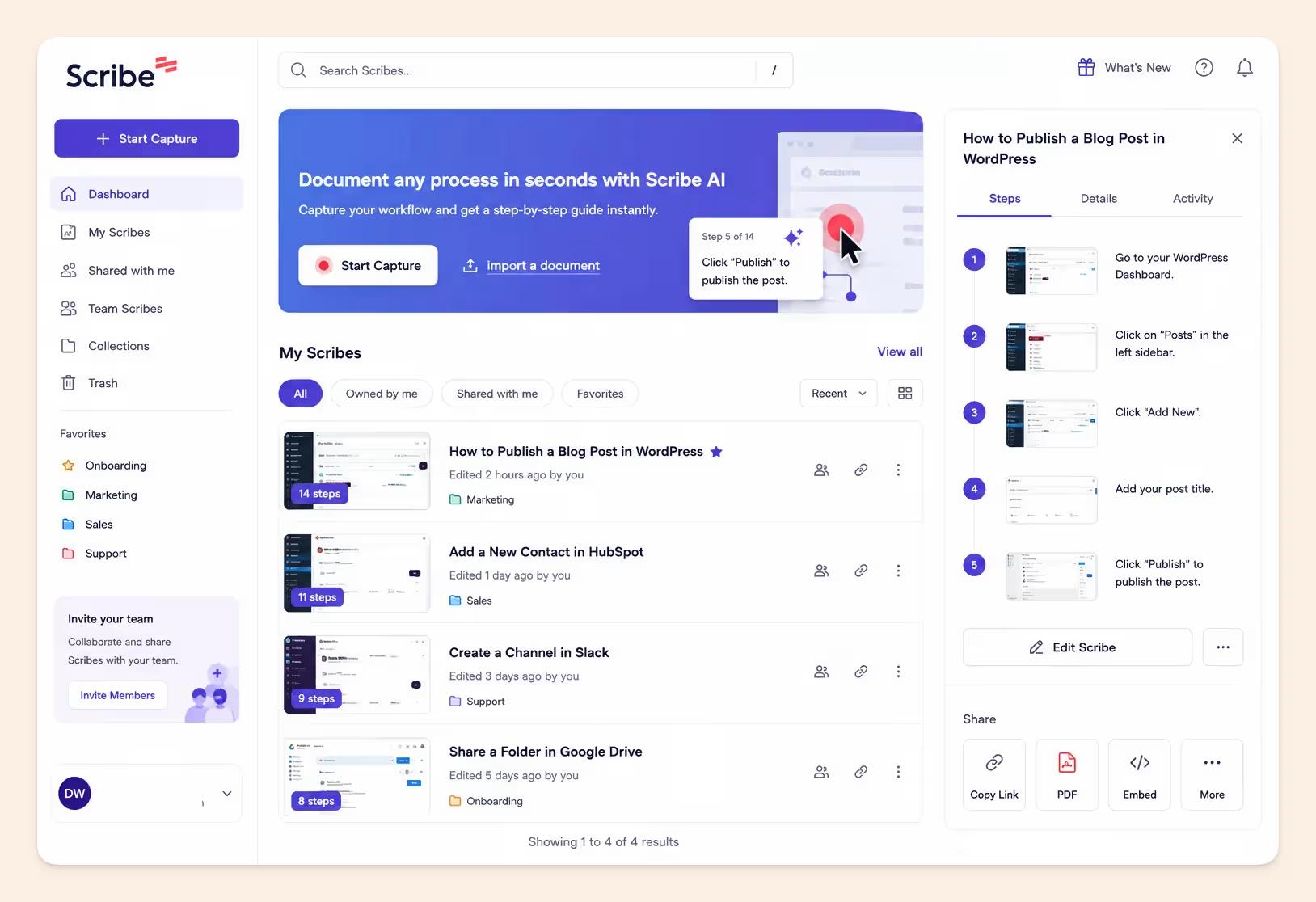
Scribe handles the tedious part: recording clicks, taking screenshots, and writing out each step. But the guide won't update itself when the process changes. Someone still has to catch the change and revise or recapture the SOP.
Key features
- Browser and desktop capture
- Automatic screenshots and step text
- Screenshot editing and annotation
- Sensitive-data redaction
- Scribe Pages
Pros
- Fast visual SOP creation.
- Low authoring effort.
- Easy for subject-matter experts.
- Free option available.
Cons
- No automatic drift detection.
- Best suited to screen-based procedures.
- Broader SOP governance is limited.
Scribe pricing
- Basic: Free.
- Pro Personal: $35/user/month on monthly billing.
- Pro Team: $85/month for up to five users, then $17 per additional user.
- Annual billing: Roughly 24% cheaper.
- Enterprise: Custom pricing.
7. Mitti (by SafetyCulture): Best for frontline inspections and operational SOPs
Mitti is built for frontline teams that need to follow procedures while they work. Employees can run inspections and checklists from their phones, then turn failed checks into issues or corrective actions without leaving the workflow.
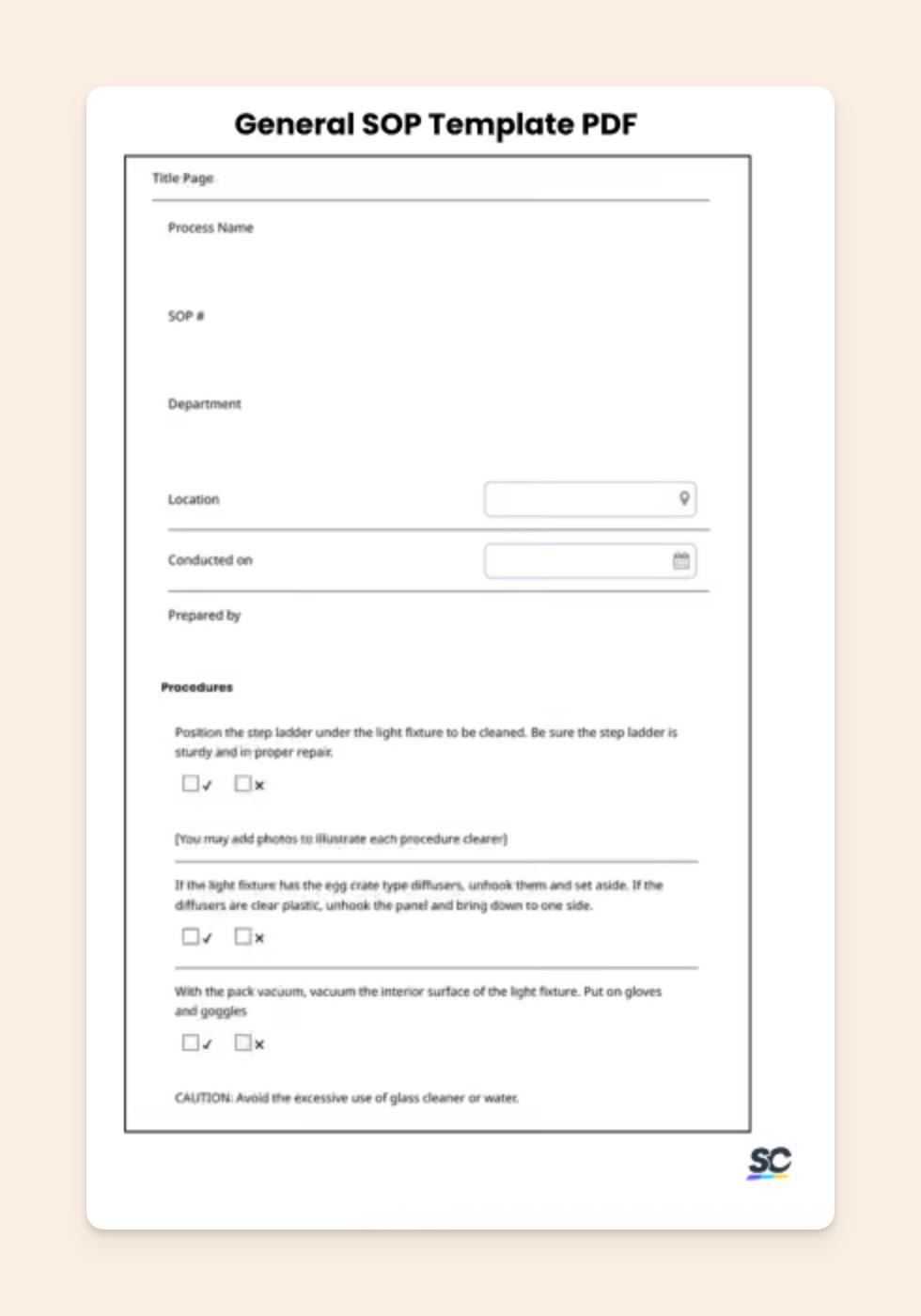
Its AI can also help create checklists and training content, summarize reports, and answer questions from operational information.
Key features
- Mobile inspections
- Checklists
- Issues and corrective actions
- Training
- Asset and sensor data
- AI Assistant
- AI checklist and course generation
Pros
- Strong mobile experience.
- Inspections connect to corrective actions.
- Training sits alongside frontline work.
- Free plan for smaller teams.
Cons
- Broader platform than teams needing only SOP documentation require.
- Less suited to company-wide internal knowledge.
- Not a life-science QMS.
Mitti pricing
- Free: Up to 10 users.
- Premium: $24/user/month, billed annually.
- Enterprise: Custom pricing.
- Free trial: 30 days for Premium.
8. MaintainX: Best for maintenance and reliability SOPs
MaintainX puts procedures beside the equipment and work orders they support. Technicians can follow an SOP while handling preventive maintenance, inspections, and repairs instead of leaving the work order to search another system.
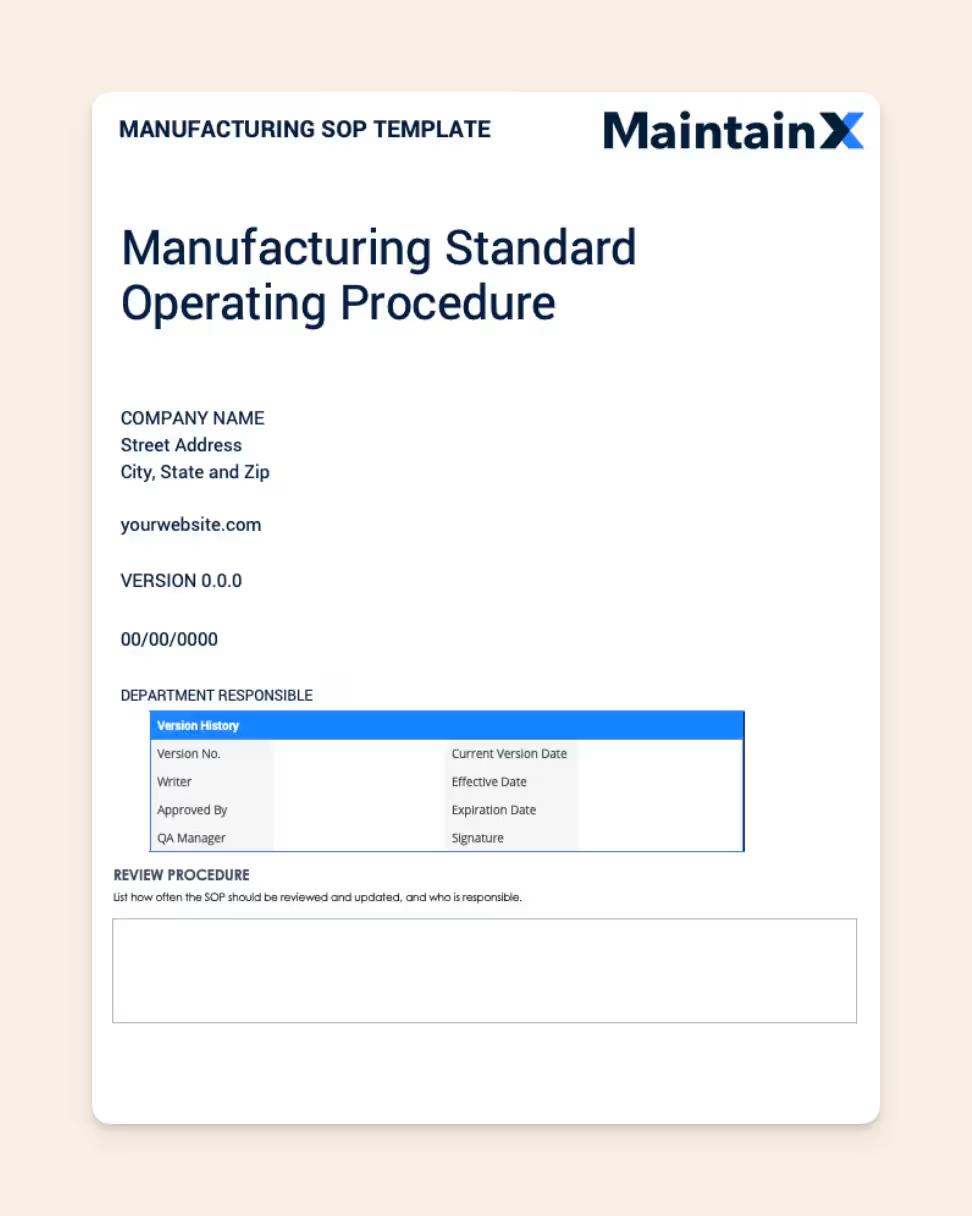
AI procedure generation helps turn existing maintenance information into instructions, while MaintainX Assist can search manuals, answer troubleshooting questions, improve procedures, and translate them.
Key features
- Procedures inside work orders
- Asset management
- Preventive maintenance
- Inspections and signatures
- AI procedure generation
- MaintainX Assist
Pros
- SOPs stay close to maintenance work.
- Strong mobile workflow.
- Useful AI for manuals and procedures.
- Free plan available.
Cons
- CMMS functionality is unnecessary for office teams.
- MaintainX Assist is Enterprise-only.
- General company knowledge still needs another home.
MaintainX pricing
- Basic: Free.
- Essential: $20/user/month annually, or $25 monthly.
- Premium: $65/user/month annually, or $75 monthly.
- Enterprise: Custom pricing.
9. Dozuki: Best for manufacturing work instructions
Dozuki helps manufacturers capture shop-floor knowledge and turn it into visual work instructions. CreatorPro AI can convert narrated video into structured procedures, while older PDFs, PowerPoints, and Word files can also be brought into the system.
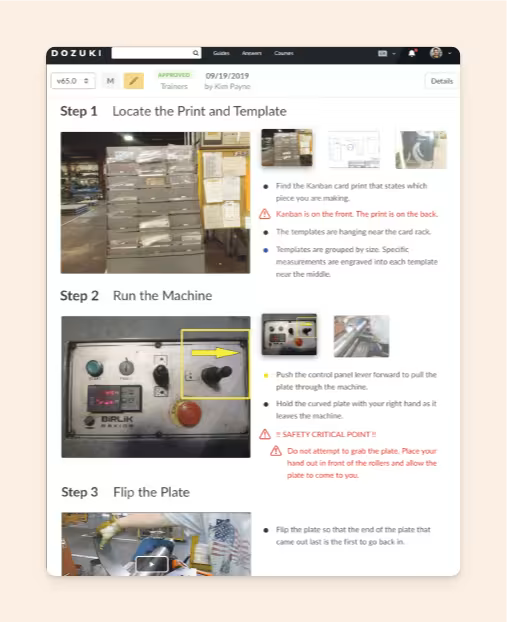
The finished instructions connect to training, skills tracking, supervisor sign-offs, version control, and acknowledgments.
Key features
- Visual work instructions
- Training pathways and skills tracking
- Version control and supervisor sign-offs
- Translation into 100+ languages
- Video-to-procedure generation
- Legacy-document conversion
- Change acknowledgment
Pros
- Purpose-built for manufacturing.
- Strong video capture workflow.
- Training stays connected to procedures.
- Supports multilingual operations.
Cons
- Excessive for normal office SOPs.
- No public pricing.
- Smaller teams may not need the wider manufacturing workflow.
Dozuki pricing
- Plans: Sales-led.
- Price: Custom quote based on deployment and requirements.
10. MasterControl: Best for highly regulated life-science SOPs
MasterControl is built for companies whose SOPs sit inside a formal quality management system. Pharmaceutical, biotech, and medical-device teams can manage controlled documents, training, quality processes, electronic records, and other regulated workflows from the same system.
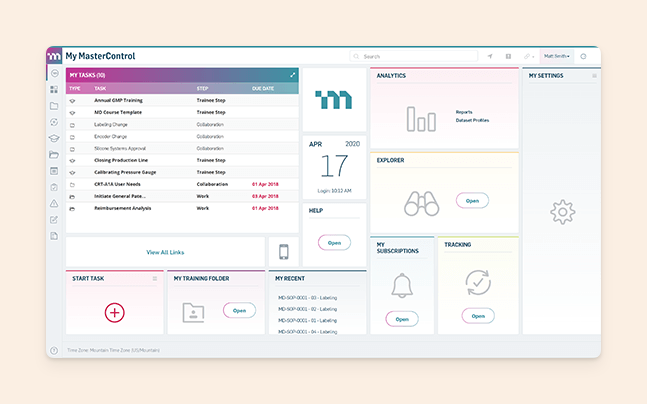
Its SOP Analyzer checks procedures against relevant regulatory requirements, identifies gaps, and suggests compliant language with citations.
Key features
- Controlled document management
- Training management
- Quality workflows
- FDA 21 CFR Part 11 support
- SOP Analyzer
- Human-reviewed AI workflows
Pros
- Built for regulated life sciences.
- Formal document and training controls.
- SOPs connect to wider quality workflows.
- AI supports regulatory analysis.
Cons
- Heavyweight for normal internal SOPs.
- More implementation and governance work.
- No public pricing.
MasterControl pricing
- Pricing: Custom.
- Plans: Depend on the document, quality, and manufacturing modules required.
Qualio is another option in this category, with document control, CAPA, training, audit readiness, and AI-assisted compliance workflows.
AI SOP generators in 2026
AI now handles four parts of SOP work:
- writing the procedure,
- capturing the process,
- retrieving the answer,
- and helping keep the SOP current.
For example:
Drafting: SweetProcess and Trainual can generate structured SOPs from prompts or titles. Slite can generate procedures directly from company knowledge sitting in connected tools.
Capture: Scribe creates visual procedures from screen activity, and Whale's Step Recorder does the same with video and annotated screenshots. Dozuki converts narrated shop-floor video into work instructions. MaintainX can use existing maintenance information to help create procedures.
Retrieval: Slite Ask lets employees question company documentation directly. Trainual provides AI Q&A around training material, while MaintainX Assist can search manuals and help technicians troubleshoot.
Maintenance and governance: Slite Agent checks documentation against changing information across connected tools and proposes updates for human review.
Here is how each tool's AI capabilities compare side by side:
| Tool | Drafting | Capture from work | Search / Q&A | Maintenance/governance |
|---|---|---|---|---|
| Slite | Yes | Uses connected company context | Yes | Drift detection, verification, human review |
| SweetProcess | Yes | Limited | Yes | Version history |
| Whale | Yes | Screen recording and video | Yes | Expert review cycles and version history |
| Trainual | Yes | Screen recording | Yes | Training and completion tracking |
| Process Street | Workflow generation | Limited | Limited | Execution monitoring |
| Scribe | Yes | Screen capture | Limited | Manual review |
| Mitti (by SafetyCulture) | Checklists + courses | Operational inputs | Yes | Issues and actions |
| MaintainX | Yes | Manuals, images, voice | Yes | Maintenance workflows |
| Dozuki | Yes | Video + legacy files | Yes | Reviews and acknowledgments |
| MasterControl | Compliance-focused | Documents | Yes | Regulatory analysis |
Benefits of using SOP software
- More consistent processes: Everyone follows the same current procedure instead of working from different copies.
- Faster onboarding: New hires depend less on memorization, shadowing, and repeated explanations.
- Easier access: Search, mobile access, and in-workflow guidance make procedures easier to reach when someone actually needs them.
- Clearer ownership: Teams can assign responsibility for reviewing and updating important SOPs.
- Better execution: Workflows, checklists, training, and work orders can bring the SOP directly into the work.
- Easier maintenance: Review cycles, version history, acknowledgments, audit trails, and drift detection help procedures stay current.
Keep your SOPs current with Slite
With Slite, each procedure has a clear owner and verification cycle, while employees can search SOPs alongside the policies, technical docs, and other knowledge they need to do their jobs.
The best part is that Slite Agent handles ongoing maintenance by checking documentation against changing information across connected tools and preparing updates for review. Your team decides what gets accepted, so the knowledge base can keep up without handing over total control of trusted documentation to AI.
Book a demo to see how, or start with Slite's SOP template.
Frequently asked questions
What is the best SOP software?
The best option depends on the job. Slite fits internal SOP management, Scribe fits screen-based capture, Trainual and Whale fit employee training, Process Street fits workflow execution, and MasterControl fits highly regulated quality environments.
Is there a free app that can write SOPs?
Yes. Scribe, Mitti, MaintainX, and Whale offer free plans. Slite and several other tools on this list offer free trials.
Can ChatGPT write SOPs?
Yes. ChatGPT can draft, restructure, simplify, and turn process notes into an SOP.
A subject-matter expert should still verify the instructions, and ChatGPT alone does not provide ownership, version control, review cycles, training records, workflow execution, or regulated approval controls.