Stale documentation used to be a minor hygiene problem. In the era of AI agents, it is an infrastructure risk. When your team's knowledge drifts from reality, your AI agents become confidently wrong, cascading errors across your entire workflow.
In this webinar, Slite CEO Christophe Pasquier and Femke Plantinga introduce the world's first self-maintaining knowledge base. Learn how Slite pairs a structured, verified wiki with an AI agent that automatically detects knowledge drift, proposes fixes, and routes updates through human approval to keep your team's knowledge 100% accurate.
Watch as we demonstrate how to build, clean, and automate your knowledge base from scratch with a human in the loop.
0:00 Introduction
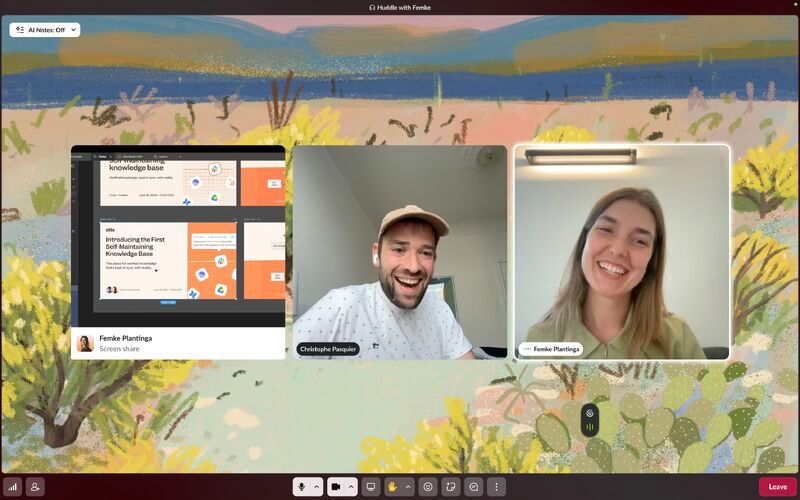
Christophe joined from San Francisco and Femke from Perugia, in the "green heart" of Italy, while attendees checked in from around the world. It's a fitting picture of the remote, distributed teams that rely most on shared written knowledge. The session was recorded, and attendees were invited to drop questions in the Q&A tab at any time.
3:48 Webinar agenda and goals
The hour was split into four parts:
- A short introduction to Slite, plus a few audience polls to tailor the demo
- The core features of the Slite Agent and last week's big launch
- Three practical use cases
- Live Q&A
5:47 The philosophy of self-maintaining knowledge
Christophe called the launch a foundational moment for Slite. Team context has never been more valuable, he argued, because it is the only way to run agentic workflows you can actually trust. Agents can only work autonomously alongside your team if what they read is correct.
Slite gives teams two ways to put knowledge into self-maintenance:
- Inside the app, using the Slite Agent's built-in maintenance features
- From the outside, by calling the agent from your own agents and workflows through MCP or the API. You own the logic of what should change, and Slite provides the layer that stores the context and routes every change to a human for approval or rejection.
Early poll results showed most attendees were already Slite users, and most planned to maintain their docs from inside the app, with a couple already doing it from external agents.
9:43 Evolution from note-taking to knowledge base
Slite started ten years ago as "the note-taking app for teams." Back then the problem was that nobody wrote or shared anything, so the goal was a tool fast and pleasant enough that people would actually centralize team information in one place.
10:14 The risks of stale documentation and AI
The second problem is one every knowledge worker knows: you write something down, reality changes, and the document quietly drifts. Wikis are, in Christophe's words, made to drift.
AI raises the stakes. Point an assistant or a support agent at an outdated doc and it will state wrong information with full confidence. Humans have social cues and critical thinking to catch inconsistencies; agents don't. And this isn't only a risk for teams running fully autonomous agents. When a teammate gets a confident answer from an AI assistant, they are less likely to question it too.
That's why Slite sees context as a team's most important IP, and why it built a self-healing loop: the agent reads across all of your team's context, not just to answer questions, but to keep the knowledge base itself trustworthy.
12:35 The Slite Agent
At its core, Slite is a fast, collaborative knowledge base with a simple, capable editor. Before AI, Slite's best answer to knowledge drift was its verification layer: every doc can be verified by an owner with an expiry date, and admins get a knowledge management view that surfaces outdated docs ranked by views.
It was the best experience on the market, Christophe said, but it still depended entirely on people being willing to go back and update things. The new launch changes that.
14:55 Manual and scheduled fact-checking features
Every doc now has an agent maintenance button. You can:
- Run a one-time fact check on the current doc, which can keep running in the background
- Set a maintenance routine, currently weekly or monthly, with more options coming
- Assign a different owner, so a knowledge manager can generate review jobs for the teammates who should own each doc
Unlike a verification expiry, which only tells you something might be wrong, a fact check produces the actual changes, ready to apply.
In the live demo, Christophe fact-checked a help center article on toolbar and commands. The agent found that it linked to an archived keyboard shortcuts doc and proposed replacing the link with the newer, more complete page. It was a small internal fix he didn't expect, which is exactly the point.
17:33 Managing changes through the triage inbox
The real value shows up when maintenance runs on its own. Docs in self-maintenance are checked overnight on a weekly cadence. In the morning, the doc owner finds a triage item in their inbox explaining what the agent checked against the rest of the team's data, what it found to be wrong, and the proposed edits. Owners can approve, reject, or continue the conversation to adjust.
A second poll asked which capabilities mattered most: maintaining docs from your own agents, reviewing and organizing existing docs, creating new docs from scratch, or built-in self-maintenance. Most attendees wanted all of them.
Femke pointed to onboarding docs and help centers as the usual first candidates, since they go stale fast and matter a lot. Christophe added that the most critical docs are those consumed by anyone outside your immediate team: AI agents in your workflows, customers, and partners. In early customer calls, the agent had already flagged changes that were contradicted by live customer-facing material.
22:05 Universal search and connected data sources
What makes the agent's fact checks possible is its sources. Slite connects natively to more than 20 tools, and you can add your own. These aren't MCP calls. The data is indexed, which is what makes search fast and accurate. Super, the company search product, is now part of the Slite Agent.
- Ticketing tools like Linear and Jira are fully indexed, so the agent can find everything related to a topic through semantic matching.
- Your codebase can be connected for progressive, read-only search without being indexed, which lets support teams answer questions from the actual source of truth.
- Permissions are respected wherever the source allows it.
Christophe showed two quick examples. Asking what Femke was working on this week returned an instant, cited summary from Slack. Asking which plan lets admins control who can create channels returned "Premium," sourced from the public help center. That revealed a gap: the newly released Pro plan wasn't reflected in the article. He then asked the agent to verify the answer against the codebase, with the goal of updating the doc in the same conversation if it turned out to be wrong.
28:40 Use case: scaffolding docs from zero context
Femke took over for the first use case: starting documentation from nothing. Because the agent already has context from all of your company tools, you can build a knowledge base without writing a first draft yourself. This is useful when you join a new company, set up a new team, or document a function that has never been written down.
29:41 Creating customer operations pages from scratch
Slite didn't have a proper home base for its customer operations team, so Femke created an empty page and gave the agent a short prompt: using Intercom, Slack, and Google Drive, identify the most common topics, processes, and questions the team handles, and structure them into individual docs, each with an owner and verification date.
The agent produced a full set of pages following her template, including dos and don'ts, and formatted content as tables where that made sense rather than walls of text. She could approve them all in one go.
32:38 Using the agent to find internal experts
Self-maintenance needs owners, so Femke asked the agent to find experts for each doc and assign them. It suggested sensible matches, such as a finance lead for billing and an engineer who had merged related pull requests.
Christophe noted the direction here: checks like "is this owned by the right person?", "should this be verified?", and "are backlinks cleaned up after archiving?" should become built-in automations rather than things you have to ask for. A clearer UI for showing why an expert was suggested is also on the way.
Once owners were assigned, Femke put the docs on a weekly self-maintenance routine, so future updates would flow into the triage inbox. The same approach works for launch docs, tone-of-voice playbooks, or support SOPs. As Christophe put it, SOPs are usually outdated, and the most accurate source for them is how your team actually works in Intercom, Zendesk, and Slack.
37:28 Use case: cleaning and organizing existing folders
The second use case targets knowledge you already have, whether imported or written in Slite years ago. Christophe ran a deliberately heavy job on a developer documentation folder dating back to 2021. The instruction was to clean and reorganize the folder, rename things clearly, archive what's no longer needed, fact-check what remains, and verify it once done.
To make those calls, the agent draws on view and edit counts for each doc and on backlinks, so archiving doesn't leave broken references behind.
39:03 Archiving outdated content and fixing links
The results included:
- Renaming a vague "General" doc to "Dev guide"
- Archiving six docs, some from 2018
- Flagging dead external links, checked through web search
- Catching that the docs described Yarn v2 while a merged pull request showed the team had moved to Yarn v4
- Proposing additions and edits based on how the team actually operates today, picked up from tribal knowledge
- Suggesting docs to verify and owners to change
It's the kind of spring cleaning that rarely happens by hand, done in one pass.
41:00 Real-world example of proactive terminology updates
Christophe shared a message a teammate had posted that morning. Overnight, without anyone asking, he'd received a notification that one of his docs still referred to "Super," which has since become the Slite Agent, along with the fix ready to apply. Scaling that pattern, where changes arrive already prepared, is where Slite sees the future of knowledge management.
41:50 Use case: triggering changes from external workflows
The third use case drives maintenance from outside Slite. Christophe used Claude Code, but it works from any agent setup, such as an MCP server or ChatGPT. He asked it to review the last ten merged pull requests and check whether anything in the product docs, help center, or technical documentation needed to change.
42:47 Connecting Slite to GitHub and PRs
The external agent returned a link to a Slite agent triage session. One example: after a bug fix shipped the day before, it proposed updating the find-and-replace article to list all the block types the feature now supports. Because the article explicitly lists supported blocks, the addition was accurate.
External agents can also edit docs directly through the MCP and API if you're confident in the change. When they do, Slite marks those edits in the doc history and comments so it's clear they came from an agent.
44:48 Human-in-the-loop approval for automated edits
For automated documentation changes, users consistently say approval is the last barrier to trust. But reviewing changed prose is hard, which is why Slite built a readable review experience and exposes it as a building block. Your agent calls the Slite Agent, which prepares the changes for a human to apply.
Christophe listed the kinds of workflows this enables:
- On every merged pull request, update the relevant docs
- Every day, analyze support tickets and update the internal support handbook
- Every month, analyze won deals and update the sales playbook
In each case, the relevant lead reviews and applies the changes through triage.
46:42 Q&A and closing remarks
46:50 Hosting agent skills and instructions in Slite
Should we host agent skills in Slite and put them on auto-maintenance?
Christophe's answer was a firm yes. Skills, memory, and agent instruction files are all forms of context: what an agent needs to know and how it should operate. Today they are scattered across tools and hard to author. Most teams put agents into production only in the last few months, so their skills are still accurate, but that won't last.
Skills are the part of your context that acts autonomously, so they need to be the cleanest. Hosting them in Slite makes them easier to edit, including through MCP, and to permission, for example restricting a skill to developers.
He showed a real skill Slite uses to send personalized follow-up material to warm leads. It contained hardcoded IDs, CRM options, and persona definitions that would eventually go stale, and that's how you discover an agent has been sending off-target emails for two weeks. There are still technical challenges before hosted skills match code-based presets, but he believes they belong alongside the rest of your context.
50:41 Permissions and approval rights in triage
Who can approve proposed changes? Is admin access required?
No. Approvals map to the user's existing permissions. If you can rename or verify a doc yourself, you can approve the agent doing it.
Triage is currently personal, sent to one user. Making it a team experience is a key design challenge, because the agent's sources follow each user's permissions. Slite is working on an intermediate model where a doc can be limited to specific sources and its suggestions routed to a shared channel, while approvers still need write access.
52:50 Closing remarks and contact information
Further questions can go to the Slite Slack community, LinkedIn, or a reply to the follow-up email. Product updates will be shared in the newsletter and on Slack, and anyone who wants to see the Slite Agent on their own documentation can book a demo. The team is also planning a video series covering search and self-maintenance in more depth.