If you're searching for Glean alternatives, there are plenty of enterprise search tools to choose from.
- Are you paying too much for search that still returns inconsistent answers?
- Is the documentation underneath your search outdated or difficult to maintain?
- Or are you paying for separate search and knowledge tools when you would rather manage both in one place?
If those are the problems you're running into, we'd recommend looking for a Glean alternative that pairs enterprise search with a centralized, owned, and verified knowledge base underneath it.
You shouldn't have to bolt together Glean for search plus Confluence, GitHub, or another traditional wiki for docs. With Slite, you bring search and documentation into one system, with self-maintaining, verified knowledge underneath it so humans and AI agents can trust what they read.
And yes, this is a Glean alternatives article written by a Glean alternative…Slite.
The breakdown below focuses on search quality, internal documentation, cost, and fit.
Key takeaways
- Glean is a strong enterprise search product, but its search quality still depends on the knowledge underneath it. If the source material is stale or wrong, the answer can be too.
- Cost is among the top reasons teams look elsewhere for Glean alternatives. Glean contracts can reach six figures, while support, AI usage, implementation, connectors, and the documentation system underneath it can increase the total bill further.
- For growing teams, Slite is our top pick if you want enterprise search and a maintained source of truth in the same tool.
- Other alternatives win for specific requirements. Elastic gives engineering teams more control, Microsoft 365 Copilot fits Microsoft-heavy companies, Onyx is the clearest open-source option, and Sinequa is built for heavyweight enterprise deployments.
- If Glean is already deeply embedded and working well, staying put may make more sense. Switching to another enterprise search tool means you'd have to remap connectors, permissions, workflows, and employee habits.
A quick comparison of the 9 best alternatives to Glean
Here are the nine Glean competitors we'd consider in 2026.
| Tool | Best for | Core approach | Pricing |
|---|---|---|---|
| Slite | Growing teams that want enterprise search + a self-maintaining knowledge base | Agentic retrieval + verified knowledge | From $20/user/month for Pro |
| Coveo | Large enterprises with complex search and relevance needs | Enterprise AI search + relevance | Custom |
| Elastic | Engineering teams building their own search stack | Search + vector infrastructure | Hosted from $99/month; Serverless usage-based |
| Microsoft 365 Copilot | Companies already deep in Microsoft 365 | Microsoft work data + connected sources | From $30/user/month |
| Sinequa | Large and regulated enterprises | Hybrid enterprise AI search | Custom |
| GoSearch | Teams that want federated enterprise search | Indexed + federated retrieval | Free; Pro $20/user/month |
| Onyx | Technical teams that want open-source/self-hosted search | Open-source RAG + enterprise search | Free OSS; Business $20/user/month |
| Notion AI | Teams already running their knowledge in Notion | Workspace + connected-app search | Business $20/user/month |
| Libra AI | Teams that need self-hosted or in-your-own-cloud deployment | Context layer + agents | Free self-deployed (up to 50); Workplace from $79/month for 5 seats |
How we chose these 9 tools
We compared every tool across five criteria:
- Accuracy: Can you trust the information it returns?
- Searchability: Can people actually find what they need?
- Editability: Can the underlying information be corrected and maintained?
- Readability: Is the information easy for people to consume and use?
- Auditability: Can you tell who owns the knowledge, what changed, and whether it is still current?
We also considered pricing, deployment, integrations, team fit, and technical requirements.
Why teams look for Glean alternatives
Glean is a strong enterprise search product. Its reviews are positive overall, and for our full breakdown of the product and its AI capabilities, see our Glean AI review.
But from customer calls, public reviews, and our research, four problems come up repeatedly in teams that are looking to migrate or switch a part of their user base away from this costly tool.
1. Glean doesn't publish its pricing, and contracts can easily reach six figures
Vendr's 2026 transaction data puts the median Glean contract at $98,700/year, and that deployments commonly start around 100–250 users.
From our own examples that we've seen, a typical deal at a mid-market company can get to the ballpark of $250,000/year (around $30/user/month) for an org-wide deployment covering editors and readers alike.
And that may not be your final bill. You may also be paying for:
- Premium Support: an extra 12% of license fees
- FlexCredits: additional usage for some AI workloads
- Custom connectors and implementation: depending on your rollout
- The tools where your documentation already lives: whether that's Confluence, Notion, GitHub, or another paid knowledge system
Confluence is one common example. If a 250-person company is paying for both Glean and Confluence, Atlassian's current headline rates put the rough annual cost at:
- Median Glean contract: $98,700/year
- Confluence for 250 seats: ~$16K–$31K/year
- Search + documentation: ~$115K–$130K/year
- Plus: support, FlexCredits, implementation, and any custom work
That's a pretty serious software bill before you even gauge whether people are getting enough value from it.
And to be clear, Glean being expensive isn't really the problem. Expensive software can absolutely be worth what you pay for.
The problem is you may find that you're overpaying for something that still isn't working well enough.
Someone at a roughly 200-person company that had used Glean for eight months put it this way:
It's decent but it feels like we're paying a premium for something that just does an okay job.
The per-seat model adds another wrinkle: the person searching 20 times a day and the person searching twice a month still occupy paid seats.
2. Glean search can still be hit-or-miss
Glean users like being able to search Slack, SharePoint, Salesforce, Jira, Google Drive, and dozens of other systems of record without remembering where something lives.
But reviews also mention slow and inconsistent answers. According to Ana G who left a G2 review:
It's very, very, very slow in providing answers. It's also not always consistent. I can query it the same prompt on different occasions and it will use totally different ways to get to an output, which is not helpful.
Savannah Hair, an Account Executive at Carta, said Glean Chat sometimes failed to reference documents she knew were available and would "give me the wrong answer" in a TrustRadius review.
A Glean power user we spoke with summed up the underlying issue:
The quality of the AI output is inherently dependent on the input (a.k.a. search result).
If the underlying docs Glean works with are stale, its search will only surface stale information faster.
We saw exactly that with a roughly 650-person software company running Glean over about 4,000 Confluence handbook pages. Glean made information easy to find, but the company still had pages untouched for four years. After moving documentation into GitHub, its knowledge was split across Confluence and GitHub.
3. Glean can amplify permission problems already in your stack
Glean mirrors the permissions in your connected tools, with source-system ACLs enforced during search. It has also added Active Data and AI Governance to identify and hide overshared content.
The problem is what happens when those source permissions are already too broad.
If someone still has access to an old Drive folder, a document is shared with "anyone with the link," or a workspace has years of loose permissions nobody has cleaned up, Glean can make that existing oversharing much easier to surface and synthesize.
Metomic, a data security platform that analyzes SaaS and AI access risks, describes Glean as:
A powerful magnifying glass for your organisational data.
Once Glean can search across all those systems at once, those old permission decisions have a much larger blast radius.
Respecting permissions doesn't automatically mean those permissions are still appropriate. Which is why knowledge base security is essential: what someone can access should still match what they need access to for their role.
If an old group membership or loose sharing setting leaves that access open, Glean can surface the information because the source system still treats that person as authorized.
And if an authorized document is outdated, it can also pollute the context Glean retrieves and contribute to wrong search answers.
4. A stored context graph can go stale too
Glean's Enterprise Graph connects company content, people, and activity through a mechanism called the context graph. Glean's own argument is that this kind of context is:
Only possible by first indexing your data.
Our founder, Christophe Pasquier, makes the opposite case in his essay, Your company doesn't need a context graph.
His argument is that agentic retrieval can build context when the question is asked instead of storing every relationship in advance.
That is also how Slite works. Its agent searches the relevant connected tools, follows the information across those sources, and builds the answer from what it finds at that moment. So there is no separate context graph that also has to be kept accurate as teams, projects, and ownership change.
The problem with maintaining a stored model of the company as Glean does is that the company keeps changing:
- reorgs change reporting lines,
- people move roles,
- projects die,
- decisions get reversed.
As Christophe puts it:
Every reorg invalidates parts of it. Every pivot orphans nodes. Every person who changes role leaves stale edges behind.
Glean has since added agentic search planning through Waldo, but its Enterprise Graph still sits underneath that retrieval system.
Why does that matter?
Because the graph itself becomes another source of context Glean has to keep accurate. If its relationships no longer match how your company actually works, Glean can be reasoning from an outdated picture of who owns what, which projects are active, and how information is connected.
If that stored context is stale, the problem reaches the answer layer too: enterprise search can retrieve and reason from the wrong relationships, leading to wrong answers.
When Glean is actually the right choice, and why you may want to stick with it
Glean is genuinely sticky once it's entrenched.
One engineer we spoke with had already standardized on it. According to him:
It works well enough… I would have a very difficult time trying to say we should replace Glean with something else.
His logic makes sense for a large enterprise with a huge number of systems, deep IT resources, and Glean already wired across the company. Connector breadth is also one of Glean's strongest advantages.
It's important to note that replacing Glean means dealing with a few migration costs:
- Connectors need to be remapped.
- Permissions need to carry across correctly.
- Search indexes or retrieval infrastructure may need rebuilding.
- Employees already have habits built around Glean.
- Existing workflows and agents may depend on it.
Bearing these costs in mind, if you still want to move away from Glean, or you're evaluating alternatives before making a purchase, here are our top recommendations.
The 9 best Glean alternatives and competitors
1. Slite
Slite was the first knowledge base to introduce AI search in February 2023, which kinda makes us veterans in this space.
In 2026, we integrated our enterprise search product directly into Slite so enterprise search and internal documentation could live in the same system.
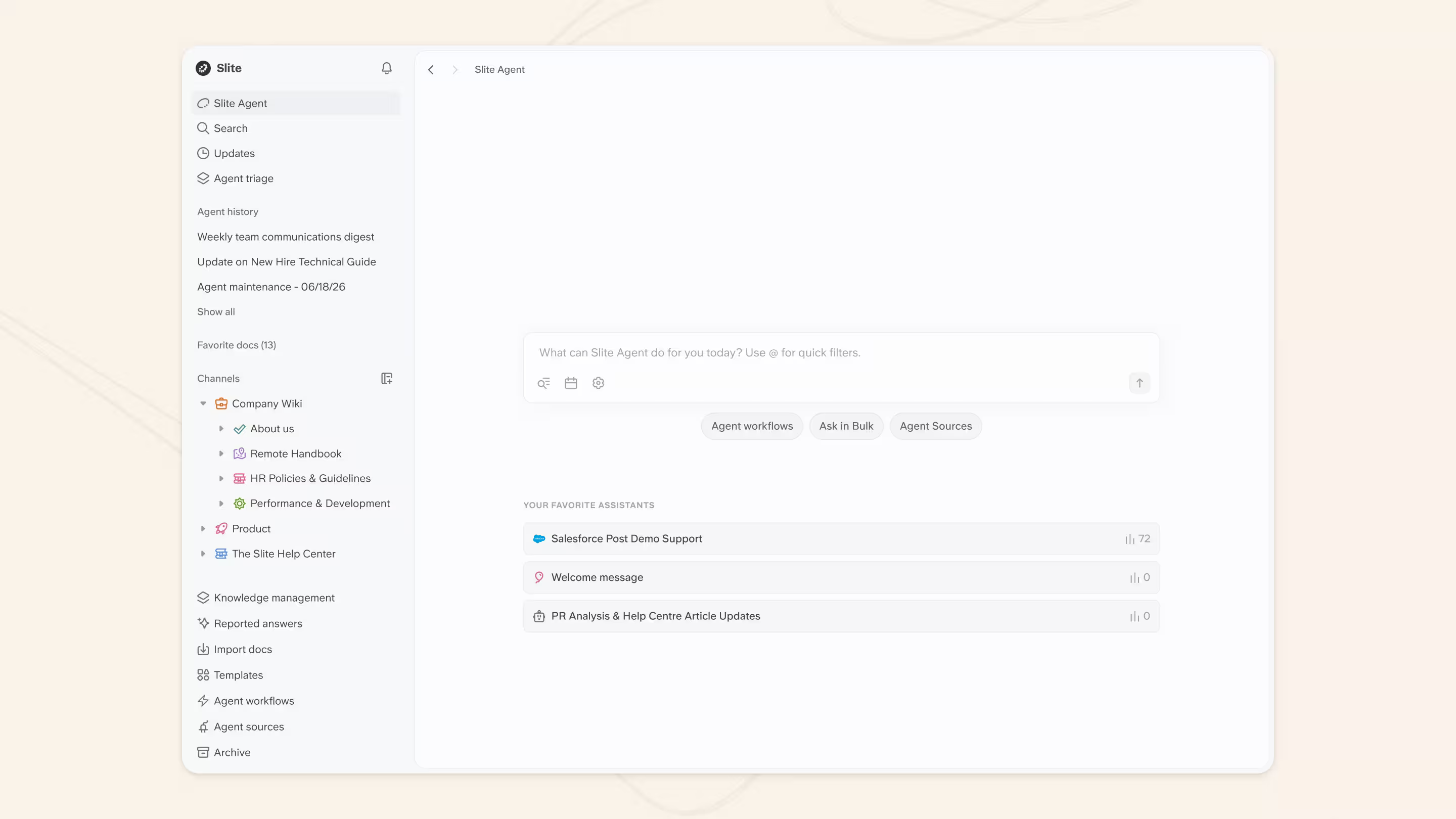
That history now feeds into what Slite calls a company brain: reliable, cited search across connected tools, backed by internal documentation that is easy to create, manage, verify, and keep current.
Slite Agent handles the maintenance side. It detects when documentation has drifted from reality, prepares the fix, and routes every change through human approval before it becomes trusted knowledge.
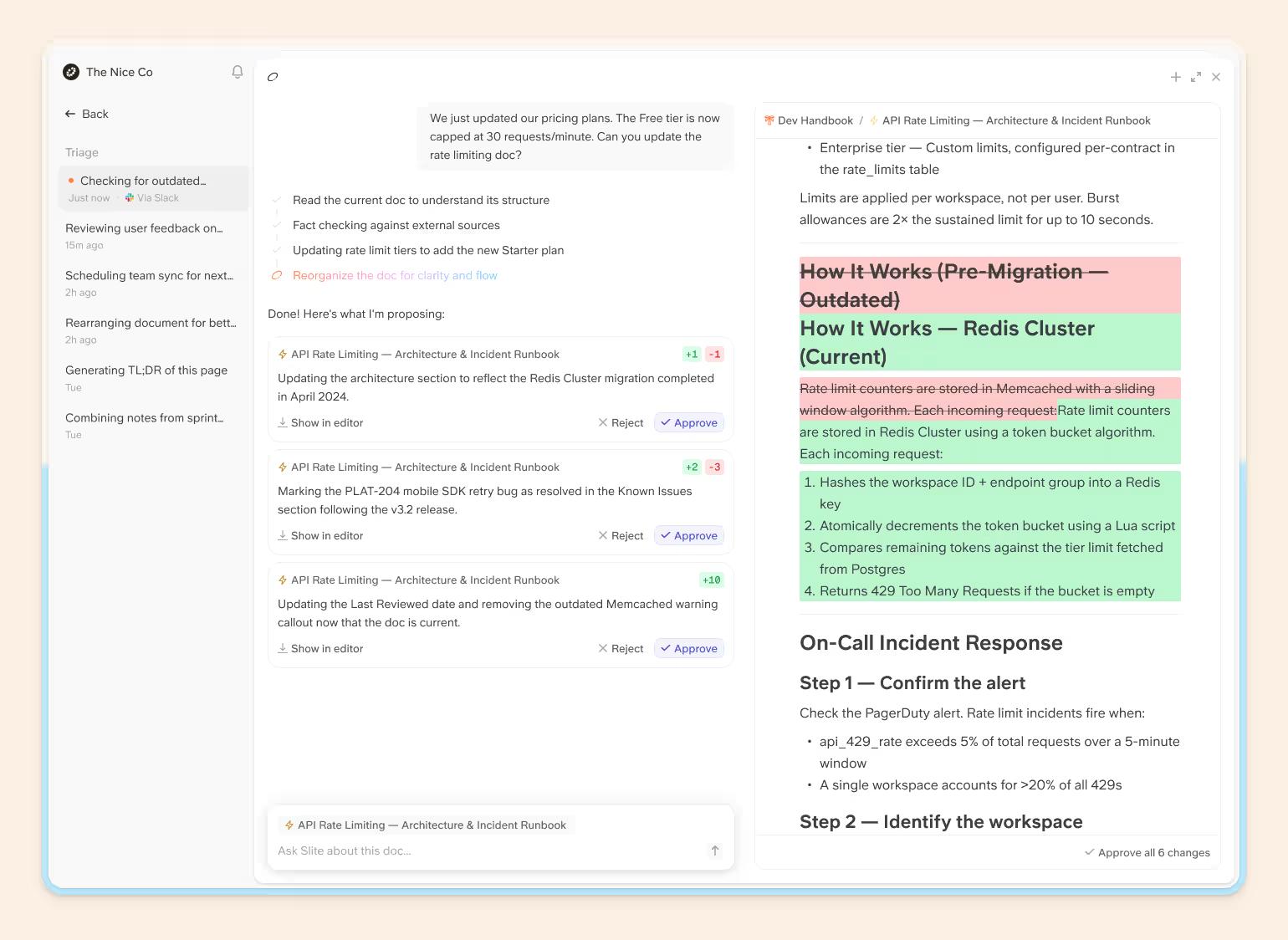
Through MCP, that verified context can also be used by external agents like Claude, ChatGPT, and Cursor.
Glean vs. Slite
| The Glean pain | How Slite handles it |
|---|---|
| Search can surface the wrong or outdated answer | Slite returns cited answers and can return no answer when the knowledge isn't there |
| Documentation Glean draws from other wikis stays stale unless people remember to update it | Slite Agent detects drift, drafts the fix, and routes it through human review right in Slite as the AI knowledge base |
| Internal documentation in other wikis can sit untouched for years and Glean cannot offer any freshness signals | Slite docs can have an owner, freshness state, and verification cycle |
| Search and documentation stay split across two systems: Glean handles retrieval, while the source knowledge remains in another tool your team still has to maintain. | Slite is the knowledge base underneath the search, with named ownership and the Knowledge Management Panel |
| Existing SaaS permissions can create can-access vs. need-to-know problems | Slite search respects permissions and supports enterprise access controls |
| AI agents need reliable company context | Slite exposes trusted knowledge through MCP and its public API |
Glean searches your tools but leaves the owned documentation elsewhere. Slite connects the two.
You get enterprise search across Slite and connected sources, alongside the place where your managed company knowledge actually lives.
That means search can draw from knowledge that is actively maintained:
- Ownership: Docs have a named owner, so someone is accountable for keeping them accurate.
- Verification: Docs have a freshness state and review cycle. Verified docs rank higher in Search and Agent answers, while outdated knowledge is deprioritized.
- Drift detection: Slite Agent detects when documentation no longer matches what is happening across connected tools and prepares a fix.
- Human review: The agent reads the signal, drafts the change, and routes it to the right expert. Every suggested change is reviewed before it becomes trusted knowledge.
Pros
- enterprise search across 20+ connected sources
- Native knowledge base underneath the search
- Named document ownership and verification
- Slite Agent offers drift detection with prepared fixes via triage
- Human approval before changes become trusted knowledge
- Cited answers
- Permission-aware retrieval
- Extensive MCP tooling and API access on all plans
Cons
- Cloud-only
- Smaller connector breadth than Glean at very large-enterprise scale
Slite pricing
- Basic: $10/user/month billed annually
- Pro: $20/user/month billed annually
- Enterprise: custom
- Agent credits: 50 monthly credits per Pro seat, pooled across the workspace
- Additional credits: $10 for 100 top-up credits
Our recommendation: Pro is the most relevant plan if you're comparing Slite with Glean. It includes Slite Agent, cross-tool search, fact-checking, Agent workflows, and 50 monthly credits per seat. With the Enterprise plan you get advanced compliance and controls, an SLA, and reader-only seats.
What do real users say about Slite?
G2 rating: 4.6/5 (292 Slite reviews at the time of writing)
Rather than give ourselves the final word here, two customer stories show what the search + maintained-knowledge combination looks like in practice.
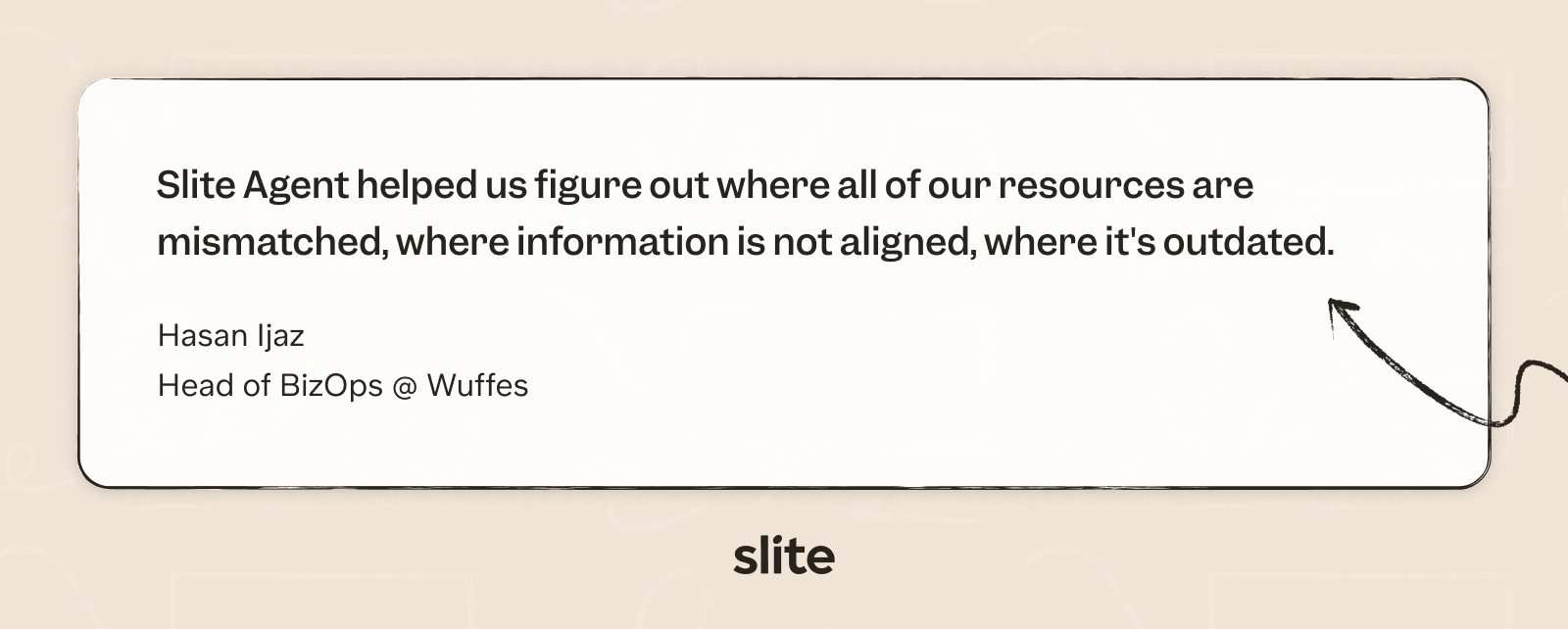
At Wuffes, company knowledge was spread across Notion, Asana, Slack, and Google Drive. After connecting those sources to Slite Agent, repetitive questions fell by about 70% in six months, and Hasan Ijaz says he personally saves one to two hours every day.
Slite also exposed a problem search alone wouldn't have fixed:
Uscreen had a similar search problem across Intercom, GitHub, Linear, and its documentation. Slite Agent now lets customer-facing teams answer questions without constantly escalating them, while the company has maintained 97–98% CSAT as handle times dropped.
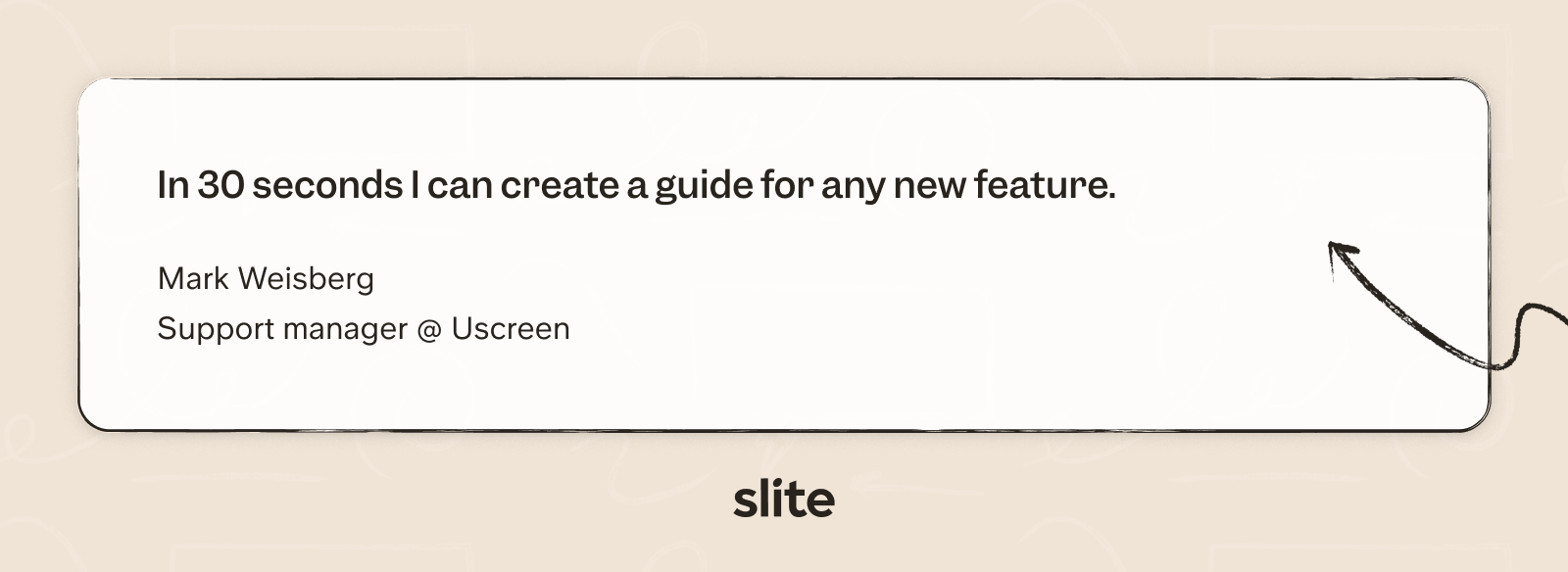
Mark Weisberg also built an assistant that turns new-feature information into structured internal documentation. According to him:
2. Coveo
Coveo is an established enterprise AI search and relevance platform. Its scope extends beyond workplace search into customer service, websites, ecommerce, Salesforce, and ServiceNow.
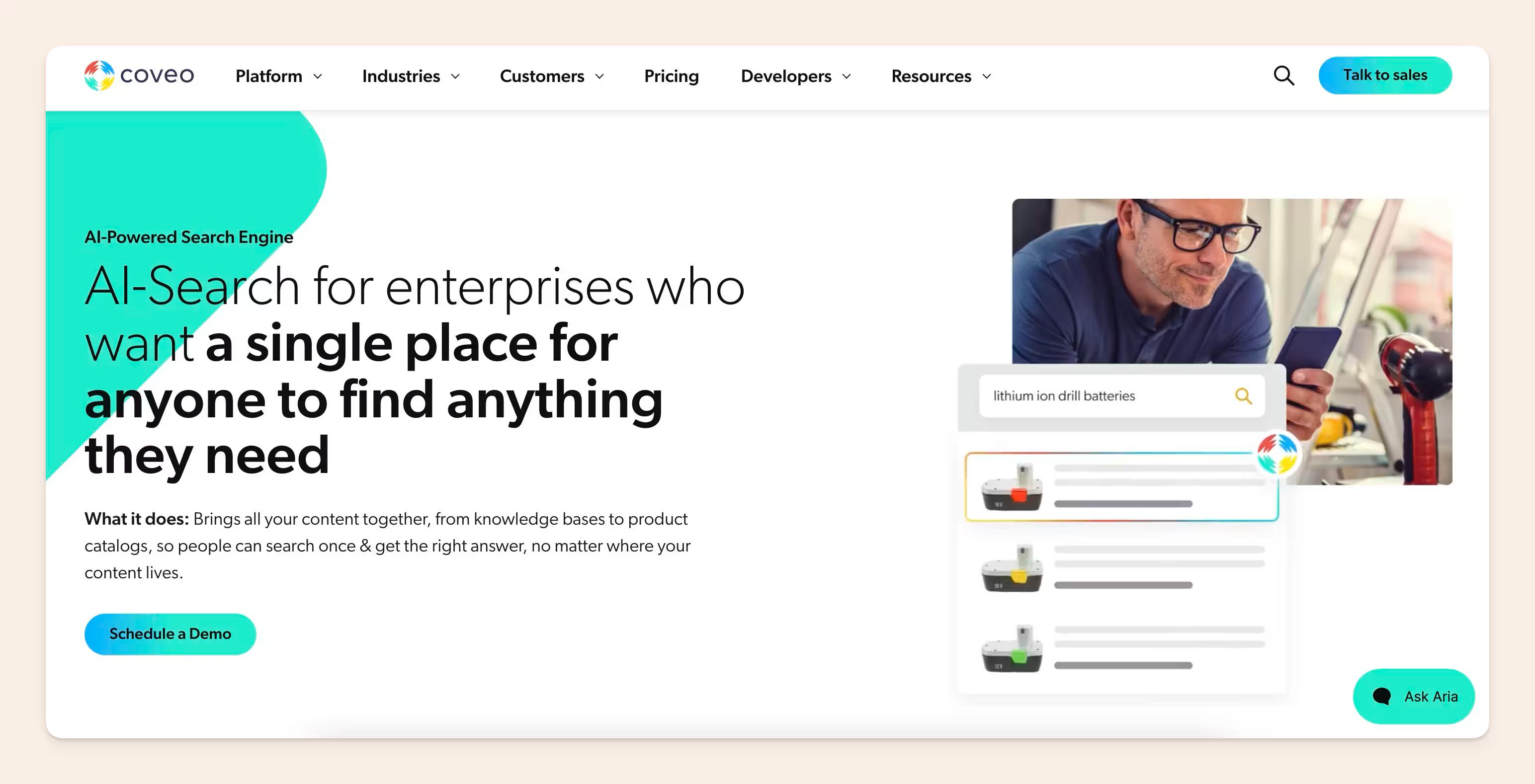
Coveo is a good fit for mid-sized and enterprise support organizations where search has to handle thousands of complex customer-service requests across systems such as Salesforce and Zendesk.
Pros
- Mature enterprise search and relevance technology
- Strong search across fragmented sources
- Detailed ranking and personalization controls
- Search analytics
- Workplace, service, website, and ecommerce use cases
Cons
- Longer implementation curve
- Internal documentation cannot be created, and it's only offered through the platform in the Coveo Workspaces, where it's used as the unified search context layer - no option to create knowledge content with it.
- Complex, sales-led pricing
- Usage and implementation cost based on multiple factors such as query volume, connects, etc can make costs difficult to predict
Coveo pricing
Coveo doesn't have neat public tiers for us to compare. Everything runs through a sales conversation, and the bill depends on the product you choose, the amount of content indexed, query volume, connectors, and deployment scope.
However, Vendr's 2026 buyer data gives us a useful benchmark:
- Median annual contract: $43,621
- Observed range: $28,420–$348,625/year
- Workplace deployments for 500–5,000 employees: typically $50K–$250K/year
- Implementation: often another $20K–$150K+
For a mid-sized company, Vendr puts a typical annual contract around $80K–$250K, before potentially another $30K–$100K in first-year implementation. And the documentation tool is the cost on top, if you're also looking to build an internal wiki to organize it for the people in the company.
So yes, Coveo can absolutely become a six-figure search investment.
What do real users say about Coveo?
G2 rating: 4.3/5 (142 reviews at the time of writing)
Coveo's search itself gets plenty of love. G2 reviewers repeatedly praise its search efficiency, relevance, analytics, and ability to surface information across fragmented systems.
One enterprise reviewer, for example, described its federated search as especially strong.
The same reviewer was much less enthusiastic about paying for it:
The consumption-based pricing model makes it hard to predict costs." They also complained about the steep learning curve and outdated documentation. According to them, "Documentation can be vague or outdated, and the admin interface isn't as intuitive as it should be for a product at this level.
Coveo's enterprise search is powerful, but the pricing and implementation costs need careful planning.
3. Elastic
Elastic is essentially search infrastructure your engineering team builds on, so using it as a Glean replacement requires more technical work and setup.
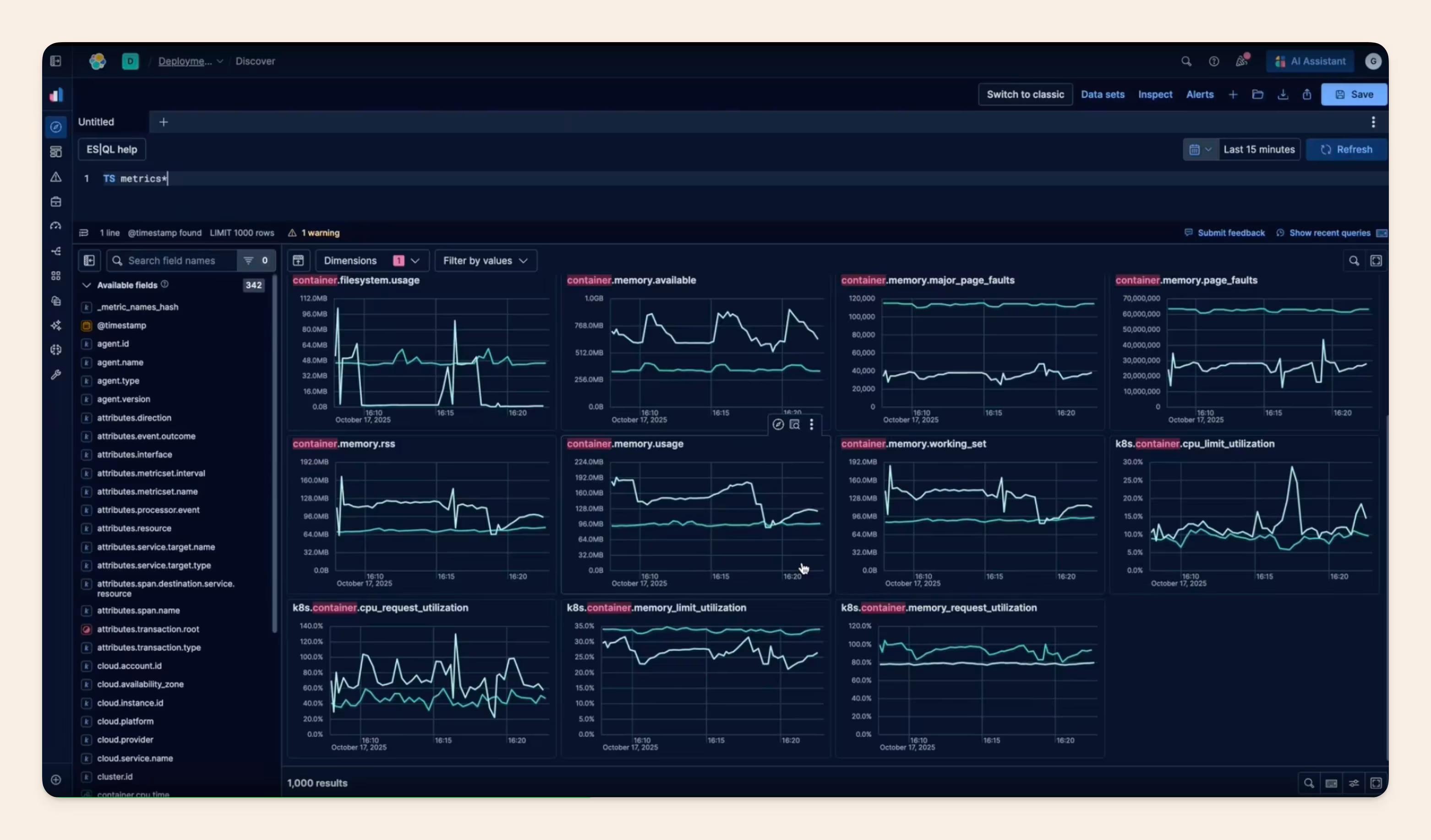
Before we compare Elastic with Glean, there's something important you need to know:
Elastic Workplace Search is end-of-life.
For engineering teams, Elasticsearch gives the components for keyword search, vector search, retrieval-augmented generation, AI search, workflows, and agentic applications.
Teams can use Elasticsearch for internal employee search, and they can also use it to build customer-facing search into apps, websites, and other software.
What is the difference between Glean and Elasticsearch?
| Glean | Elasticsearch | |
|---|---|---|
| What you're buying | Finished enterprise AI search | Infrastructure for building your own search experience |
| Setup | Connect sources and configure | Design, build, tune, and maintain |
| Search control | More managed | Deep control over retrieval and ranking |
| Deployment | Enterprise SaaS | Serverless, hosted, or self-managed |
| Pricing | Custom | Resource-based or usage-based |
Pros
- Very flexible search infrastructure
- Strong keyword and vector search
- Multiple deployment options
- Large developer ecosystem
- Resource-based rather than per-seat pricing
Cons
- No current turnkey Workplace Search product
- Engineering team owns the employee experience
- Resource usage can become expensive
- More tuning and maintenance
Elasticsearch pricing
Elastic gives you three deployment options:
- Elastic Cloud Hosted: managed deployments with tiered, resource-based pricing.
- Elastic Cloud Serverless: usage-based pricing for search, ingest, storage, and AI features.
- Self-managed: run Elasticsearch on your own infrastructure.
For Elastic Cloud Hosted, pricing starts at:
- Standard: $99/month
- Gold: $114/month
- Platinum: $131/month
- Enterprise: $184/month
Those starting prices are based on a production configuration with 120 GB of storage across two zones. Your actual bill depends on the resources and cloud configuration you use.
Serverless is priced differently:
- Ingest: from $0.14 per VCU/hour
- Search: from $0.09 per VCU/hour
- Machine learning: from $0.07 per VCU/hour
- Storage: from $0.047/GB/month
- Egress: from $0.05/GB
- Elastic-managed LLM: $4.50 per million input tokens and $21 per million output tokens
- Workflows: first 10,000 executions free, then from $0.0108 each
- Agent Builder: first 1,000 executions free, then from $0.025 each
Elastic also publishes a Serverless example. A production environment with 20GB of searchable data, around one hour of ingest per day, and eight hours of search activity per day comes to roughly $190–210/month.
Sounds cheap next to Glean, right?
The catch is that this is the infrastructure bill alone. Your engineering team still has to build, integrate, tune, and maintain the employee-search experience on top of it. This would probably amount to one full time engineer working on maintaining the internal search system.
What do real users say about Elasticsearch?
G2 rating: 4.5/5 (292 reviews at the time of writing)
The public sentiment is pretty consistent: Elasticsearch is fast, flexible, and excellent at handling large datasets.
Ertuğrul D., a senior software developer, praises its search performance at scale, but points to the other side of owning that infrastructure:
Elasticsearch can be quite resource-intensive, particularly when it comes to RAM usage. For smaller infrastructure setups, managing JVM heap sizes and making sure the cluster has sufficient memory can quickly become a bit of a headache.
Can Elasticsearch search your data? Yes, it can. But the question you need to answer is how much of the finished enterprise-search product you want your own team to build and operate.
4. Microsoft 365 Copilot
For a company already running heavily on Microsoft, Microsoft 365 Copilot is an ideal Glean alternative.
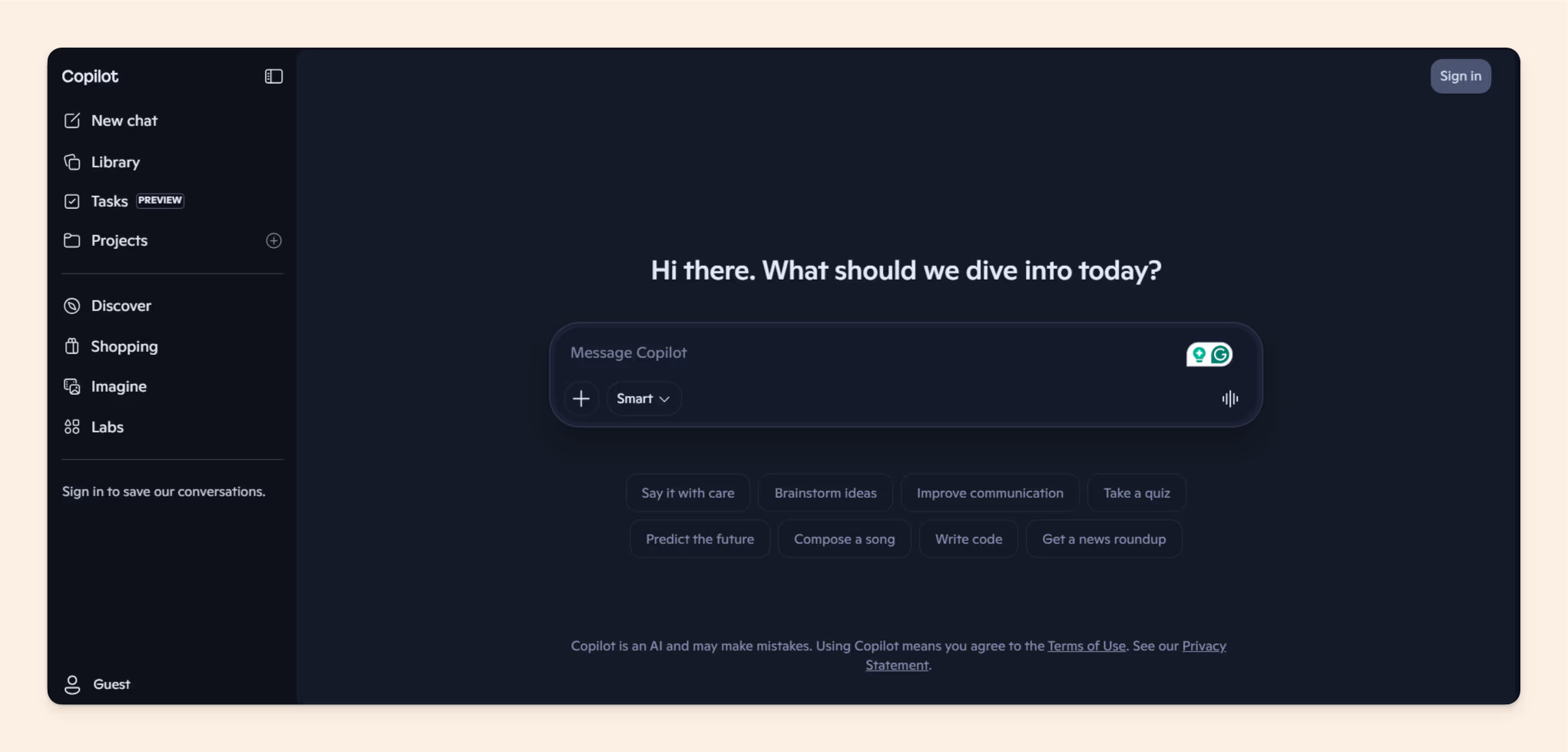
It searches and reasons over work data inside Word, Excel, Outlook, Teams, SharePoint, OneDrive, and the broader Microsoft 365 environment.
What is the difference between Glean and Microsoft 365 Copilot?
| Glean | Microsoft 365 Copilot | |
|---|---|---|
| Core product | Dedicated enterprise AI search | AI assistant inside Microsoft 365 |
| Best fit | Broad SaaS stack | Microsoft-centered companies |
| Search scope | Wide third-party ecosystem | Microsoft data + connectors |
| User experience | Separate search layer | Built into Microsoft applications |
| Pricing | Custom | Published per-seat pricing |
Pros
- Deep Microsoft integration
- Grounding in Teams, Outlook, SharePoint, and OneDrive
- Existing Microsoft identity layer
- Useful across email, meetings, and documents
- Connectors extend beyond Microsoft
Cons
- Less compelling for mixed SaaS environments
- Requires a qualifying Microsoft 365 plan
- Outputs still need checking
- Agents can introduce additional usage costs
Microsoft 365 Copilot pricing
Microsoft 365 Copilot looks simple at first:
- Microsoft 365 Copilot: $30/user/month, paid yearly
But there are two things to know before multiplying $30 by your headcount.
- The Copilot license sits on top of Microsoft 365. You still need a qualifying Microsoft 365 subscription.
- Not every AI workload is covered by the seat. Some agent usage is metered, and Microsoft says Azure or Copilot Studio capacity may be required depending on how you use agents.
So for a 250-person rollout, the Copilot seats alone would be $90,000/year, before the Microsoft 365 licenses you already pay for and any additional metered agent usage.
That's still considerably easier to model in comparison with a quote-only product like Glean, but the $30 sticker price is not necessarily the whole AI bill.
What do real users say about Microsoft 365 Copilot?
G2 rating: 4.2/5 (77 reviews at the time of writing)
Reviewers particularly like how closely Copilot is integrated with the Microsoft tools they already use.
Babu S., a Senior Consultant at an enterprise company, praised its integration across Excel, Power BI, Word, Outlook, and Teams.
He did flag some performance issues, though: "It's also a little slow sometimes."
He also noted that Copilot does not always generate the outcome he intended and can return a "try again later" message.
5. Sinequa
Sinequa is built for complex, large-scale enterprise search environments, particularly where security, governance, and deployment requirements are substantial.
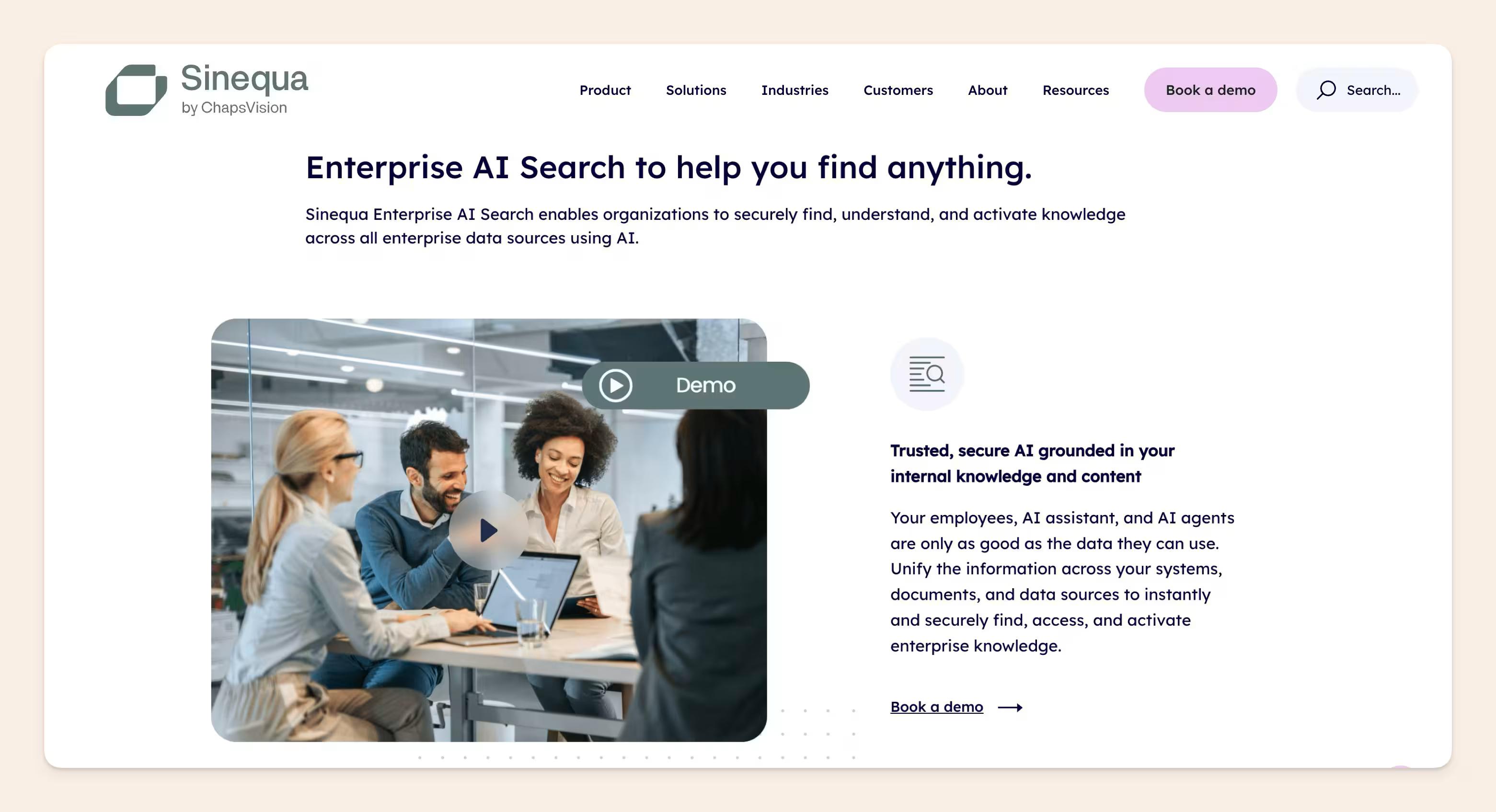
It's best suited to organizations that treat enterprise search as critical infrastructure and have the technical resources to support a heavier implementation.
Pros
- Broad connector coverage
- Highly customizable enterprise search
- Strong administration and monitoring
- Built for large information environments
- Enterprise security and governance
Cons
- More platform than most smaller teams need
- Heavy implementation
- Technical expertise required
- No public list pricing
Sinequa pricing
Sinequa doesn't publish tiers or a per-seat sticker price.
Its licensing terms show that pricing is built around:
- Search based applications: the applications you deploy on Sinequa
- Indexed volume: how much content the platform has to process
- Professional services: including configuration, integration, training, and commissioning
- Ongoing subscription costs: which scale as the deployment grows
A 2026 Forrester TEI study commissioned by ChapsVision shows what a very large Sinequa deployment can look like.
The modeled organization grew from 7,500 to 15,000 Sinequa users and from 10 million to 30 million indexed documents. Over three years, Forrester modeled:
- Initial migration and implementation: ~$1.0M
- Ongoing platform costs: ~$5.8M present value
- Internal platform management: ~$715K
- Total three-year present-value cost: ~$7.5M
Forrester's model is based on a 40,000-employee composite enterprise, so the $7.5 million figure reflects a deployment at serious scale. But that's also the kind of environment Sinequa is built for.
What do real users say about Sinequa?
G2 rating: 4.4/5 (5 reviews at the time of writing)
Five reviews is a tiny sample, so take the rating accordingly.
The available feedback is positive about connector breadth, monitoring, customization, and Sinequa's ability to make enormous datasets searchable.
The trade-off is how much architecture goes into getting there. Vivek K., a senior associate consultant, says:
The one downside I would say is the initial setup of the whole application. Though it's a one-time job, it requires a heavy architectural-level review and go-through, as it requires (as per my experience) three different VMs (one for engine, one for web apps, one for indexing and data) to keep up with the layered architecture and to align with separation of concerns concepts.
That fits the product pretty well: lots of control, lots of enterprise capability, and considerably more implementation than a plug-and-play search tool.
6. GoSearch
GoSearch combines workplace search, GoAI answers, AI agents, and workflows.
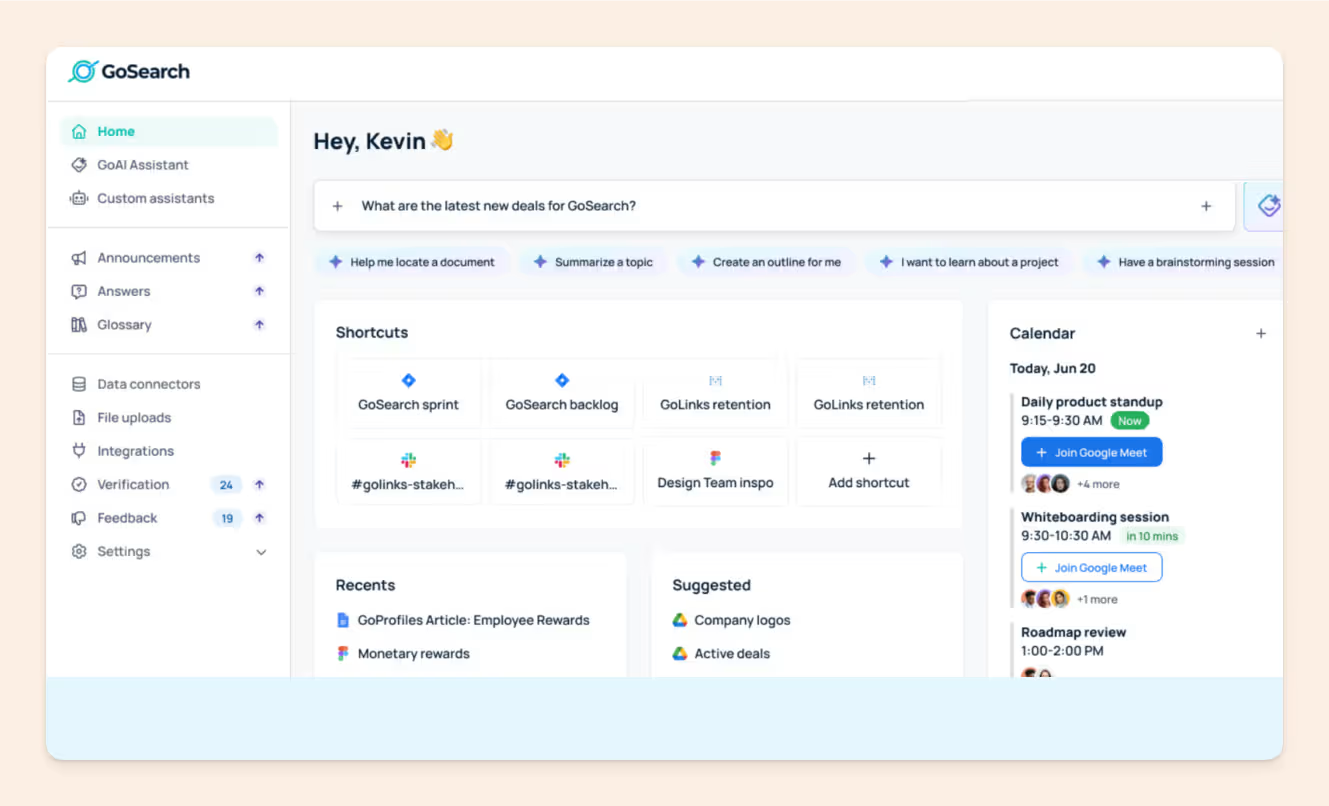
Its federated mode lets teams retrieve information from connected systems without relying entirely on one pre-built index. This means GoSearch doesn't need to copy and index every source in advance before it can search across them.
Pros
- Indexed and federated search
- Search, answers, Agents, and workflows
- Broad connectors
- Public self-serve pricing
- Unlimited Pro searches and GoAI conversations
Cons
- Primarily a search layer
- Some setup friction
- Advanced controls require Enterprise
- Customization still has rough edges
GoSearch pricing
GoSearch is one of the easier products on this list to budget for:
- Free: $0/user/month
- Pro: $20/user/month
- Enterprise: custom
Pro gets you unlimited searches, unlimited GoAI conversations, all private connectors, private Agents, workflows, and role-based access control.
The important dividing line is Enterprise. That's where GoSearch puts shared connectors, SSO/SAML/SCIM, audit logs, advanced permissions, the API, and BYO LLM/cloud options.
For a company-wide rollout, the $20 Pro plan may not include everything you'd expect from a Glean deployment. Features like SSO, SCIM, audit logs, advanced permissions, and API access sit on GoSearch's custom-priced Enterprise plan.
Still, the public Pro plan makes GoSearch considerably easier to trial and budget than most sales-led enterprise search products.
What do real users say about GoSearch?
G2 rating: 4.7/5 (21 reviews at the time of writing)
Reviewers repeatedly praise the same things: fast search, easy connections to multiple tools, and less time digging through separate systems.
Himanshu K. described the search as fast and accurate and liked being able to pull information from Google Drive and internal systems in one place.
The one area he wanted improved was:
Advanced search filters and more customization options could improve the experience.
7. Onyx
Onyx, formerly Danswer, is the strongest open-source Glean alternative on this list.
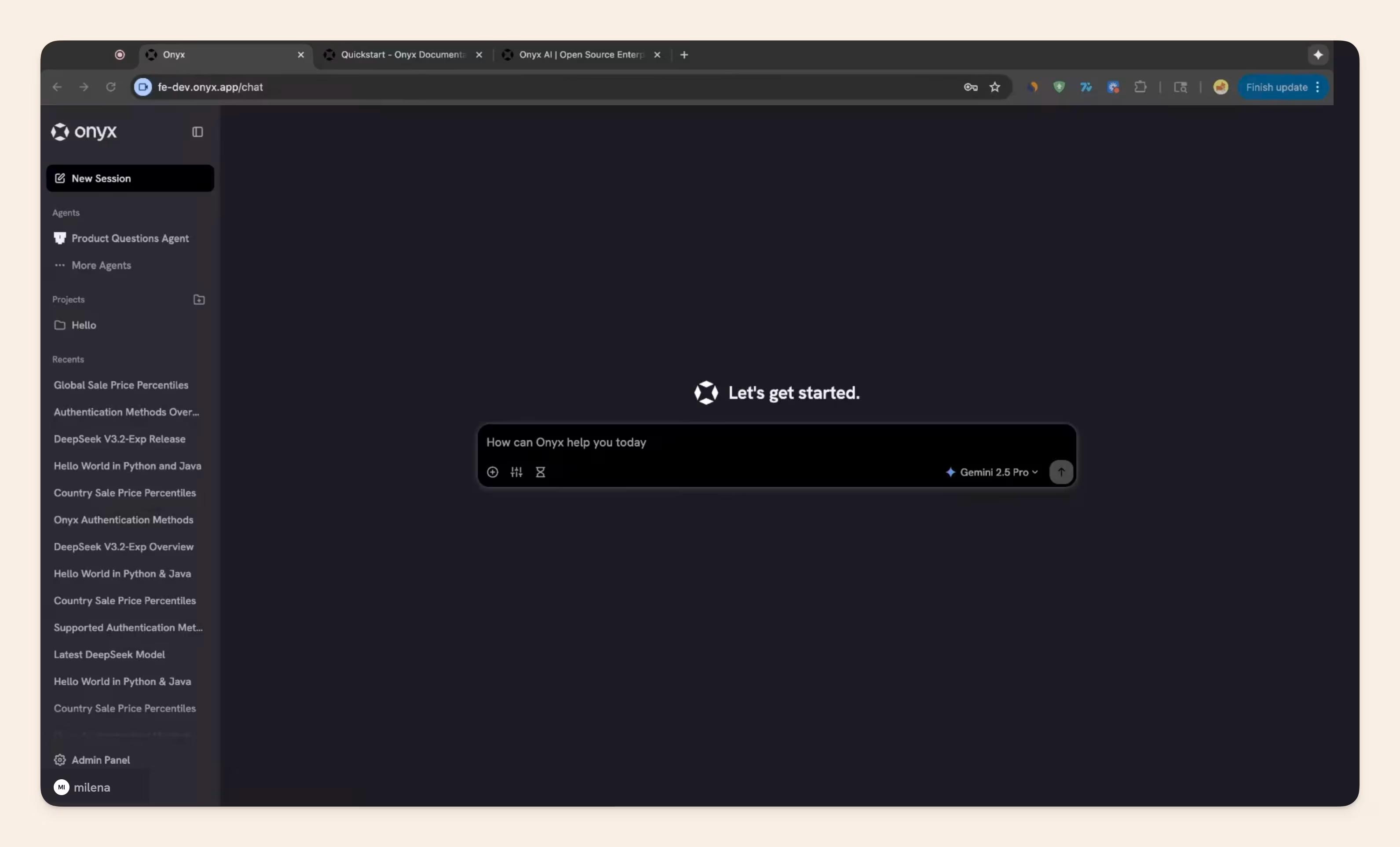
Its core enterprise search and AI assistant are open source. Teams can use Onyx Cloud or deploy the platform themselves.
Pros
- Open-source core
- Self-hosting and on-premise options
- 40+ connectors
- Permission inheritance and RBAC
- Custom AI agents
- MCP/OpenAPI support
Cons
- Smaller connector library than Glean
- Self-hosting requires technical resources
- Infrastructure costs still exist
- Less turnkey for nontechnical teams
Onyx pricing
Onyx gives you two very different ways to pay.
- Community: free and open source to self-host
- Business: $20/user/month, billed annually
- Enterprise: custom
Business includes the core search/chat experience, 40+ connectors, custom agents, MCP/OpenAPI actions, APIs, permission inheritance, and RBAC.
Enterprise is where you get SSO, on-premise and region-specific deployment, custom integrations, volume discounts, dedicated support, and an SLA.
The important bit: free to self-host does not mean Onyx is free to run.
You're moving the compute, storage, model costs, upgrades, monitoring, connector maintenance, and operational responsibility onto your own team. That can still be a fantastic trade if control and data sovereignty matter to you, but it's a different cost model rather than no cost at all.
What do real users say about Onyx?
G2 rating: unavailable at the time of writing.
So we had to look elsewhere for useful signals.
In one r/dataengineering discussion, a team considering Onyx for 100–200 users was specifically attracted by the possibility of self-hosting it much more cheaply than Glean.
Someone who had trialed Onyx said the GCP setup was fairly quick, although OAuth and connectors needed some tweaking:
Search quality is solid for the price, though not quite Glean-level.
Onyx gives you more control and potentially lower software costs, while shifting more of the infrastructure work to your team.
8. Notion AI
If most of your company knowledge already lives in Notion, adding a separate enterprise search platform may be overkill.
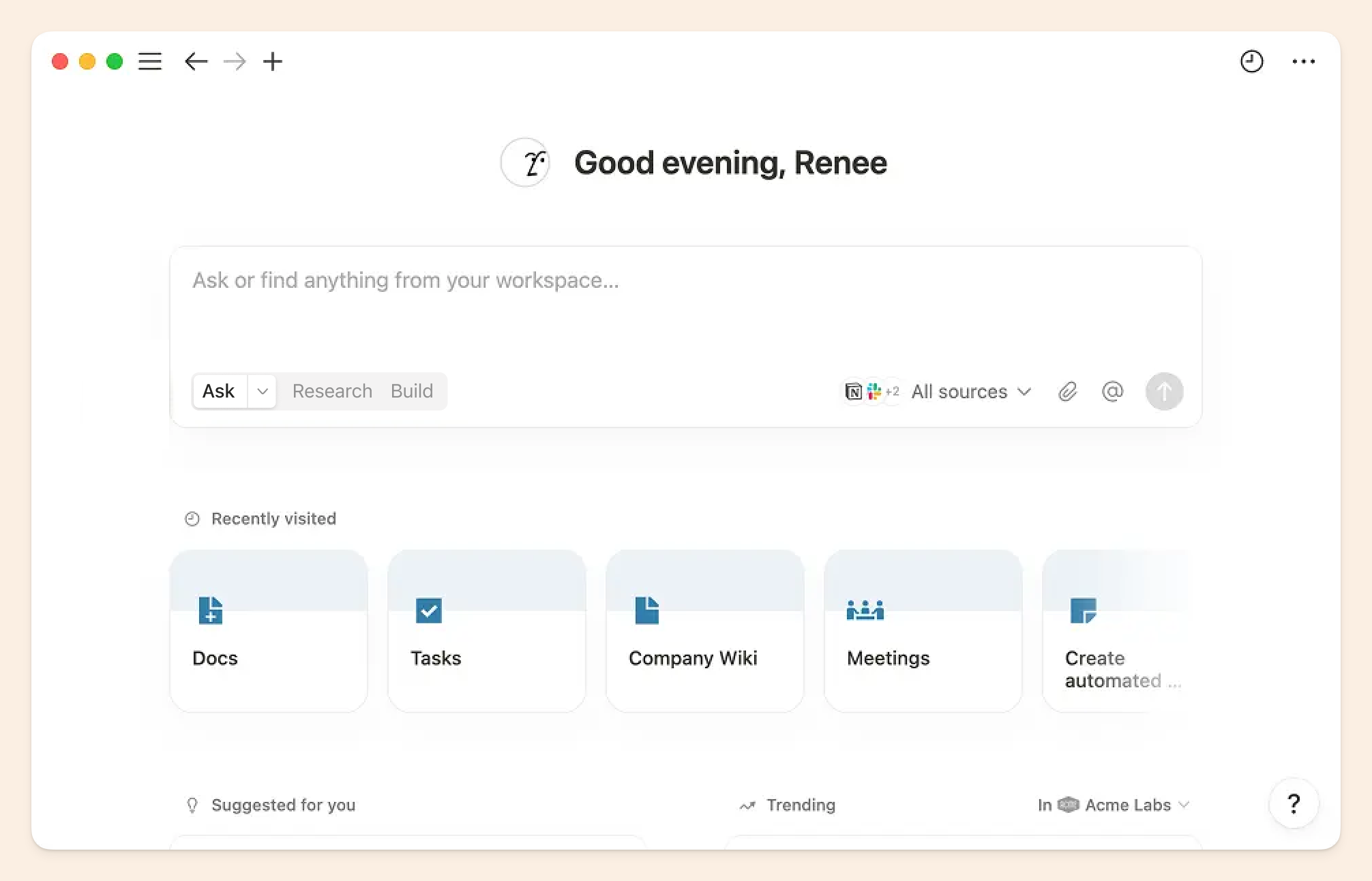
Notion Business includes Enterprise Search across Notion and connected apps, Notion Agent, AI Meeting Notes, verified pages, databases, projects, and the wider workspace.
Pros
- Enterprise Search across Notion and connected apps
- Notion Agent included on Business
- AI Meeting Notes
- Verified pages
- Mature relational databases
- Docs, projects, databases, and knowledge together
Cons
- Best when your company is already committed to Notion
- Large workspaces can become difficult to organize
- More maintenance as the workspace grows
- Custom Agents add separate usage costs
Notion pricing
Notion's pricing looks refreshingly simple:
- Free: $0
- Plus: $10/member/month
- Business: $20/member/month
- Enterprise: custom
For this comparison, Business is the relevant plan. It includes Notion Agent, AI Meeting Notes, Enterprise Search, page verification, SAML SSO, and premium connections. You can read more about our detailed breakdown of Notion AI.
But there is one separate AI meter.
Custom Agents cost $10 per 1,000 Notion credits.
Business already includes Notion Agent, Enterprise Search, and AI Meeting Notes. You only start paying for credits when you use Custom Agents.
So Notion's pricing is really:
- $20/member/month for the workspace + core AI/search features.
- Usage-based credits on top if you want always-on Custom Agents doing automated work.
And those credits are shared across the workspace and reset monthly, so heavy agent automation is the part you'll want to model separately.
What do real users say about Notion?
G2 rating: 4.6/5 (13,818 reviews at the time of writing)
Notion still gets a lot of love, which can sometimes make teams more willing to put up with search that can be hit or miss. From the teams we speak with, Notion's AI search accuracy is one of the areas that tends to fall short.
For example, Adham A. likes having notes, tasks, and docs together in one workspace, but says finding things gets harder as the workspace grows:
Search can also feel surprisingly clunky. When you have a massive workspace, finding a specific note often ends up being harder than it should be.
9. Libra AI
Libra is a context layer for company knowledge that sits underneath your existing tools instead of replacing them.
It connects Slack, Drive, email, meetings, and ticketing systems, then feeds permission-aware context into search, meeting notes, an email assistant, agents, and workflows. It is deployable on Libra Cloud, in your own cloud (BYOC), or fully self-hosted.
Pros
- Deploys three ways (Libra Cloud, VPC/BYOC, or fully self-hosted), useful for teams stopped by data residency or security review
- Bundles more than search: knowledge base, meeting assistant, email assistant, BI, and agents/workflows all run on the same connected data
- Free self-deployed tier with the full connector set for up to 50 people
- Dedicated onboarding on paid tiers rather than pure self-serve
Cons
- Smaller connector library and less field-proven breadth than Glean at large-enterprise scale
- Newer platform with a thinner public track record than the established players on this list
- Paid tiers are sales-led rather than self-serve checkout
Libra pricing
Libra pricing (as of September 2026):
- Self-Deployed: free for up to 50 people, full feature set
- Workplace: $79/month for 5 seats (billed annually), scaling down to $15/seat at 27–500 seats
- Enterprise: custom, starting around $50+/seat for 500+ seat deployments
What do real users say about Libra?
G2 rating: unavailable at the time of writing.
Libra launched in 2024, so public reviews are still thin. The clearest signal for now is its deployment model: if a security review has already blocked a hosted search rollout, Libra is one of the few options on this list that can run entirely inside your own environment.
Quick buying guide:
- Go with Slite if you want enterprise search and a self-maintaining knowledge base in the same system.
- Go with Glean or Sinequa if you're a large enterprise with broad connector coverage, governance, and deployment requirements.
- Go with Coveo if your main use case is customer service or relevance-heavy search across systems like Salesforce and Zendesk.
- Go with Elastic, Onyx, or Libra AI if your technical team wants more control over the search stack, including self-hosting or open-source options.
- Go with Microsoft 365 Copilot, Notion AI, or GoSearch if you want a lighter-weight option that fits your existing stack or is easier to trial and roll out.
Slite combines enterprise search with a self-maintaining knowledge base
If you want enterprise search alongside a centralized knowledge base that stays accurate and verified, Slite brings both into the same system.
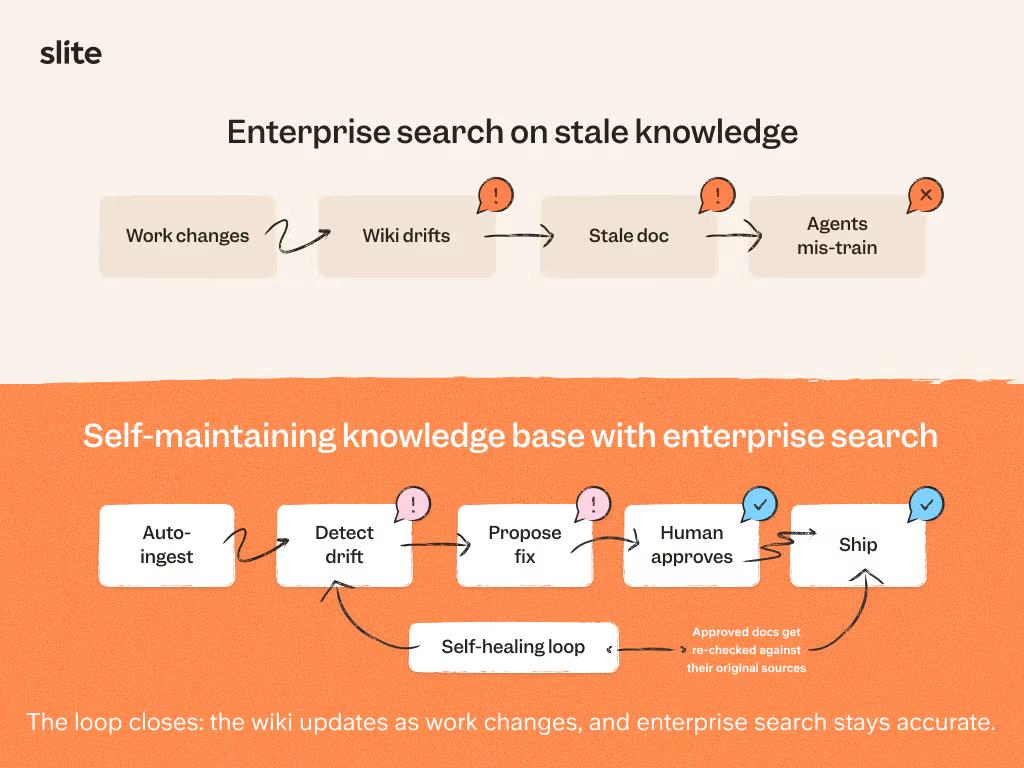
Your team can search across Slite and connected sources, while Slite Agent detects when documentation has drifted, prepares updates, and routes every change through human review.
That means the information underneath your search is being maintained too, rather than leaving you to search across documentation nobody fully trusts.
Book a demo to see how it works.
FAQ
Is Glean AI good?
Yes. Glean is a well-rated enterprise AI search product, with a 4.7/5 G2 rating at the time of writing.
Companies usually look elsewhere because of more specific concerns around cost, answer consistency, permissions, or the state of the documentation underneath the search.
Who is Glean backed by?
Glean is backed by investors including Sequoia Capital, Kleiner Perkins, Lightspeed Venture Partners, General Catalyst, ICONIQ, Coatue, Altimeter, DST Global, and Sapphire Ventures. Its latest publicly announced financing was a $150 million Series F in June 2025 at a $7.2 billion valuation, led by Wellington Management.
Is there an open-source Glean alternative?
Yes. Onyx is the clearest open-source alternative to Glean.
Its community edition is free and self-hostable, while its paid tiers add managed hosting and enterprise controls.
What is the best Glean alternative for a small company?
For a small or mid-sized company that needs both enterprise search and a maintained knowledge base underneath it, Slite is the strongest fit on this list.
You get cross-tool search alongside document ownership, verification, drift detection, and human-reviewed maintenance in the same enterprise search software.