"So, current state of AI. What we all have is Gemini, right? Because we like the use of Google Suite. Gemini comes with it." That's how a chief of staff at a logistics scale-up opened a call with me earlier this year.
Gemini arrived with the Workspace licence, nobody made a purchase decision, and someone has already asked it for the refund escalation procedure.
The answer it gave was fluent, polite, and wrong. It came from a 2024 copy of the SOP sitting in someone's personal Drive, or from the public web, and it looked exactly like a right answer.
That moment has a structure. It starts with which of the three Geminis you actually have, because the one that came with Workspace was never built to search your SOPs, and Google's paid fix, Gemini Enterprise, is a heavier product than most teams expect. The real decision is between staying on Google, upgrading within it, or moving to a tool built for company knowledge.
Key takeaways:
- "Gemini" is three products. The one most teams have, the Workspace side panel, only reads Google-native files you already have access to.
- It fails as internal search in four ways: no connection to where your SOPs live, confident answers from outside your docs, inherited Drive permissions, and no idea which version is current.
- Two ten-minute tests on a real SOP expose all four.
- Gemini Enterprise fixes the connection problem for roughly $21 to $30 per seat on top of Workspace, and still doesn't govern which document is true.
- The strongest alternatives for company knowledge: Slite, Microsoft 365 Copilot, ChatGPT Enterprise, Glean, and Dust.
Which Gemini do you actually have?
"Gemini" is three products:
- the free consumer app,
- Gemini in Google Workspace (the side panel in Docs, Drive and Gmail included with Business and Enterprise editions),
- and Gemini Enterprise, a paid Google Cloud search and agent platform that replaced Agentspace in October 2025.
Each reads different data, so which one you have decides whether "Gemini can't find our SOPs" is a limitation or a purchase decision.
In our sales calls, when a prospect says "Gemini," they almost always mean the Workspace side panel. Nobody means the free app, and the handful who mean Gemini Enterprise are usually mid-POC with a reseller.
| Gemini app (free) | Gemini in Workspace | Gemini Enterprise | |
|---|---|---|---|
| What it reads | What you type, paste or upload, plus apps connected to a *personal* Google account | Drive, Gmail and Chat content you can already open, steered with "@" sources | Connected sources incl. Confluence, Jira, SharePoint, ServiceNow, Drive |
| Third-party connectors | None | None documented | Yes, by edition |
| Permission model | Your personal account only; no admin, no audit log | Inherits your existing Drive sharing | Permission-aware search on every edition |
| Data terms | Human reviewers may see chats; Google warns against entering confidential info | Not used for training outside your domain | Google Cloud data processing terms |
| Price | Free, compute-capped | Included in Business editions ($7 to $22/user annual) | ~$21 to $30/seat/month on top of Workspace |
| Built for | Individuals | Individual productivity inside Google apps | Org-wide search and agents |
Two things trip people up here.
- "Gemini Enterprise" was also the name of a discontinued Workspace add-on, so some teams believe they already own the Cloud product when they don't.
- The "essentially free" instinct is real and worth taking seriously: one director of people and operations at a clinical-trials company scaled back a paid knowledge tool precisely because "Gemini, part of Google Workspace, offers similar capabilities for essentially free." She wasn't wrong about the price. The question is what "similar capabilities" leaves out, and when that gap starts costing more than the licence saves.
If your instinct is "we're on Business Plus, so we have enterprise search": what you have is a side panel over Google files you already own. That's genuinely useful. It's also a different product category from enterprise search.
Why the Gemini that came with Workspace can't search your SOPs
Gemini in Workspace fails as internal search for four reasons: it only reads Google-native files the asker already has access to, it answers confidently when the real procedure lives somewhere it can't see, it inherits whatever Drive sharing already exists, and it has no way to know which of five copies of an SOP is current.
None of these is a model-quality problem, which is why swapping to a smarter model doesn't fix any of them.
It only sees Google-native files you already own
If your company runs on a five-year-old shared Drive where you can’t find relevant procedures even when you're using Gemini, it might be that your process docs are spread out more than you think they are.
Google's own documentation lists Docs, Sheets, Slides, PDFs in Drive, Gmail and Chat as the sources Gemini in Workspace can draw on.
If your SOPs live in a wiki, in Confluence, in Notion, or in PDFs outside Drive, the side panel doesn't see them by design. There's no connector to add.
It answers confidently from outside your documents
A knowledge lead evaluating tools for a 200-person company showed me this live.
She had uploaded her sales and HR documentation, asked questions against it, and watched Google Drive's Gemini "hallucinate and provide answers from outside uploaded content."
Her requirement afterwards was specific: answers only from the company's own documents, citing the exact source file.
This behavior isn't a bug Google hides. Their own privacy documentation states that Gemini apps "can hallucinate and present inaccurate information as factual."
And OpenAI's research from September 2025 explains why every general model does this: training rewards guessing over acknowledging uncertainty.
When the real answer isn't in reach, a confident guess is what the model was optimized to produce.
It inherits your Drive's sharing hygiene
Gemini in Workspace is permission-aware, meaning it won't show a user files they can't already open. The problem is the phrase already open. It inherits five years of "anyone with the link" decisions, and an AI that instantly surfaces everything you technically have access to is a very efficient way to discover your sharing hygiene was worse than you thought.
The riskier pattern sits next to it: employees routing around the sanctioned tool entirely.
Cyberhaven's 2026 analysis found a quarter of workplace Gemini use happening through personal accounts, where Google's consumer terms (human review, model training) apply.
We cover what permission-aware AI should look like in depth in our guide to knowledge base security.
This risk belongs to consumer apps and loosely shared drives. Gemini Enterprise is a different case: permission-aware by design.
It doesn't know which version is true
A 1,000-person company can easily get to a point of five million files in Drive, with ChatGPT and Gemini acting as the de facto enterprise search over all of it.
But this setup of using ChatGPT and Gemini as enterprise search lacks curation and governance because there is no source-of-truth layer.
Old policies from a finished migration were still indexed, still retrievable, still answerable.
Most teams worry about the agent inventing an answer, but the more common failure is a clean, confident, accurate answer from a source that was already wrong.
Retrieval can work perfectly and still mislead, because the problem is upstream: nobody archived the old version. That's a maintenance problem, and it's the subject of our guide to the self-maintaining knowledge base.
Run two tests on one of your own SOPs
Pick a procedure your team uses weekly and ask two questions:
- one the current version answers,
- and one no document answers.
A tool fit for internal search cites your document for the first and says "I don't know" for the second. The test takes ten minutes and applies to every tool on your shortlist, Gemini Enterprise included.
We watched a prospect run test one by accident.
On a call, an operations lead at a talent marketplace asked Gemini about a meeting note in Drive: "Can you tell me the action from Baron?" Gemini replied that there was no mention of actions.
His reaction: "But actually there is." One question, one document, and the gap between has access to and reliably retrieves from was on the table.
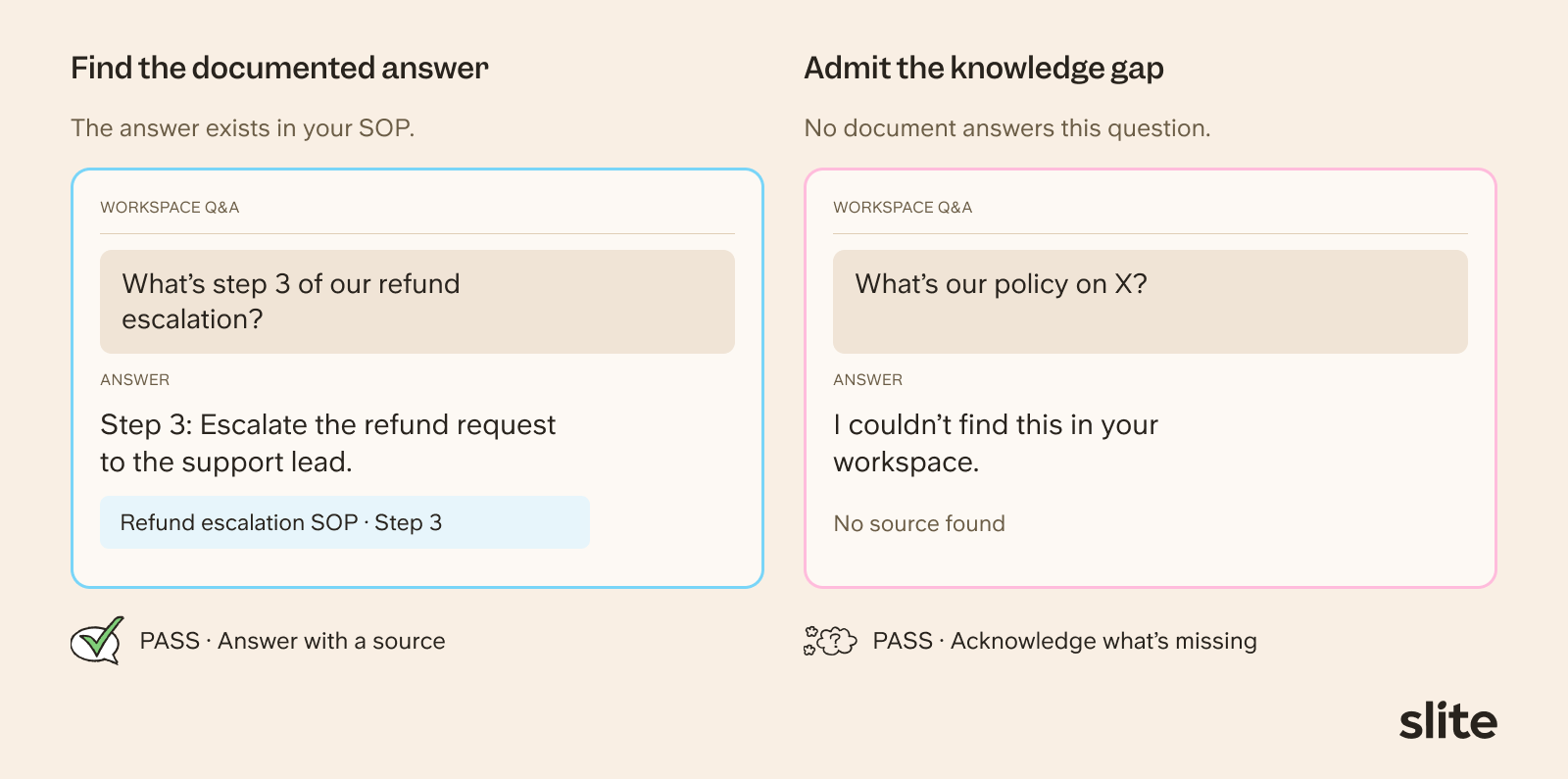
The second test matters more than it looks.
The engineering director at Nedap , a Dutch technology company, built a custom GPT on their documentation before finding us and watched it fail exactly this way: it "hallucinated a lot, confidently giving wrong answers about basic company policies."
His summary of every tool they tried: "They were never right, but they were fully convinced." The capability he called the breakthrough wasn't a smarter answer. It was the assistant saying I don't know.
The failures generally split into two kinds:
- the reported answer, where you get a response built on wrong or outdated documentation,
- and the missing answer, where the information exists nowhere because nobody ever wrote it down.
The first test catches reported answers. The second catches whether the tool will admit a missing one, or paper over it.
What a pass looks like, in plain terms: retrieval scoped to your own verified documents, permissions applied before retrieval, a citation pointing at the file and section, and an explicit no-answer state.
What is Gemini Enterprise, and what does it actually add?
Gemini Enterprise is Google Cloud's paid enterprise search and agent platform, launched in October 2025 as the replacement for Agentspace. It adds what the Workspace side panel is missing: permission-aware search across third-party sources like Confluence, Jira, SharePoint and ServiceNow, plus an agent builder, from roughly $21 to $30 per user per month on top of Workspace. It fixes the connection problem. It doesn't decide which of your documents is the current one.
Google describes it as "an intranet search, AI assistant, and agentic platform," and for the right buyer it's a serious product.
The benefits of Gemini Enterprise are:
- The deepest Google-native context available anywhere: Gmail, Calendar, Meet, Drive and Chat mapped into one shared layer.
- Multimodal search, including audio and video in Drive.
- Grounding in your data stack (BigQuery, Dataplex) and a home inside an existing Google Cloud agreement.
- Cheap to trial: Agentspace customers migrated free, a pay-as-you-go edition shipped in August 2026, and resellers frequently subsidize POCs.
Where it falls short for the SOP use case is equally concrete:
- It assumes a Google Cloud project. Workspace enterprise licensing, Cloud billing and IAM setup are prerequisites. This is an IT deployment, not a toggle.
- Non-Google sources can mean engineering work. An IT team lead at a 300-person market-research company evaluated it head-to-head and walked away: connecting their Slack, Jira and custom repositories required "enterprise subscriptions and custom development efforts to even begin working." The entry-level Business edition caps at 500 seats with a limited connector set.
- It searches sources; it doesn't govern them. No verification states, no drift detection, no document ownership. If Drive holds five versions of the refund SOP, Gemini Enterprise will search all five with perfect permissions. Teams in this situation ask for a governance layer plus an access layer; this supplies the second.
Stay on Google if: you're 100% Google suite, your core use case is an email-calendar-meeting copilot, you're under a vendor-consolidation mandate, you query BigQuery heavily, or you're 1,000+ people with a dedicated Google team (or a reseller funding the POC).
And if you're a small, engineering-led team, there's a legitimate middle path: keep Gemini or Claude as the interface and route your knowledge base into it over MCP, so the model people already use draws on governed documents. We break down how that works in MCP vs RAG. One of our own enterprise customers runs exactly this pattern, with Slite as the knowledge layer behind Gemini Enterprise for the part of the company that lives in Google.
Gemini Enterprise alternatives compared
The strongest Gemini Enterprise alternatives for company knowledge are Slite, Microsoft 365 Copilot, ChatGPT Enterprise, Glean and Dust. They differ on what they read, whether permissions apply before retrieval, whether answers cite your documents, and, most consequentially for SOPs, whether anything governs which version is current.
| Tool | Reads | Permissions before retrieval | Cites your doc / says "I don't know" | Governs the current version | Setup effort | Price |
|---|---|---|---|---|---|---|
| Slite | Its own KB + 20+ sources incl. Google Drive | Yes | Yes / Yes | Yes (verification + drift detection) | Low | From $10/user/mo |
| Microsoft 365 Copilot | Microsoft Graph (Teams, SharePoint, Outlook) | Yes, inherits SharePoint sharing | Citations / inconsistent | No | Medium | $30/user/mo add-on |
| ChatGPT Enterprise | Connected sources on business plans | Yes | Citations / inconsistent | No | Medium | Per seat, contact sales |
| Glean | Widest connector catalogue | Yes | Yes / varies | No | High | No public pricing |
| Dust | Connected sources via custom agents | Yes | Per agent design | No | Medium-high (agent building) | Per seat |
1. Slite
Slite is a knowledge base with an AI agent on top: your SOPs either live in it or sync into it from Google Drive, and the agent answers only from what's verified and permitted. It's built on the premise that the answer layer and the source of truth should be the same product.
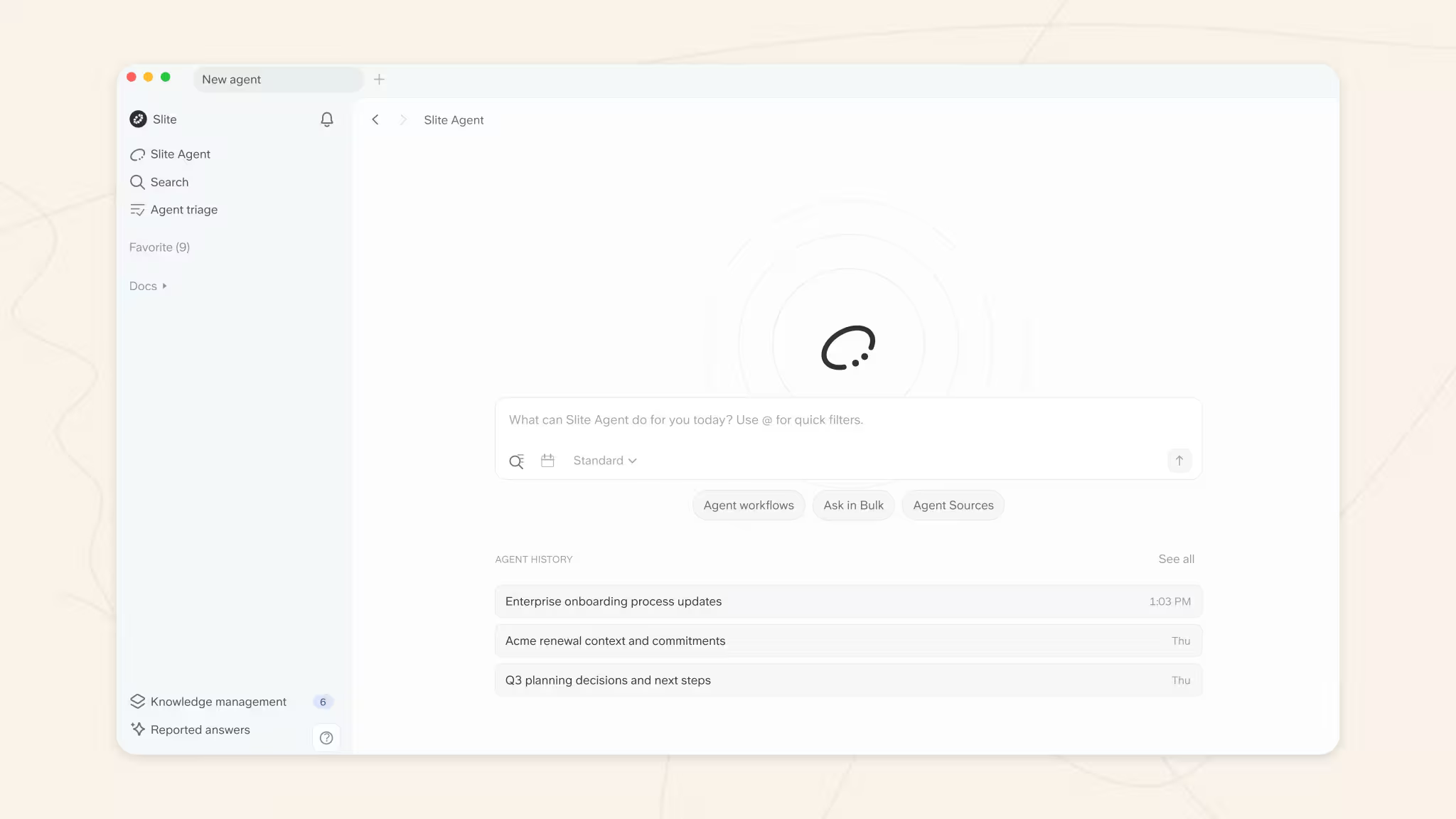
Pricing: Basic at $10/user/month, Pro at $20 with monthly AI credits included, Enterprise custom.
Why it earns the spot: it passes both SOP tests by design. Answers carry inline citations to the source document, and when nothing answers the question, it says so rather than improvising; that explicit "I don't know" is the exact behavior that prevents inventing policy answers. Permissions are applied before retrieval, not filtered after. And underneath the answers sits the governance search-layer tools don't provide: documents carry verification states, outdated ones are excluded from answers, and the agent flags drift (a changed process, a stale screenshot) for a human to triage rather than silently answering from it. A Google Drive connector syncs Docs, Slides and PDFs, so "but half our stuff lives in Drive" is a starting point, and MCP support on every plan means Claude, ChatGPT or Gemini can query it as their knowledge layer.
Honest weaknesses: it doesn't read Gmail or Sheets, which Workspace Gemini does. There's no Teams connector and no native Copilot integration, so deep Microsoft shops should look elsewhere. AI usage on paid plans is metered in credits, which some buyers find harder to budget than a flat seat price.
Best for: operations, people and IT leaders at growing Google Workspace companies who want their SOPs and policies in one governed home with a trustworthy answer layer on top.
Bottom Line: if the reason you're leaving Gemini is "it made up an answer about our own SOP," Slite is the alternative built specifically against that failure.
2. Microsoft 365 Copilot
Copilot is the Microsoft-shop mirror image of Workspace Gemini: the assistant that came with the suite, grounded in the Microsoft Graph. If your files live in SharePoint and your conversations in Teams, it's the same "already paid for" starting point, with the same trade-offs.
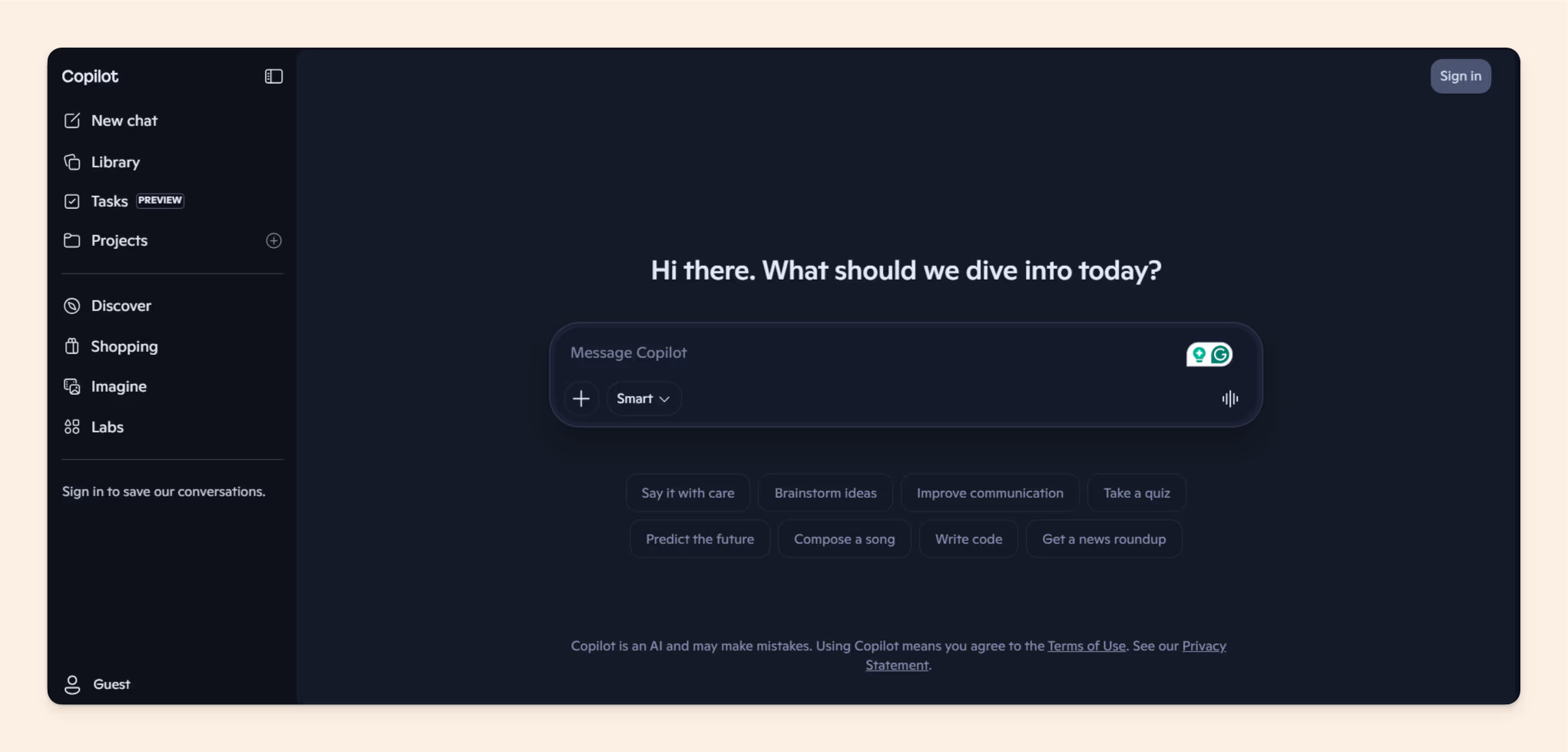
Pricing: $30/user/month as an add-on to Microsoft 365.
Why it earns the spot: unmatched reach across Outlook, Teams, SharePoint and OneDrive, in the tools your team already has open.
Honest weaknesses: grounding stops at the Graph, and it inherits SharePoint's sharing state so completely that Microsoft ships a "Restricted SharePoint Search" mode to contain oversharing, which concedes the problem. A knowledge manager we spoke with put the adoption reality plainly: "people are not going to the Copilot because they are receiving bad answers." The governance gap is identical to Gemini Enterprise's.
Best for: committed Microsoft 365 organizations with disciplined SharePoint hygiene.
Bottom Line: choose Copilot for suite depth in a Microsoft world, and pair it with a governed source of truth for anything policy-critical.
3. ChatGPT Enterprise
ChatGPT Enterprise is the sanctioned version of the tool your employees already use. Its business plans add "company knowledge": connectors that let it answer from Drive, SharePoint, Slack and similar sources with workspace-level controls.
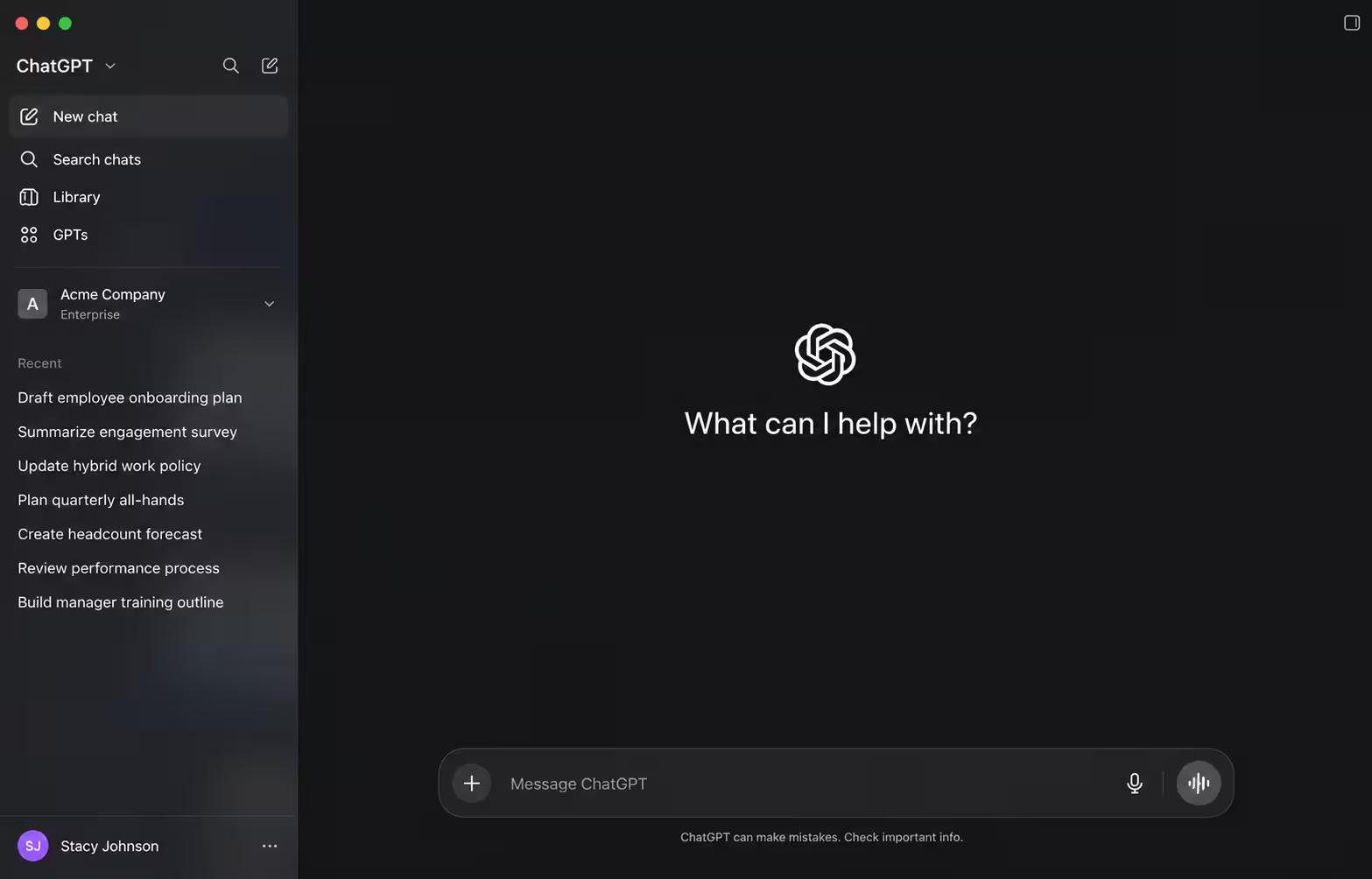
Pricing: per-seat on business plans; Enterprise is contact-sales.
Why it earns the spot: zero adoption cost, a strong model, and connected knowledge on the plans where it matters.
Honest weaknesses: company knowledge lives only on the paid business tiers, so the personal accounts employees actually use are a different product with different data terms; that split is where shadow-AI risk breeds. And there's no verification or ownership model over the connected sources. The Nedap story is the cautionary tale for the tempting shortcut of "just build a GPT on our docs."
Best for: teams standardizing on ChatGPT whose source documents are governed somewhere else.
Bottom Line: the most familiar interface of the five, and the same upstream problem as the rest: it answers from your documents without knowing which ones are true.
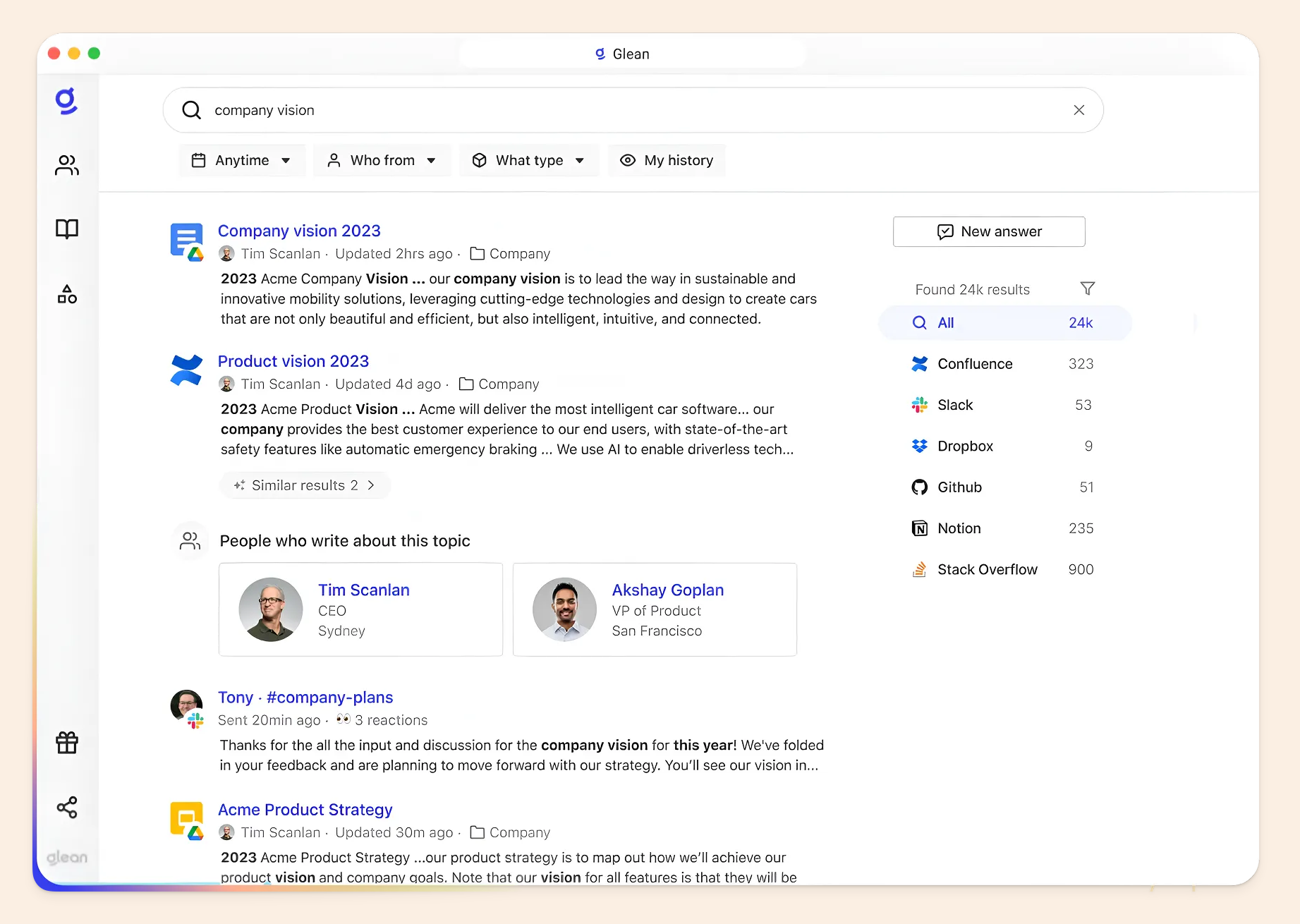
4. Glean
Glean is the incumbent enterprise search platform, and the comparison Google itself invites. It indexes a wider catalogue of workplace tools than any of the other four and applies permissions across all of them.
Pricing: no public per-seat pricing; contracts commonly reach six figures.
Why it earns the spot: if your knowledge is scattered across a genuinely sprawling stack and consolidation is off the table, connector breadth is the deciding criterion, and Glean wins it.
Honest weaknesses: cost and procurement weight, and the same structural gap: search over ungoverned sources returns well-permissioned answers from stale documents. Our Glean alternatives guide covers the trade-off in depth.
Best for: large, mixed-stack enterprises with a dedicated search budget and existing content ownership.
Bottom Line: the strongest pure search layer of the five, and best paired with sources someone actually maintains.
5. Dust
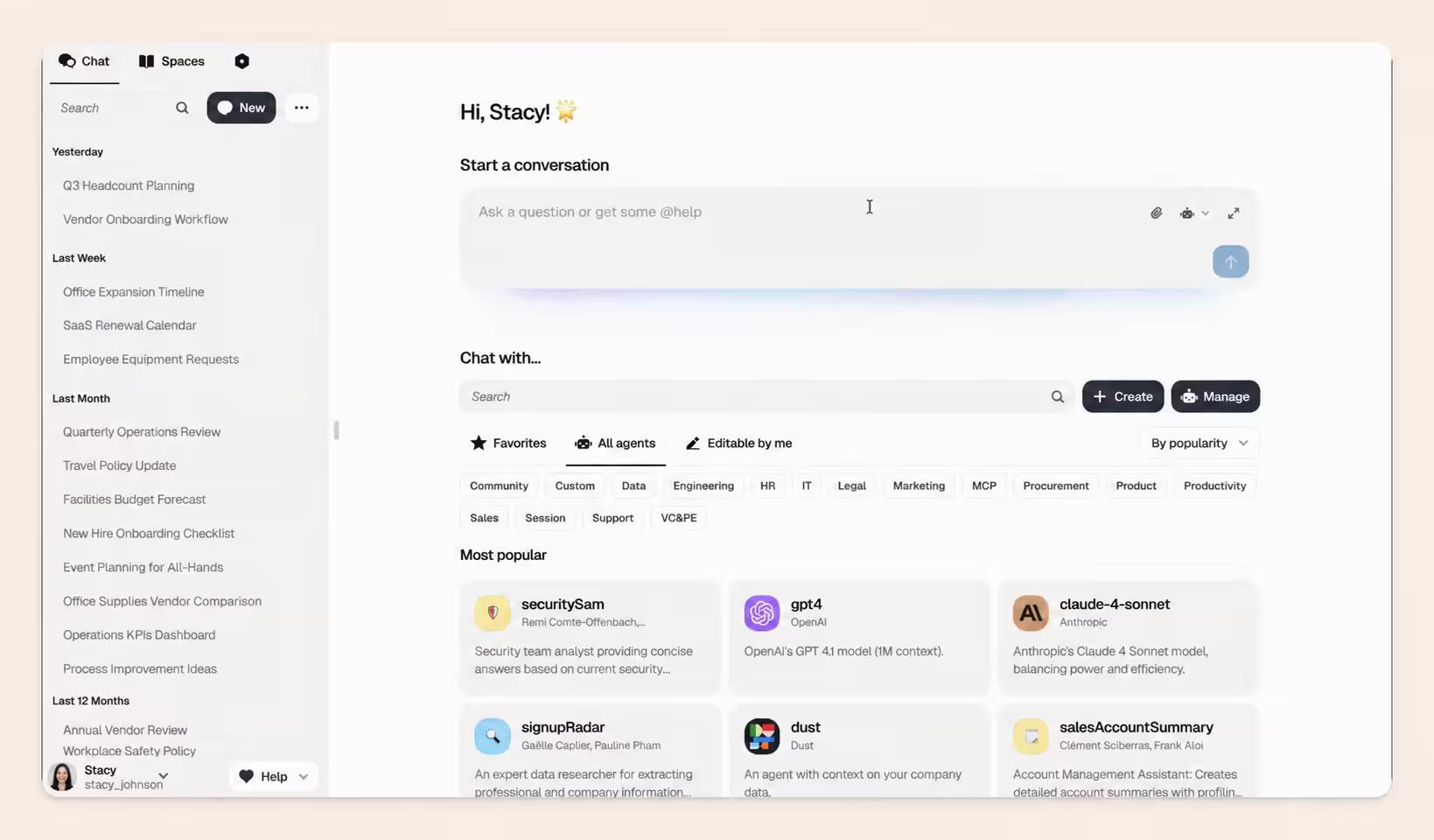
Dust is an agent-builder platform rather than a search box: teams design custom agents over connected company sources and deploy them into Slack and the other tools where work happens.
Pricing: per-seat; check their current tiers.
Why it earns the spot: it's the tool most visibly competing for "Gemini Enterprise alternatives" searches, and its critique lands: agents you build in Google's Agent Builder are hard to reach from Slack, Gmail or Teams without SDK work, while Dust's live where people already are.
Honest weaknesses: agent-first means someone has to design, test and maintain the agents; there's no knowledge base of its own; and source governance is, once again, your problem upstream.
Best for: teams with a builder on hand who want task-specific agents more than universal search.
Bottom Line: the most flexible of the five, and the one that most assumes you'll do the assembling.
How to choose: five questions
Five questions sort almost every team we talk to. Answer them honestly and the shortlist collapses to one or two options.
- Which Gemini do you have? If you haven't separated the Workspace side panel from Gemini Enterprise, start there; half the frustration in this category is a tier mismatch.
- Where do your SOPs actually live? All Google-native: Gemini Enterprise and Copilot-style suite tools stay in play. Scattered across wikis, PDFs and chat: you need either broad connectors (Glean) or consolidation into a governed home (Slite).
- Who must not see what? Permissions applied before retrieval is the standard; anything that filters afterwards fails the question.
- Does it cite your document, and does it say "I don't know"? Run the two SOP tests on a trial. This one question eliminates more tools in practice than any feature matrix.
- Who keeps the source current? Search-layer tools all answer "you, somewhere else." A self-maintaining knowledge base is the only answer that doesn't quietly create a second job.
Go for staying on Workspace Gemini (+ MCP) if: you're small, engineering-led, fully Google-native, and someone can wire a governed knowledge source into it.
Go for Gemini Enterprise if: you're a large, Google-committed org with Cloud infrastructure, IT capacity, and sources someone already governs.
Go for Slite if: your SOPs need one home, your team needs answers it can trust, and nobody's job description includes "maintain the search index."
Final thoughts
The model was never the problem. Gemini's models are excellent, and teams still can't find their SOPs, because the failures live in the layer underneath: what the AI can see, what it's permitted to see, and whether anyone keeps what it sees true.
Our founder Christophe Pasquier, who has spent nearly a decade on this exact problem, compresses it further: the product is no longer the logic behind the tool.
The product is the context.
So keep the two tests. Ask about a procedure your docs answer, ask about one they don't, and watch whether the tool cites your document and admits its gaps. Run them on every demo, including the next Gemini release. You'll never buy a knowledge tool on a feature list again.
To see them passed this week: pick one SOP folder in Drive, connect it to Slite, and ask Slite Agent the two questions yourself. That's a fifteen-minute experiment, and it's the fastest way to feel the difference between search over your files and answers from your knowledge. Book a demo and we'll run it on your own SOPs with you.
FAQ
Can Gemini search my Google Drive?
Yes, within limits. Gemini in Google Workspace can search Drive files the signed-in user already has permission to open, steered by @-mentioning sources, and it reads Gmail and Chat as well. It does not search third-party tools like Confluence, Notion or Slack; that requires Gemini Enterprise with connectors configured.
Is Gemini in Google Workspace free?
It's included rather than free: Gemini features ship with Workspace Business and Enterprise editions, which run $7 to $22 per user per month (annual terms) as of September 2026, with limited features at the Starter tier. There's no separate Gemini add-on to buy anymore; the old add-ons were discontinued.
What is Gemini Enterprise, and is it the same as Agentspace?
Gemini Enterprise is Google Cloud's paid enterprise search and agent platform, and yes, it's the successor to Agentspace, which it replaced in October 2025. Existing Agentspace customers were migrated. Searches for "Agentspace alternatives" and "Gemini Enterprise alternatives" now describe the same product.
Does Gemini Enterprise replace a knowledge base?
No. It searches and answers over connected sources with permission awareness, but it doesn't govern those sources: no verification states, no ownership model, no way to mark a document outdated so answers exclude it. It replaces a search box, and it works best when a governed knowledge base sits underneath it.
Why does Gemini make up answers about our company policies?
Because when the real answer isn't in the content it can access, a general model produces a plausible one instead. Language models are trained in ways that reward confident guessing over admitting uncertainty, and Google's own documentation notes Gemini can present inaccurate information as factual. Grounding answers in a verified document set, with citations, is the fix.
Gemini Enterprise vs Microsoft Copilot: which is better for internal search?
Whichever suite your files live in. Gemini Enterprise grounds in Google Workspace plus third-party connectors; Copilot grounds in the Microsoft Graph. Both apply permissions, both inherit your existing sharing hygiene, and neither governs which version of a document is current, so the honest answer is: the one that matches your stack, with a maintained source of truth underneath it.