Knowledge base security is what stands between your company's institutional memory and whoever wants a look at it without your permission.
When a breach happens, internal documents are among the first things attackers reach for, which makes the controls protecting your knowledge base more consequential than most security teams treat them.
The wiki, the runbooks, the architecture diagrams, the half-finished strategy decks. That's the actual prize.
AI assistants made the problem worse overnight. Years of dormant oversharing in a wiki nobody read became live exfiltration surface the moment a sales rep pointed an AI assistant at it.
A CSO can't accept anything less than top-grade enterprise security from any tool, and especially not from the knowledge base.
So how do you keep your walls protected? That's what this guide is for.
Key takeaways
- AI knowledge base security is an architecture problem before it's a settings problem. The data model your vendor chose decides what's possible at the policy layer, and no governance retrofit fully closes that gap.
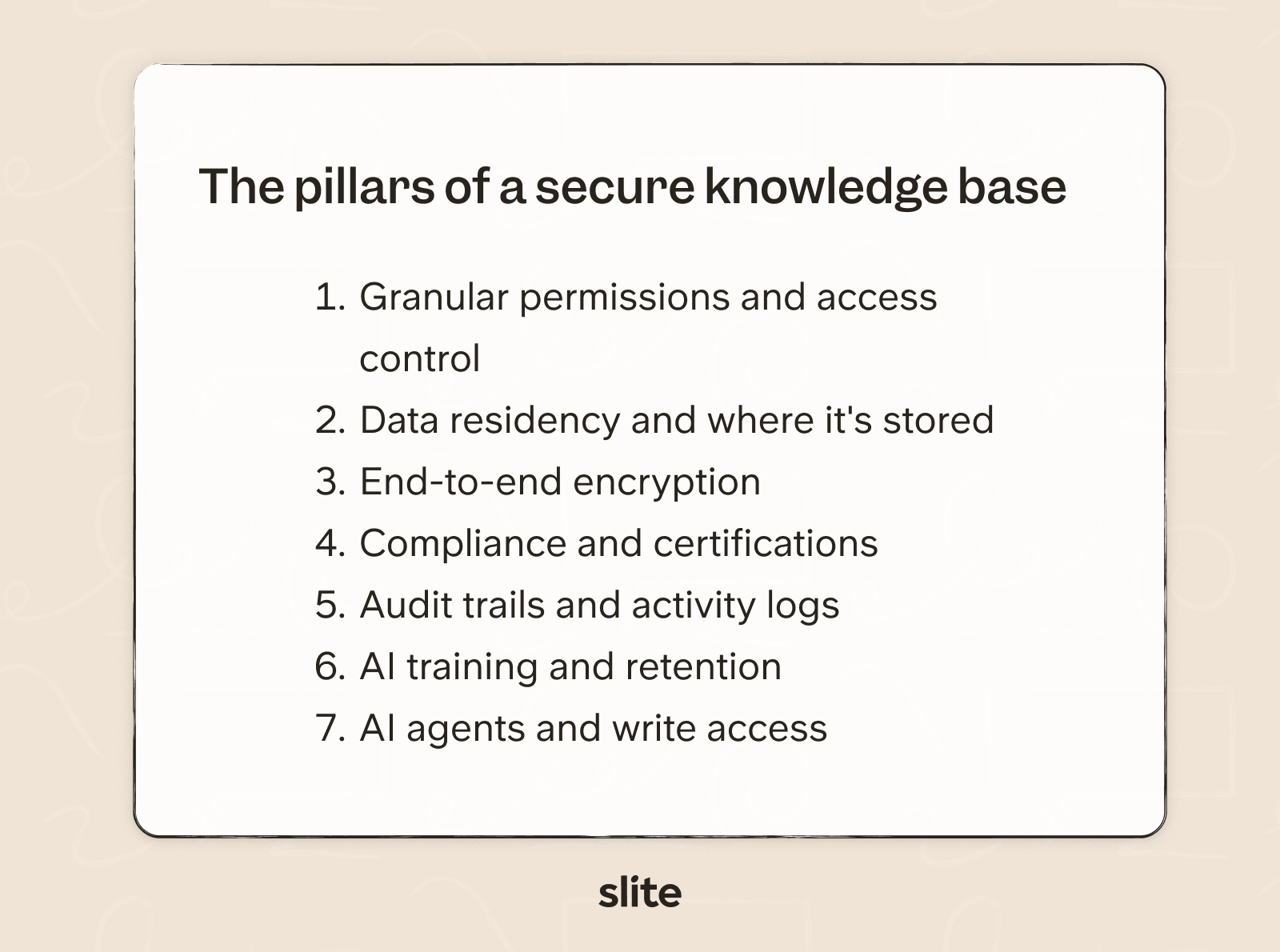
- Modern knowledge base security stands on seven pillars: permissions and the data model, data residency, encryption, compliance certifications, audit trails, AI permission-aware retrieval, and AI training and retention. Agentic knowledge bases add an eighth: AI agent write access.
- The only safe pattern in AI search for knowledge bases is permission-aware retrieval, where the user's permission filter runs before the AI retrieves a document.
- Compliance logos are not compliance. SOC 2, ISO 27001, and HIPAA become real answers only when paired with an audit period, an auditor's name, and the explicit scope of what was covered.
See what these answers look like in production: Slite's AI knowledge base ships with enterprise grade security without the enterprise complexity. Book a demo and we'll walk you through our security practices.
Why is knowledge base security important?
When breach actors gain access, internal data is the top target at 50%, ahead of personal data (32%) and credentials (19%).
Internal documents are now the most valuable thing in the room during a confirmed breach, which is a relatively new state of the world and one most security programs haven't fully caught up to.
AI assistants made the exposure surface larger overnight. Shadow AI was a factor in 20% of breaches last year, and the majority of organizations hit by an AI-related incident lacked proper access controls.
Talking to our customer base we have seen that security is one of the top concerns when choosing their tool stack.
A head of IT of an energy company, when his team was evaluating bringing AI search into the company's knowledge base, told us on a call:
"We're giving keys to our kingdom. We're bringing the AI search tool on as like an employee, but you're not an employee, you're a third-party vendor."
Your knowledge base is no longer just a document store, it's a high-value target that an AI assistant turns into a far more accessible high-value target.
The pillars of a secure knowledge base
Before getting to the KB security questionnaire, it's worth walking through the underlying KB security needs that best knowledge base software tools are trying to meet.
Permissions and the data model
The most important security decision in a knowledge base happens long before anyone configures a setting. It's the data model the vendor chose at the architecture stage, and it determines what your permissions can express in the first place.
Two shapes dominate the market.
- The first treats every document as a flat object, shared with everyone in the workspace by default, with sharing settings layered on top after the fact.
- The second organizes content into channels (or spaces, or sections) with permissions that cascade from parent to child, and explicit overrides allowed at any level.
Both work as wikis, but the second shape helps deals securely with an AI assistant.
The reason is structural. When AI search reads from your knowledge base on every query, the security perimeter is no longer at the login screen.
It runs inside the retrieval step, on every prompt, for every user. Two retrieval architectures exist:
- The unsafe one indexes everything, retrieves on semantic similarity to the query, and then tries to filter the results before showing them to the user. Because the filter runs at output, anything in the index is potentially exposed.
- The safe one applies the user's permission filter before retrieval, an approach commonly built on Retrieval-Augmented Generation , so the AI never sees a document the asking user can't already see in the first place.
Here's how our CTO Pierre Renaudin describes the approach we built at Slite:
"Permissions are enforced at every step, making it structurally impossible for restricted documents to be exposed outside their intended audience."
Structurally impossible means the document a user isn't allowed to see is never loaded into the AI's working context to begin with, so there's nothing in the model's memory for it to expose.
One honest caveat. For connected sources where the API doesn't expose item-level permissions (some Slack, Drive, and Salesforce surfaces), AI search tools fall back to a Shared Access Model: members querying that source see the indexed content, granular permissions and all, as one shared pool.
This is a known tradeoff in the industry. The vendors worth trusting are the ones who name it clearly when you set up the source.
Where your data lives
Data residency answers four questions: which cloud provider hosts the data, which physical region it sits in, who the sub-processors are (with regions and data types per row), and whether on-prem hosting is even an option.
Residency is the largest single category of failed knowledge base security reviews, and it's the hardest thing to fix after signing.
Three regulatory regimes stack on top of each other:
- GDPR's Schrems II ruling,
- the US CLOUD Act,
- and sector-specific frameworks like TX-RAMP and KSA NCA.
The honest reality is that no single residency covers the full needs of all companies.
EU-only hosting is the strongest answer for GDPR-sensitive buyers and a non-starter for US federal customers.
The point isn't which posture is universally right. The point is that the answer is crisp and documented, and that the sub-processor list is real (around 20-30 named vendors for a mature product, refreshed quarterly).
Encryption in transit and at rest
A real encryption story has four specifics: TLS 1.2 or higher in transit (verifiable on SSL Labs in 30 seconds, which is one of the easier checks you can do), AES-256 at rest, a clear statement on key management and rotation cadence, and an honest position on end-to-end encryption.
Most collaborative knowledge bases (ours included) don't offer E2EE, because AI search, admin recovery, and full-text search all need server-side decryption to function.
That's a real tradeoff worth understanding before signing up for an AI knowledge base.
Compliance certifications
Different certifications are important to different industries and locations, which means a vendor's compliance page is meaningful only when paired with audit periods, auditor names, and scope.
- SOC 2 Type II is table stakes for any US enterprise sale.
- ISO 27001 is the baseline for European public sector and many EU enterprises.
- HIPAA plus a signed BAA is important for US healthcare.
The follow-up worth asking on HIPAA: which AI features sit outside the BAA scope, because some LLM regions aren't HIPAA-eligible.
And in terms of compliance monitoring it's worth noting that continuous control monitoring (through Vanta, Drata, or Secureframe) is now considered the baseline, with annual-only audits treated as dated.
Audit trails
When something goes wrong in a knowledge base, the audit log is the only artifact that resolves the question quickly. Without one the answer to "who saw what, when, and from where" turns into a guess.
A complete audit trail covers four things at minimum:
- Event coverage. Authentication and SSO events, admin and privileged actions, sharing and export events, and per-user activity, all with the actor's IP address on every entry.
- Retention. At least one year for security and access events. Three to seven years if you're subject to HIPAA breach investigation rules or financial-services frameworks.
- Storage and immutability. Logs centrally collected, tamper-protected, and stored in a queryable warehouse you can scope to your org ID.
- Export options. On-demand pulls for ad-hoc investigations, plus scheduled monthly or quarterly exports. SQL-queryable beats CSV-downloadable when an auditor walks in.
The audit log is also how you verify that deprovisioning is actually working.
When a user is suspended at your IdP, you should see the corresponding session-ended event in the KB's log within roughly an hour.
One thing that often gets overlooked: per-document activity (who created the doc, who edited it, when it was verified or archived) should be available on every plan in a knowledge base.
AI training and retention
Every AI knowledge base should commit to your data not be used to train any model, neither the vendor's own nor the LLM sub-processor's, and it should be backed up by four specifics:
- Sub-processor disclosure. Which LLM vendor sees your content, in which region, under what contractual terms (DPA, SCCs for cross-border transfers).
- What's actually sent. A safe AI search architecture sends only the passages retrieved for the specific query, not your entire workspace. Things like comments, private channels, and documents the asking user can't access should never reach the LLM at all.
- Training exclusion. Customer data should be contractually excluded from training, both the vendor's models and the sub-processor's.
- Retention. Prompts and completions should not be stored beyond the request lifecycle. Embeddings, if used, should sit inside the vendor's own infrastructure under the same retention rules as the rest of your workspace data.
Bonus: AI agents writing to your knowledge base
A new category of question has emerged as agentic knowledge bases ship.
When an AI agent can edit, archive, or delete content (not just read it), the blast radius of any prompt-injection or scope error grows from one user's session to your entire knowledge base for everyone.
The four controls worth demanding before any agent gets write access:
- a human-in-the-loop review on every write,
- write-scope that exactly matches the operator's scope (never broader),
- full write-event audit logs,
- and a tenant-wide AI kill switch the workspace admin controls.
Most vendors don't yet ship a self-serve AI kill switch (ours included). The workarounds today are:
- per-user opt-out,
- plan-tier disablement,
- and contractual SLAs on backend disable.
The seven questions every CSO should ask
Here are the seven questions every CSO should put in front of a knowledge base vendor before signing, and what a strong answer looks like:
| Question | What a strong answer looks like |
|---|---|
| Where does my data live? | Named cloud provider, specific region, full sub-processor list (vendor, region, data type per row, refreshed quarterly), explicit yes/no on on-prem. |
| How is my data encrypted? | TLS 1.2+ in transit (A or A+ on SSL Labs), AES-256 at rest, named key management model with rotation cadence, honest E2EE position with tradeoffs stated. |
| How does the AI respect my permissions? | Permission filter applied before retrieval (native identity enforcement); Shared Access Model fallback named for any source that uses it; per-document audit trail to investigate reports. |
| Which compliance certificates do you hold, and for what scope? | SOC 2 Type II with auditor name, period, and full report under NDA; clear scope for HIPAA + BAA naming any features outside scope; continuous monitoring via Vanta, Drata, or Secureframe. |
| Do you provide complete audit trails of every system interaction? | Audit log captures auth, admin, sharing, exports, and per-user activity with actor IPs; one-year retention minimum; centrally stored, tamper-protected, exportable to a warehouse or SIEM; per-doc activity on every plan. |
| Is my data ever used to train AI models? | Named LLM sub-processor with region; passages-only retrieval (not full workspace); contractual training exclusion for both vendor and sub-processor; no prompt/completion retention; embeddings inside vendor infrastructure. |
| Can an AI agent write to my knowledge base? | Human-in-the-loop on every write; write-scope equal to operator's; full write-event audit logs; tenant-wide AI kill switch (or named workaround if not yet shipped). |
In a real CSO security review, getting answers in writing is the bar.
Two of them are worth demoing live:
- permission-aware AI search against a restricted document,
- and an audit log export query against your tenant's data.
The sub-processor list, with regions and data types per row, should be available publicly.
How does Slite compare?
At Slite we take security seriously and offer the following out-of-the-box:
- SOC 2 Type II certified, audited annually.
- EU-only hosting. All production data, backups, and LLM processing in the same region. Public sub-processor list updated periodically.
- A+ rating on SSL Labs, encrypted at rest by default.
- Permission-aware AI search using native identity enforcement. Shared Access Model labelled explicitly in the UI for sources that need it.
- Audit logs on Enterprise, with per-document activity available on every plan.
- HIPAA + BAA on Enterprise plan
- AI sub-processor: Anthropic via GCP Europe, Gemini fallback. Customer data is not used to train models.
- Slite Agent respects document permissions one-to-one with the operator. Every write goes through human review. Self-serve tenant-wide AI kill switch is not yet shipped; backend disablement is available via the account team.
Final thoughts
Knowledge base security stopped being a back-office concern the moment AI assistants started reading from internal documents on every query.
In 2026, your knowledge base is one of the highest-value targets in your stack, and the controls protecting it are now load-bearing in a way they were never asked to be a few years ago.
The secure knowledge base solutions come from teams who have already thought through each security area and can support your team's quest toward enterprise-grade security.
FAQ
What's the single biggest knowledge base security risk most buyers miss?
Data residency. Most buyers ask about encryption and SSO but skip "where exactly does my data live, which third parties touch it, and where are LLM calls processed?" It's one of the most common reasons enterprise security reviews stall, and it's essentially impossible to fix after signing.
Does SOC 2 mean my knowledge base is safe to use with AI?
Not on its own. SOC 2 covers operational controls. It does not certify how an AI assistant retrieves and exposes content. Ask separately about permission-aware retrieval, AI sub-processors, and whether your data is excluded from model training.
Can AI agents safely have write access to a knowledge base?
Only with a human-in-the-loop approval on every write by default, scoped permissions equal to the operator's, full write-event audit logging, and a tenant-wide AI kill switch your workspace admin controls. Without all four, the blast radius of a single prompt-injection is your entire knowledge base.
Is a private knowledge base the same as a secure one?
No. Private usually means access requires a login. Secure means the system enforces who can see what at the document level, encrypts data in transit and at rest, logs every action, and applies the same permission filter to AI search. Plenty of private wikis are insecure by design.