You've seen this pattern: you wrote the docs, you shipped them, and your team still pings each other in Slack.
In one engineering team we worked with, 98% of internal questions ran through Slack despite a fully populated Docusaurus site and a busy GitHub wiki.
In another, a new hire spent two days following an onboarding guide before realising it had been outdated for a year.
The hard part is keeping docs current and findable, especially when the alternative (asking a colleague) is one DM away.
This guide is about closing that gap. It sits inside the broader practice of engineering documentation, but we’re going to be talking about creating software documentation exclusively.
We'll cover what software documentation is, who reads it, the leading 2026 tools (Mintlify, GitBook, Docusaurus, Slite, and more), and the six practices that keep docs current.
Key takeaways
- Software documentation falls into two main categories: user-focused (guides, FAQs, release notes) and developer-focused (API docs, READMEs, system specs).
- The 2026 software documentation tool leaders are Mintlify (AI-readable developer docs), GitBook (visual editor for mixed teams), Docusaurus (open-source default), Swagger, ReadMe, and Slite (people-friendly docs).
- Six practices keep docs alive: hire technical writers, plan, version, collaborate, write for the audience, and use a style guide.
- The biggest documentation problem in 2026 is discoverability across Slack, GitHub, and the five-plus other places where decisions live.
Bonus: If unifying search across docs, Slack, and GitHub is what you care about most, that's why we built Slite Agent.
What's so great about software documentation?
Software documentation matters because it cuts the distance between a user wanting to do something and finding out how.
For end-users, clear docs reduce support tickets and improve product adoption. For developers, they speed up integration, shorten onboarding, and prevent the same questions being asked repeatedly in Slack.
Docs that are easy to find pay back the time spent writing them within weeks.
Software documentation helps users get more value from your software and build on top of it:
| Users | Developers |
|---|---|
| Clear instructions and explanations make the software easier to use. | Documentation speeds up development by providing details on APIs, libraries, and frameworks. |
| Quick access to information saves time | Shared understanding of the software's design and implementation improves collaboration. |
| Step-by-step instructions and troubleshooting tips reduce frustration. | Guidance on best practices and coding standards increases code quality. |
| Helps them self-serve over taking up your CS bandwidth | |
| Helps them explore new/more efficient ways to use your product |
In fact, Postman's 2025 State of the API report found that 93% of developers cite inconsistent documentation as the biggest roadblock to API integration making clear, current docs one of the highest-leverage things an API team can ship.
Who uses software documentation?
Software documentation is read by both end-users and developers, but also by customer support teams resolving tickets, product managers scoping features, sales engineers preparing demos, and technical writers maintaining the corpus.
Treating it as developer-only is the most common reason it gets neglected, as most pages are read more often by non-engineers than by the team that wrote them.
Software documentation is used by the software’s developers and end-users. Many people assume that technical documents are only used by developers. In reality, end-users also look at your software documentation to look for specific features and use cases.
Take OpenAI for example.
Thousands of writers, marketers, and AI enthusiasts use their software documentation to explore new use cases and learn best practices.
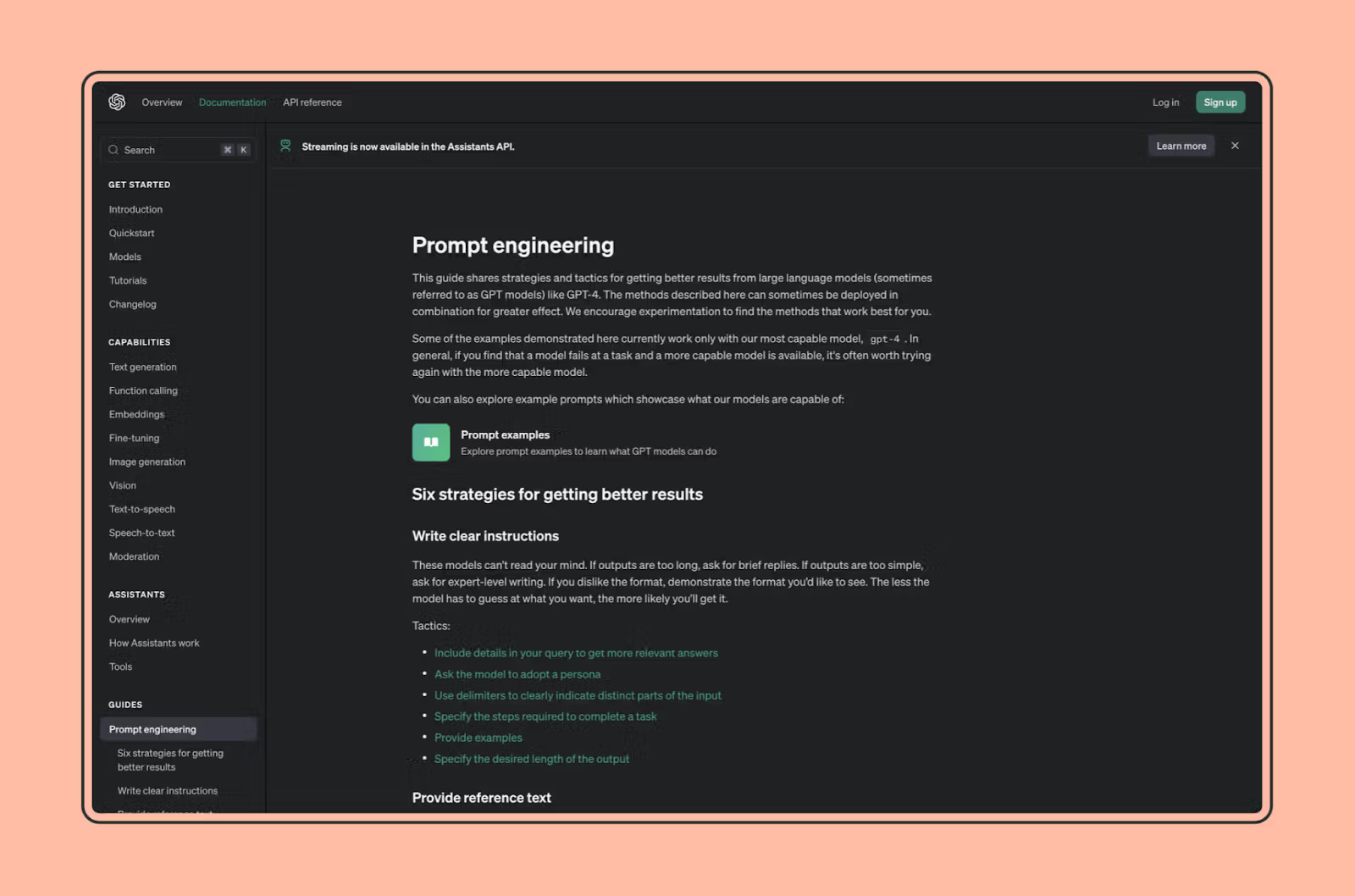
While OpenAI’s documentation is for both, users and devs, most software documentation is categorised into:
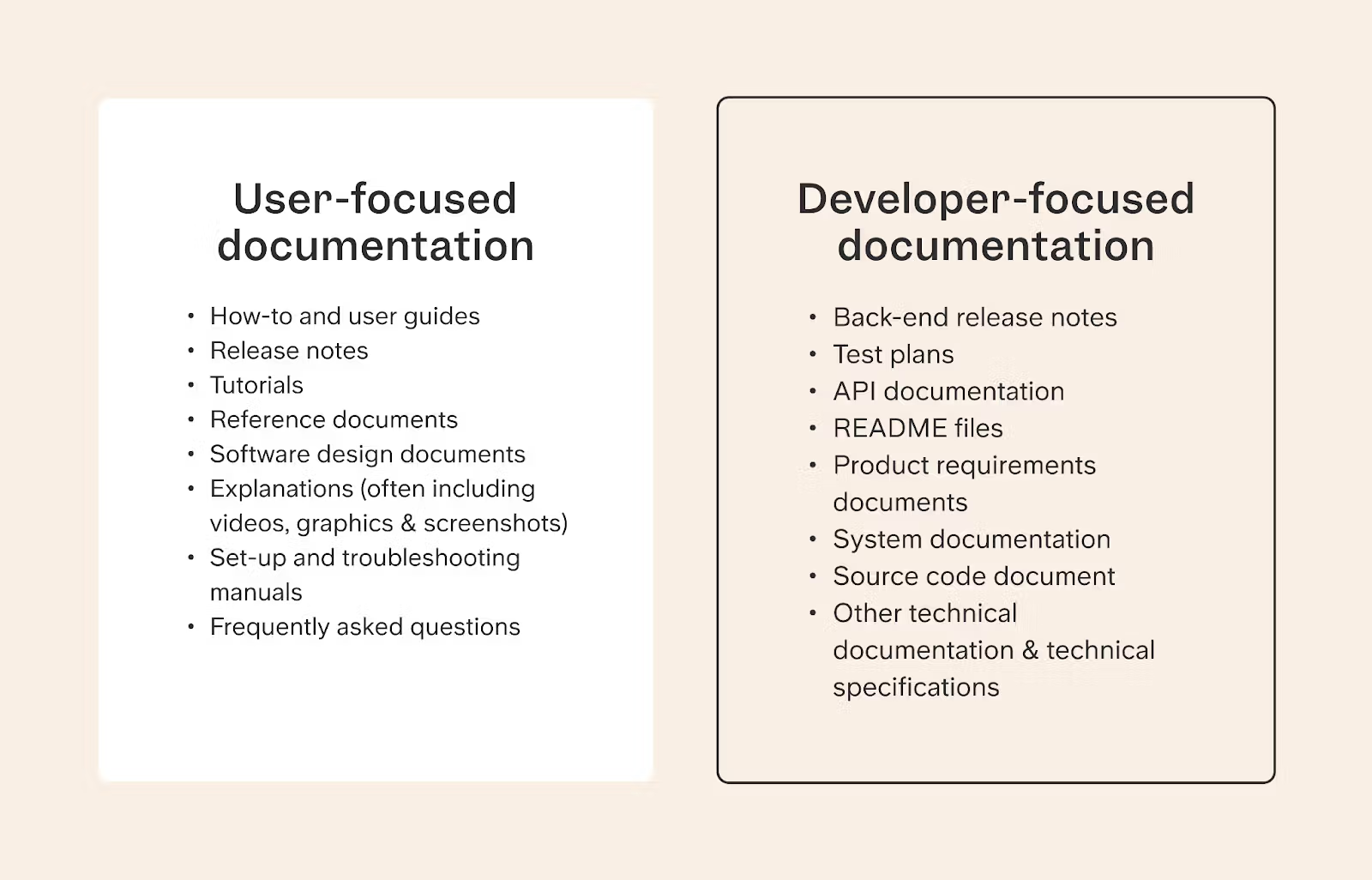
- User-focused: This is written for anyone from customers to testers to external stakeholders.
- Developer-focused: They’re usually more technical and referred to by developers.
Let’s understand their differences in detail:
User-focused software documentation
User-focused software documentation helps people use your software effectively. It has details about your software, teaches them how to download it and/or set it up and troubleshoot any issues.
Examples
Some common examples of user-focused software documentation include:
- How-to and user guides
- Release notes
- Tutorials
- Reference documents
- Software design documents
- Explanations (often including videos, graphics & screenshots)
- Set-up and troubleshooting manuals
- Frequently asked questions
Developer-focused software documentation
Developer-focused documents are usually more difficult for people without industry experience to understand, but they should still be written as clearly as possible.
Examples
- Back-end release notes
- Test plans
- API documentation
- README files
- Product requirements documents
- System documentation
- Source code document
- Other technical documentation & technical specifications
How can you choose a software documentation tool?
In short: choose a software documentation tool by who reads the docs and who writes them.
Additional considerations should be based on its features, ease-of-use, and collaborative features.
A good software documentation tool does these 5 things really well:
- Has version control (so people can access documentation for older versions)
- Has a simple editor for adding images, hyperlink, and code snippets
- Has a search feature
- Is easily hostable, indexable, and shareable
- Has collaborative features (doc approval workflows, comments, etc.)
There are, of course, more features offered by modern tools. But 90% of your experience will depend on the 5 core features listed above.
What's the best software to use for software documentation?
The leading software documentation tools in 2026 are Mintlify, GitBook, Docusaurus, Swagger, ReadMe, and Slite — each suited to a different type of team.
Here's how they compare:
| Tool | Best for | Standout feature | Pricing model |
|---|---|---|---|
| Mintlify | Developer-facing API and product docs (Cursor, Anthropic, Perplexity, Coinbase) | First major platform to ship llms.txt and an MCP server, so AI assistants can read your docs cleanly | Paid SaaS |
| GitBook | Mixed teams (devs, PMs, writers) on product docs and external knowledge bases — common Confluence replacement | Notion-style visual editor with real-time co-editing and a clean public reader experience | Paid SaaS |
| Docusaurus | Open-source projects and engineering teams that want full control (React Native, Redux, Supabase, Hasura) | DocSearch v4 with Algolia Ask AI built in (v3.9, October 2025) | Free, MIT licence |
| Swagger | Source-of-truth OpenAPI specs, paired with a docs platform for the public-facing reader experience | Portable spec format that other tools (Mintlify, ReadMe) can render | Free spec; paid SmartBear tiers |
| ReadMe | Hosted public developer portals for external API docs | Interactive try-it-out consoles and per-customer API key playgrounds | Paid SaaS |
| Slite | People-facing software documentation: onboarding guides, runbooks, customer how-tos, internal SOPs | Built-in AI search across Slack and Drive so readers find answers without pinging engineering | Paid SaaS |
Our top tips for writing great software documentation
These tips will help make sure that your documentation development process goes off without a hitch:
1. Hire technical writers
First off, try identifying a team member who’s excellent at documentation. Many people make the mistake of assigning software documentation to any random person on their team, regardless of their writing or technical skills. This is one of the big drivers of confusing or poorly assembled documentation. If it sounds like your team, consider hiring a technical writer.
Technical writers in the software field have both industry know-how and writing experience. They'll also be complicated and dedicated to the writing process. Hiring one is worth your while.
2. Make a documentation plan
Another common mistake in software documentation is diving in before you're done planning. Insist on making an outline of all the different kinds of documentation you and your team will be working on. This will help you stay organised throughout the development process and make it much easier to delegate work to different teams.
Documentation plans also help ensure a higher degree of writing quality. You'll avoid repeating information and it'll be easier for your readers to navigate between your documents overall.
3. Don't forget version control
Software documentation should be updated as frequently as your product. To ensure your documentation keeps up with your product updates, choose a tool that has version control. (Most of them do)
Nowadays, many teams use design documentation templates that saves automatically and updates in real-time
4. Work collaboratively
Software documentation is best written collaboratively. While it should have one owner, your entire project team should be contributing to your documentation in some way or another. It helps you get things done much faster. Writing documentation is labour intensive and it gets completed faster with more contributors
5. Think about your audience - developers or customers?
The easiest way to prioritise what kind of documentation you need to put together is by thinking about your audience. Determining whether you're writing for end-users or programmers and engineers right off the bat will help you narrow down the kind of documentation you want to focus on.
6. Put together a style guide
Style guides can encompass everything from language & writing style to formatting and fonts. They cover a wide range of elements including:
- Language: Style guides specify the preferred vocabulary, grammar, and usage for a particular organization or publication. This includes guidance on punctuation, capitalization, hyphenation, and spelling.
- Writing style: Style guides provide guidance on the overall tone and style of writing, including the use of active voice, concise language, and clear organization. They may also include guidelines for specific types of writing, such as technical writing, business writing, and academic writing.
- Formatting: Style guides provide guidance on the formatting of text, including the use of headings, subheadings, bullet points, and numbered lists. They may also include guidelines for the use of tables, images, and other visual elements.
- Font selection: Style guides specify the preferred fonts for use in headings, body text, and other elements. They may also provide guidance on the use of different font sizes, weights, and colors.
- Additional elements: In addition to these core elements, style guides may also include guidance on other aspects of writing and publishing, such as:
- Citations and references: Style guides provide guidance on the correct way to cite sources in text and in a bibliography.
- Permissions and copyright: Style guides provide information on how to obtain permissions to use copyrighted material and how to properly credit sources.
- Legal and ethical considerations: Style guides may include guidance on legal and ethical considerations related to writing and publishing, such as plagiarism, libel, and privacy.
Style guides should be compulsory if multiple people are writing your documentation.
Related reading
- Engineering documentation: the guide on how engineering teams document their work end-to-end.
- Technical writing: the craft of writing the docs themselves.
FAQs
What are the 4 types of software documentation?
Most teams group software documentation into four types: user docs (guides, tutorials, FAQs for end-users), developer docs (API references, READMEs, system architecture), process docs (style guides, release notes, dev plans), and code-level docs (inline comments, source code documentation). User and developer docs cover the largest share of what readers reach for day-to-day.
What should software documentation include?
Good software documentation includes a clear scope statement, getting-started instructions, reference material (APIs, parameters, error codes), troubleshooting steps, and a changelog. The reference and troubleshooting sections are the two most-trafficked parts — invest there first. Add code samples where relevant, and link out to related docs to keep individual pages tight rather than encyclopedic. If an outside team builds part of your product, for example one of the Python development companies that take on contract work, make these docs part of the handover so your own team isn't left guessing later.
How do I keep software documentation from going stale?
Three habits do most of the work: assign an owner to every page so there's a clear person responsible for accuracy, set verification reminders (every 90 days for high-traffic pages), and treat doc updates as part of the same PR that ships the code change. Without ownership, docs decay quietly until someone gets burned by an outdated guide, usually a new hire. The decay is the default: over 94% of active content goes untouched in any given month.
What's the best software documentation tool for developers?
It depends on the audience. For external API docs, Mintlify and ReadMe lead in 2026 — Mintlify is the choice if AI-readability (llms.txt, MCP server) matters. For open-source projects, Docusaurus is the default. For internal team docs that mix engineering and non-engineering readers, GitBook or Slite win on contribution barriers and search.
How is software documentation different from technical documentation?
Software documentation is a subset of technical documentation. Technical documentation covers any complex product or process (hardware specs, scientific procedures, manufacturing). Software documentation specifically describes how a piece of software works — its features, APIs, code structure, and use cases. In practice the terms overlap, but "technical documentation" is the broader category.
Conclusion
The documentation development process might feel overwhelming at the outset, but needs to be a standard practice for your team. Put together your documentation plan, take things step-by-step and you'll be amazed at what you come up with.
Take a browse through the options we've curated to help make writing and working on your documentation easy and enjoyable and refer back to our tips and tricks when it comes to writing your software documentation.