Notion and Coda may look interchangeable at a glance of the current market, but they make opposite bets.
Notion treats the page as the unit and builds outward; Coda treats the table as the unit and builds everything else on top.
That single decision shapes how you'll write docs, run projects, automate work, and pay for it.
And we at Slite have compared industry’s top knowledge base software solutions, among which Coda and Notion, and tried to make the 2026 verdict regarding pricing, AI capabilities after Coda's move into Superhuman, the database delta, and which one your team should actually use.
The comparison table sits one scroll down; the deep dives follow.
Key takeaways
- Notion is docs-first; Coda is database-first. Pick the mental model that matches the work.
- Coda wins on databases and (in early 2026) on AI capability inside a doc; Notion wins on add-ons, community, and product coherence.
- Neither tool is purpose-built for a company-wide knowledge base. If that's the job, see the Slite section below.
How we tested
The comparison is hands-on, not from press releases:
- Writing: drafted articles in both tools to test the editor, formatting, and embed behavior.
- Databases: built relational tables, Kanban boards, and calendar views to test filters, formulas, and view performance.
- Automation: ran in-doc automations in Coda and integration-driven automations in Notion to test reliability.
- AI: ran the 2026 AI features end-to-end (agent runs, formula generation, summarization, search).
- User feedback: read recent G2 and Capterra reviews and skimmed builder communities to test against our own findings.
Notion vs. Coda at a glance
| Dimension | Notion | Coda |
|---|---|---|
| Core mental model | Docs-first, block-based pages | Database-first, tables with formulas |
| Databases | Good — rich views, filters, rollups | Best-in-class — relational, formula language, buttons |
| Writing & docs | Best-in-class — clean editor, deep hierarchy | Functional — tables can act as notes |
| AI in 2026 | Notion AI bundled in all paid plans (usage credits) | Formerly Coda AI + "Coda Brain"; Coda is now part of Superhuman |
| Pricing (Free / Plus) | Free / Plus $12 per user/month (annual $10) | Free (1 Doc Maker) / Pro $12 per Doc Maker/month (annual $10) |
| Mobile & offline | iOS + Android; partial offline for opened pages | iOS + Android; limited offline on recently-opened docs |
| Best for | Docs-first teams who want low-config | Ops, analytics, and database-heavy teams |
First Impressions: Learning Curve
Right off the bat, you’ll notice that Notion and Coda share a clean, modern interface. Both feel approachable on the first page. But, their personalities diverge fast.
The features and advantages of both Coda and Notion include robust free plans, extensive integrations, and strong community support, making them versatile tools for various use cases.
Notion: a simple-looking all-in-one for docs, projects, and lightweight databases
Notion treats the page as the unit.
Everything starts as a block on a page (text, image, checklist, table) and you build outward by nesting and linking.
That makes Notion very flexible and very forgiving, but workflows often take some tinkering before they feel right.
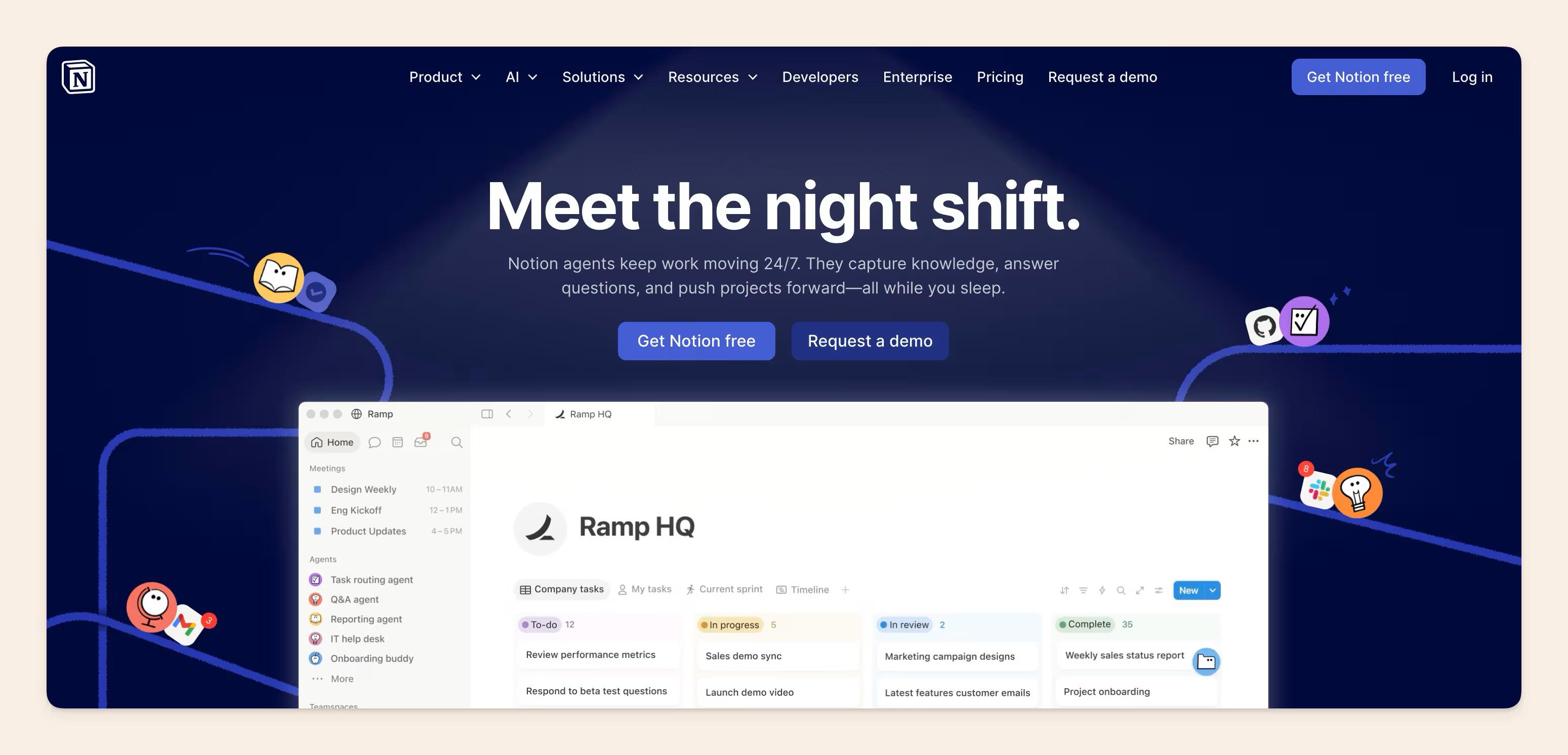
Notion leans on third-party extensions (Zapier, Make, native integrations) for deeper interactions with other tools, which is worth costing into the total bill.
With Notion, it’s all about building powerful, interactive documents that go beyond what you’d typically expect from a traditional spreadsheet. Think interactive tables, buttons, automations, and even mini-apps built right into your documents.
What does that mean for the user?
Pros: clean editor, vast template library, easy onboarding.
Cons: configuration debt at team scale, AI used to be a paid add-on (now bundled).
Coda: a database-first all-in-one for ops-heavy teams
Coda treats the table as the unit.
So, a Coda doc is closer to a spreadsheet that grew interactive buttons, formulas, and embedded views which is useful when the underlying data model is the point of the work.
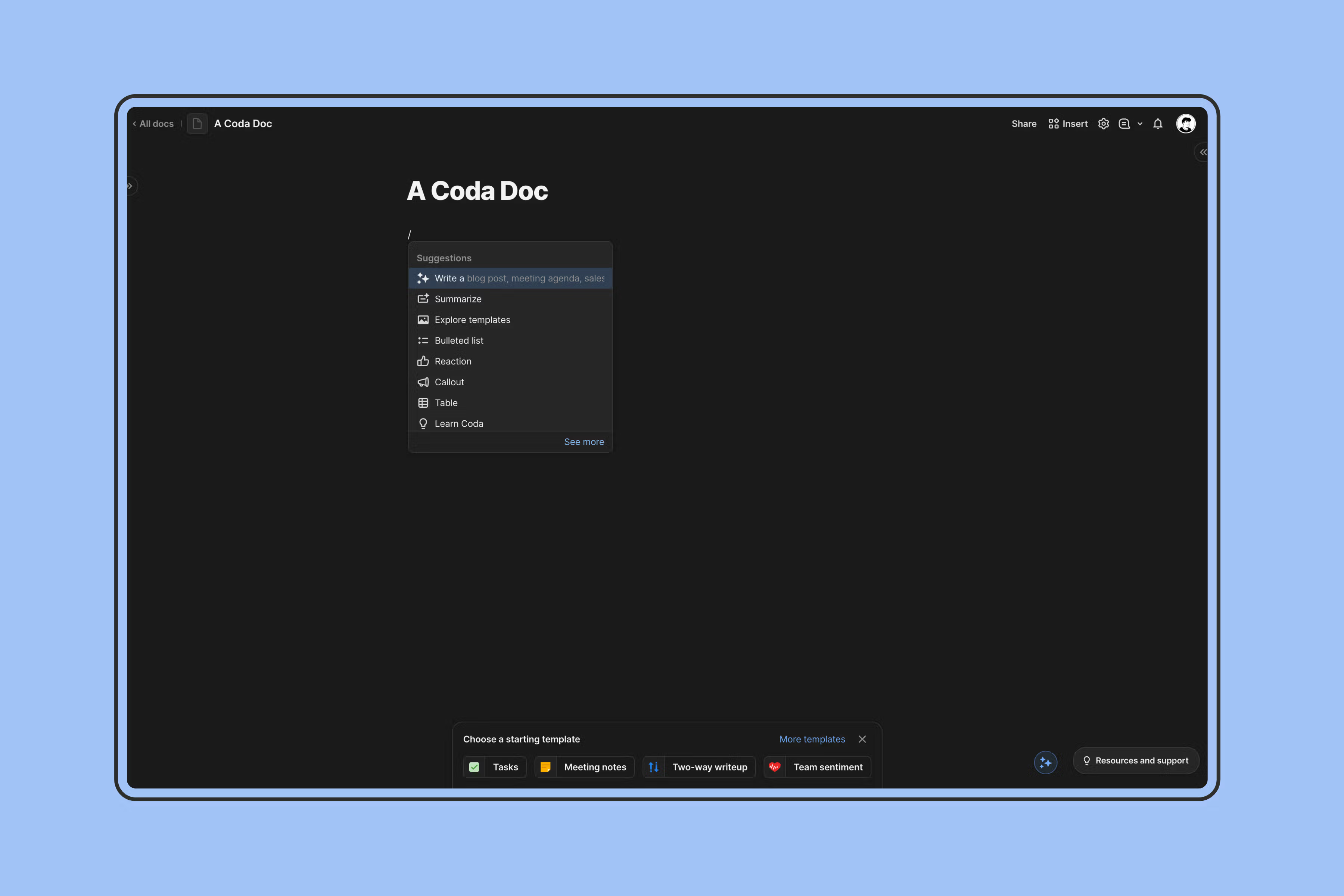
Coda is now part of Superhuman (Grammarly acquired Coda in December 2024; the parent company rebranded to Superhuman in October 2025).
The Coda product is still shipping under the Superhuman umbrella (pricing pages and the product are intact) but several pieces of the 2024 AI roadmap have shifted.
What does that mean for the user?
- Pros: relational tables, formulas, Packs ecosystem.
- Cons: steeper learning curve, AI roadmap is now a Superhuman roadmap.
Databases & project management: Coda wins
Notion and Coda both offer robust features for organizing and managing information, but their approaches differ.
| Aspect | Notion's database approach | Coda's Tables approach |
|---|---|---|
| Core model | Block-based: every database row is a Notion page; you can drop full content inside each row | Formula-driven: a rich formula language closer to Excel than to Notion's properties |
| Views | Table, board, calendar, list, gallery, timeline. The same data shown different ways | Flexible layouts: Kanban, calendar, card views, all driven by the same underlying tables |
| Power features | Relations and rollups: link databases and aggregate across them | Button actions: trigger automations from inside the doc |
| Templates / integrations | A deep library for project management, tracking, calendars | Packs: pre-built integrations with Slack, Google Calendar, Jira, and more |
| Sweet spot | Rich content inside the row | Structured, genuinely relational data |
Verdict: databases (Coda wins)
Notion wins if you prioritize content inside the row and a familiar block experience. Coda wins if you need formulas, buttons, and a doc that behaves like an internal tool.
Example: project tracking
In Notion you'd build a project database with task, assignee, due date, status and then switch between table, board, and calendar views.
In Coda you'd build the same project table with formulas calculating progress, automations sending notifications, and buttons updating status with one click.
Writing & commenting: simple in Notion, powerful in Coda
Both tools support real-time writing and commenting; the difference is the editor's center of gravity.
| Aspect | Notion's writing approach | Coda's writing approach |
|---|---|---|
| Editor model | Clean block editor: distraction-free, basic formatting, easy to focus | Document-centric canvas: combine text, tables, images, and interactive blocks in one page |
| Organization | Pages nest hierarchically: outlines, summaries, cross-linked notes scale | Tables as notes: each row is a note; filter, sort, group to find things |
| Collaboration | Real-time collaboration with comments, mentions, simultaneous editing | Cross-document collaboration: link references across docs |
| Templates / integrations | Templates for meeting notes, agendas, OKRs, and more | Packs: pull data from Slack, Figma, Google Drive into the doc |
| Versioning / extras | Web clipper to save articles directly into your workspace | Version history (revert and compare); small in-doc apps and quality-of-life touches like auto-populated doc icons |
Verdict: writing & commenting (Notion for docs, Coda for interactive docs)
Notion wins for distraction-free writing and deep note hierarchies. Coda wins for interactive docs where text and data live together. Notion has the shallower learning curve.
Example: meeting notes
In Notion you'd start from a meeting-notes template with attendees, agenda, action items, and embed relevant docs.
In Coda you'd build the same meeting doc with a table to track action items, a calendar to schedule follow-ups, and a button to send automated reminders.
Verdict: which-team-when
If your company isn't used to complicated software, pick Notion.
If your team has ops, analytics, or technical builders who'll exploit Coda's formulas and automations, pick Coda.
AI features in 2026
The AI story for both tools shifted materially in 2025 and again in early 2026. What follows is the 2026 picture, sourced from original vendor websites:
Notion AI in 2026
Notion AI is now bundled with every paid plan. The standalone $10 per user / month add-on retired in May 2025. Capabilities have moved beyond text generation to include:
- AI agents and workflows: agents that can run multi-step actions inside a workspace (kick off a project, summarize meetings, route a request).
- Database formula and view generation: ask in natural language; get the property or view scaffolded.
- Chat with your workspace: scoped search and synthesis across the docs and databases you can already see.
- Usage credits: each plan ships with a credit pool; heavy users may need a Business or Enterprise plan for headroom.
Coda AI in 2026
Coda AI is still part of every paid Coda plan and remains strong inside a doc:
- formula generation,
- data transformation,
- summarization,
- table-driven Q&A.
The strategic context has changed: Coda is now a Superhuman product after the Grammarly acquisition (December 2024) and the parent's rebrand to Superhuman (October 2025).
The most concrete consequence: Coda Brain — the enterprise-search feature that 2024 articles described as "coming soon" — was deprecated and folded into Superhuman Go.
If you need enterprise search across non-Coda tools, the path now goes through Superhuman Go, not through Coda directly.
Verdict: AI features in 2026
For most teams choosing between the two products today, Notion AI is the more product-coherent bet as it comes bundled across plans, integrated with the docs and databases you already use, and shipping new agentic capabilities under a single roadmap.
Coda AI inside the doc remains excellent, but its enterprise-AI story is now a Superhuman story; that's a different roadmap, a different priority list, and a different decision than picking Coda alone.
If your real need is unified search across the company — GitHub, HubSpot, Slack, your wiki — neither Notion nor Coda is built for that job. See the Enterprise Search section near the end.
Pricing in 2026: Coda is friendlier for partial-collaborator teams
Both tools price differently. Notion charges per user; Coda charges per Doc Maker. That alone can swing a 50-person team's annual bill by a five-figure number.
| Plan | Notion | Coda |
|---|---|---|
| Free | $0. Unlimited blocks for solo use, up to 10 guests, 5 MB max file upload, 7-day page history. Notion AI included with trial usage credits. | $0. 1 Doc Maker, unlimited viewers and editors, 50 objects per shared doc, 1,000 rows. |
| Plus / Pro | $10 per user/month (annual) or $12 monthly. Unlimited file uploads, longer version history, Notion AI usage credits. | $10 per Doc Maker/month (annual) or $12 monthly. Higher data limits, priority support, unlimited Doc Makers in the workspace (still 1 free). |
| Business / Team | $20 per user/month (annual) or $24 monthly. Advanced permissions, SAML SSO, priority support, larger Notion AI credit pool. | $30 per Doc Maker/month (annual) or $36 monthly. Unlimited data, advanced collaboration. |
| Enterprise | Custom. | Custom. |
Key differences for teams
| Dimension | Notion | Coda |
|---|---|---|
| Billing model | Per user — everyone who uses the platform needs a paid plan | Per Doc Maker — viewers and commenters don't count against the bill |
| Team economics | Simpler to budget when most of the team is editing | Materially cheaper when only a few people actively create docs |
| Free-plan limits | Generous on blocks; capped on file size and history | Hard object and row caps that make Free a poor fit for a real production doc |
| AI | Bundled with paid plans (was a $10 add-on through May 2025) | Bundled across paid plans, capped by usage credits |
Verdict: pricing (Coda wins for teams with many viewers)
For teams with a small group of doc-makers and a wide circle of viewers and commenters, Coda is materially cheaper. For teams where most people are active editors, Notion's per-user pricing is simpler and lands roughly in the same place.
Community: Notion wins (by a narrow margin)
A tool's community shapes how quickly you learn it. Notion and Coda both have active communities; Notion's is bigger.
| Aspect | Notion's community | Coda's community |
|---|---|---|
| Scale | Large active user base across forums, Reddit, and YouTube | Smaller but engaged — a growing community with a strong builder culture |
| Templates / forums | Deep public template gallery, much of it community-contributed | Dedicated maker forums for people building Coda docs |
| Support | Email plus a help center; free-plan response times can be slow | Email plus a help center, with significant community-forum reliance |
Verdict: community (Notion wins)
If you want template variety and a deep pool of public know-how, pick Notion.
If you want a smaller, builder-heavy community where you'll know people who answer your questions, Coda is fine.
Add-ons & integrations: Notion's marketplace is deeper; Coda's Packs are denser per integration
Both tools extend through add-ons, but the shape is different.
Notion's add-ons
- Marketplace depth: Notion has a larger public marketplace of templates and integrations than Coda, with hundreds of community-built add-ons and integrations across categories like sales, HR, and content. The Notion Template Gallery is the canonical entry point.
- API: a robust API for custom integrations.
Coda's Packs
- Packs: pre-built integrations with Slack, Google Calendar, Jira, GitHub, and more.
- Custom Packs: build your own via Pack Studio.
- Native automations: powerful enough to replace Zapier for many in-doc workflows.
Templates
- Notion: public template gallery with community contributions across nearly every category — sales, HR, OKRs, personal productivity.
- Coda: the Doctopus + Packs gallery leans more toward functional building blocks than pre-styled templates.
Verdict: add-ons (Notion wins on breadth)
Notion wins on sheer surface area of public templates and integrations. Coda wins on density — each Pack does more than a typical Notion integration, especially for in-doc automation.
Mobile & offline
Both tools ship native iOS and Android apps; both have meaningful offline limits.
- Notion: iOS and Android apps; recently-opened pages can be read offline; edits sync when reconnected. Heavy databases and embeds may not render fully offline.
- Coda: iOS and Android apps; offline access is limited to recently-opened docs, with read-mostly behavior; complex Packs and automations expect connectivity.
Verify the latest behavior on each vendor's mobile and offline documentation if your team depends on offline work.
Look and Feel
Both interfaces are visually clean and broadly user-friendly. The choice usually comes down to mental model preference.
| Aspect | Notion's interface | Coda's interface |
|---|---|---|
| Editor style | Minimalist editor — clean lines, neutral palette | Document-style canvas — closer to a traditional editor than to a Notion page |
| Composition | Block-based system: drag and rearrange any kind of content within a page | Building-block elements: tables, text, buttons, charts compose the doc |
| Navigation / interactivity | Sidebar navigation: workspaces, pages, and databases nested under each other | Interactive documents: embedded buttons, formulas, and mini-apps live inline |
| Customization | Dark mode, font choice, page backgrounds, light theming | Customization is lighter; the trade is more interactivity, less skinning |
| Mobile app | Polished and consistent across devices | Functional, though less polished than Notion's by most reviews |
Verdict: look and feel (close to a tie)
Pick Notion if you prefer a minimalist block editor. Pick Coda if you prefer a document with interactive elements stitched in.
Notion or Coda: which should you pick?
Short answer:
Notion wins for docs-first teams who want a low-config workspace and a deep template ecosystem.
Coda wins for ops, analytics, and database-heavy teams who'll use the formula language and Packs. For a company-wide knowledge base, see the Slite section below.
Pick Notion if you:
- Want docs, lightweight projects, and a clean editor in one place.
- Lean on templates and a large community.
- Want AI bundled into the editor without a separate add-on.
Pick Coda if you:
- Need real database power inside a doc — formulas, buttons, automations.
- Have a small group of doc-makers and a wide circle of viewers.
- Are comfortable trading a steeper learning curve for more leverage.
The all-in-one trade-off: when "everything" isn't everything
Notion and Coda are versatile; that's the trade-off.
Even when teams successfully consolidate on one of them, the search problem doesn't disappear.
Engineering documents decisions in GitHub; sales context lives in HubSpot; customer insight comes out of support tickets; project updates happen in Linear.
The all-in-one's "unified" workspace only spans the tools that moved in.
A useful frame: for roughly 10% of the workflow (custom databases, in-doc automations, project tooling) all-in-ones are excellent.
For the other 90% (your company's actual knowledge base, the docs people read more than once, the search that has to span tools) a purpose-built solution often wins.
Why?
- Performance at scale: large databases and long docs slow down in both tools; search quality degrades with content volume.
- Adoption challenges: feature breadth means inconsistent team adoption; specialists prefer specialized tools.
- Maintenance overhead: keeping the workspace clean is a job; nobody is hired to do it.
- Cross-stack search gap: even after consolidation, the engineering decisions in GitHub, sales context in HubSpot, and support insight stay outside the all-in-one — and the "unified" workspace can't find them.
A 200-person editorial team we spoke to migrated to Coda specifically for the database power, and within a quarter their search for documentation across the rest of the stack was the bottleneck.
Coda's search worked beautifully inside Coda and not at all outside it. That's the all-in-one trap: the migration succeeds locally and fails globally.
If you're looking for reliable enterprise search, Slite takes the opposite approach to migration: on the Pro plan, Slite Agent connects the tools your team already uses into a single search layer, no migration required.
Developers stay in GitHub, sales stays in HubSpot, support stays in Zendesk, and everyone finds answers that span every source.
That's the layer Notion and Coda's "unified workspace" promises but can't deliver.
A simpler answer for company-wide knowledge bases: Slite
If the job is a company-wide knowledge base, docs that the whole team reads, search that has to find answers, and robust AI that sits on top of company knowledge, Notion and Coda aren't purpose-built. Slite is.
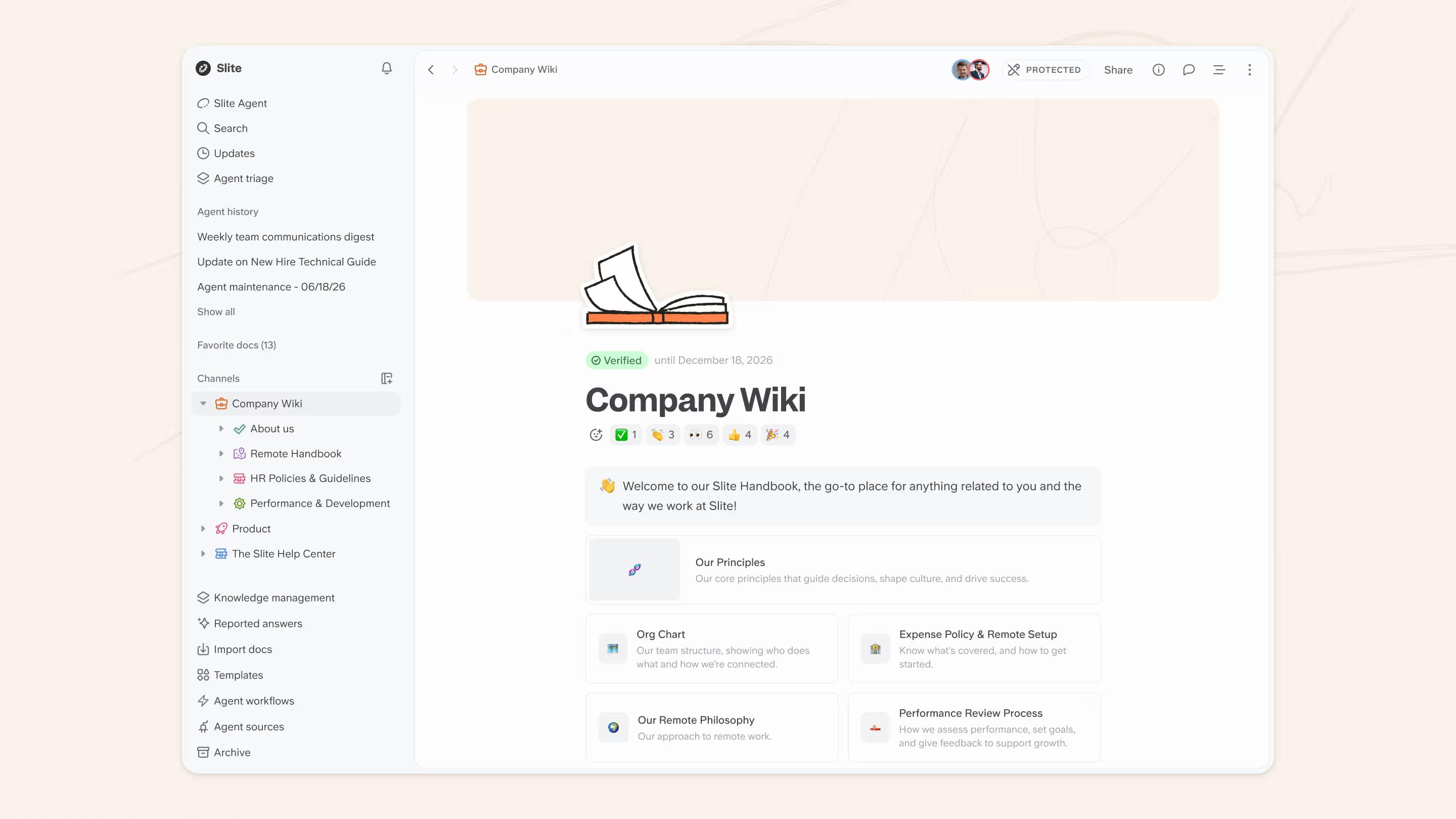
Slite is an AI-native company knowledge base.
The point of view is three layers:
- a system of record (the docs themselves),
- retrieval (AI search across company knowledge),
- and maintenance (automatic detection of stale and duplicate docs).
The all-in-ones do the first layer well; Slite is built for all three.
What's does Slite offer in 2026:
- Slite Agent (June 2026): agentic search and maintenance across your company knowledge. The Agent doesn't just retrieve, it cleans up, archives, and surfaces what's missing.
- Pro plan: Slite pairs a self-maintaining knowledge base with Slite Agent's cross-stack enterprise search, so one vendor covers both your knowledge base and your search-across-tools layer.
- Focused functionality: Slite still packs the integrations you'd expect such Slack, Excalidraw, Chrome extension, Linear, without becoming a database tool or a project tool.
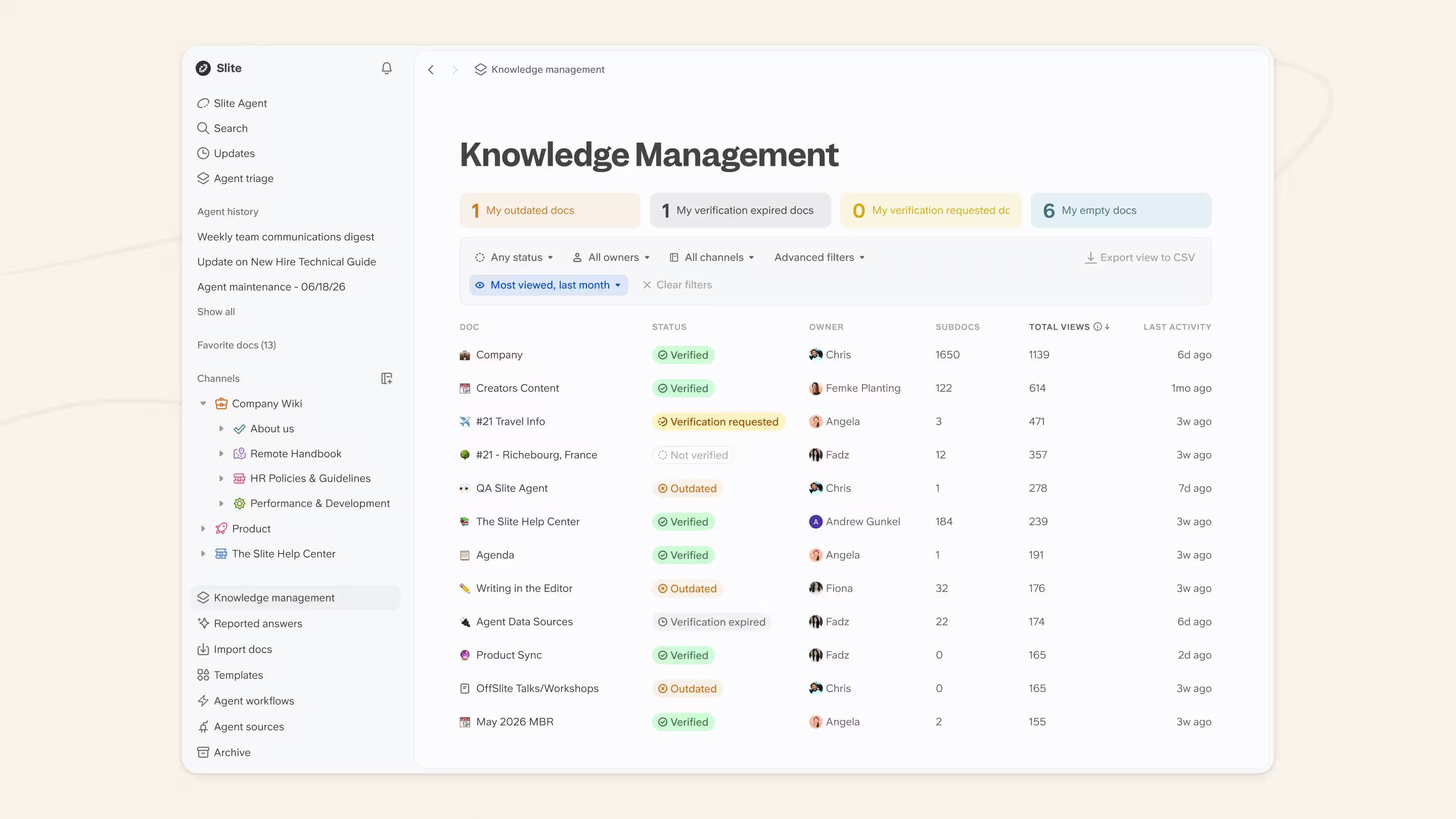
Here is the customer pattern we see time and time again:
A 3,000-employee European insurance company migrated off Notion to Slite and reported near-complete adoption inside the trial window. The documentation-first culture stuck because the tool didn't ask anyone to maintain it.
So, if company-wide knowledge base is the job you’re comparing Coda and Slite for, you’d be better off picking a dedicated knowledge base solution such as Slite.
Book a demo to see the Pro plan in action.
FAQ
Is Coda better than Notion?
It depends on the workload. Coda wins for database-heavy work such as formulas, relational tables, in-doc automations. Notion wins for docs, note hierarchies, and template-driven workflows.
For most teams the choice falls along that line; for company-wide knowledge bases, neither is purpose-built.
Is Coda still its own product after the Superhuman acquisition?
Yes, with caveats. Grammarly acquired Coda in December 2024; the parent company rebranded to Superhuman in October 2025. The Coda product continues to ship under the Superhuman umbrella, but pieces of the 2024 AI roadmap have shifted: Coda Brain was deprecated and folded into Superhuman Go.
Should I switch from Notion to Coda (or vice versa)?
For most teams the migration cost isn't worth it unless the use case changed. CSV import works in both directions; native import is partial. Expect breakage on databases (formulas don't translate cleanly) and embeds. A safer move: keep your current tool, and pair it with a purpose-built knowledge base or enterprise search for the work that's actually breaking.
What's the difference between Notion AI and Coda AI in 2026?
Notion AI is bundled with every paid Notion plan (the $10 per user / month add-on retired in May 2025); it covers agents, workflows, database generation, and chat with your workspace. Coda AI is bundled with every paid Coda plan and remains strong inside a doc (formula generation, data transformation, table Q&A) but the enterprise-search piece moved to Superhuman Go after the rebrand.