I’m sure you’re part of a fast environment and a growing team. While your company is thriving, you find it extremely overwhelming to handle common customer queries and basic colleague doubts while focusing on your work.
Knowledge management is becoming an important challenge in 2026 for companies to solve, as allowing your knowledge to be scattered and fragmented is proving itself to be very costly.
This is most likely why you’re looking for a knowledge base software - one that can not only help you save time answering the most basic questions, but also streamline content within your organization.
And if you’re tight on budget or need extensive customization to control the knowledge base, you can always go for an open-source knowledge base solution that is not only free but also offers an intuitive interface with customization abilities, making it easy to get started with new software and create a completely customized platform.
But, do open-source knowledge bases offer specific features you might need? Are they reliable? And which knowledge base solution would be the best for your company?
Let’s find out.
Top 10 open source knowledge base tool list at a glance
- MediaWiki powers Wikipedia. Best for large-scale, high-traffic knowledge bases that need deep extensibility and multilingual support.
- DokuWiki needs no database and no technical background (simple markup, easy setup, works for teams of any size).
- AFFiNE combines documents, whiteboards, databases, and AI in an open-source, local-first workspace. It supports both managed cloud use and Docker self-hosting for teams that want modern collaboration with greater control over their data.
- OpenKM is built for enterprise content management (stands out for document automation, taxonomy-based search, and broad integrations).
- BookStack organizes knowledge like a book. Clean structure, WYSIWYG editor, built-in MFA (great for writing guides and manuals).
- Outline is modern and design-forward (Notion-like editor, real-time collaboration, self-hosted or cloud, but no GDPR or SOC 2 compliance).
- Documize Community keeps document management simple (organize by team or project, with composable content and Trello/Jira integrations).
- eXo Platform is a full digital workplace (combines knowledge management with chat, video, co-editing, and AI all in one place).
- xWiki is the privacy-first enterprise pick (highly customizable, structured data support, and bring-your-own-LLM AI, a strong fit for European teams).
- Wiki.js is built for developers (Git-backed, markdown-first, strong auth options — though v3.0 has been stuck in alpha for years).
What is an open source knowledge base?
An open source knowledge base is a self-service centralized repository of information built on software with publicly accessible source code.
It is designed to store and organize knowledge in a structured and easily accessible manner, , allowing any user to freely modify, customize, and self-host the platform.
Whether used for customer support, internal team collaboration, or knowledge sharing, a self-hosted knowledge base typically includes features such as search functionality, categorization, and tagging.
These features make it easy for users to find and access relevant information quickly, enhancing productivity and efficiency.
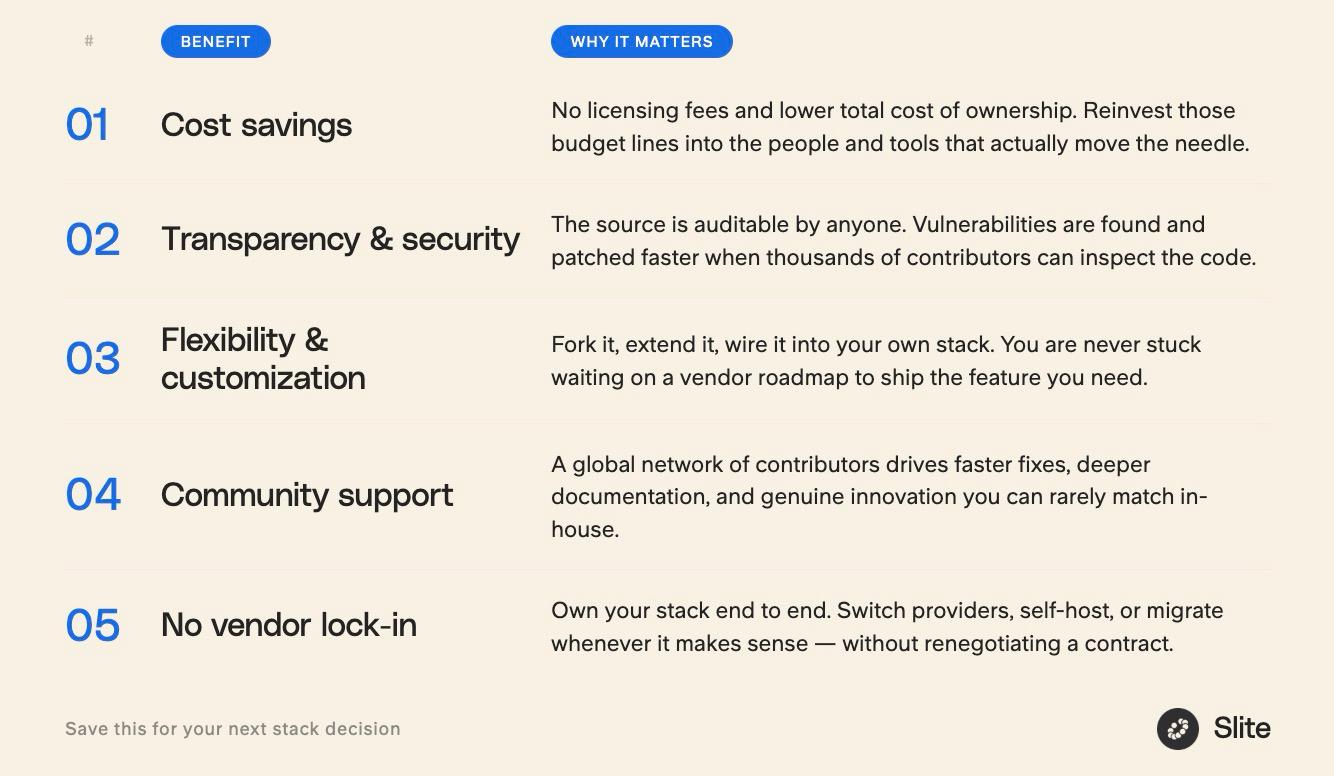
Benefits of open source software for knowledge management
Open source software offers a multitude of benefits that make it an attractive option for many organizations:
- Customization: One of the most significant advantages is the ability to modify and customize the software to meet specific needs and requirements. This flexibility allows organizations to tailor the software to their unique workflows and processes.
- Control: Open source software provides users with full control over their data and the software itself. This means you can make changes and modifications as needed without relying on a third-party vendor.
- Cost-effectiveness: Often free or low-cost, open source software is a budget-friendly option for organizations with limited financial resources. This cost savings can be redirected to other critical areas of the business.
- Flexibility: The ability to integrate open source software with existing tools and systems offers greater flexibility. This ensures that the software can adapt to the evolving needs of the organization.
- Community support: Open source software typically has a large and active community of users and developers. This community contributes to the software’s development and provides valuable support, making it easier to troubleshoot issues and implement new features.
Open source knowledge base vs. paid SaaS knowledge base tools: which one is right for you?
Choosing between an open source and a paid SaaS knowledge base isn't just a budget decision. It's a decision about how much time, technical capacity, and operational overhead your team is willing to take on.
Here's an honest breakdown:
| Open Source KB | SaaS Knowledge Base | |
|---|---|---|
| Cost | Free or low-cost license | Monthly/annual subscription |
| Setup | Requires technical setup and hosting | Ready to use out of the box |
| Customization | Highly customizable — modify anything | Limited to what the vendor offers |
| Data control | Full control — self-hosted | Hosted by the vendor |
| Maintenance | Your team's responsibility | Handled by the vendor |
| Support | Community forums, documentation | Dedicated support, CSMs, SLAs |
| Security & compliance | You manage it | Vendor-managed (SOC 2, GDPR, etc.) |
| AI features | Available, but requires setup | Built-in and continuously updated |
| Scalability | Scales with the right infrastructure | Scales automatically |
Our customer success manager Fiona explains it clearly:
"With an open-source product, your team is responsible for operating, maintaining, securing, and evolving the software. With paid solutions such as Slite, a dedicated team ensures the platform runs reliably, offering contractual support and SLA commitments."
When open source KB makes sense
Open source is a strong choice if your organization has a technical team that can handle setup, maintenance, and knowledge base security, especially if deep customization or full data sovereignty is a hard requirement. You're essentially trading money for time and technical effort.
That said, the "free knowledge base" rarely stays free.
Hosting, maintenance, security patches, and the engineering hours to keep everything running add up fast. And as your team grows, so does the complexity.
When a paid SaaS knowledge base makes more sense
If your priority is getting your team up and running quickly, keeping knowledge accurate and findable, and not having to think about infrastructure a SaaS knowledge base is the better fit.
Paid tools like Slite are built specifically for knowledge management, with pre built features such as:
- think document verification,
- AI-powered search,
- structured organization,
- and a team behind the product making sure it works reliably.
You're not just paying for software. Rather you're paying for the operational reliability, compliance certifications, and dedicated support that open source tools simply can't offer out of the box.
For teams that need to search beyond their knowledge base (across Slack, Google Drive, GitHub, and 20+ other tools), Slite Agent extends that same intelligence across your entire tech stack.
The bottom line: if your team has the technical muscle and the time, open source can work. If you want a knowledge base that just works (and keeps working as you grow) a managed SaaS solution is the smarter long-term investment.
Want to see what a modern knowledge base looks like in practice? Book a Slite demo — no strings attached.
How did I test the self hosted knowledge bases to add them to this list?
Don’t worry, like many other listicles, I didn’t just randomly throw a bunch of tools in this article.
Instead, I tested them thoroughly to assess their capabilities to the fullest and determine unique traits within each tool.
Here’s a breakdown of how I went about testing each of the tools.
Features I looked for in free knowledge base software tools
| Onboarding | While some tools were easy to install and configure and came with clear installation documentation, others lacked this important feature, which, honestly, was a waste of time. |
|---|---|
| User interface | If the tool makes it effortless to navigate and find information quickly and easily, it helps drive adoption even among the non tech-savvy users. |
| Ease of use | An ideal knowledge base should be intuitive for its end-users and administrators setting it up alike. |
| Search functionality | Customers should be able to easily search for the information or articles they are looking for. |
| Customization | Typically, open-source tools allow more room for customization. So, I explored whether I can modify the knowledge base’s look and feel (logos and colors), add plugins and third-party integrations with ease, and configure user access rules and permissions to ensure privacy. |
| Collaboration | Multiple users and team members collaborating on the same document in real-time enables faster editing and content creation workflows. |
| Multilingual support | When working with international clients and customers, a knowledge base should support multiple global languages |
| Community vibes | I evaluated whether there was active and accessible community support for beginners, along with beginner-friendly tutorials and FAQs. |
| FAQ content management system | An effective FAQ content management system is crucial for organizing and managing FAQ records. I looked for features like user permissions, content restrictions, and advanced search capabilities to ensure information can be found easily. |
My test setup
To ensure a consistent test environment, I created a standard stack that is compatible with most free knowledge base software.
The stack included:
- Ubuntu 22.04 operating system
- Apache or NGINX web server
- MySQL database
- Docker or Node.js, wherever applicable
Using this default and standard text environment allowed me to evaluate real-world experiences most administrators would have when setting up the tools.
How long have I played with each tool?
I spent an entire day just exploring each tool and getting a feel of how it worked.
This included trying to install and get the software running, browsing through the tool’s interface and navigating through different sections, and customizing the settings, such as tweaking the themes, design, and layout, and setting specific user rules and permissions.
Additionally, I examined the source code to understand its accessibility for modification and innovation.
Besides, I also set time aside to interact with the community forums of each tool, including reading community tutorials, browning forums, and checking responsiveness to bug reports.
Testing the capabilities
I dedicated a maximum amount of time to throw different tasks and challenges at these open source wiki tools to understand what they can and cannot handle.
For instance, I checked the content management and organizationaspect of the tool such as whether it could organize the documents based on their dates, status, importance, and owner to improve accessibility.
Next, I tested each tool’s ability to integrate with external platforms and project management software, like Trello, Slack, Asana, and Zendesk to streamline workflows.
Moreover, I also evaluated each tool’s responsiveness by using and testing them on different devices, such as mobile phones and tablets.
Top 10 Open Source Knowledge Base Software Solutions For 2026
Here is the ultimate list of the best open-source knowledge base system software you can try for your organization per its specific needs.
1. MediaWiki
MediaWiki is a customizable, multi-lingual, and extensible open-source knowledge base that might look familiar to you with its feel and design as it powers the well-known Wikipedia platform.
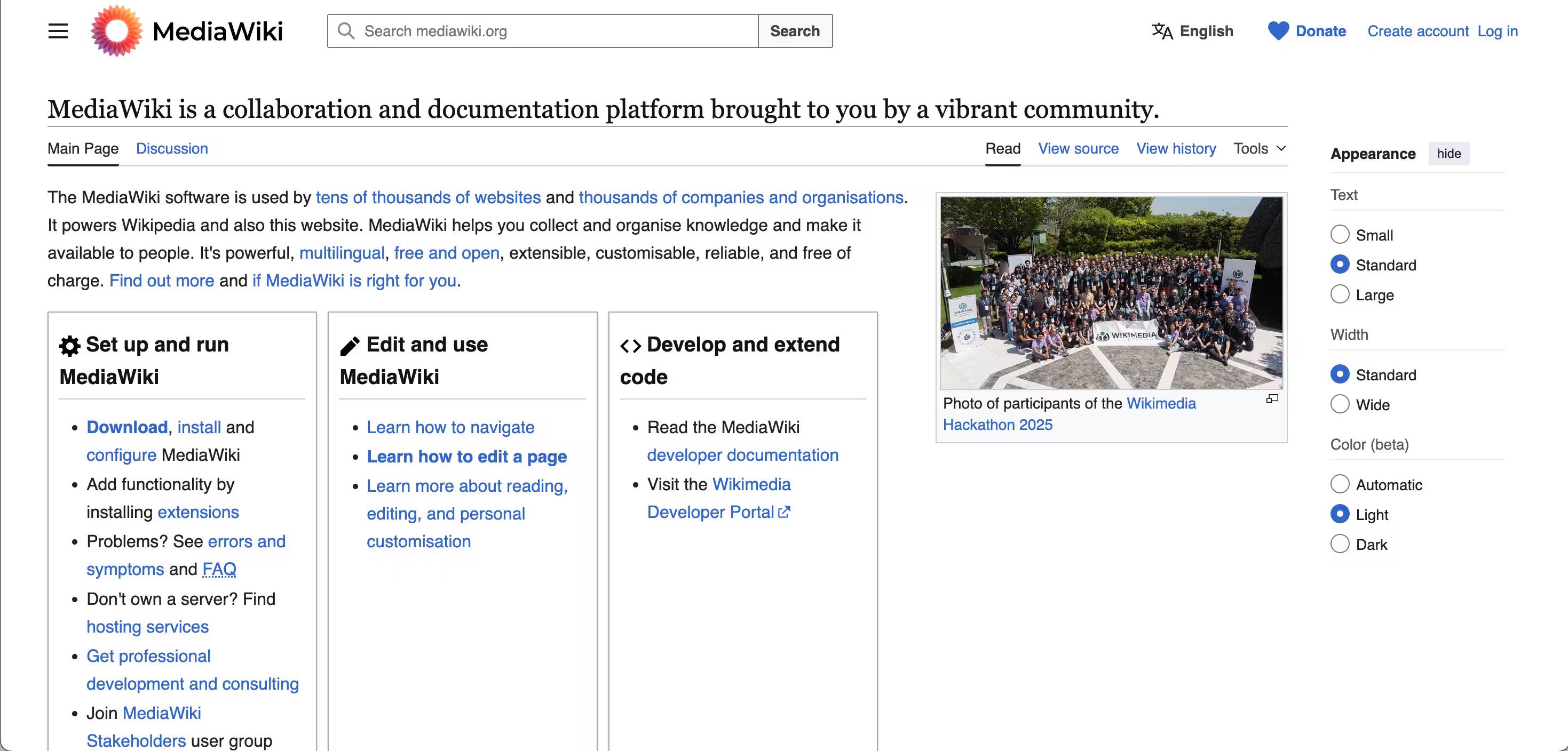
What makes this platform customizable is the range of extensions you can add to extend the functionality of your internal knowledge base.
For instance, the Skins extension lets you customize the look and feel of your internal knowledge base on MediaWiki, and the Hooks extension allows you to execute a custom code when specific events like user logging or saving a page occurs.
What I liked most about MediaWiki is how easily accessible all the information you might need is, such as navigating the platform, editing and customizing the page, installing and using the extensions, etc.
Besides, you can also track your changes and progress with strong version control and control over who can view specific pages and restrict access, making it a robust knowledge base solution.
Another pro of this platform is its strong and alive community. You can join the Mediawiki stakeholders user group and participate in the discussion. You can also seek answers from a support desk whenever needed, making MediaWiki a reliable knowledge base solution.
However, it’s also crucial to note that since MediaWiki is designed to serve high-traffic websites, it may not be an ideal knowledge base solution for small websites and organizations with minimal requirements.
| Strengths | Highly extensible (extensions/skins/hooks), strong version control, multilingual, active community, Wikipedia-proven |
|---|---|
| Weaknesses | Steep learning curve, built for high-traffic/large-scale use (overkill for small teams), requires technical expertise to set up and maintain |
2. DokuWiki
DokuWiki is another popular and versatile knowledge base that doesn’t require a database and comes with a clean, simple design.
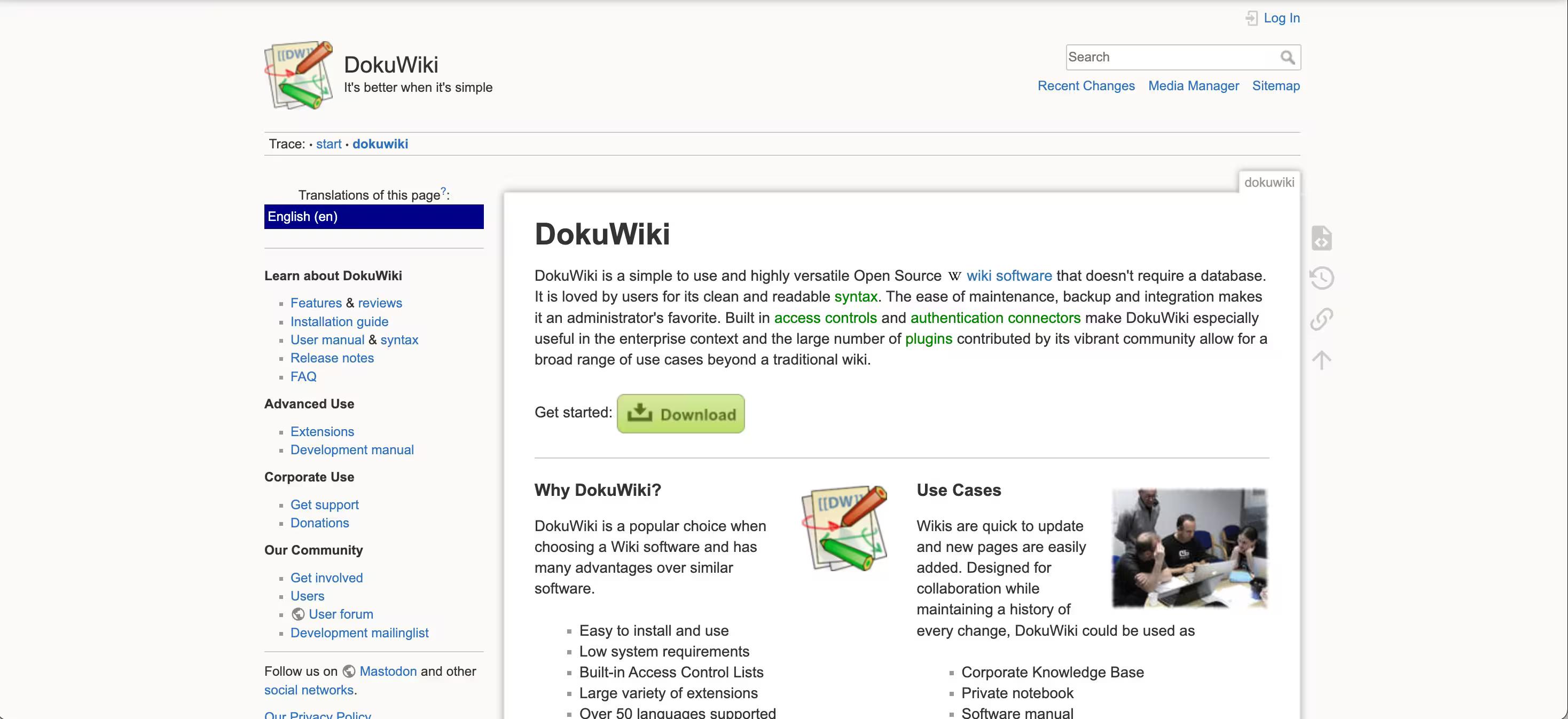
If you’re looking for a simple and lightweight solution, DokuWiki is perfect. It uses a simple wiki markup language that makes it seamless for non-technical users to learn the tool.
It offers customization features for beginners and experts, from easy plugin configuration to developing custom extensions. It also offers a development manual to make developers’ jobs easier.
DokuWiki excels in internal knowledge management by enhancing collaboration and facilitating effective data sharing within organizations. It supports over 50 languages, has built-in access lists, and provides anti-spam measures to ensure high security.
Another plus point is its lively community where you can share your experience, assist plugin authors with documentation, submit bugs and feature wishes, and more.
While its usability and simple syntax make it ideal for beginner-level developers and companies of all sizes, it lacks in offering advanced multimedia support.
| Strengths | No database required (easy setup), simple markup language, multilingual (50+ languages), built-in access control, anti-spam, active community |
|---|---|
| Weaknesses | Lacks advanced multimedia support, limited integrations, not ideal for teams needing extensive customization |
3. AFFiNE
AFFiNE is an open-source, local-first knowledge base that brings documents, whiteboards, databases, and AI together in one workspace. Teams can use its managed cloud service or self-host it with Docker when they need greater control over where their knowledge is stored.
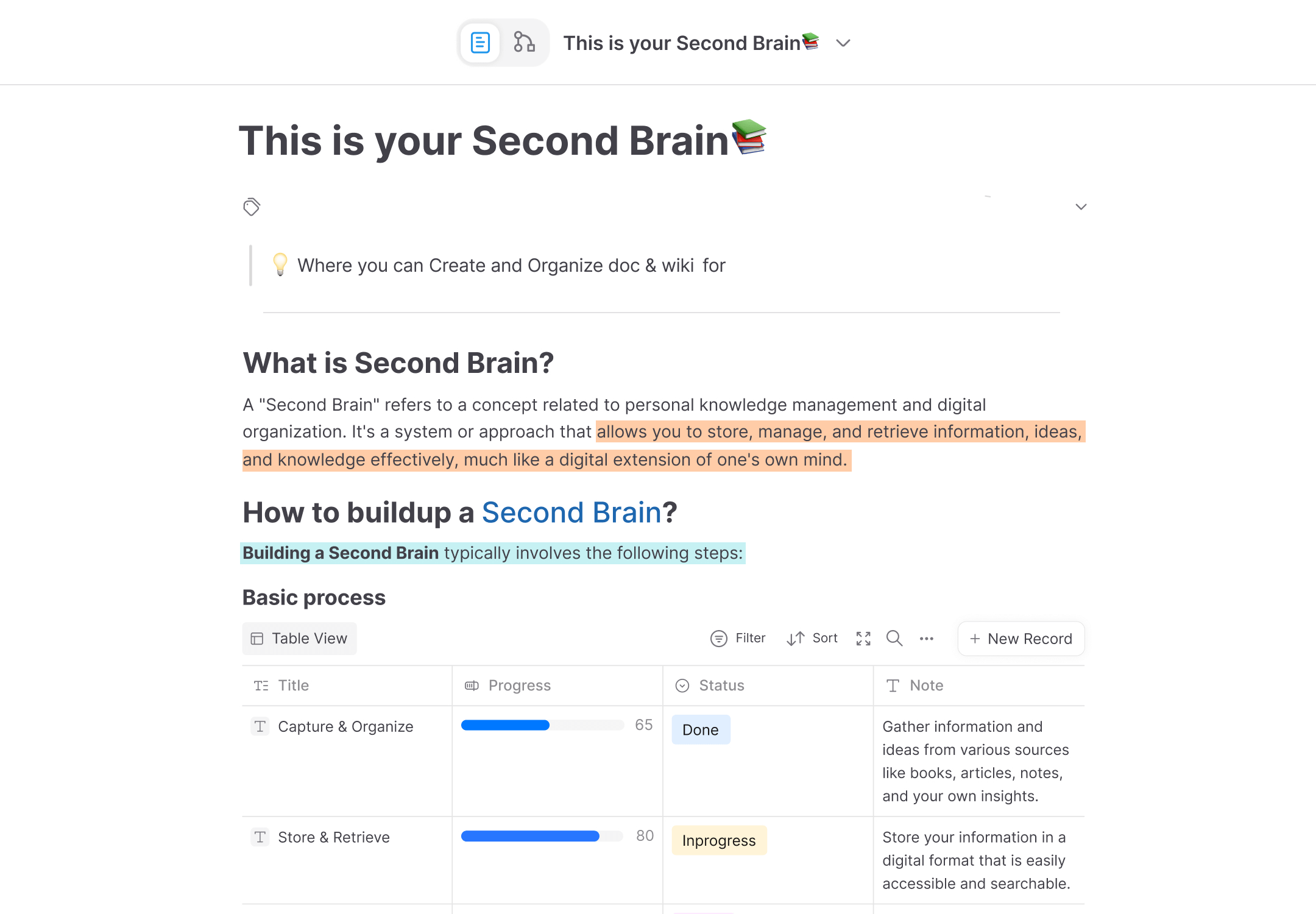
Unlike traditional wiki tools that focus mainly on text and page hierarchies, AFFiNE supports both structured documentation and visual thinking. A document can expand into an edgeless whiteboard for diagrams, brainstorming, and project planning without moving the work into a separate tool.
What I liked most is the balance between flexibility and usability. AFFiNE supports real-time collaboration and offline access while giving technical teams the option to inspect the source code, customize the platform, or run it on their own infrastructure.
That said, teams that only need a lightweight, text-based wiki may find its broader workspace more extensive than necessary. Self-hosted deployments also require your team to manage infrastructure, backups, security, and upgrades.
| Strengths | Open source and local-first; documents, whiteboards, databases, and AI in one workspace; real-time collaboration; offline access; Docker self-hosting and managed cloud options |
|---|---|
| Weaknesses | Broader than a basic text-only wiki; self-hosting still requires technical maintenance |
4. OpenKM Knowledge Management Software
OpenKM goes beyond the basic documents and static knowledge base articles and allows you to create a variety of documents, including presentations, manuals, and contracts, with the flexibility to add images and videos.
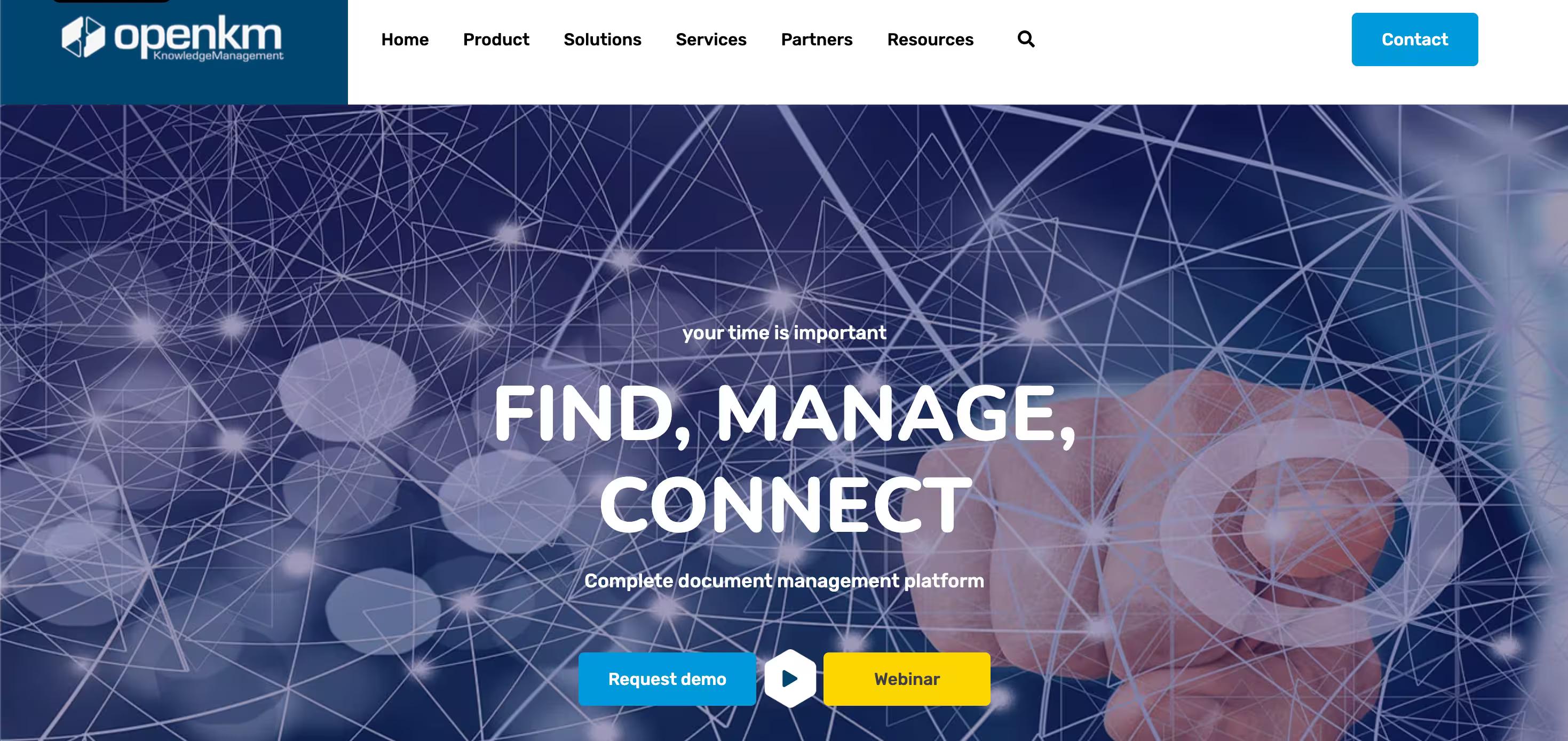
It’s a comprehensive enterprise content management solution that lets you create multiple content repositories and share them across your organization.
One of the best and most unique features of this tool is automation. Yes, it lets you automate recurring tasks, such as converting documents to specific formats (like PDFs) or moving documents to new destinations.
Another feature that sets it apart is taxonomy, which creates a single access point to all information in your knowledge base—simplifying search and improving customer experience.
It handles everything from automation, collaboration, and content distribution to content tracking and version control, facilitating decision-making. Besides, it seamlessly integrates with your email systems, CRM systems, Google Drive, and Microsoft Office.
OpenKM also offeres advanced AI-powered document management, with specialized features such as:
- automated document classification process
- intelligent data extraction
- integration with AI engines (ChatGPT and DeepSeeK) for functionalities like automatic summarization and metadata extraction
When evaluating OpenKM, consider the support and features offered by the software provider. The responsiveness and reliability of their support team can significantly impact user experience and satisfaction.
| Strengths | Enterprise content management, document variety (presentations, manuals, contracts), automation of recurring tasks, taxonomy for unified search, integrations (email, CRM, Google Drive, MS Office), version control |
|---|---|
| Weaknesses | Support quality flagged as a key variable — implying it can be inconsistent |
5. Bookstack
Bookstack is like organizing and storing documents in your own knowledge base as chapters in a book.
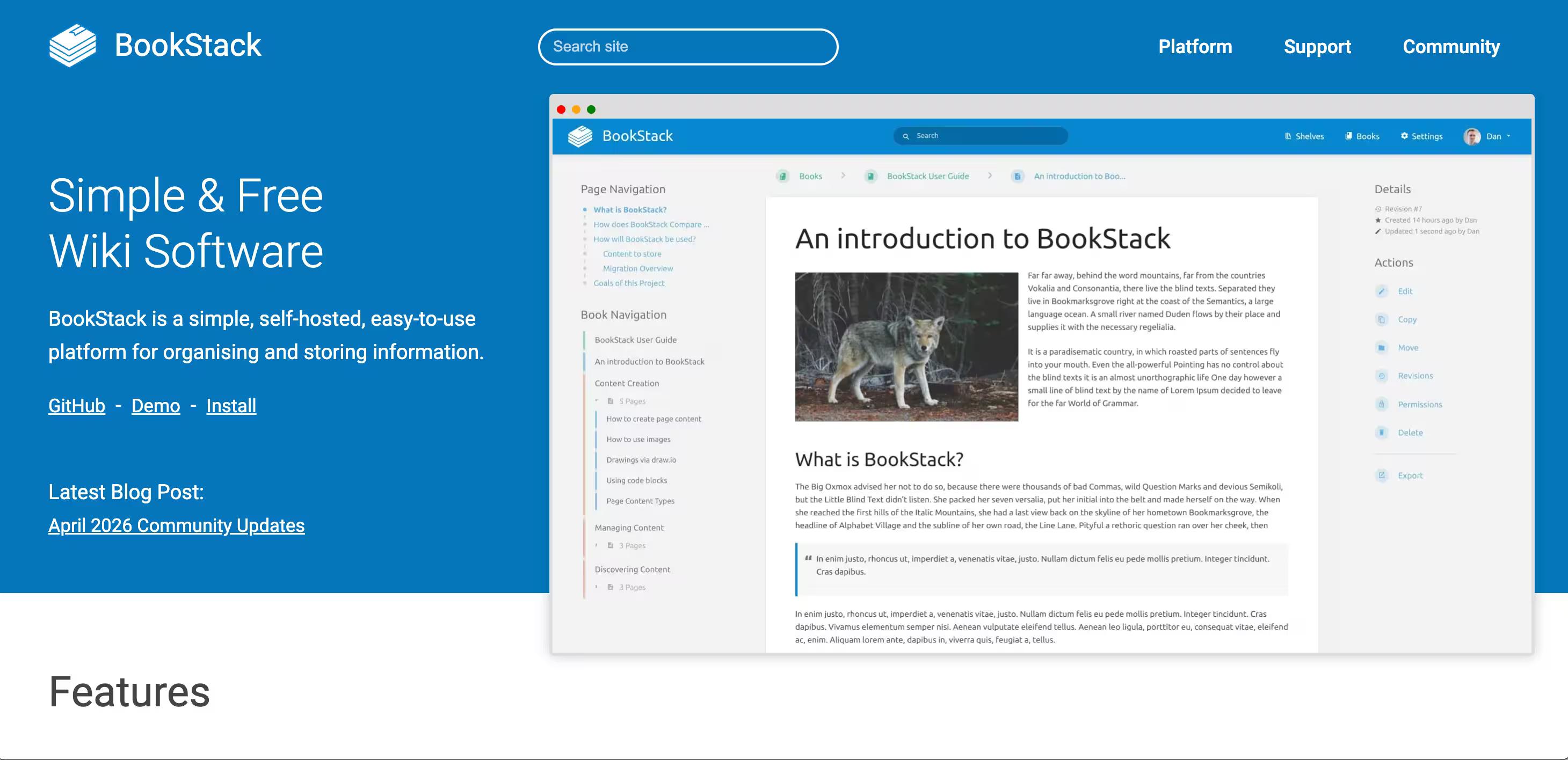
It has a simple and clean interface that improves searchability and information retrieval. For editing purposes, Bookstack offers an intuitive WYSIWYG (what you see is what you get) editor that makes formatting content a breeze.
Project, that has celebrated its 10-year anniversary in 2025, has moved its primary repository to Codeberg, though GitHub mirror still exists.
It also comes with a permission system to control access, a built-in MFA system, an optional markdown editor, and a built-in diagrams feature that allows you to create diagrams within your documents.
Compared to other tools, Bookstack comes with limited customization features and lacks collaboration abilities, although recent realeases added mentions, content referencing, archiving, and a new comment editor.
Still no real-time co-editing, but commenting and async collaboration have improved significantly.
BookStack is the most "structured documentation" tool of the series — great for teams that want to write guides and manuals in a clean, book-like format, but it actively resists the collaborative, fluid editing experience that modern teams expect.
| Strengths | Clean UX, WYSIWYG + markdown editor, built-in MFA, permission system, diagrams feature, SAML2/LDAP/OIDC support, fully searchable, 10-year track record |
|---|---|
| Weaknesses | No real-time co-editing (by design, won't change), limited customization, rigid Shelves/Books/Chapters/Pages structure can feel constraining, not suitable for complex/large-scale needs |
6. Outline
Outline is an open-source document platform with a managed cloud option.
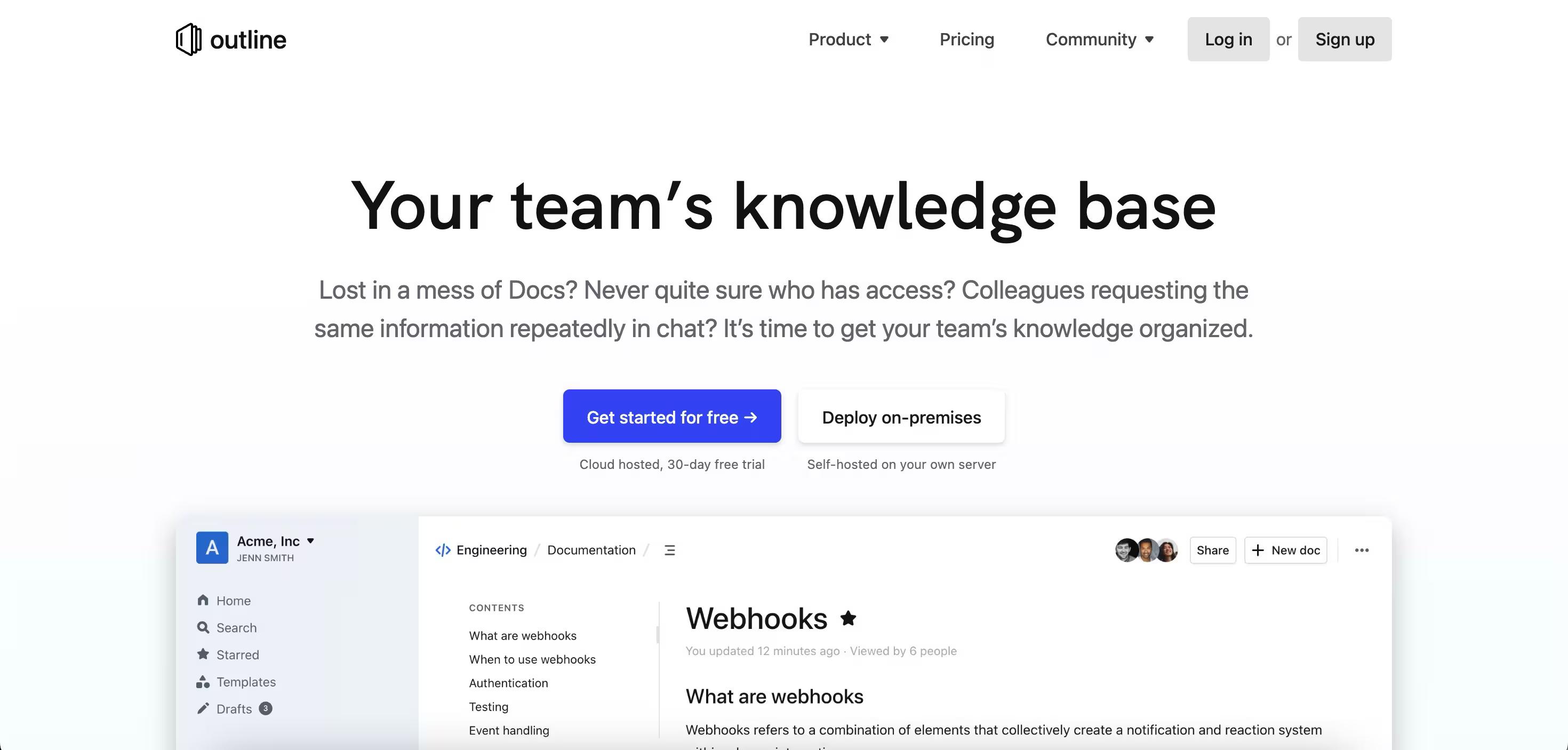
They are considered a common mention in the open source KB community, however the "open source" framing is complicated by the fact that they also offer a fully managed cloud version.
Additionally, Outline is BSL 1.1 licensed GitHub, which is not an OSI-approved open-source license. This means its internal use by a single organization is generally safe, but providing it as a service to paying customers requires a commercial license
It is beautifully designed with a Notion-like editor and they offer a native Slack integration, and real-time collaboration - all relevant to modern teams.
One reason it can get discarded from considerations is its security gap - it is not GDPR, nor SOC 2 compliant, and uses US cloud servers.
In terms of multilinguality, it is a strong competitor as it supports 20 languages.
| Strengths | Multilingual support, offers both self-hosted and cloud, Notion-like editor, modern and clean |
|---|---|
| Weaknesses | No GDPR/SOC 2 compliance, US-based cloud, support is email only with a very small team, no real KM features, |
7. Documize Community
Documize offers Community, a self-hosted knowledge base tool and knowledge management solution that comes with a simple and elegant design that makes document management a breeze.
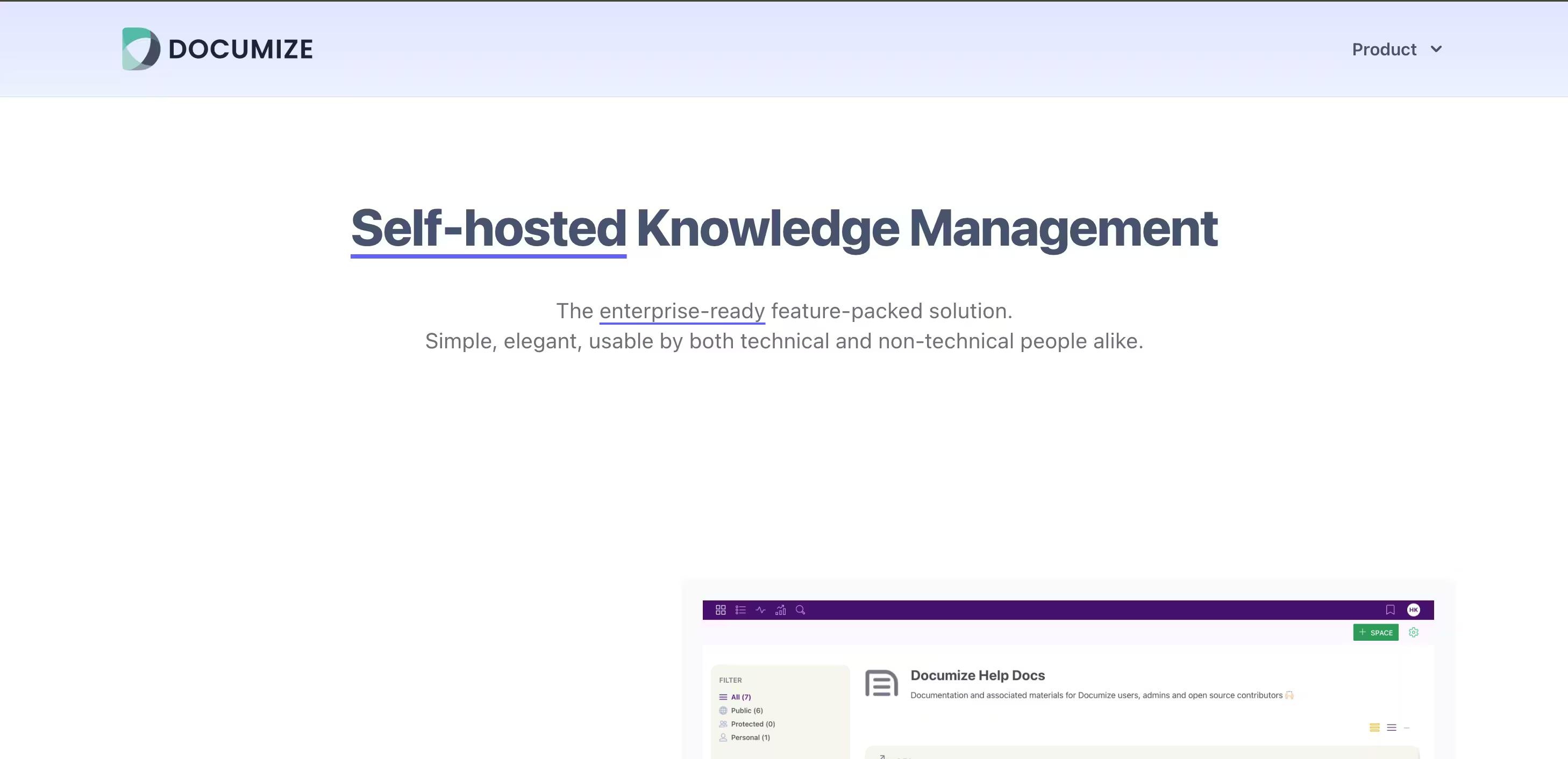
Going beyond a static document workflow, Documize focuses on efficient document organization by team, project, or product lines for easy access and retrieval.
For instance, you can also assign labels to your documents in the knowledge base based on teams or roles, like administrators, developers, content shenanigans, etc. so your team members can easily sort and search for relevant documents.
Other core features of Documize include:
- Two-tier reusable templates to get you started
- Goes beyond the WYSIWYG editor and seamlessly integrates with tools like Trello, Jira, and Airtable, allowing you to insert sections from these tools and create composable content.
- Control content workflow, like approvals, revisions, and version management.
- Leverage detailed reporting and analytics of your content—and see what documents are being most viewed or ignored for strategic decision-making.
Unlike other tools, it offers limited number of languages. As for pricing, Community+ is free up to 5 users and $900/yr for 100 users.
| Strengths | Limited language support, low KM depth with no AI features and limited modern KM capabilities |
|---|---|
| Weaknesses | Simple and elegant design, easy document management; easy organization by team, project or product line; two-tier reusable templates; reporting on most/least viewed documents; free for small teams |
8. eXo digital workspace platform
The eXo platform provides a modern feel and user experience, unlike the classic wiki platforms earlier in this list.
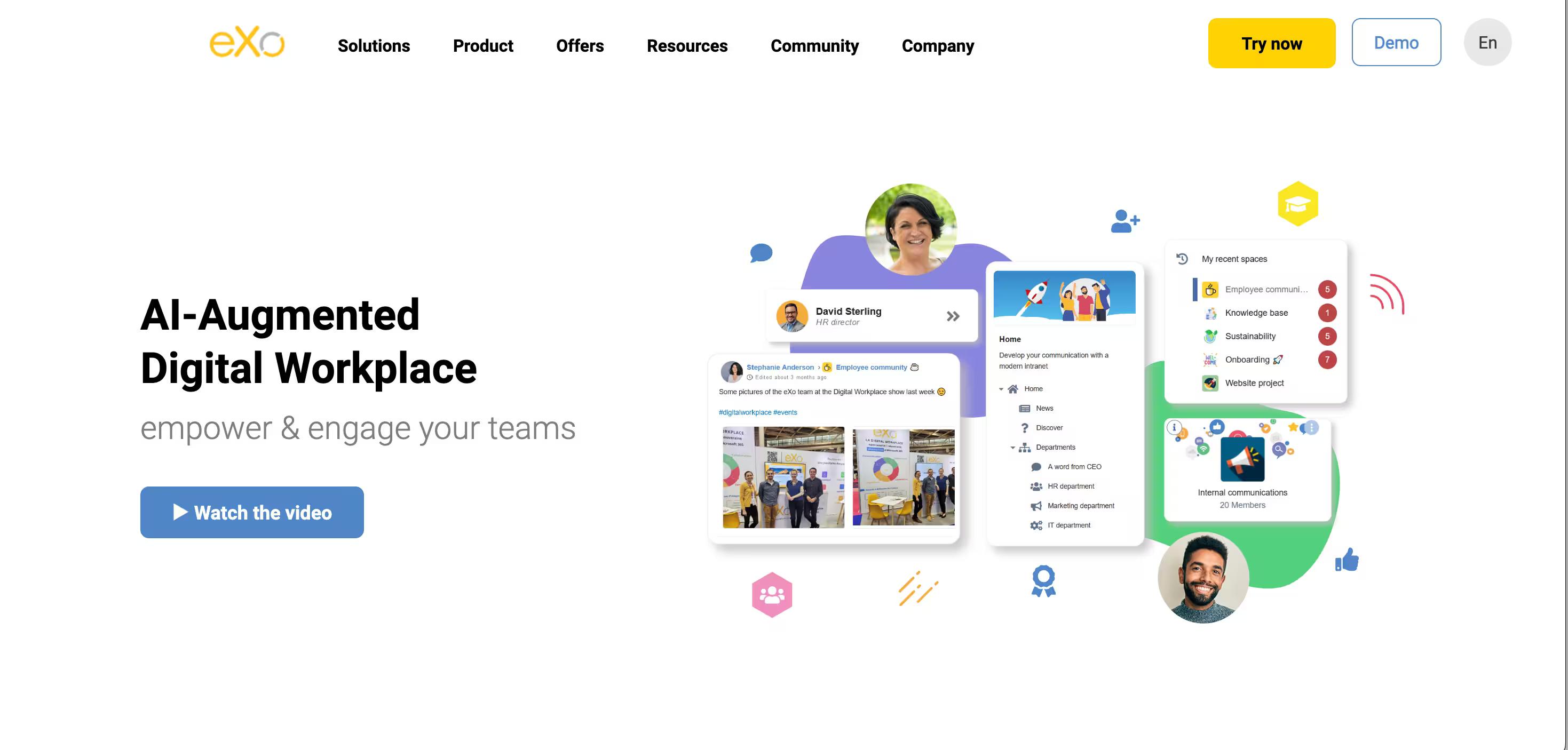
If your primary focus is choosing a knowledge base platform that can serve as an AI-augmented digital workplace, this tool is for you.
For starters, this AI open source knowledge base offers a full-featured and modern content management system (CMS) for creating your pages and knowledge bases. Due to its collaboration and social capabilities, it’s a perfect option when building an internal knowledge base with a larger team.
For instance, you can chat, have a video conference, co-edit documents, and create tasks and agendas—making decision-making and content management a breeze.
While it’s a robust, extensible, and secure knowledge base platform that offers a unified user experience, it comes with a steep learning curve, and its free version lacks reliable technical support—making small organizations think twice before opting for this tool.
They have added a generative AI-powered chatbot integrated into the digital workplace, via a partnership with Wikit.
Nowadays their multi-LLM architecture supports Mistral AI, OpenAI, Anthropic, Google Gemini, and self-hosted/open-source models, with a RAG approach that indexes internal content while enforcing user permissions.
A well-functioning support team is essential for addressing issues that arise, ensuring user satisfaction, and aiding in achieving organizational goals through better data management and fewer support tickets.
| Strengths | Modern UX, strong social/collaboration features (chat, video, co-editing, tasks), AI chatbot (multi-LLM + RAG), granular permissions, enterprise social networking, gamification |
|---|---|
| Weaknesses | Steep learning curve, free version lacks reliable technical support, not ideal for small organizations |
Further reading → LLM knowledge base: How to Build One That Actually Works (2026)
9. xWiki
xWiki is a powerful and enterprise-grade knowledge management software that focuses on customizability and extensibility.
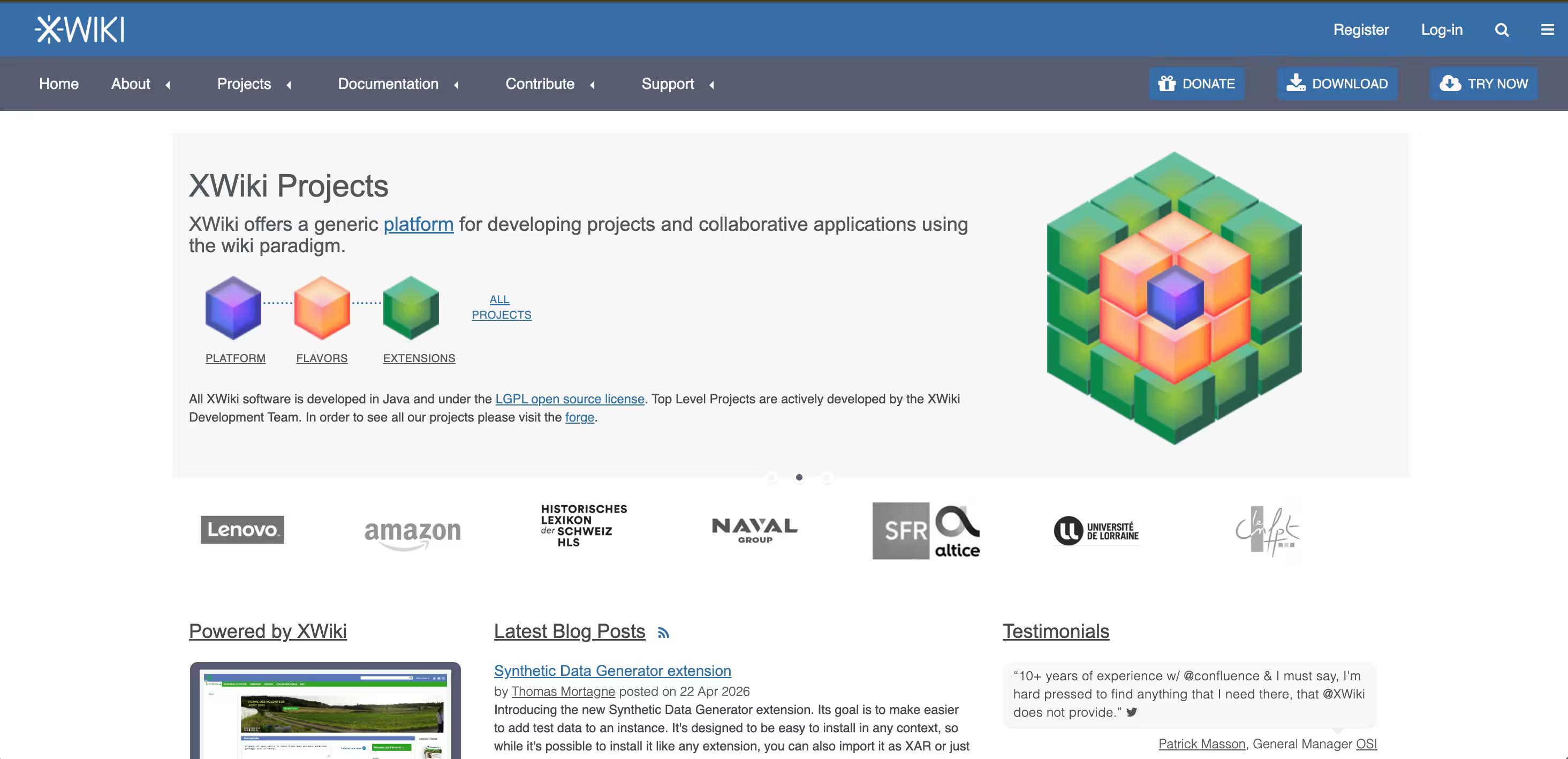
It facilitates data organization with the ‘Structured Wiki’ feature and ensures seamless collaboration across various teams.
Moreover, it comes with ready-to-use solutions, such as XWiki Standard, Business Applications, XWiki Pro, and XWiki Procedures, to cater to different needs and applications.
In 2024 XWiki launched its first AI assistant in beta, funded by NGI Search that offers content generation, translation, and intelligent knowledge retrieval.
Since then they have expanded their AI offering to allow their clients to bring in their own model/LLM platform.
xWiki also offers the flexibility to create custom solutions that are tailored to your specific needs with the support of dedicated developers, designers, and project managers.
Compared to some other tools on this list, they are a great pick for European or privacy-focused buyers.
The drawback of this tool is that its user interface isn’t as intuitive as other tools in the list and it requires significant resources, which can be a limitation for smaller companies. However, this criticism is being address through their development of Cristal, a new wiki UI.
| Strengths | Highly extensible — scripts, macros, custom apps, structured content; Ready-to-use solutions (Standard, Business Apps, Pro, Procedures); 'Structured Wiki' feature for organized data; AI assistant; Great pick for European or privacy-focused buyers |
|---|---|
| Weaknesses | Requires more setup and ongoing maintenance than simpler hosted tools; Can be a limitation for smaller companies |
10. Wiki.js
Wiki.js is one of the most widely deployed self-hosted wikis, built on Node.js with markdown-first editing and Git sync.
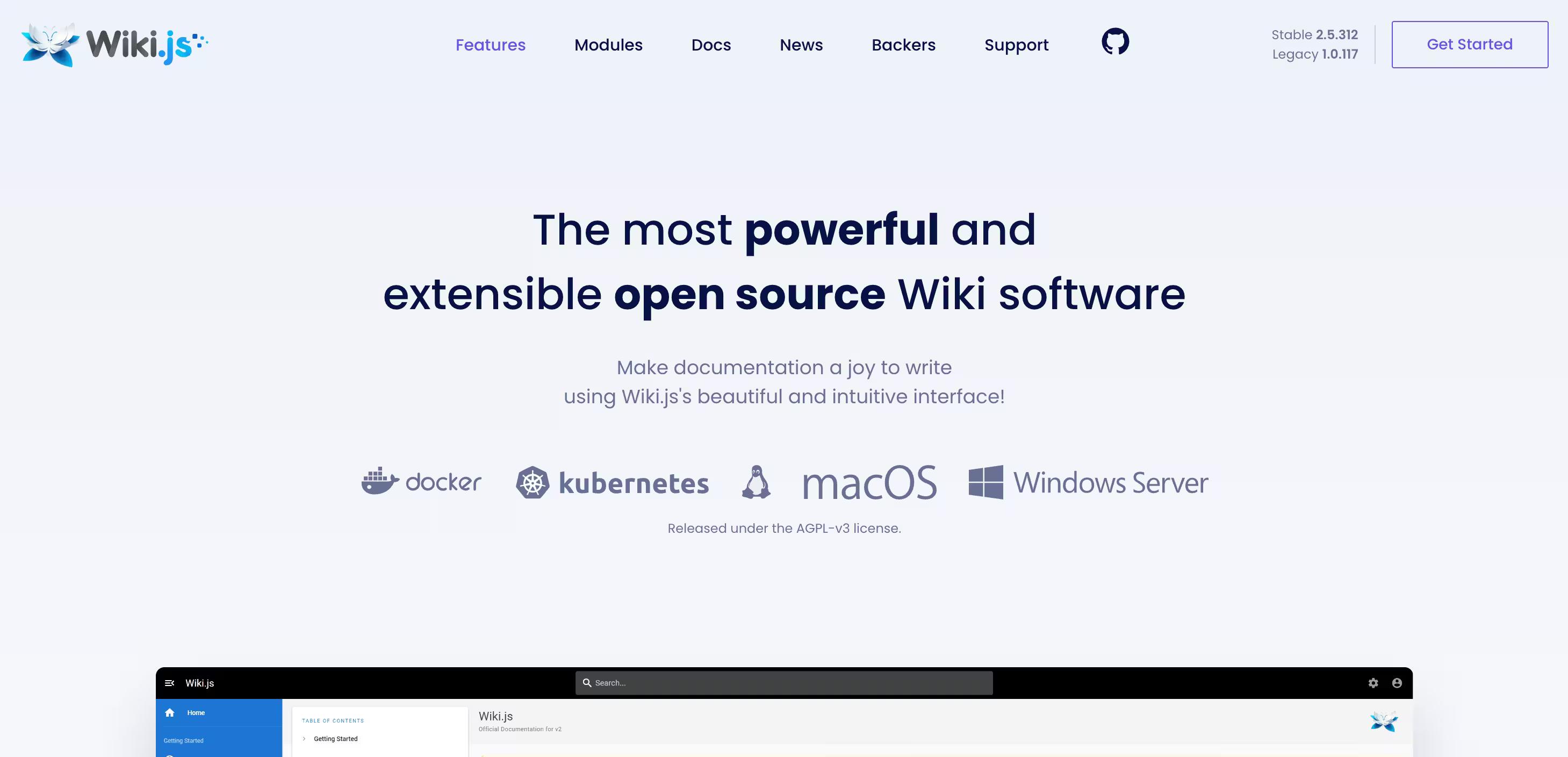
It offers strong performance, built-in search, and a long list of authentication options, and it plays nicely with PostgreSQL, MySQL, and MSSQL.
What I liked most about Wiki.js is the native GitHub integration and the cleaner admin experience compared to older wiki engines. It's a great pick for teams with developer resources.
However, it's worth knowing that Wiki.js 3.0 has been stuck in alpha for years with no stable release date, so v2.x is still what you'll actually run in production. It also requires more technical know-how to set up than simpler options like Bookstack.
| Strengths | Strong performance, built-in search; Auth options; Plays nicely with PostgreSQL, MySQL, and MSSQL; Native GitHub integration, Git-backed storage; Multi-language support |
|---|---|
| Weaknesses | Requires more technical know-how to set up than simpler options like BookStack; Wiki/doc storage focus — no real knowledge management or verification features |
Are there open source AI knowledge bases? (and what "AI" really means here)
Yes, this is one of the fastest-moving corners of the open source KB space right now. But "AI features" covers a wide range of things, and it's worth being precise about what you're actually getting before you pick a tool based on it.
When teams search for AI-powered open source knowledge base or a self-hosted AI knowledge base, what they actually get varies enormously — from a real AI retrieval layer sitting on top of 50+ sources, to a chatbot button bolted onto an otherwise traditional wiki.
The question underneath is almost always the same:
"We have knowledge somewhere, we want AI to be able to answer questions from it."
And that question splits the tools on this list into three pretty distinct groups.
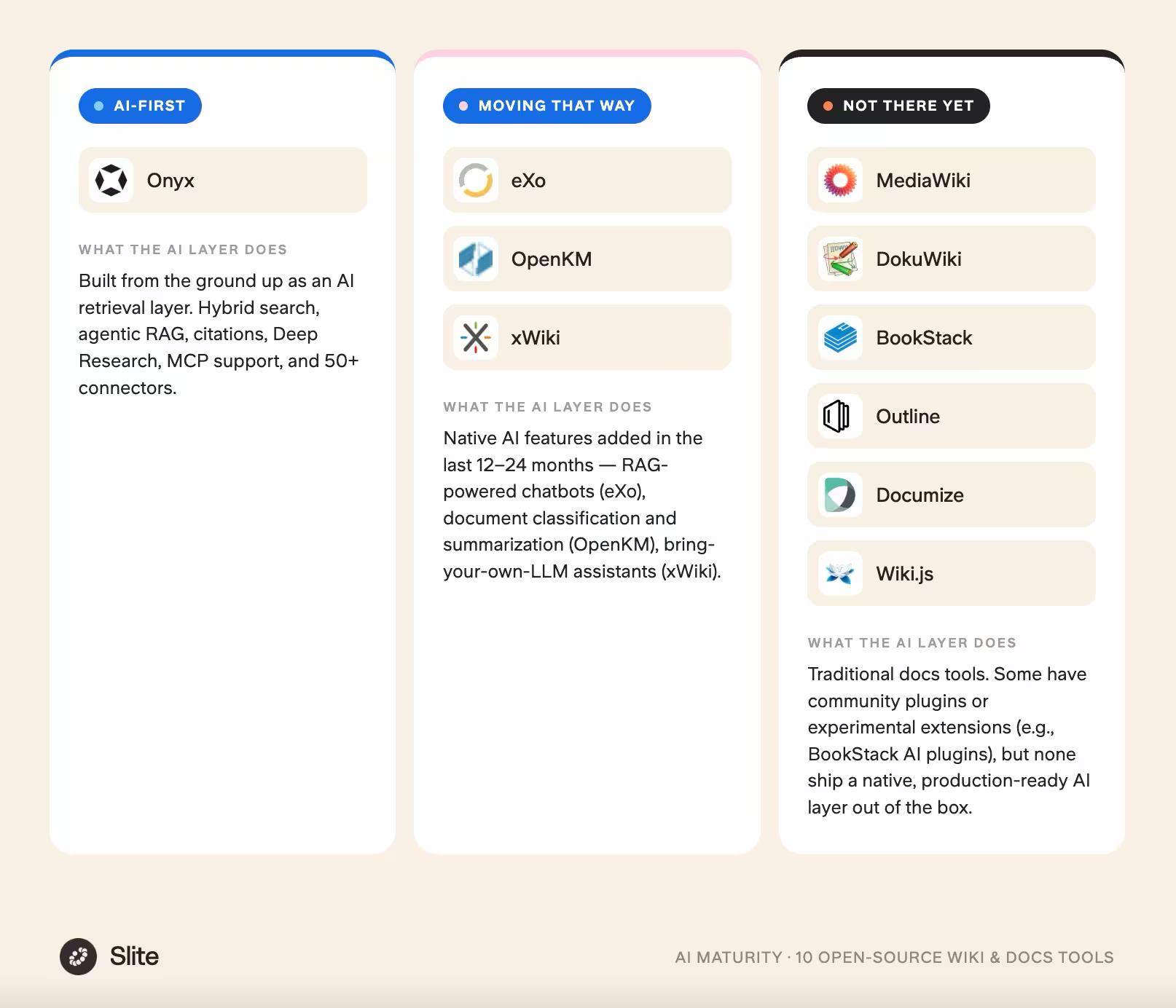
If AI is a core requirement rather than a nice-to-have, only the top two groups are worth serious evaluation. Most tools on this list still treat AI as a feature bolted onto a wiki rather than the primary product.
For the "not there yet" group, a community plugin can get you a demo, but it's not the same thing as a vendor-maintained retrieval layer your team can actually rely on.
This is also where teams evaluating AI KB alternatives (after trying Notion AI, Guru, or ChatGPT plugged into their docs) tend to land when they want something they can host themselves.
Even the best open source AI KBs leave real work on your plate, and it's worth naming it directly:
- Compliance and data residency. SOC 2 evidence, GDPR DPAs, pen-testing, audit trails — all on you. For finance, healthcare, or legal teams, that's a serious operational burden.
- Infrastructure and LLM costs. The "free" in "free AI knowledge base" rarely stays free once model API bills, hosting, connector maintenance, and security patches start scaling with usage. For most teams, running a self-hosted AI retrieval stack ends up rivalling or exceeding a managed SaaS subscription within the first year, before the first runbook is written.
- AI quality without governance. Open source AI tools can retrieve information. What they can't do out of the box is tell you whether that information is still accurate, who owns it, or when it was last verified. Building the verification and ownership layer on top is a project in itself — and it's the exact layer that protects you from context rot in production.
For teams that want the AI retrieval capability (searching across Slack, Google Drive, GitHub, and 20+ other tools) without the infrastructure overhead, compliance burden, or governance gap, Slite Agent is the managed alternative: same idea, with SOC 2 and GDPR compliance, European data hosting, and a verification layer built in.
Choosing the right free knowledge base software
Selecting the right knowledge base software is crucial for maximizing its benefits.
Here are some key factors to consider:
- Purpose: Determine the primary purpose of the knowledge base. Is it intended for customer support, internal team collaboration, or knowledge sharing? Understanding the main use case will help you choose a tool that aligns with your goals.
- Size and complexity: Assess the size and complexity of your organization or team. A larger, more complex organization may require a knowledge base that supports multiple users and departments, with robust features to manage this complexity.
- Features and functionality: Identify the essential features and functionality you need. This might include search functionality, categorization, tagging, and more. Ensure the software you choose can meet these requirements.
- Scalability: Consider whether the knowledge base can scale to meet growing demands. As your organization expands, the software should be able to handle increased usage and data.
- Integration: Check if the knowledge base can integrate with your existing software tools and systems. Seamless integration can enhance productivity and streamline workflows.
Tips for getting your open source knowledge base up and running
It doesn’t end with simply choosing an open-source knowledge base solution.
You need to take some preemptive steps before getting your knowledge base running.
Here are some tips for you to get started with running your knowledge base smoothly and efficiently.
Figure out your team’s needs
Mindlessly adding information and articles to your knowledge base, which most employees might not even bother to read, will not be effective.
Before working on the content of the knowledge base, you first need to analyze what your team actually needs.
Ask yourself the following questions:
- What are the common queries they come up with, and what type of information needs to be added to improve clarity among employees?
- How can you bifurcate content for different teams and departments so they can easily access and interact with the content?
- Do you need access controls and permissions for different users?
- Do you need specific plugins and integrations to enhance features, like searchability or collaboration, for your team’s convenience?
By analyzing and understanding your team’s needs and demands, you’ll be able to choose the right KB and customize it accordingly to ensure user-friendliness and maximum productivity.
Check out: 15 Knowledge Base Examples to Inspire You in 2025
Plan for the long haul - Who will maintain the open source knowledge base?
A reliable open source knowledge base requires ongoing maintenance to stay functional, relevant, and up-to-date with the evolving trends and technologies.
For this, a dedicated team is required to effectively steer the KB boat without it getting lost in the winds and hurricanes of outdated content.
You’ll need to create a team that will be responsible to:
- Get regular updates, schedule maintenance, and error-fixing.
- Ensure relevant and proper documentation is available on the knowledge base based on customers' and employees' needs.
- Monitor user feedback to continuously improve and maintain a relevant knowledge base.
Get your team excited about the new tool
Your company’s knowledge base will not serve its purpose if you don’t get your team to use it.
Communicate the benefits of your open source KB and introduce it to your team with great enthusiasm so they feel compelled to try it out. You can also conduct training sessions to make the team comfortable with navigating the KB.
In addition, you can reward early adopters of the KB and even incentivize those who contribute to it to foster engagement and knowledge sharing.
Learn more: 8 Knowledge Base Templates: Write Help Articles Your Team will Love
Transferring old content without losing your mind
Transferring existing content into your knowledge base can be the most stressful part of setting up the KB.
To ensure a smooth migration, start by categorizing old and most relevant and accurate content, initially prioritizing migrating only the accurate and relevant content and removing outdated or irrelevant content.
You can also automate the migration process using plugins or relevant data migration tools to avoid panic and ensure quick and easy data migration.
Conclusion
An open-source tool is great—it’s free, easy to customize and add custom code, and easily adaptable and can be integrated with other tools and software.
However, just like other free stuff, open-source KB solutions also come at a cost. For instance, they may work for a low number of customers with less traffic on your site or when you need a basic knowledge base without many advanced features due to minimal content requirements.
However, as your team and business grow, an open-source knowledge base platform won’t suffice your needs.
This is where Slite can be your perfect match.
It’s a comprehensive knowledge base solution that offers AI-powered features, like an editor to ensure custom formatting, a wiki generator to generate document structure quickly, and powerful search capabilities that help you find information quickly across your team documentation.
For organizations that need to search beyond their knowledge base, Slite Agent extends search across all your business tools: Slack, Google Drive, Linear, GitHub, and 20+ other platforms.
Instead of switching between tools to find scattered information, you can ask natural language questions like 'What's our latest security policy?' and get comprehensive answers with source citations from your entire tech stack.
If you’re convinced, book a demo today and try the tool out for free.
FAQ
Do open source knowledge bases require developer involvement?
Yes, the open source knowledge bases usually imply developer or a technical person involvement to set up, secure, customize and conduct regular changes. There are user-friendly options, but it is not common that they come with out-of-the-box solutions such as paid SaaS knowledge base options.
Are there open source knowledge bases that have AI features?
Yes, there are, and they usually use mechanisms such as RAG, semantic search, and automated content generation.
How do you keep documents verified in open source knowledge bases?
There are more and less manual options when it comes to verifying documents - from automated flagging of outdated content that needs to be setup by the technical personal managing the KB, to community efforts and expert auditing.
What are the major risks when using open-source?
There are 3 types of major risks involved, grouped into: 1) security risks - transparent code flaws that can be taken advantage by attackers, 2) legal and compliance risks - license non-compliance, or incompatible licenses or even complete lack of licensing options creating legal ambiguity about whether it can be used, modified, or distributed 3) quality risks such as unmaintained software, poor software quality, or unnotified changes.
Is open source KB scalable?
Open-source knowledge base solutions can be scalable, but how well they scale really hinges on the technical know-how involved in managing, configuring, and optimizing the infrastructure. On the other hand, proprietary SaaS solutions come with the inherent perk of automated scaling.
---