Ask most teams where their latest process doc lives and you will get a pause.
Search a shared Confluence or Google Drive and the same pattern turns up: four versions of the same document, and none of them is obviously the current one.
Slite's 2026 Enterprise Search Survey put numbers on it.
Our company brain statistics tell the same story from the AI side.
We've also written a full guide to what a company brain is, if the term is new to you.
- 73% of organizations still have no enterprise search tool at all,
- only about 1 in 10 workers find what they need on their first search, against roughly 95% for a public Google query.
- over a year, the average knowledge worker loses close to a full month just looking for answers.
So, if you are looking for a tool to solve these issues, below are the top enterprise search tools worth considering in 2026.
We’ve ranked and matched them to team size, existing tech stack, and how much AI you actually want, so you can choose one without demoing all ten.
Let’s dive in.
Key takeaways
- Best for growing companies with AI workflows: Slite, the centralized knowledge base as the single source of truth for humans and agents with enterprise search built in across 20+ tools that matches your existing permission set.
- Best for Google Workspace teams: Google Cloud Search.
- Best for developers building custom AI search: Elastic and Pinecone.
- Best for very large or on-prem deployments: Elastic and Lucidworks.
- Best for customer-facing support search: Coveo.
- Best for Atlassian, Jira, and Confluence teams: Atlassian Rovo.
- How to choose: match the tool to your security needs, your existing stack, and whether you want search alone or search plus a source of truth.
What is enterprise search software?
Enterprise search software lets employees find information across all of a company's apps, documents, and systems from a single interface.
Instead of searching each tool separately, workers ask one question and get results drawn from everywhere the company keeps knowledge.
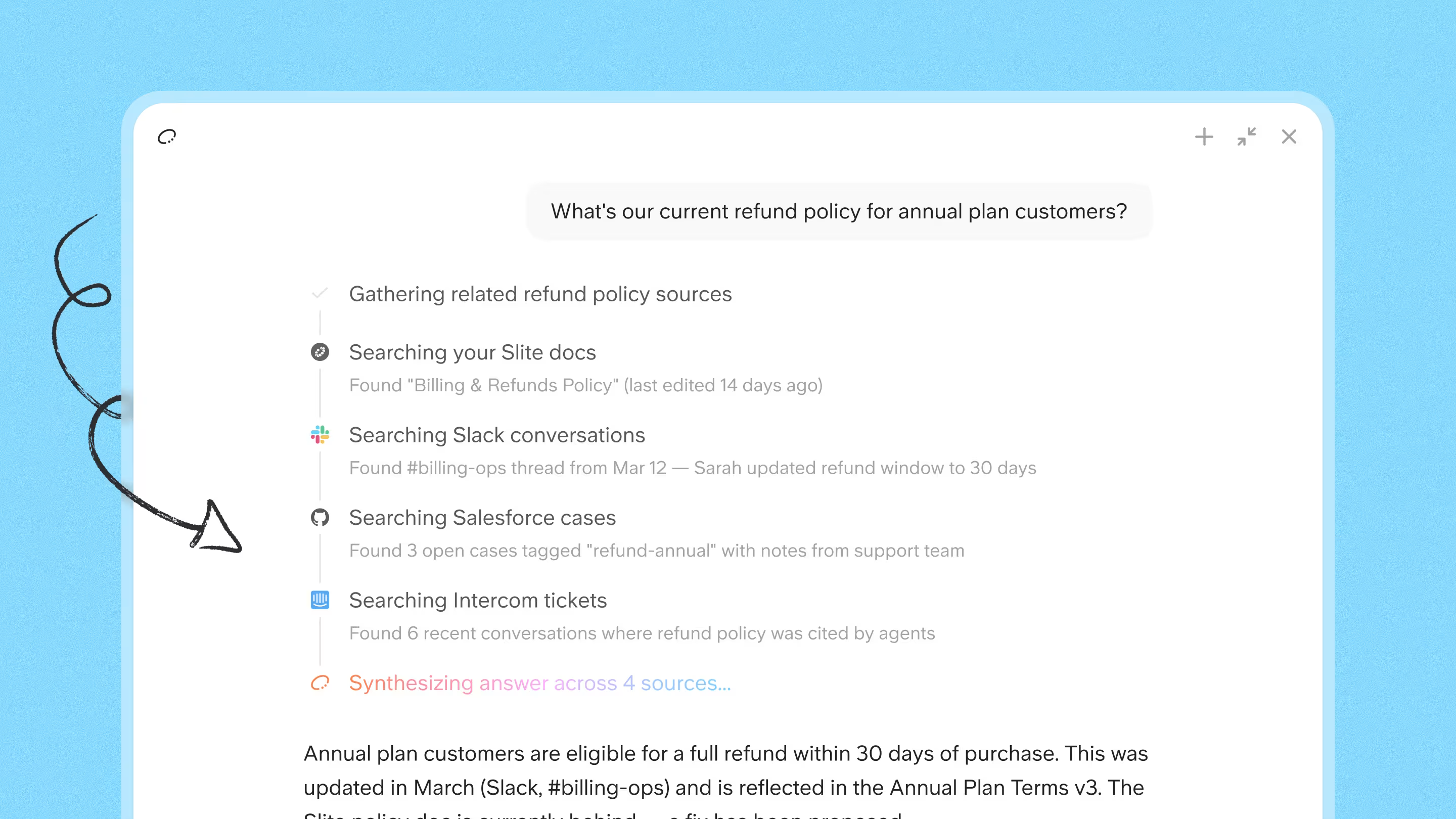
In 2026, most of these tools add AI, so you can ask in plain language and get a direct, cited answer.
For the underlying concept rather than the tools, see our primer on what enterprise search is.
How does enterprise search work?
Enterprise search works by connecting to your company's tools, indexing their content, interpreting each query, and returning ranked results.
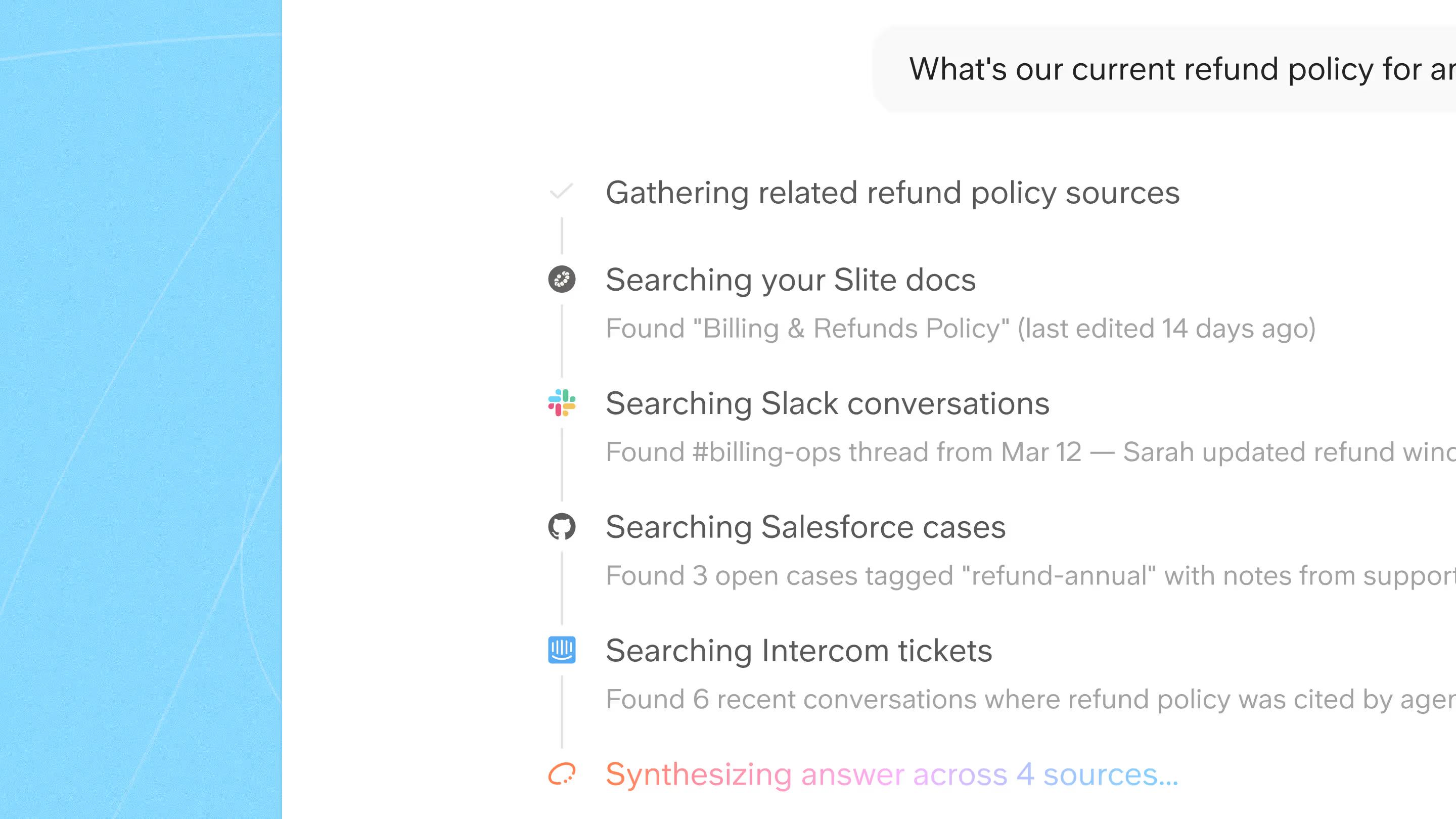
Modern systems add a retrieval-augmented AI layer: they turn documents into embeddings, retrieve the most relevant passages for a question, and generate a written answer with citations back to the source.
The pipeline behind almost every tool here looks like this:
- Connect and crawl: pull content from your apps, drives, wikis, and chat.
- Index and enrich: store it in a searchable index, adding metadata and permissions.
- Interpret the query: use natural-language and semantic processing to work out what you meant, not just the words you typed.
- Rank and deliver: score results for relevance and, increasingly, return a written answer with sources.
Types of enterprise search
- Siloed search: each app has its own search box, and you check them one by one.
- Federated search: one query fans out to several tools and merges the results.
- Unified search: content is indexed into one place for a single, consistent search experience.
- AI and agentic search: on top of unified search, the tool reads meaning, answers in plain language with citations, and can take next steps.
Unified plus AI is the 2026 standard, and it is where the shift from keyword matching to answering is happening.
Benefits of enterprise search software
Good enterprise search pays back in a few concrete ways:
- Time saved: people stop hunting across tools for something that already exists.
- Fewer repeat questions: colleagues get interrupted less because the answer is one search away.
- Faster onboarding: new hires find policies, processes, and past decisions on their own.
- Better decisions: teams act on the current version of a doc instead of a stale copy.
- Compliance and governance: access-aware search keeps sensitive content in front of the right people only.
The survey numbers above are the proof: with roughly a 10% first-attempt success rate and close to a month a year lost per worker, even a modest improvement in findability compounds quickly across a team.
Enterprise search use cases
Enterprise search shows up differently in each part of a company:
- Engineering: answer "what's our deployment process?" or find the runbook without pinging the on-call channel.
- Support: deflect tickets by surfacing the right help article, and spot gaps where no good answer exists.
- Sales and onboarding: pull the latest pricing, objection handling, and ICP definition from one place instead of chasing links.
- HR and IT: let employees self-serve on policies, benefits, and how-to requests rather than filing a ticket for every question.
Key features of enterprise search
Over time, the leading enterprise search tools have converged on a few must-have features:
- Unified Search: With teams using dozens of apps, workers need a single search interface to find information across every tool.
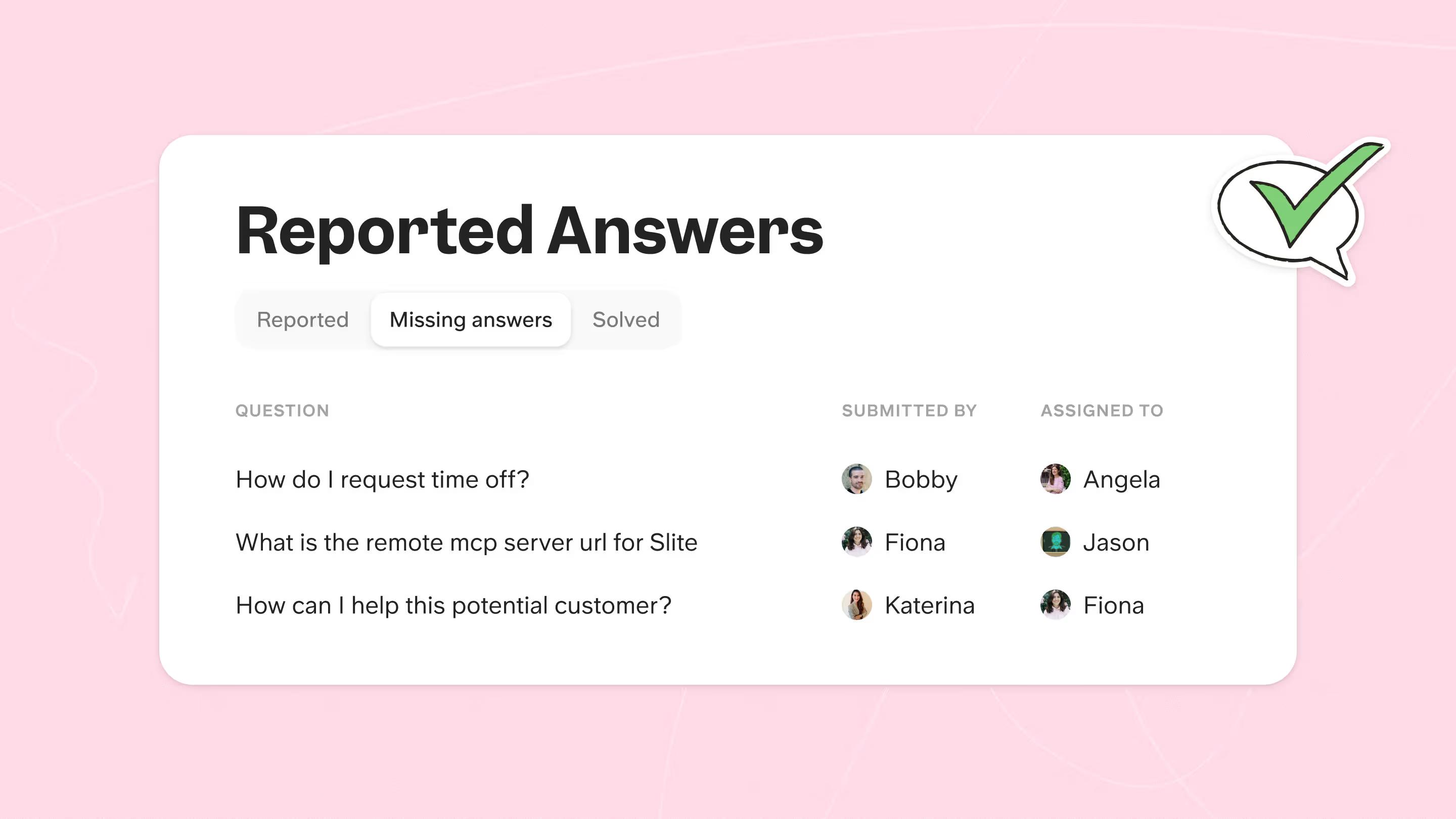
- Search analytics: A readout of the top questions your team types in is often the fastest way to see where people are stuck and which docs are missing. It tells you what your team is searching for and which questions go unanswered.
- Ability to process unstructured data: Most company information, like Slack messages and meeting notes, is unstructured yet full of important context. Indexing structured and unstructured sources together is one of the harder problems, and only a few tools do it well.
- Natural-language and semantic search: You can type a question the way you would say it, and the tool matches meaning rather than exact keywords, so "time off policy" still finds the doc that says "PTO." This is what makes conversational, plain-English search feel fast day to day.
At a glance
With the features above in mind, here are the 10 best enterprise search tools in 2026 based on team size, existing stack AI features and price:
| Tool | Best-fit team | Existing stack it fits | How much AI | Pricing |
|---|---|---|---|---|
| 1. Slite | Growing SMB to mid-market | Slack, Google Drive, Linear, GitHub, Jira (20+) | Full: grounded, cited answers plus agent | From $10/user/mo; Agent on $20 Pro |
| 2. Google Cloud Search | Any size, Google-first | Google Workspace (limited outside) | Moderate: Workspace-scoped semantic | Add-on / custom |
| 3. Glean | Mid-market to enterprise | 100+ connectors (broad) | Full: Work AI assistant plus agents | Enterprise / custom |
| 4. Elastic | Teams with engineers | Any source via APIs | Build-your-own (keyword to vector) | Free OSS plus cloud usage |
| 5. Microsoft 365 Copilot Search | Any size, Microsoft-first | Microsoft 365 plus 100+ sources | Full within Microsoft (Copilot, cited) | Copilot add-on / per user |
| 6. Lucidworks | Large or complex, with dev resources | Connectors, APIs (any) | High but bespoke (you tune it) | Custom |
| 7. Coveo | Mid-market to enterprise; support/CX | Salesforce, ServiceNow, web | Full: ML relevance plus Search Agents | Usage-based / custom |
| 8. Pinecone | Dev teams building their own search | APIs / SDKs (you build) | Infrastructure: you build the AI layer | Free tier plus usage |
| 9. GoSearch | SMB to mid-market | Google Docs, Notion, Slack (plus more) | Full: multimodal plus GoAI answers | Per user / custom |
| 10. Atlassian Rovo | Any size on Atlassian | Jira, Confluence, 50+ connectors | Full: search, chat, and agents | Rovo Search free; Chat/Agents usage-based |
1. Slite
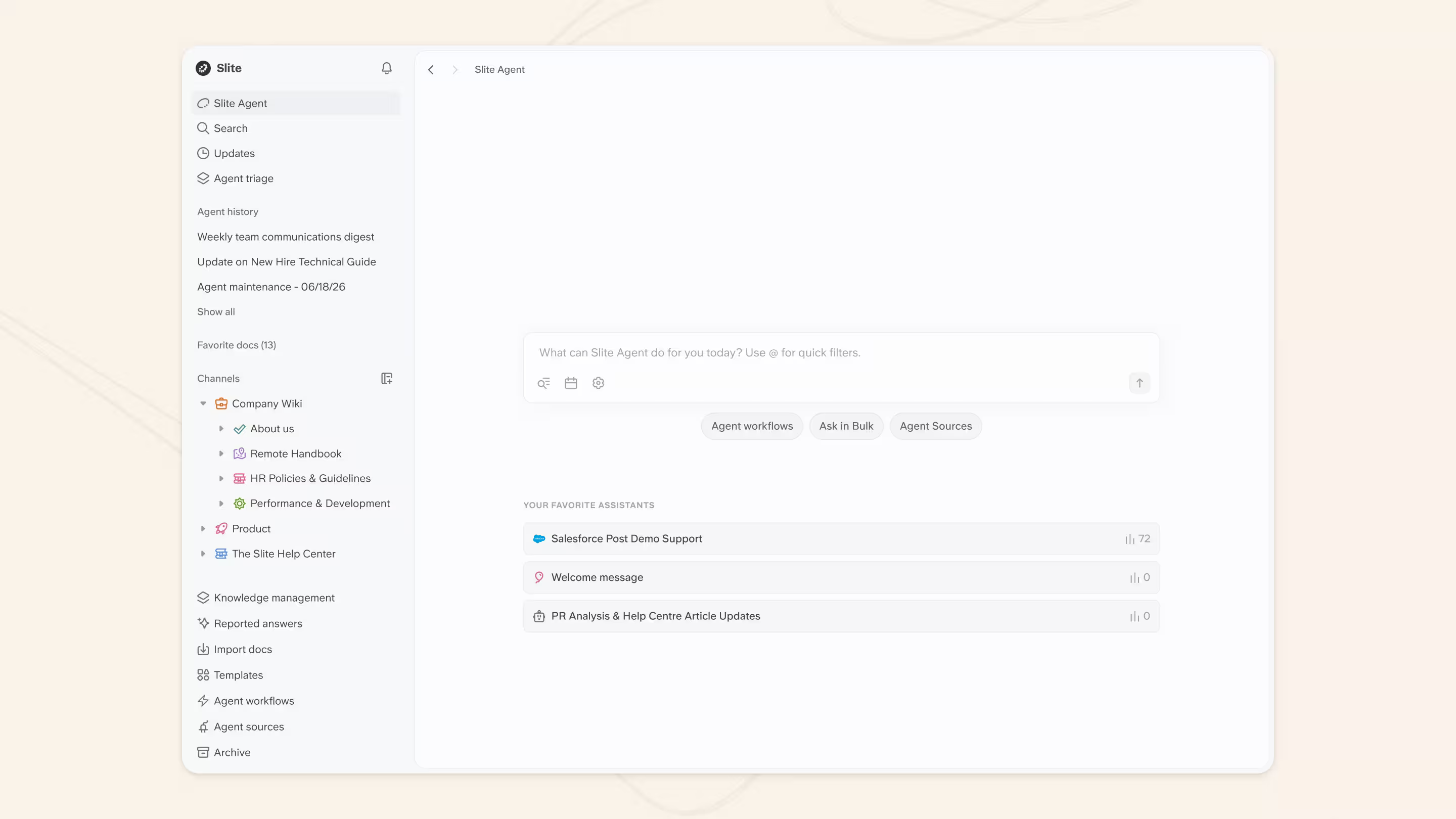
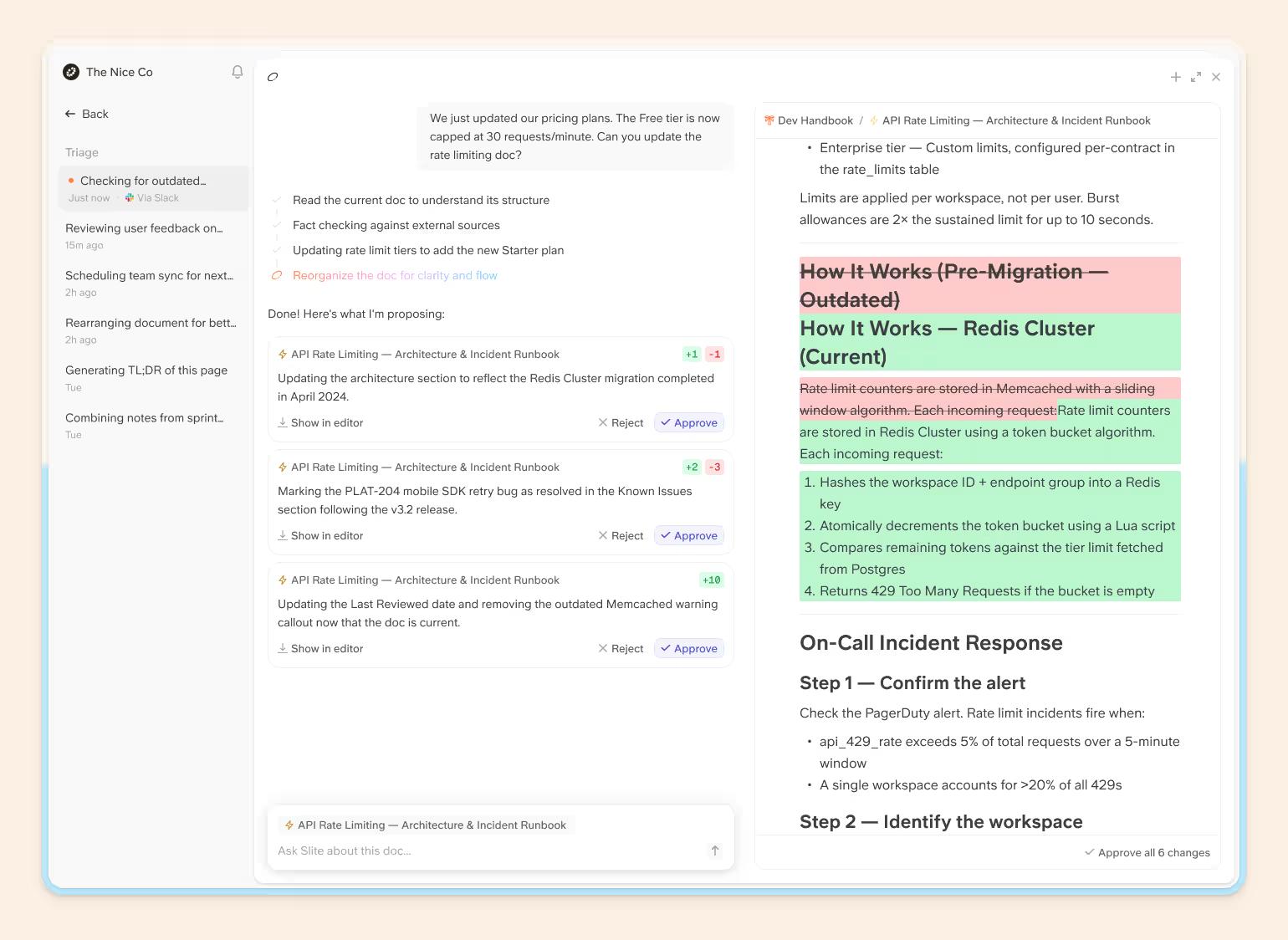
Slite is the self-maintaining knowledge base with enterprise search built in that connects to over 20+ sources from your tool stack. Slite Agent connects all your company tools into one AI search interface so you can ask a question in plain English and get answers from across Slack, Google Drive, Linear, GitHub, and the rest of your stack.
Key Features:
- Unified search across everything: Slite Agent connects 20+ tools so you can search your entire stack from one place instead of jumping between apps.
- Natural language AI: Ask "What's our deployment process?" and get an answer with source citations. Answers are grounded in your verified docs, and any change the agent proposes to a doc is reviewed by a person before it goes live.
- Self-Maintaining knowledge: Unlike search-only tools, Slite Agent detects when docs have drifted from reality across your connected tools and proposes fixes, with every change routed through human approval.
- Works where you work: Search from Slack, your browser, or the app, so answers come to you instead of making you hunt through different tools.
- Smart context: Slite Agent learns your company's tools and terminology and gets more accurate about your specific knowledge over time.
Unique Selling Points (USPs):
- Search and a source of truth in one product, not a search layer bolted onto docs that quietly go stale
- No workflow disruption: search from wherever you already work
- Complete, cited answers rather than a bare list of document links
Limitations:
- Cloud-only SaaS, with no on-premise deployment option
- Slite Agent is newer than long-established enterprise search platforms
Bottom line: the strongest pick if you want search and an always-accurate knowledge base in one tool rather than stitching a search layer over docs that drift out of date.
Go for Slite if:
- You use many tools and lose time finding information across them
- You want cited answers instead of hunting through documents
- You want the knowledge base to keep itself current
2. Google Cloud Search
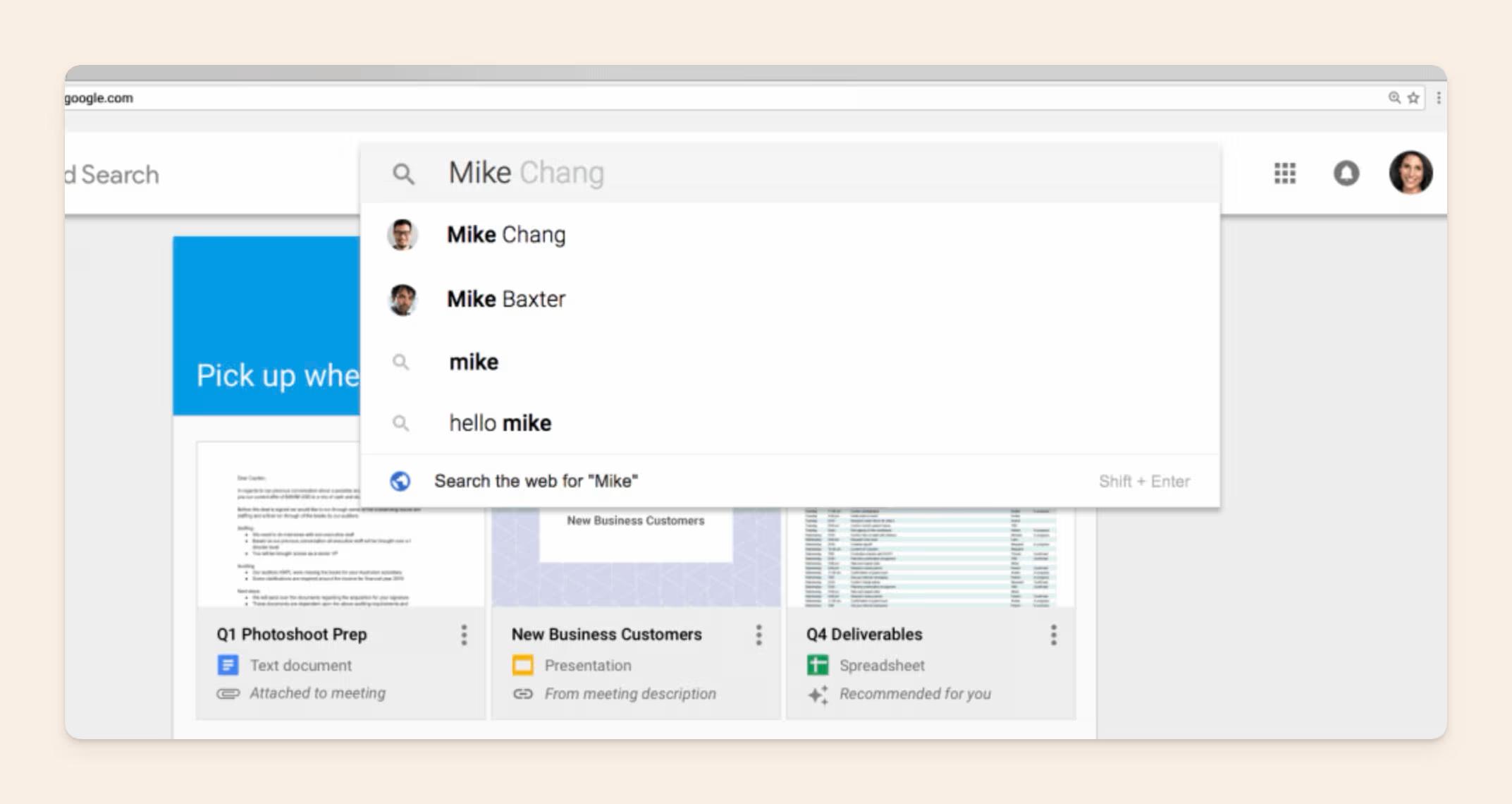
As you would expect from Google, Google Cloud Search brings its search capabilities directly to your company's data. It is particularly strong if you are already deeply invested in Google Workspace.
Key Features:
- Google-grade Search Experience: Google Cloud Search builds on the search technology that powers everyday Google searches, delivering fast, accurate results.
- Workspace Integration: It works closely with Google Drive, Gmail, Docs, and other Workspace tools. If your team lives in these apps, search results will feel familiar.
- AI-Powered Understanding: The search engine uses Google's AI to understand the meaning behind your queries, not just match keywords.
- Customization: Administrators have some control over search ranking and result display, and can use Google's APIs for tighter integration with other systems.
Unique Selling Points (USPs):
- Familiar interface: Google Workspace users face no learning curve with search, which helps adoption.
- Runs on Google's search AI: Expect Google-level search quality for your internal knowledge base.
Limitations:
- Workspace-centric: Its strength is its tight Google Workspace integration. Teams relying on non-Google tools will not see the same benefit.
- Limited third-party integrations: Some integrations exist, but the connector ecosystem is narrower than specialized enterprise search tools.
Bottom line: the natural choice if your company already lives in Google Workspace, and less compelling once a lot of your knowledge sits in non-Google tools.
Go for Google Cloud Search if:
- Google Workspace is your hub
- You want fast, accurate results with no learning curve
- You do not need deep connectors into non-Google tools
3. Glean
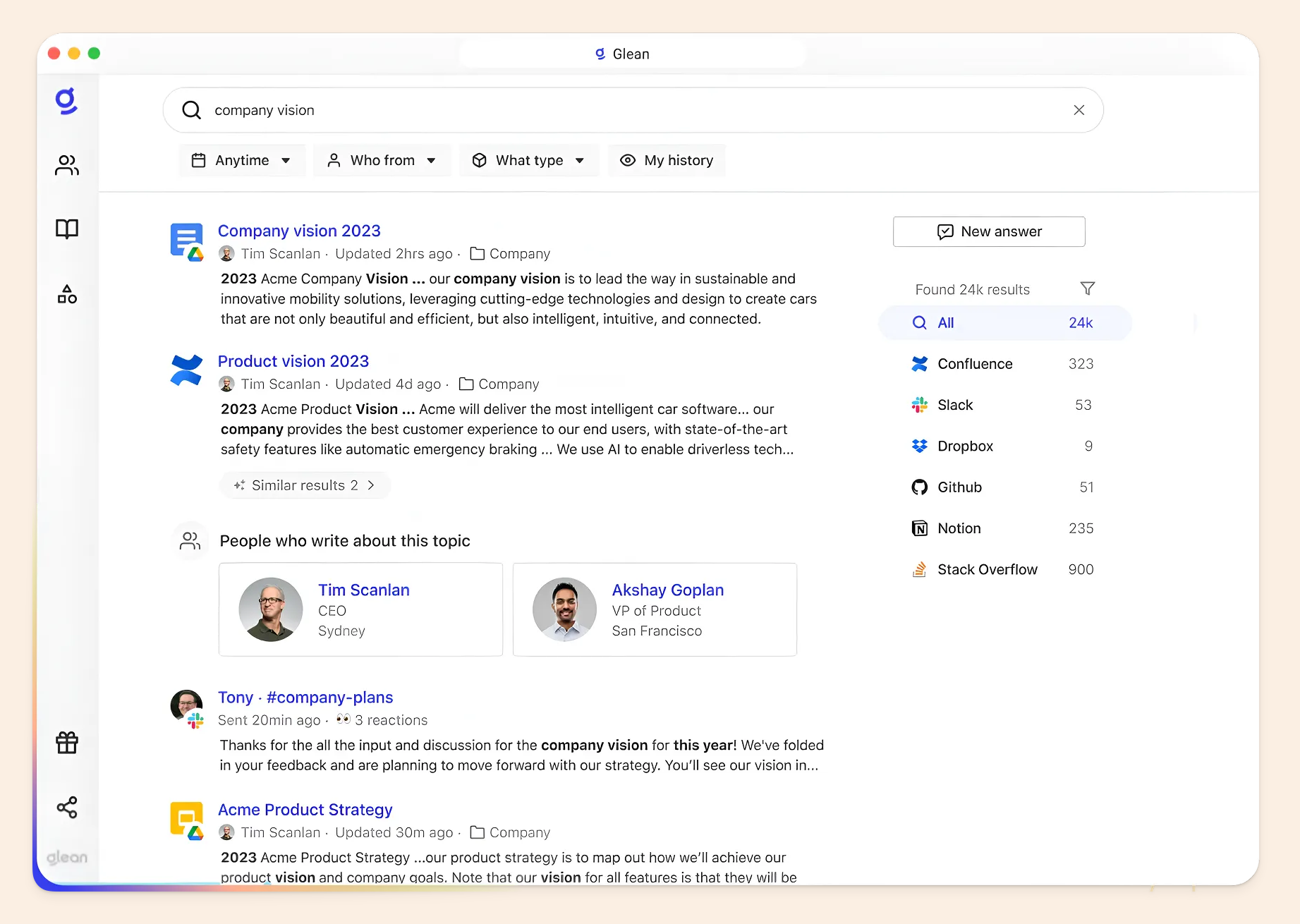
Glean stands out with strong AI search aimed at surfacing insights hidden inside your company's data. It connects to disparate sources and makes sense of unstructured information. For a closer look, see our full Glean review. Or compare the top Glean alternatives.
Key Features:
- Intelligent search: Glean goes beyond keyword matching. Its AI understands the context of your queries, the nuances of language, and even relationships between teammates. Its semantic search connects related queries to relevant results, so people find what they need quickly.
- Wide integrations: With connectors for tools like Slack, Jira, Salesforce, and many more, Glean casts a wide net over your company's knowledge.
- Custom chatbots: Glean's AI can power question-answering chatbots deployed in tools like Slack, providing quick answers on demand.
- Developer-friendly: Glean's API and SDK offer real customization for building tailored knowledge experiences.
Unique Selling Points (USPs):
- Deep AI search: If your team needs to dig into complex information or ask nuanced questions, Glean's AI search is a strength.
- Customization potential: Glean is a strong choice for teams with in-house developers building tailored knowledge experiences.
Limitations:
- Built for search and agents, not authoring: Glean recently added Canvas for co-authoring, but teams that need full document creation still tend to pair it with a docs tool like Slite.
- Enterprise scale and pricing: Glean is now a mature Work AI platform spanning search, an assistant, and agents, which shows up in enterprise-tier pricing and a heavier rollout.
Bottom line: one of the most established enterprise search and Work AI platforms, best when you have the budget and scale to match its enterprise footprint.
Go for Glean if:
- Knowledge is scattered across many platforms and tools
- You have a large amount of unstructured content like emails, chat logs, and notes
- You have developers who can build on Glean's API
4. Elastic
Elastic (the company behind Elasticsearch) provides the technology that often powers other enterprise search tools.
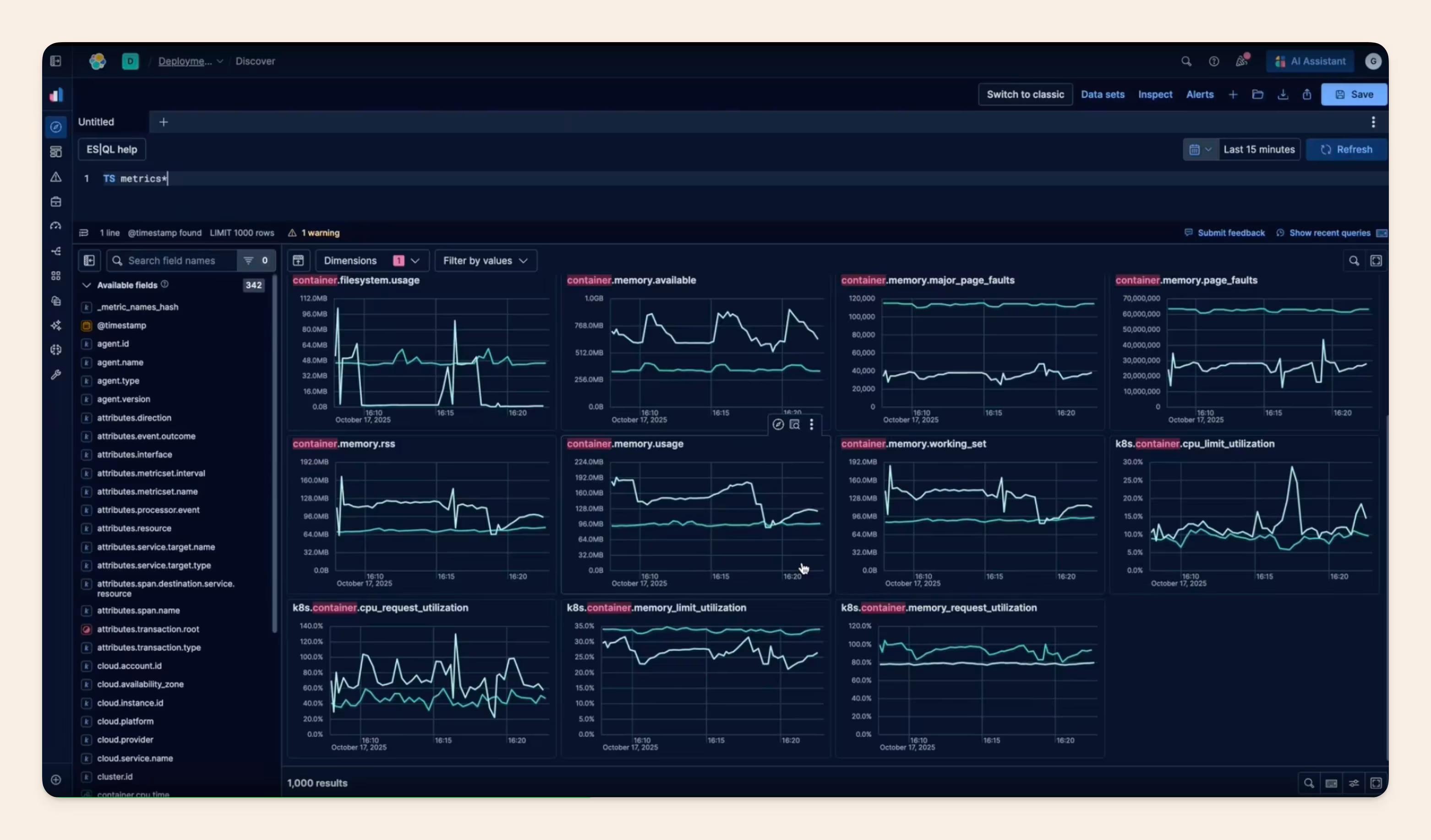
It features managed connectors, a native web crawler, vector/semantic search, and high-performance APIs to build scalable insight engines. That said, the approach emphasizes flexibility and customization, but it takes some technical expertise to unlock.
Elasticsearch itself is a headless, API-first search engine and does not come with a built-in user interface, which is why it’s often paired with the visualization tool Kibana.
Key Features:
- Open-Source Foundations: Elastic is built on open-source technology, giving you granular control over configuration and deployment.
- Scalability: Elastic handles extremely large datasets, which suits enterprises with massive amounts of knowledge to index.
- Advanced Customization: Tune search relevance, build custom dashboards, and integrate with almost any system using Elastic's APIs.
- Speed: Elastic delivers fast search performance even across complex datasets.
Unique Selling Points (USPs):
- Ultimate flexibility: If your team needs search tailored to a unique knowledge structure and workflow, Elastic provides the building blocks.
- Large-scale data handling: Elastic is a top choice for very large enterprises with complex knowledge needs.
Limitations:
- Technical expertise required: Implementing Elastic often needs developers and IT support. It is not plug-and-play.
- Steeper learning curve: Because of its open-source nature and advanced features, there is more to learn than with some friendlier tools.
Bottom line: the go-to when you have engineers and want to build a search experience exactly to spec, at very large scale.
Go for Elastic if:
- You have in-house developers and IT resources to manage it
- You need a highly customizable search build for unique use cases
- You manage vast amounts of complex, unstructured data
- You want full control over your search infrastructure, including on-prem
5. Microsoft 365 Copilot Search
Microsoft 365 Copilot Search is Microsoft's AI-powered enterprise search experience for organizations on Microsoft 365. It brings together your files, emails, and insights from tools like Teams and SharePoint, then layers conversational, cited answers on top.
Key Features:
- Microsoft ecosystem integration: The core strength of Copilot Search is its deep connection to Outlook, OneDrive, SharePoint, and Teams.
- AI-powered insights: Microsoft 365 Copilot Search uses AI to suggest relevant information, personalize results, and anticipate what you need.
- Generally available AI answers: Copilot Search reached general availability across Microsoft 365 in 2026. You can ask natural-language questions across Microsoft 365 and 100+ connected sources and get conversational, cited answers.
- Familiar interface: Microsoft 365 users will find the search experience familiar and straightforward.
Unique Selling Points (USPs):
- Native Microsoft experience: If your team lives in Microsoft 365, search extends naturally into your workflow.
- Answers across your Microsoft data: Conversational, cited search spans Microsoft 365 and 100+ connected sources.
Limitations:
- Microsoft-centric: Copilot Search is most useful when you primarily use Microsoft tools. It reaches less into external systems or non-Microsoft file formats.
- Connector ecosystem: Some third-party integrations exist, but the selection is narrower than tools that specialize in cross-app enterprise search.
Bottom line: the default if your company runs on Microsoft 365, and weaker once you need to reach far outside the Microsoft ecosystem.
Go for Microsoft 365 Copilot Search if:
- You are invested in the Microsoft 365 ecosystem (Outlook, Teams, SharePoint)
- You want a familiar search experience for Microsoft-native employees
- Copilot's reach across your Microsoft data covers most of your needs
6. Lucidworks
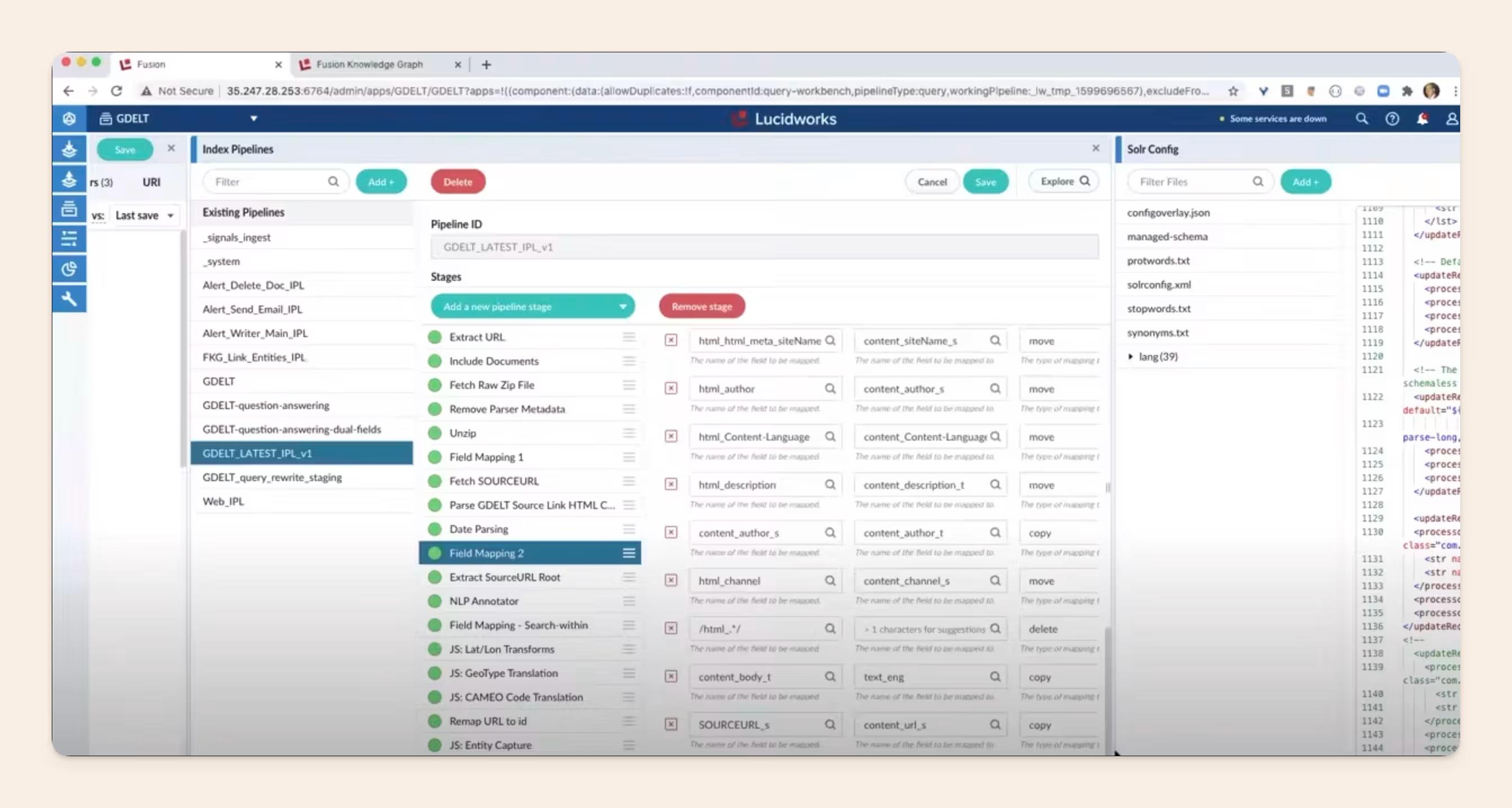
Lucidworks Fusion is a mature enterprise search platform built around customization and complex data. It provides enterprise-grade, cloud-native search and data discovery platform.
The search engine behind it is the Apache Solr combined with Apache Spark for AI-powered analytics, machine learning, and natural language processing to handle massive digital commerce and workplace datasets.
Key Features:
- Flexible Deployment: Lucidworks Fusion runs on-premises, in the cloud, or in a hybrid setup, adapting to your infrastructure.
- Advanced Search Tuning: Tune search relevance, boost specific content types, and create custom search pipelines for specific datasets.
- Signal Processing: Lucidworks uses signals like clicks, views, and likes to improve result ranking and personalization over time.
- AI and Machine Learning: Apply pre-built or custom machine learning models to refine results and personalize the experience.
Unique Selling Points (USPs):
- Granular Control: Lucidworks suits teams that want maximum control over how search works, from indexing to result display.
- Complex Data Handling: Fusion is strong when you need to combine structured and unstructured sources or apply specialized search techniques.
Limitations:
- Cost: Because of its customizable nature and complexity, Lucidworks Fusion can cost more than simpler out-of-the-box tools.
- Technical Expertise: Like Elastic, getting the most from Lucidworks often takes technical knowledge or a solutions provider.
Bottom line: a mature platform for bespoke search over complex data, best with technical resources or an implementation partner on hand.
Go for Lucidworks if:
- You have search needs beyond what off-the-shelf tools can provide
- You manage large amounts of diverse, complex data
- You value both cloud and on-premises deployment options
- You have developers or are comfortable working with a solutions provider
7. Coveo
Coveo unifies search across your company's knowledge base, customer support channels, and external websites. That makes it a strong option when you want a consistent search experience for both internal and external users.
Key Features:
- Omnichannel Search: Coveo indexes content from websites, help centers, internal knowledge bases, and other sources, giving your users one search interface.
- Machine Learning Relevance: Coveo's models learn from user behavior to improve result accuracy and personalization.
- Case Deflection: For support, Coveo suggests relevant answers from your knowledge base, reducing ticket volume.
- Analytics and Insights: Coveo provides dashboards to track search usage, spot gaps in your knowledge, and improve the experience over time.
- Coveo Search Agents: An agentic, multi-turn search experience that reasons over your content and handles follow-up questions, built on Coveo's existing indexing, security, and personalization. See Coveo Search Agents.
Unique Selling Points (USPs):
- Unified customer and employee search: Coveo's omnichannel approach bridges internal knowledge and customer-facing search.
- Support optimization: Case deflection and self-service make it attractive for support teams.
Limitations:
- Complex Setup: Implementing Coveo's multi-channel search can be more involved than an internal-only tool.
- Learning Curve: Coveo's wide range of features and settings can lengthen the learning curve for administrators.
Bottom line: the pick when you want one search experience across both employee knowledge and customer-facing support.
Go for Coveo if:
- You want a consistent search experience for both employees and customers
- You have a large knowledge base supporting help centers or websites
- You need detailed search analytics and self-service optimization for support
8. Pinecone
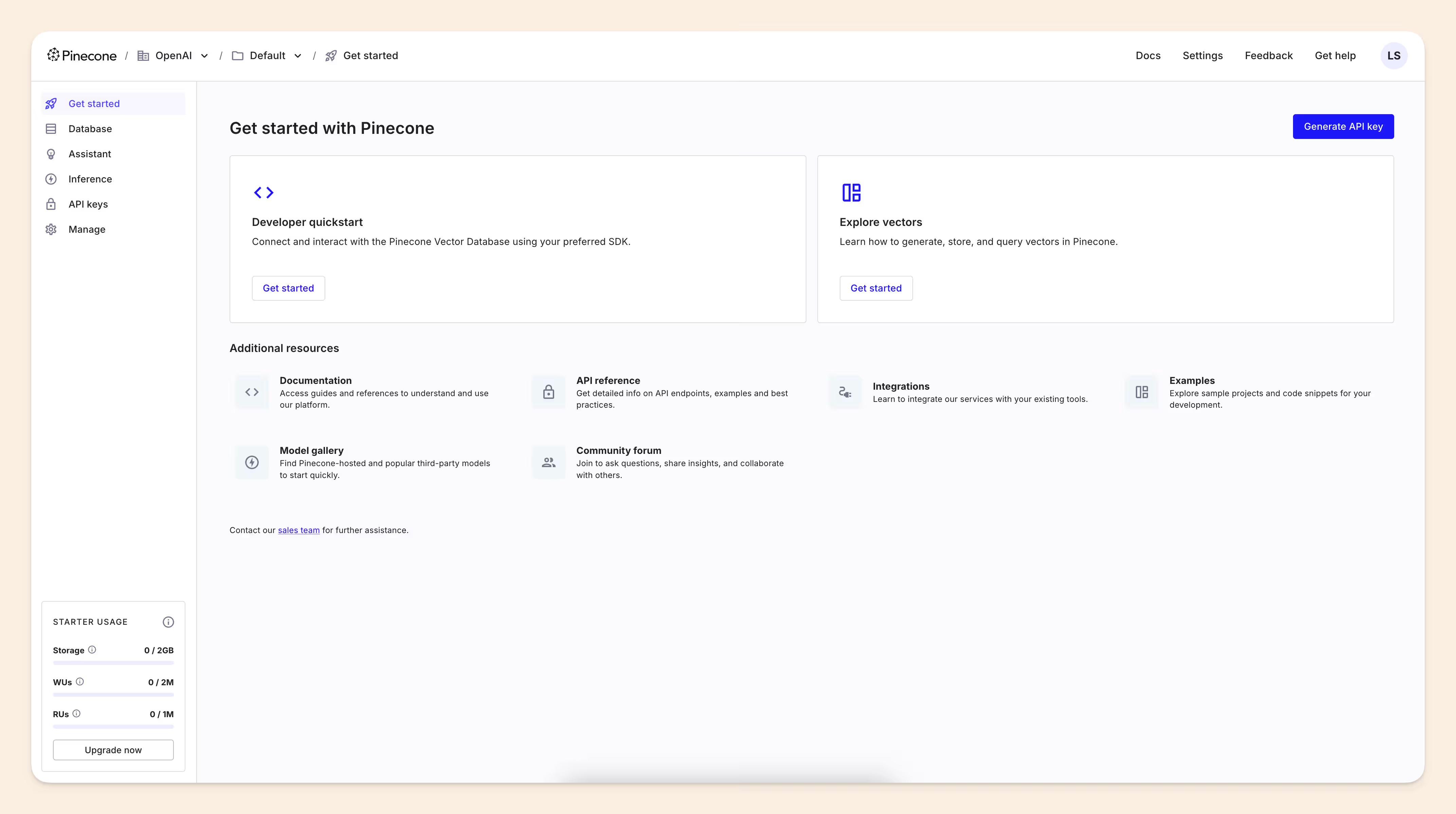
Pinecone differs from most options here: it is a vector database, the core technology behind the AI features in many modern search tools. It is used by companies like Notion, ClickUp, and HubSpot to build AI features. To use it, you generate embeddings from your own content and load that data into a Pinecone index, then build the search or answer layer on top with its APIs and SDKs. It is infrastructure you build on, not a finished search tool you point at your existing apps.
Key Features:
- Vector Embeddings: Pinecone captures the semantic meaning behind text and data, converting information into numerical vectors for efficient comparison.
- Speed and Low Latency: Pinecone is optimized for fast similarity searches, which real-time AI search depends on.
- Scalability: Pinecone handles massive datasets as your knowledge base grows, keeping search responsive.
- Developer-focused: Pinecone provides APIs and SDKs to power your own search applications or add search to existing ones.
Unique Selling Points (USPs):
- Semantic search foundations: Pinecone is core infrastructure for semantic search and knowledge discovery.
- Performance and scalability: Pinecone keeps AI search fast as data volumes grow.
Limitations:
- Not an out-of-the-box tool: Pinecone is a building block that needs development work to become a search product.
- Focus on vectors: It is built for vector data and is less suited to traditional keyword-based search on its own.
Bottom line: a building block rather than a finished product, best for teams building their own AI search.
Go for Pinecone if:
- You are building custom AI search from the ground up
- You have developers comfortable with vector databases and machine learning
- You need high performance and scale for enormous data volumes
9. GoSearch
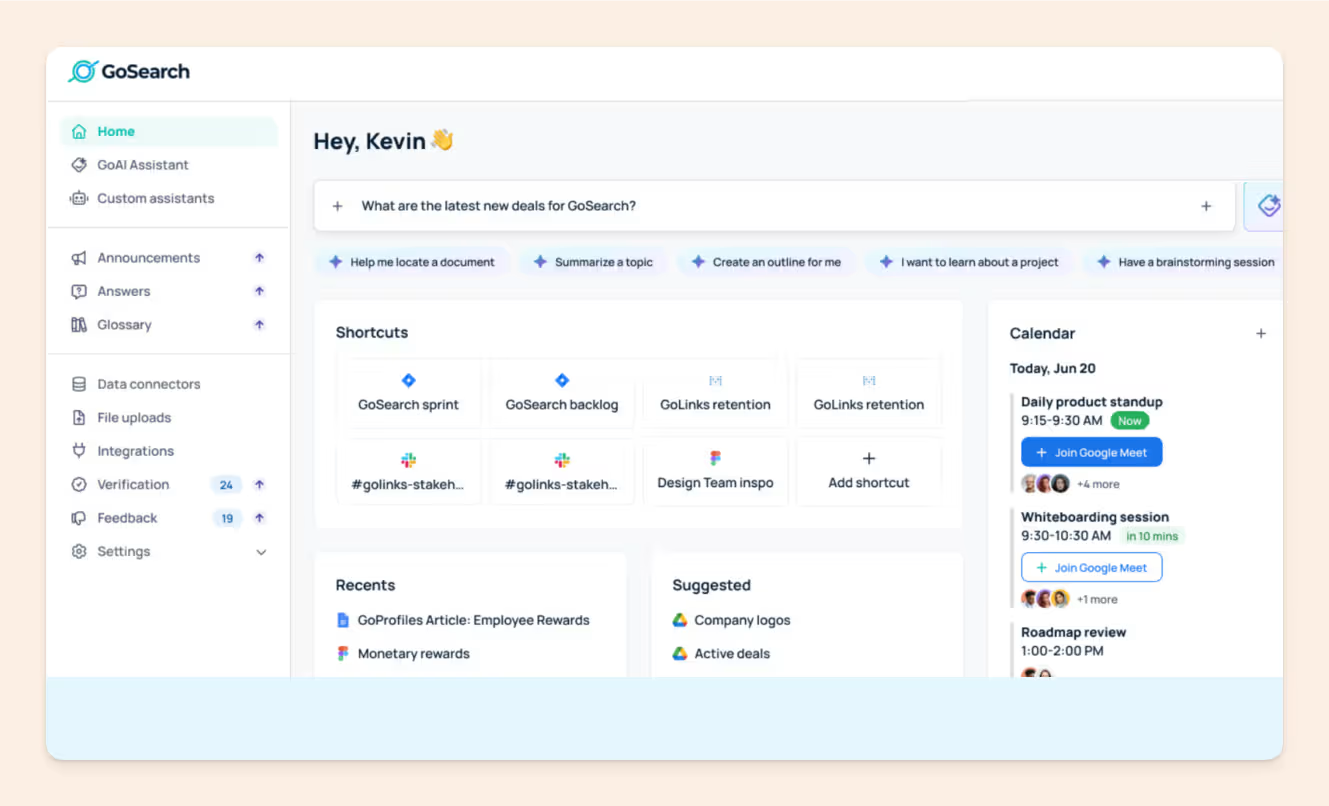
GoSearch focuses on workplace knowledge discovery. Built by GoLinks, the team behind the go-links URL shortener, it pairs a multimodal AI foundation with its GoAI assistant to search across work apps using text, images, URLs, or a chat-style query, cutting the time wasted switching apps and sifting through disorganized data.
Key Features:
- Search Across Everything: GoSearch integrates with tools you already use (Google Docs, Notion, Slack), creating one search experience instead of bouncing between apps.
- Multimodal Search: Go beyond a search box. Find information by describing it, uploading an image, sharing a link, or chatting with GoAI, GoSearch's AI assistant.
- AI-powered answers: GoSearch summarizes long documents and answers questions directly, pulling context from your connected apps so people get an answer rather than a list of links.
- Custom Enterprise ChatGPT: Build a ChatGPT-style experience trained on your company's own knowledge to streamline workflows and automate tasks.
- Security and Privacy: Bring your own LLM API key and keep data in your preferred cloud environment.
Unique Selling Points (USPs):
- Speed and Efficiency: Find answers with a search method that matches how you think.
- Innovative AI: Summarized answers, image-based search, and a conversational assistant make for a fast search experience.
Limitations:
- Response Quality: As a developing AI product, answer quality can vary with the complexity of your questions.
- Limited Analytics: GoSearch currently lacks the in-depth analytics some other enterprise search tools offer.
Bottom line: a fast, multimodal search layer across work apps, strongest for teams that value flexible, AI-driven discovery.
Go for GoSearch if:
- Knowledge is scattered across different tools and apps
- You want a multimodal search experience beyond basic keyword matching
- You value AI-powered answers and control over your own data
10. Atlassian Rovo
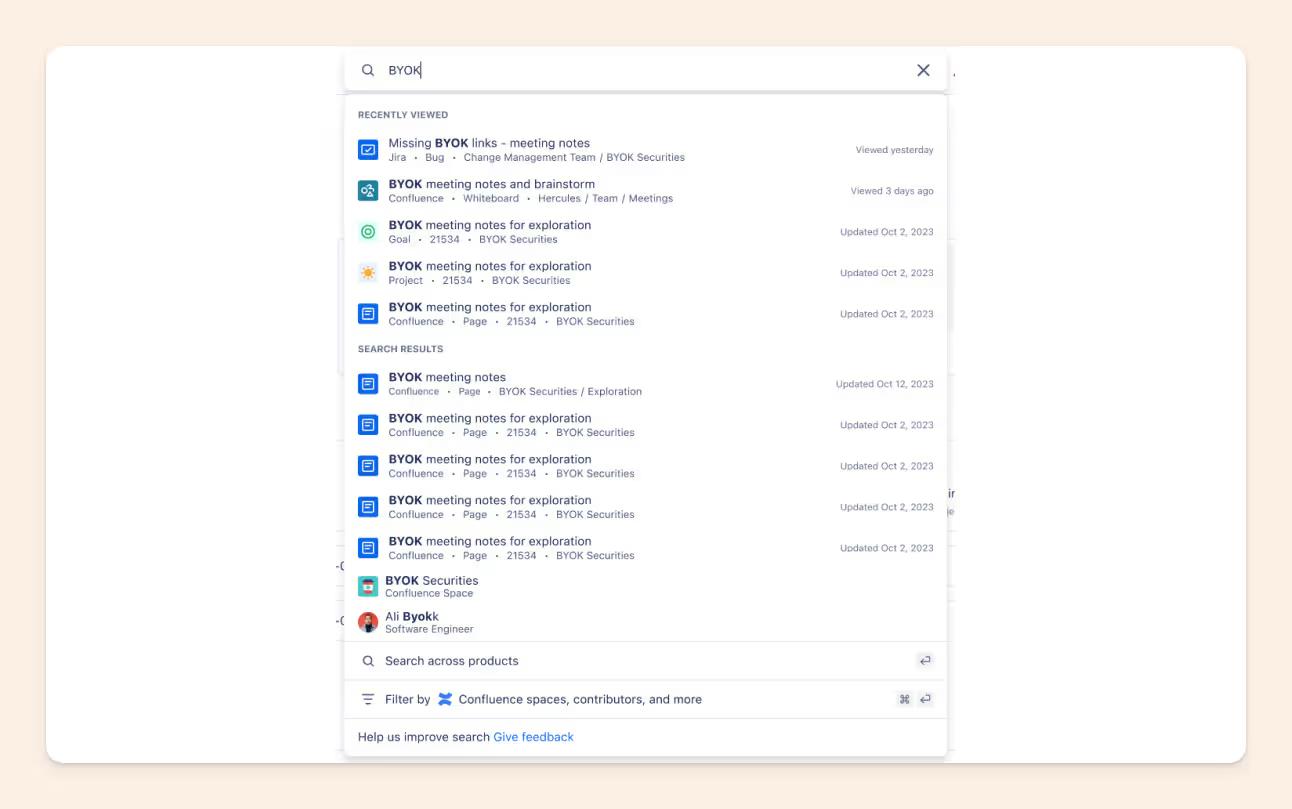
Atlassian Rovo is Atlassian's enterprise search, chat, and AI-agent layer. It searches across Jira, Confluence, and 50+ connected apps, answers questions in plain language, and runs agents that act inside the tools your team already uses.
If your work lives in the Atlassian stack, Rovo turns that estate into a searchable, answerable knowledge source. For a closer look, see our Atlassian Rovo AI review.
Key Features:
- Search across Atlassian and beyond: Rovo Search indexes Jira, Confluence, and 50+ third-party connectors like Google Drive, Slack, GitHub, and SharePoint, so one query spans your whole stack.
- Rovo Chat: Ask questions in natural language and get conversational, cited answers drawn from your connected content.
- Rovo Agents: Build and deploy AI agents that summarize, draft, and take action inside Jira and Confluence workflows.
- Deep Research: Point Rovo at a topic and have it gather and synthesize context across sources.
Unique Selling Points (USPs):
- Native to the Atlassian estate: If your team runs on Jira and Confluence, Rovo reaches your knowledge without extra integration work, and Rovo Search is free.
- Agents plus search: Rovo pairs enterprise search with agents that act on what they find, not only retrieve it.
Limitations:
- Strongest inside Atlassian: Rovo is most complete when your knowledge already lives in Confluence and Jira. Content spread across Slack, meetings, or code needs connectors to be covered well.
- Answer quality tracks content quality: Like any AI search, Rovo depends on current, well-maintained docs, and it can surface outdated pages when your Confluence is stale.
Bottom line: the natural pick for Atlassian-centric teams that want search, chat, and agents over their Jira and Confluence knowledge.
Go for Atlassian Rovo if:
- Your team already runs on Jira and Confluence
- You want AI agents that act inside your Atlassian workflows, not only answer questions
- You need enterprise search that starts free and scales with usage-based credits
How to choose the best enterprise search for your team?
Here are the questions that actually decide the call, roughly in the order buying committees tend to weigh them.
Security and compliance
Most evaluations start here. Check for SOC 2, SSO, role-based access, audit logs, and data-residency options, and for regulated teams, whether the vendor supports HIPAA and can sign a BAA.
Deals often stall on where data is stored and on breach-disclosure terms, so raise these early.
For regulated teams, Slite is SOC 2 Type II and GDPR compliant, offers HIPAA compliance on its Enterprise tier, supports SSO, and hosts production data in the EU (Belgium).
Integrations and your existing tech stack
The best tool connects to what you already use (Slack, Google Workspace, project software) and respects each source's permissions, so people only see what they are allowed to.
Two questions separate strong tools from weak ones:
- Can it search inside files (slides, spreadsheets), not just file names?
- Does it handle synonyms and meaning, so "revenue leakage" also finds a doc that says "sales loss"?
AI answer quality: grounding and citations
By 2026, almost every tool claims AI. What actually separates them is whether you can trust the answers.
- Does the tool answer only from your verified documents and cite its sources?
- Does it say "I don't know" instead of inventing something?
Grounded, cited answers are what make AI search safe to roll out to the whole company.
Freshness and verification
Search that finds a document is only half the job. The other half is whether that document is still true.
Ask how a tool keeps content current, and watch for the warning signs that your knowledge is rotting:
- the same questions asked over and over,
- shadow docs kept on personal drives,
- constant "where does this live?" interruptions,
- no single source of truth,
- and people hoarding local copies.
Tools that verify and update knowledge, rather than only indexing it, hold up better over time.
Team size, complexity, and how you work
Fast-moving and mid-market teams that want search and a self-maintaining source of truth in one place fit a tool like Slite well, including security-conscious teams.
Very large enterprises (1,000+ employees) that need a fully customizable or on-prem search layer may prefer Elastic or Lucidworks.
Pricing model
Look past the sticker price to the model. Do you pay for everyone or only for people who write? Is AI included or a paid add-on?
For reference, Slite starts at $10/user/month (Basic, billed yearly) for the knowledge base with AI search and verification, and $20/user/month (Pro) adds Slite Agent and search across 20+ connected tools.
Cost is also a common trigger to switch: teams often move when a renewal jumps and the current tool still only does keyword search, or when docs go stale so fast that people stop trusting them and default to asking in Slack.
Adoption
The best tool is the one people actually use, and that is where many rollouts quietly fail.
Knowledge-base adoption often sits around 30 to 40%, and when a search tool is awkward, people revert to asking colleagues or pinging Slack instead.
Before you buy, ask how you will get the whole company to use it: does it live where people already work, and is answering a question genuinely faster than asking a coworker?
Conclusion
The right enterprise search tool becomes an extension of your team's memory. It ends the hunt through scattered docs and frees people up for the work that matters. Match the tool to your ecosystem, your team size, and how much you care about answers staying accurate, not just getting found.
Any of the ten here can help; the right one for your team comes down to your must-haves. If search and a self-maintaining source of truth in one place sounds like what you need, consider booking a demo and letting us walk you around Slite.
Enterprise search FAQ
Does AI enterprise search hallucinate?
It can, which is why grounding matters. The tools worth shortlisting answer only from your own connected documents, cite their sources, and are built to say "I don't know" when there is no supporting content, rather than making something up. When you evaluate a tool, test it on questions your docs cannot answer and see whether it stays honest.
Is the AI its own model or just ChatGPT?
It varies by vendor. Some run on their own models, some build on foundation models from providers like OpenAI, and many combine a model with a retrieval layer over your content. What matters more than the model name is whether answers are grounded in your documents and cited, and whether your data is used only to answer your team's questions.
Can it answer only from trusted sources?
Good enterprise search does exactly this. It draws answers from the sources you connect and approve, respects each source's permissions, and links back to the underlying document so anyone can verify it. If a tool cannot restrict answers to your own trusted content, treat that as a red flag for company-wide use.
Can we see what people are searching for?
Most tools include search analytics that show top queries, unanswered questions, and where people get stuck. This is one of the more useful features to ask about: the top questions a team types in are a direct readout of where knowledge is missing, which helps you fix docs rather than guess.
How much does enterprise search software cost?
Pricing ranges from per-user plans to usage-based and custom enterprise contracts, and whether AI is included or an add-on makes a big difference. As one concrete reference, Slite starts at $10/user/month (Basic, billed yearly), with a $20/user/month Pro plan that adds Slite Agent and connected-tool search, a 14-day free trial, and no credit card required. Larger platforms like Glean, Coveo, and Lucidworks are typically custom-priced.