Internal documentation is the company knowledge your team writes for itself, from runbooks and handbooks to project history and onboarding flows.
It works best when it is organized well enough that people can find the answer they need at the moment they need it.
A document that is hard to locate very soon start resembling a doc that was never written, and a library that grows without structure quietly pushes people back to pinging a colleague on Slack.
This guide is about organizing and structuring internal documentation so it stays findable, keeping it current as the team and product change, and building the maintenance discipline that makes people actually trust it.
Key takeaways
- Internal documentation only works when it is organized and structured so people can actually find the answer they need.
- There are four main types: team docs, onboarding docs, project docs, and engineering docs.
- The single most important maintenance practice is assigning a named owner per doc with a verification loop.
- AI search and a self-maintaining knowledge base keep docs findable and current, so people find answers instead of pinging a colleague.
What is internal documentation?
Internal documentation is the collection of company-knowledge artifacts an organization writes for its own employees rather than its customers: sources of truth, runbooks, handbooks, onboarding plans, and project history.
The audience is your staff (full-time, contract, and your future self), which shapes both the tone and the sensitivity of what gets written.
Internal documentation is the broader umbrella; an internal knowledge base is the operational home where those docs actually live, and it sits alongside your team's knowledge base of public-facing reference material.
Internal vs external documentation: what's the difference
Internal and external documentation share a structure but serve different audiences. External docs are written for customers, partners, and contractors; internal docs are written for the people inside your company.
| Dimension | Internal documentation | External documentation |
|---|---|---|
| Audience | Employees, contractors with access | Customers, partners, public |
| Tone | Direct, candid, team-specific | Polished, on-brand, customer-friendly |
| Sensitivity | Can include confidential context | Public-safe, vetted before release |
| Format | Wiki, runbooks, handbooks | Help center, API docs, release notes |
| Examples | Onboarding plans, on-call runbooks | Product guides, troubleshooting articles |
| Lifecycle | Living, edited continuously | Versioned, releases trail product |
Why internal documentation matters
Internal documentation matters because it keeps the answers a team needs in a shared, findable place instead of locked inside one person's head.
We've watched it deliver real, measurable benefits across companies of every size:
- Reduces knowledge silos. Important context stops leaving when senior staff leave.
- Accelerates onboarding. New hires self-serve instead of asking the same questions in Slack every week.
- Prevents costly mistakes. Fewer cases of someone following an outdated guide and losing days of work before anyone notices.
- Aligns distributed teams across time zones. Async work becomes possible when canonical answers live somewhere everyone can find them.
- Frees senior staff time. Institutional memory stops being a one-on-one transfer.
- Improves decision quality. Past project context is one click away when a similar question comes back.
Types of internal documentation
There are different types of internal documentation that you need to be aware of before getting started, such as:
- process documentation,
- team documentation,
- project documentation,
- internal documentation for software engineering teams
Having relevant documentation available is crucial as it can significantly improve productivity and team morale.
Team documentation
Team documentation revolves around topics specific to a single team:
- goals,
- style guides,
- talent maps,
- schedules,
- meeting notes,
- and timelines.
Documenting and sharing this knowledge in a central place preserves company knowledge, improves communication between teams, and makes it easier to onboard new employees.
It's specific to certain areas of the company, and not everyone needs access to every team's knowledge base.
Examples would be:
- a team handbook with goals and rituals,
- a recurring meeting-note template,
- a weekly status update doc,
- and a team OKRs page.
Onboarding documentation
Onboarding documents need to be threaded into every new hire's first weeks and stay a reference point for current employees.
Onboarding and user documentation should include HR processes and company-wide policies for new team members. It's also worth giving an overview of company structure and people.
Examples would be:
- a company FAQ,
- a role-specific 30/60/90 plan,
- a first-day welcome guide,
- an org chart and people directory,
- and process documentation templates for repeatable workflows.
Project documentation
Project documentation will probably be the most-used knowledge base in your company, and one that needs continuous updates.
This documentation area covers projects past, present, and future: it will be a reference point throughout any project and a historical record afterward.
Examples would be:
- a PRD or design doc,
- a kickoff doc with goals and stakeholders,
- a post-mortem after launch,
- retrospective notes,
- and a decision log.
Internal documentation for software engineering teams
Engineering documentation is the fourth main type, and it lives differently from the rest of the company. Engineering docs sit close to the code: in the repo as markdown, in a wiki next to architecture decisions, or in a knowledge base like Slite that links back to issues and pull requests.
Ownership maps to repo or service ownership rather than to a person, which means docs need to stay current with deployment cycles, not the calendar.
Common engineering documentation artifacts include:
- runbooks (per service),
- system architecture diagrams,
- API references,
- ADRs,
- incident post-mortems,
- and on-call docs,
- and the software documentation templates cover the most common ones.
Each has its own update cadence: ADRs are written once and rarely change; runbooks need to track production reality; post-mortems are point-in-time and don't get rewritten. The discipline is recognizing which is which so the maintenance load stays predictable.
For a deeper dive on the artifacts and workflows, see our guide to engineering documentation.
How to organize and structure internal documentation
Organizing internal documentation means treating it like a system you architect rather than a folder you fill. Start with a top-level structure that mirrors how your team actually works, group docs by process rather than by author, and give every page a predictable home so people can find the answer in one or two clicks.
Begin with the map before the pages. People need a way to navigate the library and a way to structure the information inside it, so build the index logically and launch this step with a diverse focus group, so the structure isn't shaped by one team's mental model alone.
Group documentation by process rather than by the person who happened to write it. For each significant process, it helps to know who owns it and which tools it touches, so the doc lands where people already look for it. Consistent naming matters more than it sounds: when two teams call the same thing by different names, readers end up with duplicates and stop trusting search.
It also helps to group docs by what each one is for. A widely used documentation framework, the Diátaxis model, sorts docs into four modes by job: tutorials that teach a beginner, how-to guides that solve one specific task, reference that you look things up in, and explanation that gives background. You don't need to adopt the labels, but matching each doc's structure to its job keeps a how-to from sprawling into an essay and a reference from turning into a tutorial.
Then design the architecture and templates. Treat the project with a software-engineering frame of mind: think about how employees will move between documents, what makes sense to group together, and what they'll find useful alongside the answer they came for. Walls of text and unformatted copy are where attention goes to die, so templates with visual hierarchy and breathing room are what actually get read.
The payoff is a navigable home for company knowledge that a new hire can learn in a day. If you're formalizing this into a shared space, our guide on how to build a company wiki walks through the structure in more depth.
What to do when your internal docs are a mess
If your documentation is scattered across Confluence, Slack threads, Google Docs, and a few stray wikis, you are in the same place most teams start from.
The way out is a short sequence rather than a heroic rewrite:
- audit what exists,
- pick a single canonical home,
- migrate the docs that still matter,
- and prune the rest.
Start by taking stock.
Some teams are starting from scratch; others arrive with scattered docs already in flight. Either way, collect everything first, even if it's a mix of Google Docs, Word files, Slack threads, and stray documentation software installs.
Inventorying it all is what tells you who has an overview of what, and whose head the tribal knowledge actually sits in.
Then pick a single canonical home. The point of consolidation is that there's one place people trust, so decide where the source of truth will live before you move anything into it.
Migrate the docs that still earn their place. In our experience, teams arriving here are usually managing a Confluence space that's gone stale faster than anyone can keep up, so move what's still accurate and leave the rest behind.
Prune fearlessly and dedupe as you go. Old, duplicated, and contradictory pages quietly erode trust, so archiving them is a step forward. Once the mess is consolidated, a light knowledge base maintenance rhythm keeps it from piling up again.
If the scale feels daunting, it's usually far less work than teams fear. You don't have to move everything, only what people actually use, and you can start imperfectly and improve as you go.
How to manage internal documentation
When canonical knowledge changes faster than the docs, teams revert back to chat. From there the same answer scatters across Slack, the wiki, and one-on-one DMs, and nobody can tell which version is current.
What follows is a maintenance-and-ownership discipline that keeps that failure mode from settling in.
1. Assign creators
Internal documentation is too big a lift for one person. Nobody in a sizable company knows the ins and outs of every department and process; appointing content curators is what makes the knowledge base both effective and continuous.
Assign your creators and call a structured meeting to onboard them to the authoring tool and launch the project. Distributing authorship gives you a deeper view of every team's process and lets contributors build a project plan and keep stakeholders aligned around it.
There's no need to bring everyone in at this stage. If you've followed the previous steps, contributors already know where their knowledge fits. Your templates will keep what comes back unified and structured: minimal editing work on your end.
It's also worth clarifying who has access to which part of the knowledge base. Company wikis don't need to be open to everyone, and can be harmful if they are. Give contributors the peace of mind that only the right people will see their area.
2. Review submissions to your company wiki
If you really want to ace your internal documentation, thread in ample time to review submissions and run rounds of edits. People write differently; they have different use cases for team-specific words and may not match the brand's tone.
Edit toward unity in voice and accuracy without taking on the writing yourself.
Internal docs are written for your team rather than your customers, so keep the language clear and concise and steer contributors away from jargon.
In Slite, multiple people can draft and comment in the same doc, so the people closest to the work can correct it in place and keep it accurate.
3. Map operational use
While your stakeholders are creating their outlines and filling out your wiki templates, it's time to compose the company wiki's runbook. This "how-to" will be at the forefront of your onboarding campaign. It needs to be as clear as possible.
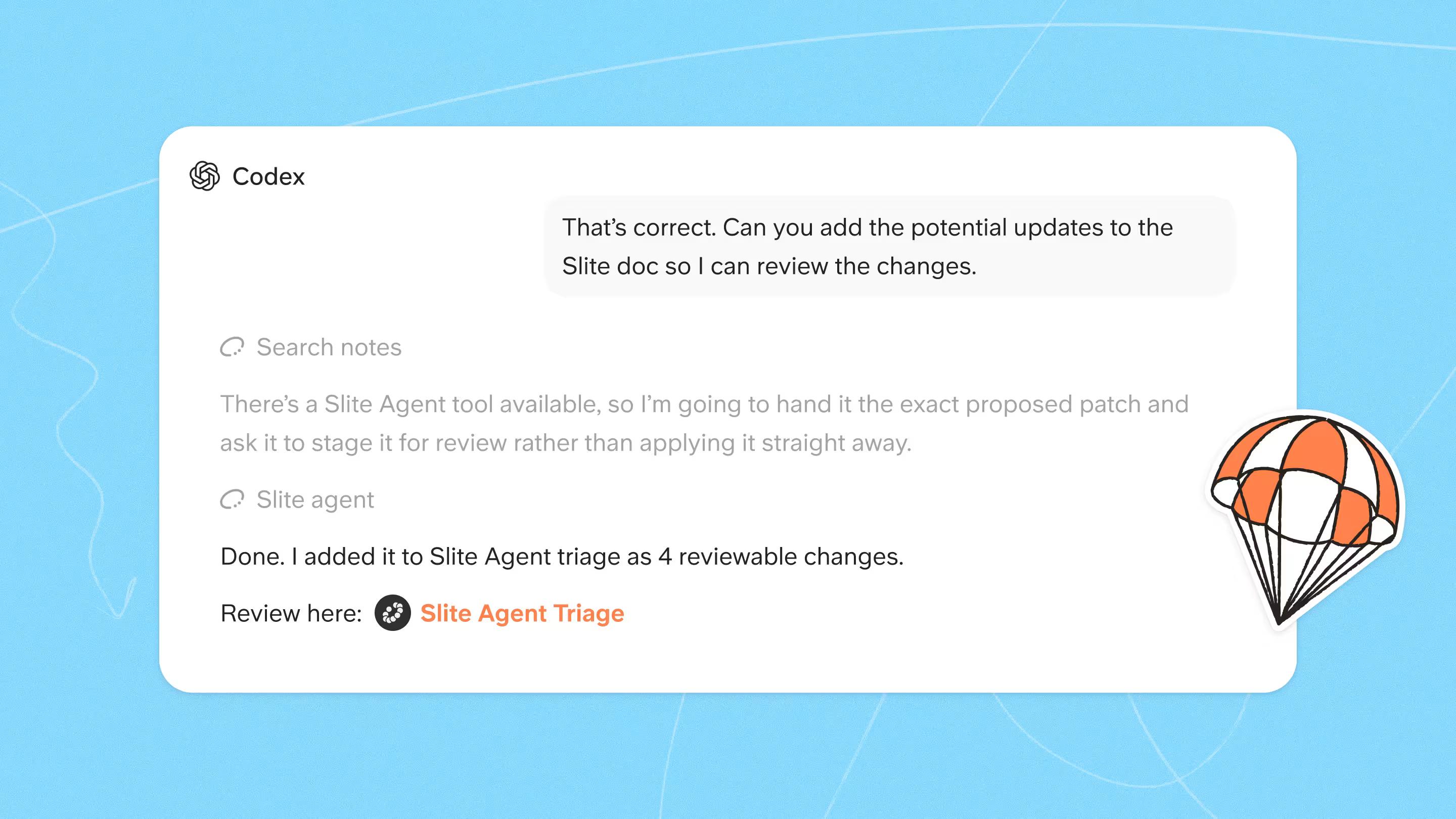
If your team uses Slite, lean on its AI search: Ask covers your Slite docs, and on Pro the Slite Agent extends that search across the tools your team already works in (Slack, Google Drive, Linear, GitHub, Jira, Confluence, and 20+ more), with source citations on every answer.
The runbook itself should include example use cases, a getting-started guide, and the FAQs that come up most often.
4. Get feedback and allow for updates
Once your internal documentation process and company knowledge base are released, hold a focus group or open feedback as part of the development process.
Allow people to @tag you and comment with their questions, concerns, or feedback, especially helpful for distributed teams across time zones.
A feedback session a couple of weeks in surfaces patterns the builders can't see from the inside. When you're hands-on in shaping what a knowledge base is, it's hard to see how other people interact with it.
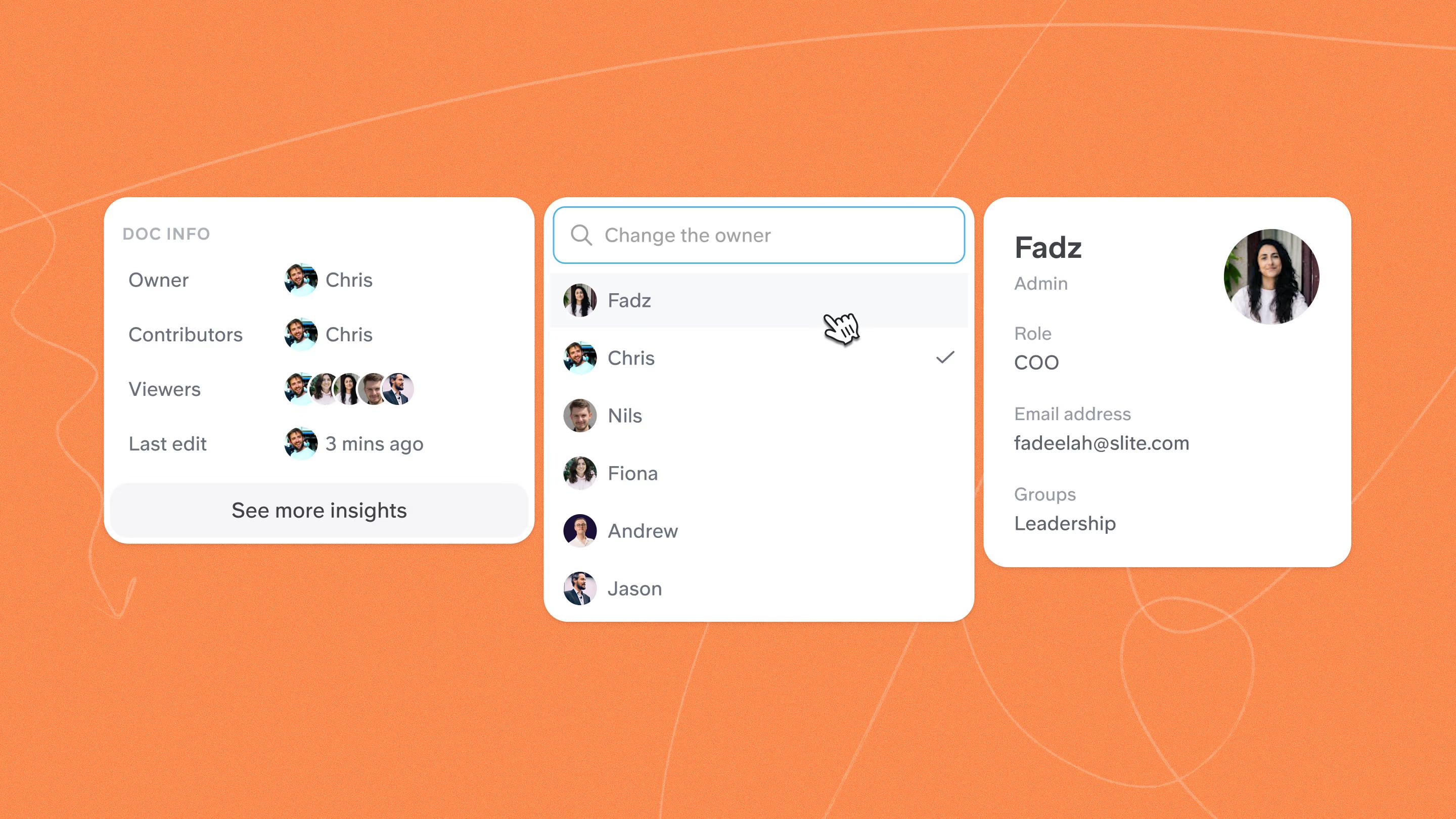
5. Assign owners by field and total project
Once owners are in place, the next job is keeping each doc accurate as the work it describes changes. Without named ownership, stale documentation is what teams end up with, repeatedly, across every group that skips the step.
The fix is the four-pillar discipline that closes this guide:
- owners per doc,
- verification loops,
- embedded answer-with-a-link habits,
- and analytics that surface decay.
In Slite, verification events show up in doc history, so an auditor (or your future self) can see exactly when an owner last confirmed a doc was accurate, and by whom.
When canonical knowledge changes faster than the docs, teams revert back to Slack, and from there the same answer ends up scattered across Slack, the wiki, and one-on-one DMs.
Once owners are in place, an AI search layer over your knowledge base plus the tools your team already works in (Slack, Drive, Linear, GitHub, Confluence) closes the last-mile gap.
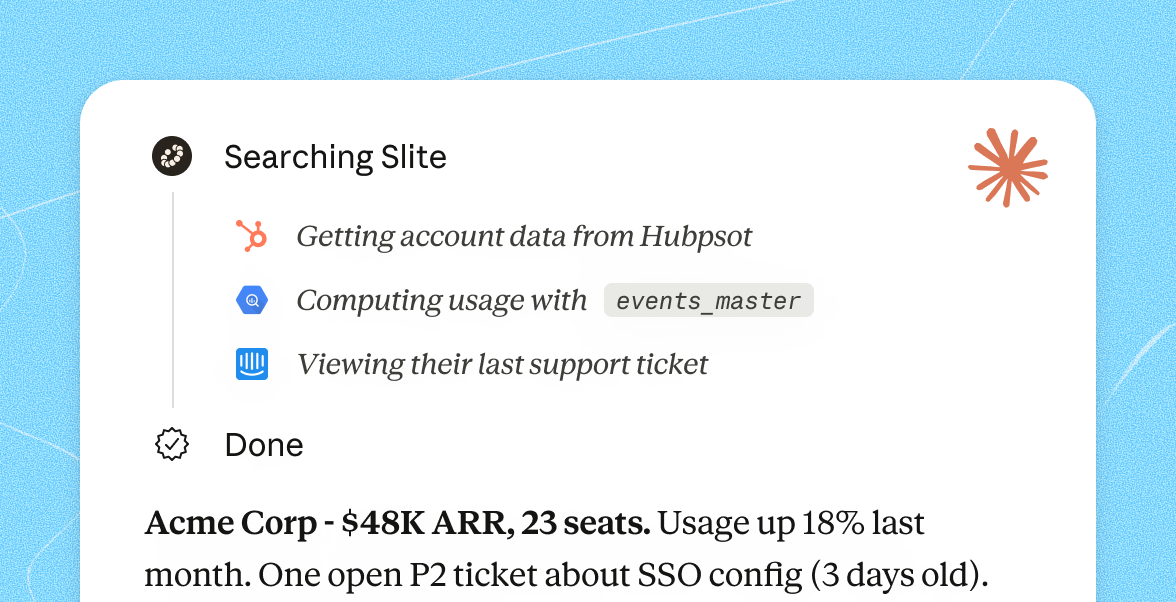
Slite's Pro plan is built around exactly this: a knowledge base where docs stay clear, plus enterprise search that finds the answer wherever it actually lives.
Picking the right tool is its own decision. We've put together a comparison of the knowledge base tools we'd recommend, including how each handles ownership, verification, and AI search.
How to keep documentation findable and current with AI
Most teams treat this problem as a search problem, but that would has always been a workaround. The real problem is having cited, source-linked answers, in the same tool where the content actually lives and its maintenance. Search only helps when the underlying docs are still true.
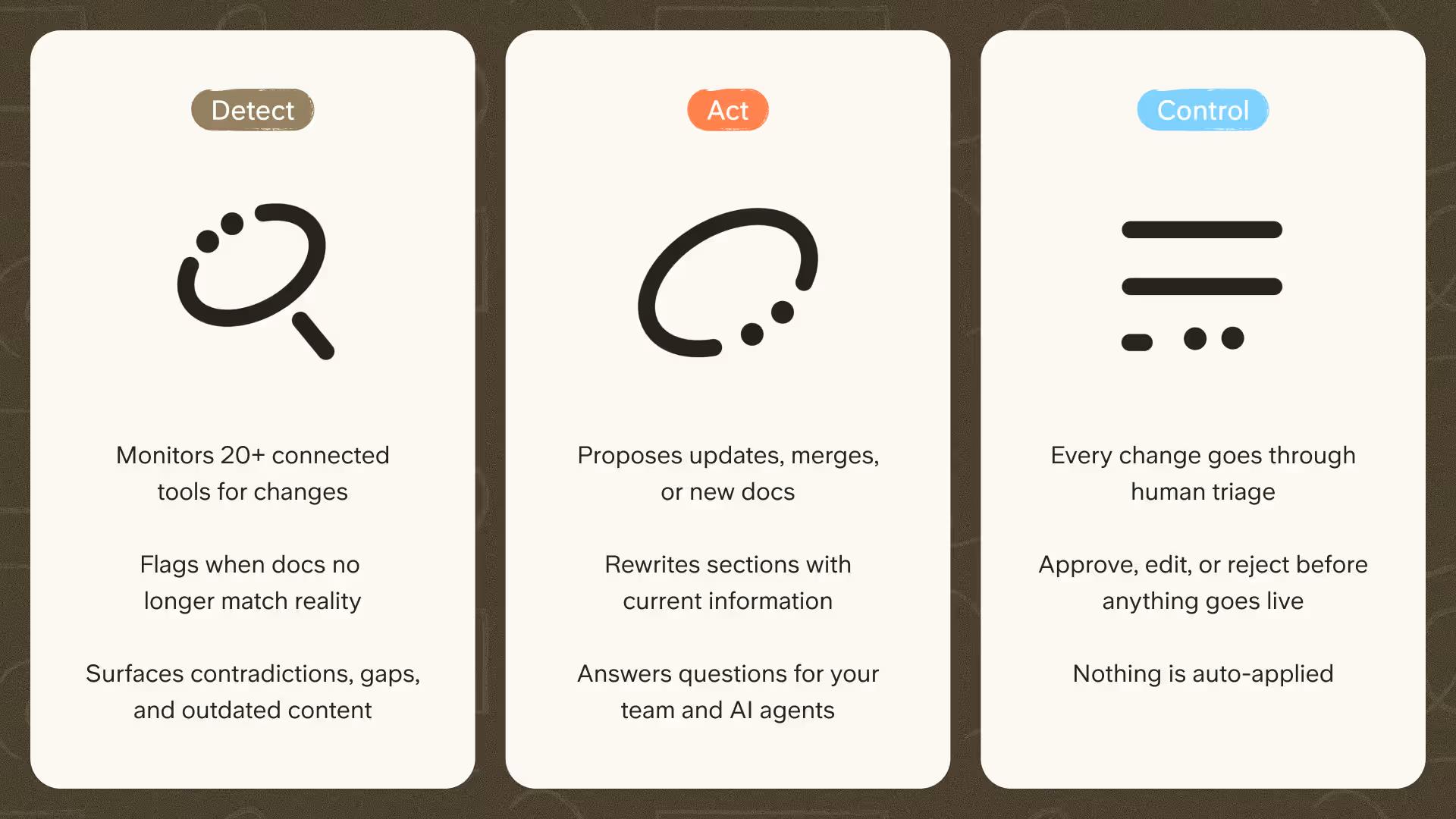
That's what a self-maintaining knowledge base is built to address. Slite's approach pairs the knowledge base with the Slite Agent, which works in a detect, act, and control loop: it flags docs that look outdated, drafts what a fix could look like, and routes it to a human who approves the change before it becomes the source of truth. Nothing becomes truth without a person signing off.
The results show up as fewer interruptions. Wuffes, an ecommerce brand, cut repetitive internal questions by around 70% within six months of putting this into practice.
The same discipline scales best when your recurring workflows are written down in the first place; our guide to process documentation covers how to capture them so the agent has something accurate to maintain.
The point, for anyone running operations, is simple. When a doc stays current and searchable, the next person who would have asked in a Slack thread gets the sourced answer right there, and the question stops circulating.
Keeping internal documentation that actually stays useful
We've watched what works. The teams that keep internal documentation accurate over years all converge on the same four-pillar discipline:
- Ownership: a named owner per doc.
- Verification: a verify-then-decay loop with reminders.
- Embedded habits: answer Slack questions with a link to the doc, and integrate docs into the tools the team already uses.
- Analytics: surface low-engagement or stale content for review or archive.
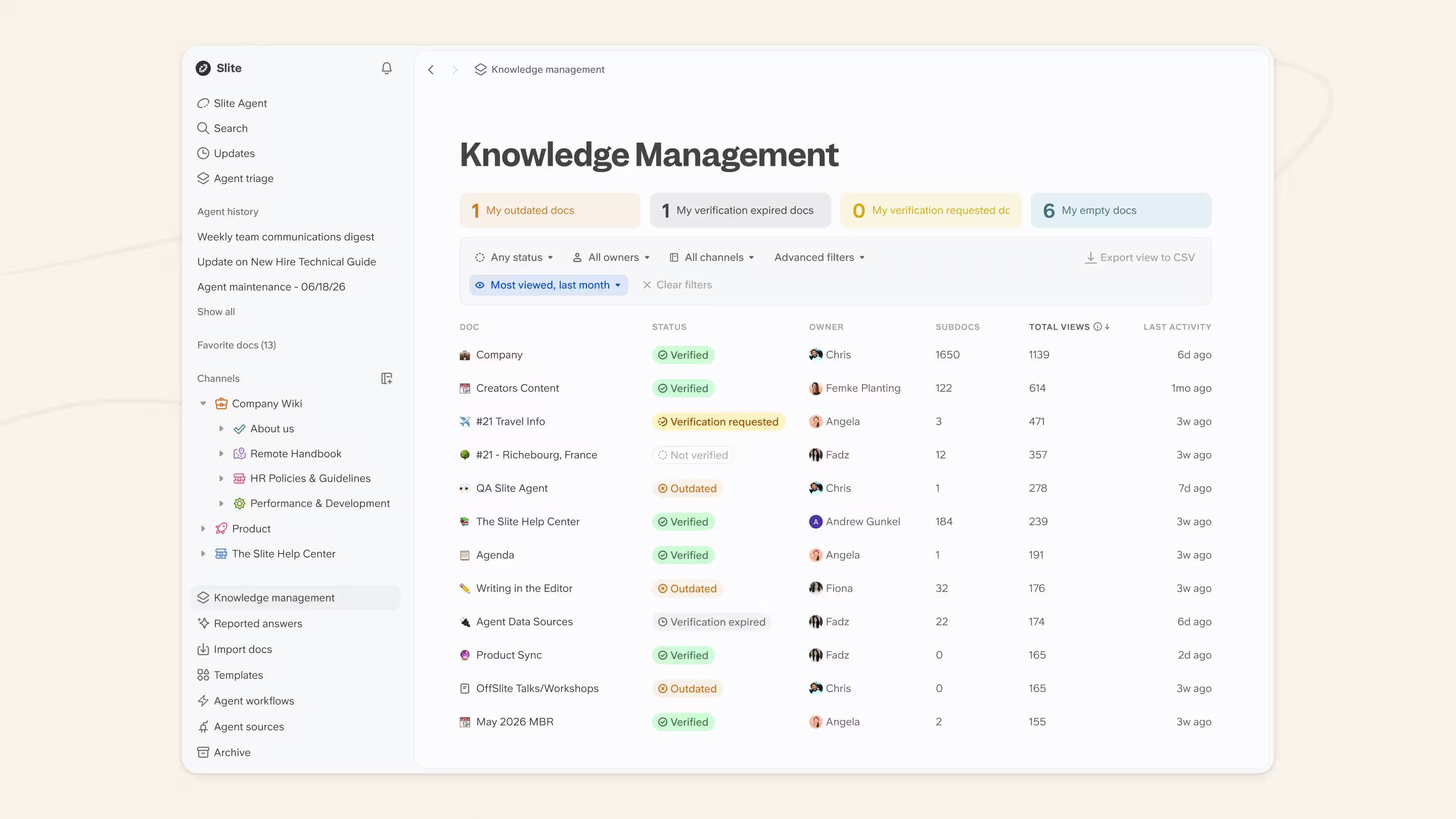
The analytics pillar is where you find out whether any of this is working.
Track page views, the terms people search, and the questions they still ask, because those signals show you where docs are missing or unclear.
The need is real: fewer than 1 in 20 docs gets updated in a given month across active knowledge bases, a rate drawn from Slite's own workspace telemetry.
None of this holds without a culture that backs it. Make writing things down part of how the work gets done, answer questions with a link instead of a private reply, and have leaders model both, so documentation reads as the default rather than an extra chore.
When this discipline is in place, the Slack-revert pattern stops:
- New hires self-serve.
- Wasted work from following stale docs becomes rare instead of routine,
- and the knowledge base becomes the single source of truth and needs to keep being used.
Slite's Pro plan is built around these four pillars: a knowledge base where docs stay clear, plus AI search across the tools your team uses. Its Knowledge Management Panel is the analytics layer. The panel surfaces stale and high-traffic docs, sorts by last activity or view count, and exports any view to CSV for a coordinated audit. It's also accessible via API and MCP, so teams can build automation on top of doc-health data.
Frequently asked questions
How do you structure internal documentation so people can find things?
Structure it around how the team works, not around who wrote it. Define a top-level index, group docs by process, and use a consistent naming convention so the same thing is never called two different names. A predictable hierarchy, with categories and a table of contents, means a reader can reach most answers in one or two clicks instead of asking a colleague.
What format makes internal documentation easiest to read?
Short, scannable, and templated. Lead each doc with the answer, then the detail, and keep paragraphs tight. Use headings, bullets, and tables so readers can jump to the part they need, and break up long passages with a diagram or screenshot. Standardized templates keep every doc in a shape readers already know how to scan.
How do you consolidate scattered internal docs into one source of truth?
Audit everything first, wherever it lives, from Confluence and Google Docs to Slack threads. Pick a single canonical home, then migrate only the docs that are still accurate and useful. Archive the rest rather than porting the mess wholesale. It's usually less work than teams expect, because most of what's scattered is already out of date.
How do you keep internal documentation from going stale?
Name an owner for every doc, set a verification cycle so each one is re-confirmed on a schedule, and make answering questions with a link a team habit. Analytics that surface low-engagement or outdated pages tell you where to focus. AI can help by flagging docs that look outdated so a human can review and refresh them.
Where should internal documentation live?
It should live in one searchable home the whole team can reach, rather than spread across chat, drives, and email. A dedicated knowledge base or wiki works best, especially one that connects to the tools you already use. Our comparison of knowledge base software walks through how the main options handle ownership, search, and maintenance.