Automated documentation: from scattered knowledge to structured docs
The Slite Agent automatically builds structured drafts from your team's historical context, keeping your documentation consistent and complete from the very first word.
Most of what your team knows never makes it into a doc. It stays siloed in your system of record, your support inbox, and Slack threads from months ago.
So we built a way to automate your documentation using the context already sitting in those tools.
Point the Slite Agent at Slack, Intercom, or Google Drive and you start from a first draft instead of an empty page.
What is automated documentation?
Automated documentation is the practice of using AI to draft, organize, and maintain internal docs from knowledge that already exists in your company tools, so your team writes and updates far less by hand.
The source material is real: support conversations in Intercom, decisions in Slack, files sitting in Google Drive.
Done well, it covers the whole lifecycle:
- creating pages,
- assigning ownership,
- and keeping content accurate as your company changes.
How it works
Starting with documentation automation is easy with the following three steps:
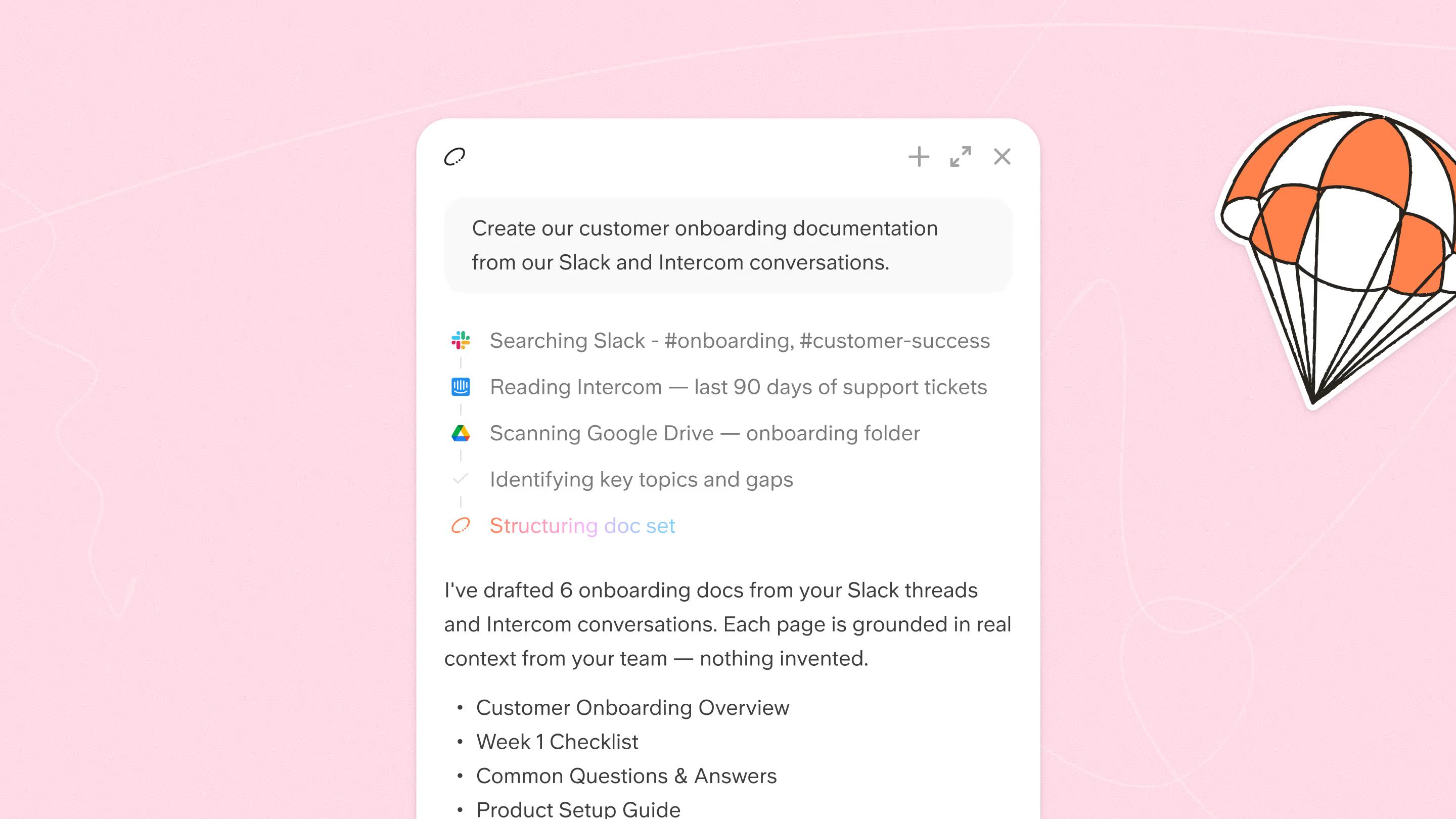
Draft a full doc set from one prompt
Point the Slite Agent at Slack, Intercom, or Google Drive, then give it a prompt or a template. It drafts a complete set of structured pages built on your company's real context, ready for you to accept, adjust, or reject.
Give every doc an owner
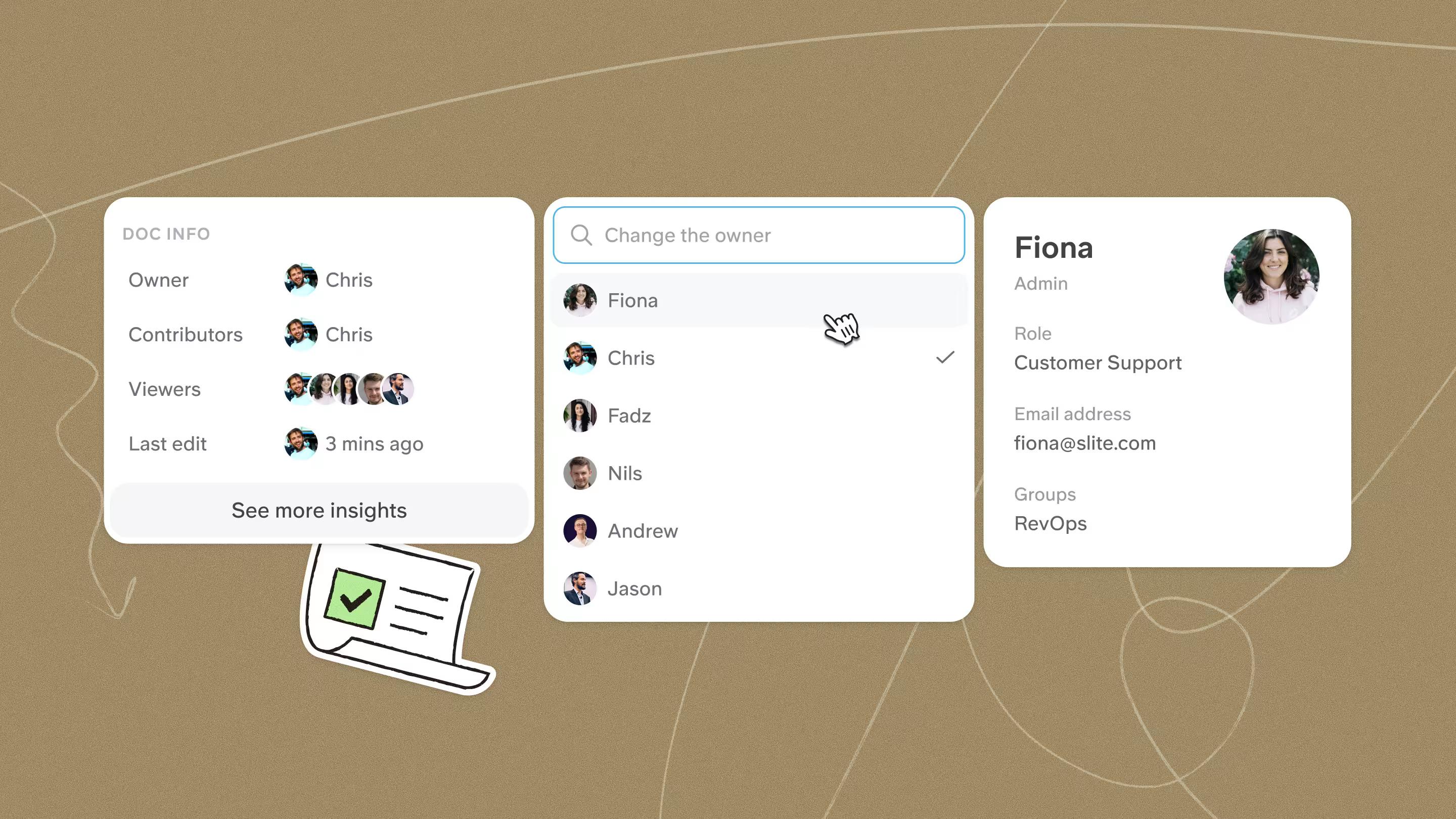
Ask the Agent who should own each new page. It analyzes your team's activity and suggests the person closest to the topic: legal pages to your finance lead, support macros to a support team lead. You confirm ownership across the entire doc set in one click.
Turn on self-maintenance
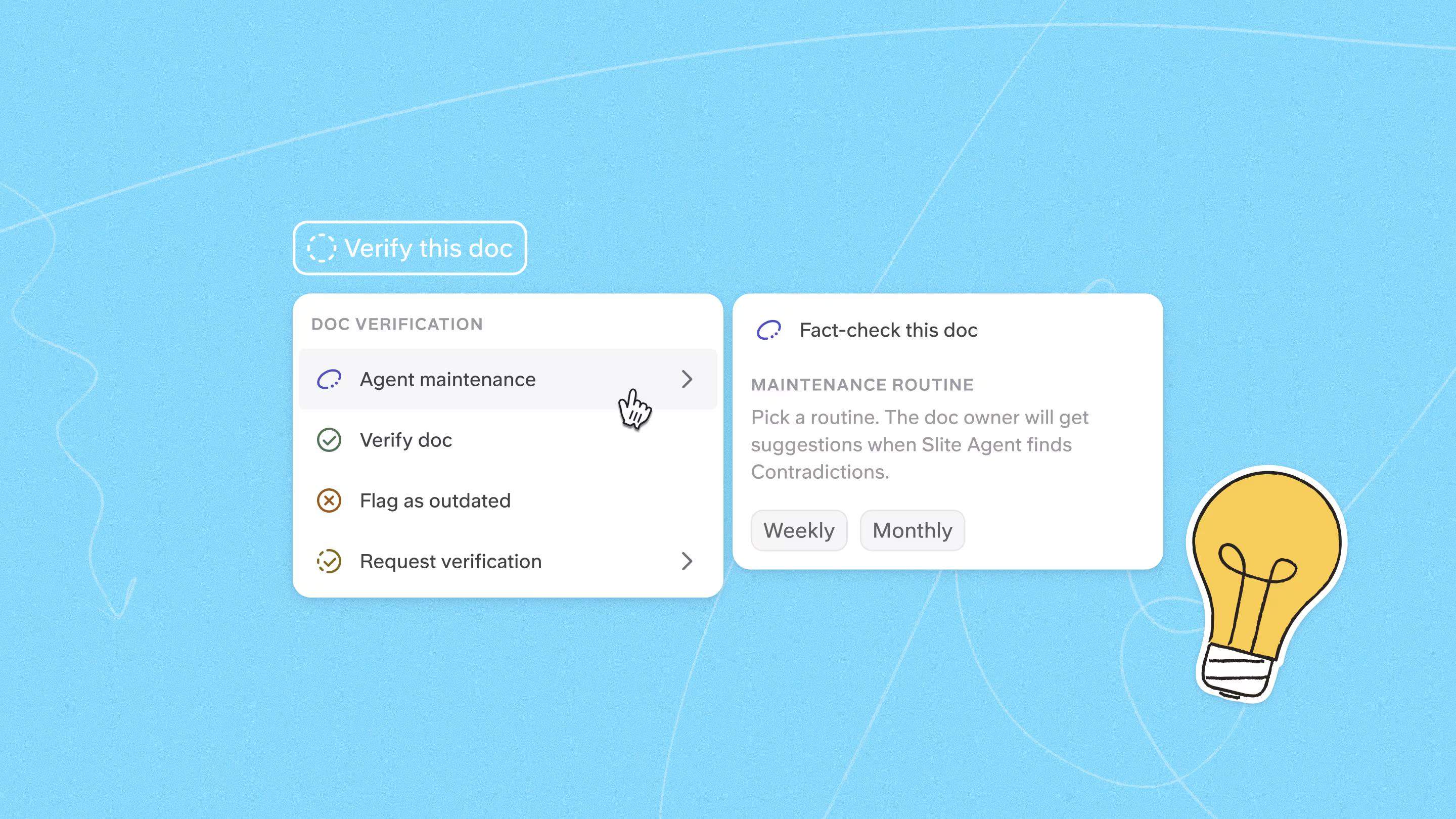
Enable Agent Maintenance and pick a cadence, weekly for example.
The Agent then checks each doc against your live tools, goes through it claim by claim, and queues proposed updates in your triage. The Agent does the research, you make the final call.
What kinds of docs can you automate?
Anything your connected tools already know about.
Teams usually start with:
- SOPs and process docs. How refunds actually get handled, drafted from how your team handled them in Intercom.
- Support guides. The answers your team keeps retyping in threads, turned into pages anyone can find.
- Policies. Legal, finance, and HR pages that carry a verification badge and a review date, so people trust what they read.
- Onboarding docs. New joiners learn how the team works today, instead of how it worked when someone last touched the wiki.
What changes for your team
- From scattered chaos to structured truth. Instead of searching through endless Slack threads and outdated Drive folders, your team gets a single, organized knowledge base where the answers are clear and cited.
- 100% doc ownership. Every document has a clear, active owner from day one. When questions arise, everyone knows exactly who is responsible for the answer, driving team adoption to 90% and beyond.
- A knowledge base that maintains itself. Your documentation stops being a static graveyard of old ideas. It becomes a living system that flags drift every week, so your team can trust that what they read is accurate.
The fastest way to judge automated documentation is to run it on your own knowledge. Book a demo and we'll build the first doc set with you.
FAQ
Can AI write documentation from Slack conversations?
Yes. Once Slite is connected to Slack, the Agent can turn decisions, processes, and answers buried in threads into structured docs. Each draft is grounded in your real sources, so you can check where a claim came from before you approve the page.
How is automated documentation different from a document generator?
Document generators assemble outbound files (contracts, proposals, PDFs) from templates and form fields. Automated documentation is about your internal knowledge base: drafting SOPs, guides, and policies from your team's real activity, then keeping them accurate over time. If you need to generate contracts, pick a document generator. If you want a knowledge base that writes and maintains itself, that's Slite.