A company knowledge base is essential for storing and sharing docs, as well as for skyrocketing your customer and employee experience.
As a team building remotely since 2016, we often know the value a knowledge base can bring to a business.
Yet many teams are still struggling with scattered docs around mulitple platforms across teams and departments, unsure how to make their SOPs, playbooks, policies and other documentation centralized and trustworthy.
In this article, we'll explore everything you need to know about knowledge bases, the benefits they can bring your team, and how to implement a proper knowledge base that will bring profitable change to your company.
Key takeaways
- A knowledge base is a single, searchable source of truth. Internal knowledge bases serve employees; external ones serve customers.
- A knowledge base is related to, but not the same as, a wiki: a KB has selected contributors, assigned owners, and verified content.
- You can build one in 7 steps, from defining scope to keeping it maintained.
- The benefits show up in productivity, onboarding, and customer experience.
- Modern knowledge bases lean on AI for search and for keeping content current.
What is a knowledge base?
A knowledge base is an information repository created, managed, and maintained so people have one searchable source of truth.
There are generally two types:
- an internal knowledge base that serves employees,
- an external one that serves customers.
It overlaps with a company wiki, but the two are not identical (more on that below).
What is the purpose of a knowledge base?
The purpose of a knowledge base is to centralize important information so people have a go-to source that they make sure to keep updated and reliable.
That said, building a knowledge base is intendend to increase employee efficiency and productivity, customer satisfaction as well as improve knowledge transfer and keep the most relevant company know-how even after certain employees leave.
The bigger your team, the bigger your knowledge base.
Across real Slite workspaces, a solo user keeps about 4 docs, a team of 2 to 5 people around 39, a team of 6 to 15 about 231, and a team past 50 people over 1,250.
That works out to roughly a 10x jump with every doubling of team size.
What's the difference between a database and a knowledge base?
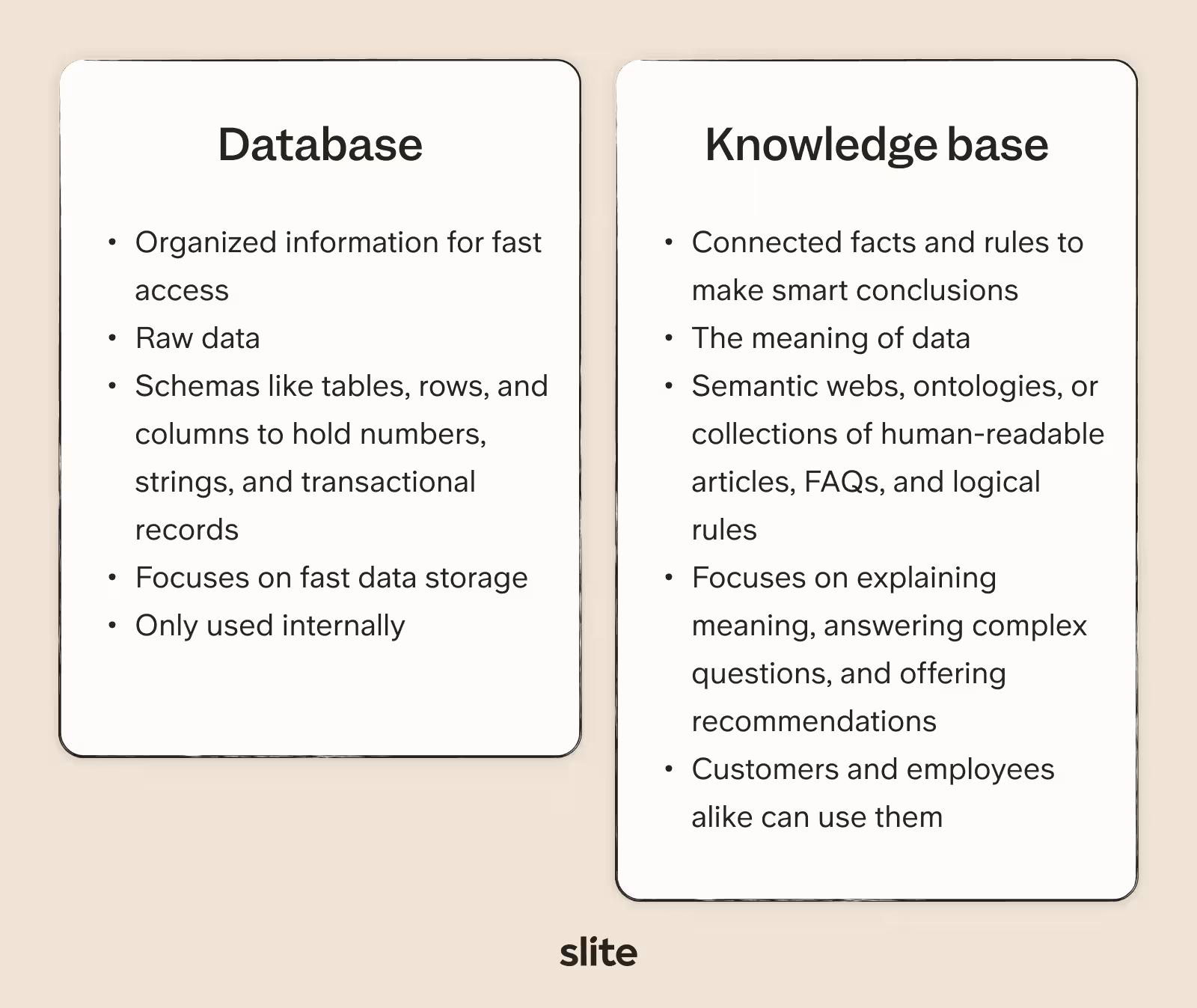
The difference between a database and knowledge base is: a database stores organized information for fast access, while a knowledge base uses connected facts and rules to make smart conclusions.
Databases provide raw data while knowledge bases explain the meaning of that data and help customers and employees use those facts in a productive manner through articles.
Knowledge base vs. wiki: what's the difference?
People often use "knowledge base" and "wiki" interchangeably, but the difference comes down to ownership.
- A wiki is open: everyone can contribute, there's usually no single owner, and structure emerges as people add pages.
- A knowledge base is more deliberate: it has selected contributors, assigned owners, a structured hierarchy, and content that gets verified and kept current.
If you want the full comparison, see our guide on knowledge base vs. wiki.
Knowledge base use cases
Knowledge bases are useful in any team of a growing company, but the most common use cases we come across are in:
- Customer service - Knowledge bases let customer support teams easily find answers to customer questions and fix issues faster.
- Product information - Knowledge bases can store product instructions, training, and guides for customers and workers to find. They become information centers for products.
- Sharing information at work - Companies can use knowledge bases to capture expertise, processes, and the tribal knowledge that would otherwise live only in senior employees' heads. This helps get all employees on the same page with shared information.
- Chatbots - Chatbots use the information in knowledge bases to understand questions and give answers in conversations. The knowledge helps make chatbots smarter.
- Expert decision-making - In areas like healthcare, finance, law, knowledge bases help capture expert knowledge. This assists professionals in making better choices.
- Search engines - Enterprise search uses knowledge bases to better understand the meaning behind searches. This helps give users more relevant results.
What are the benefits of an effective knowledge base?
Whether you're building an external (B2B) or internal (B2T) knowledge base, there are so many benefits that a good knowledge base can bring.
If you're looking to build a business case for improving your knowledge management setup, look no further.
Store all company knowledge
Every day brings an enormous amount of data and information that runs the risk of being lost when stored in multiple places: from different tools like personal Google Drive files or notes to sitting silent in someone's mind.
A good knowledge base manages and organizes company-wide information, so it's accessible to those that need it, as well as never running the risk of getting lost or having it leave when talent leaves.
You're sure to keep this information for the long term, strengthening your company's foundations, avoiding long-term knowledge gaps, and decreasing knowledge dependency on just specific people in the team.
Increase team productivity
A good internal knowledge base will help your employees find the right information quickly without having to (virtually) tap on their teammates' shoulders, pestering colleagues with common questions, and repeatedly distracting them.
The McKinsey Global Institute found that social technologies that improve communication and collaboration could raise the productivity of knowledge workers by 20-25%.
By creating a knowledge base with a search function, you let your team work more independently, spend less time asking questions, and make contact time more productive.
Enhance employee onboarding
Growing your team is no easy task. SHRM benchmarking puts the average cost to hire one employee at nearly $4,700, and hiring managers still spend a large share of their days walking each new recruit through the basics.
Building a knowledge base with up-to-date information will help new employees get up to speed with projects, policies, and company processes.
Documenting onboarding also ensures that every employee has an equal onboarding experience and misses nothing.
An employee knowledge base gives new employees a feeling of autonomy. Any employee has a ton of information they need to consume in their first few weeks with a new business, like:
- understanding the functionality of a new CRM,
- getting to know support staff and other team members,
- discovering new file formats
Often new employees don't have the confidence to ask for a process to be repeated, or even know who to ask to get their answer in the first place.
A knowledge base gives employees the option to familiarize themselves with the company in their own time and search for the resources they need.
Improve customer experience
Knowledge base articles play a vital role in the customer-facing side of a knowledge base, as they help customers self-serve and troubleshoot their own questions.
A customer knowledge base is not only for answering concerns or problems. It can lift a customer's experience by enhancing their knowledge of your product or service, helping them understand release notes or docs, and getting the maximum potential out of what you're providing.
By setting up a detailed and UX friendly customer knowledge base, you'll free up your customer success and customer services teams so they can focus on larger issues or more impactful cases.
Types of Knowledge Bases
There are several ways to categorize types of knowledge bases.
Based on end-user
There are two types of knowledge bases when it comes down to the end user:
- business to team (B2T, from now on)
- business to customer (B2C).
Let's explore both.
Type 1: Internal Knowledge Base (B2T)
Employee knowledge base also known as internal knowledge base provides every piece of information your employees could ever need; this includes:
• Company policies
• HR process
• Product roadmaps & projects
• Employee onboarding material
• Process documents
• Company and team structure
The list is long and will change depending on your type of business.
Knowledge base for employees essentially exists to ensure that your employees can search for the information they need of their own accord and not rely on others within the business to help with information.
Type 2: External Knowledge Base (B2C)
A customer knowledge base, also known as a help center or resources hub, is an example of an external knowledge base aimed at fulfilling customer satisfaction rates and their success with your product or service.
They're typically built on FAQs and can save your customers, and your support team, a lot of time. Overall, they create a better customer experience management.
This type of knowledge base often includes:
• User guides
• FAQs
• Troubleshooting
• Walkthroughs and tutorials
• Pre-recorded success webinars
• Customer support contact information
Again, with this type of knowledge base, the information you provide may differ depending on your product or service. The structure of your customer knowledge base may also change depending on what your customers deem as a priority.
In all, both types of knowledge base work as self-service help desks, improving your employees' or customers' experience and having a positive effect on their attitude towards your business.
Based on cost and licensing
Another way to categorize knowledge bases is based on cost and licensing model, which boils down to how the software is hosted, paid for, and maintained.
Under this lens, there are two main types:
- Open-source knowledge bases (also called self-hosted knowledge bases): free (or low-cost) tools whose source code is publicly available, which you host on your own infrastructure and maintain in-house, giving you full control at the expense of setup and upkeep.
- Paid SaaS knowledge bases: cloud-hosted, subscription-based tools managed by a vendor, where you pay a recurring fee in exchange for hosting, updates, support, and a ready-to-use product out of the box.
How to create (or rebuild) a knowledge base in 7 steps
To create a knowledge base, follow these steps:
1. Define the purpose and scope
Is it internal (employee-focused) or external (customer-focused)? Also, determine the scope of your knowledge base, including the specific topics or areas it will cover.
This will help ensure your knowledge base contains everything your users need to know without forcing them to wade through bloated and extraneous data to find what they are seeking.
2. Conduct content inventory and gap analysis
Take stock of your existing resources and documentation to identify what content can be included in the knowledge base documentation.
While you are doing that, conduct a gap analysis to identify any missing or outdated information that needs to be created or updated.
A good way to do this is by examining recent problem tickets to find outstanding issues, with special attention to open tickets and solutions that don't appear in your current documentation, if you’re looking to build an external knowledge base.
When it comes to the internal documentation, try to put together a list of where all the policies, SOPs, playbooks, handbooks and other documentation lives along with their URLs, to make a migration to your new KB easier.
3. Determine the structure and organization
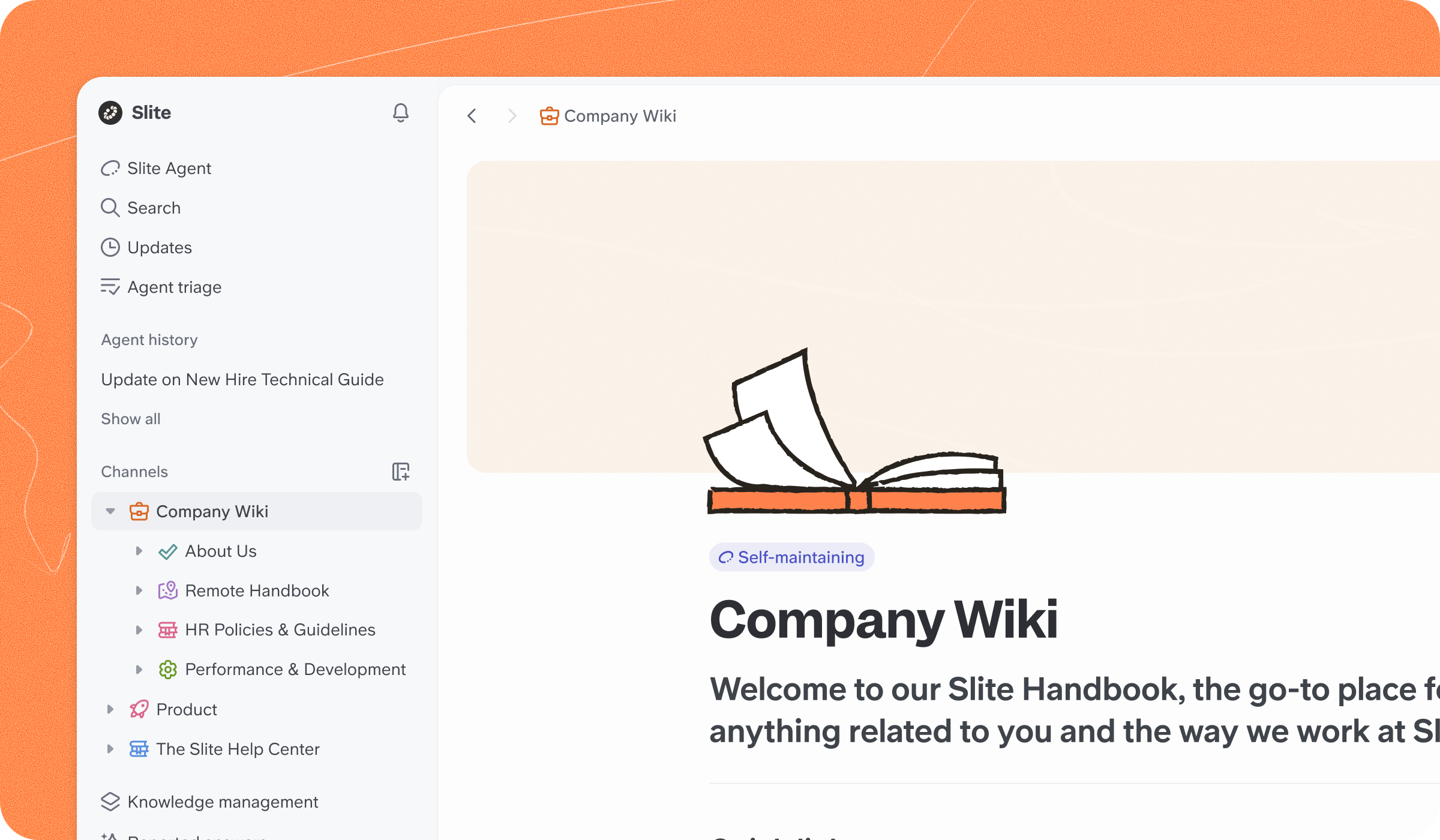
Plan the structure and hierarchy of your knowledge base to create knowledge base documentation that users can follow easily.
An intuitive, user-friendly structured knowledge base structure helps you organize the content and makes it easier for your user to crawl and navigate through the articles and find the information they need without frustration.
You can organize your categories by product type, known issues, or any other structure that suits your needs.
4. Create clear and concise articles
Your corporate knowledge base should feature informative articles that address common questions, provide solutions, and offer step-by-step instructions.
When writing knowledge base articles, use clear and concise language that your readers can follow every step of the way without becoming confused or frustrated.
Incorporating visuals like screenshots or diagrams is a great way to enhance reader understanding and make complicated concepts easier to understand.
5. Make content easy to search
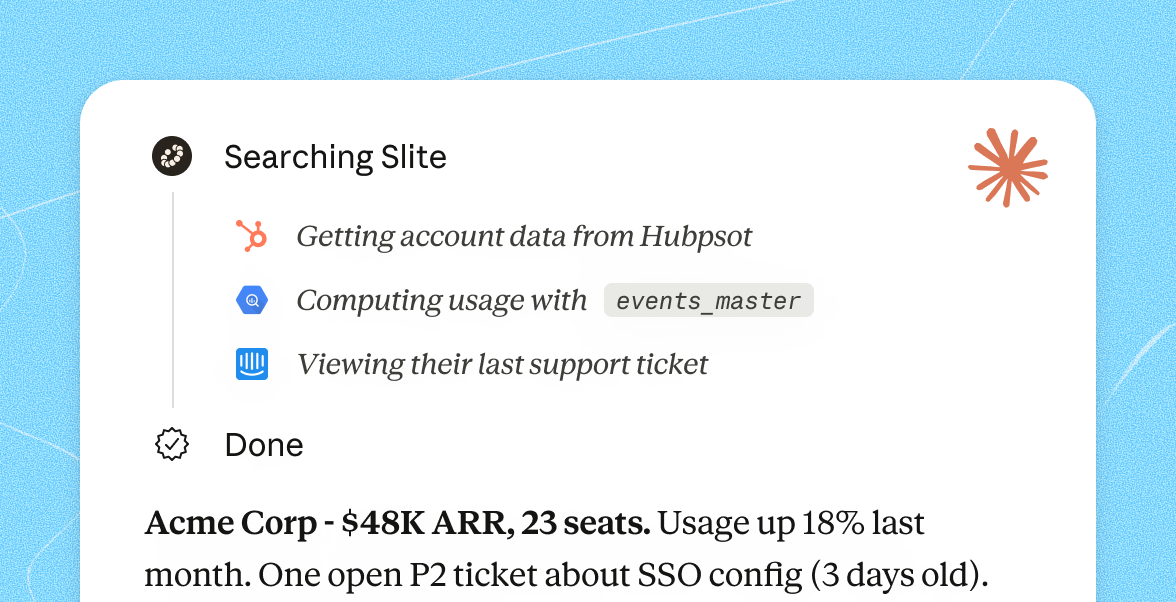
When creating a knowledge base, choose a knowledge base tool with search that actually surfaces the right answer. Search is how most people use a knowledge base, so optimize it to deliver accurate and relevant results.
When readers enter a term or a question into the search bar, they should receive a clear list of relevant results. A well-structured database laid out by topic and optimized by common keywords will make things easier for users and for you.
That's the reason why we developed Ask, an AI-powered search.
Note, also look into SEO indexing abilities of your knowledge base. If you're building an external KB or would like to share some docs from your internal Knowledge Base publicly, ensure that your knowledge base tool has SEO indexing capabilities.
6. Encourage collaboration and continuous improvement
Instead of trying to build a knowledge base on your own, foster a culture of knowledge sharing and collaboration among employees or contributors.
Encourage feedback and suggestions for improving the knowledge base content and structure.
This helps to build a sense of community among employees and customers, and helps you keep on top of problems that may arise and knowledge gaps that need to be filled.
7. Regularly update and maintain the Knowledge Base
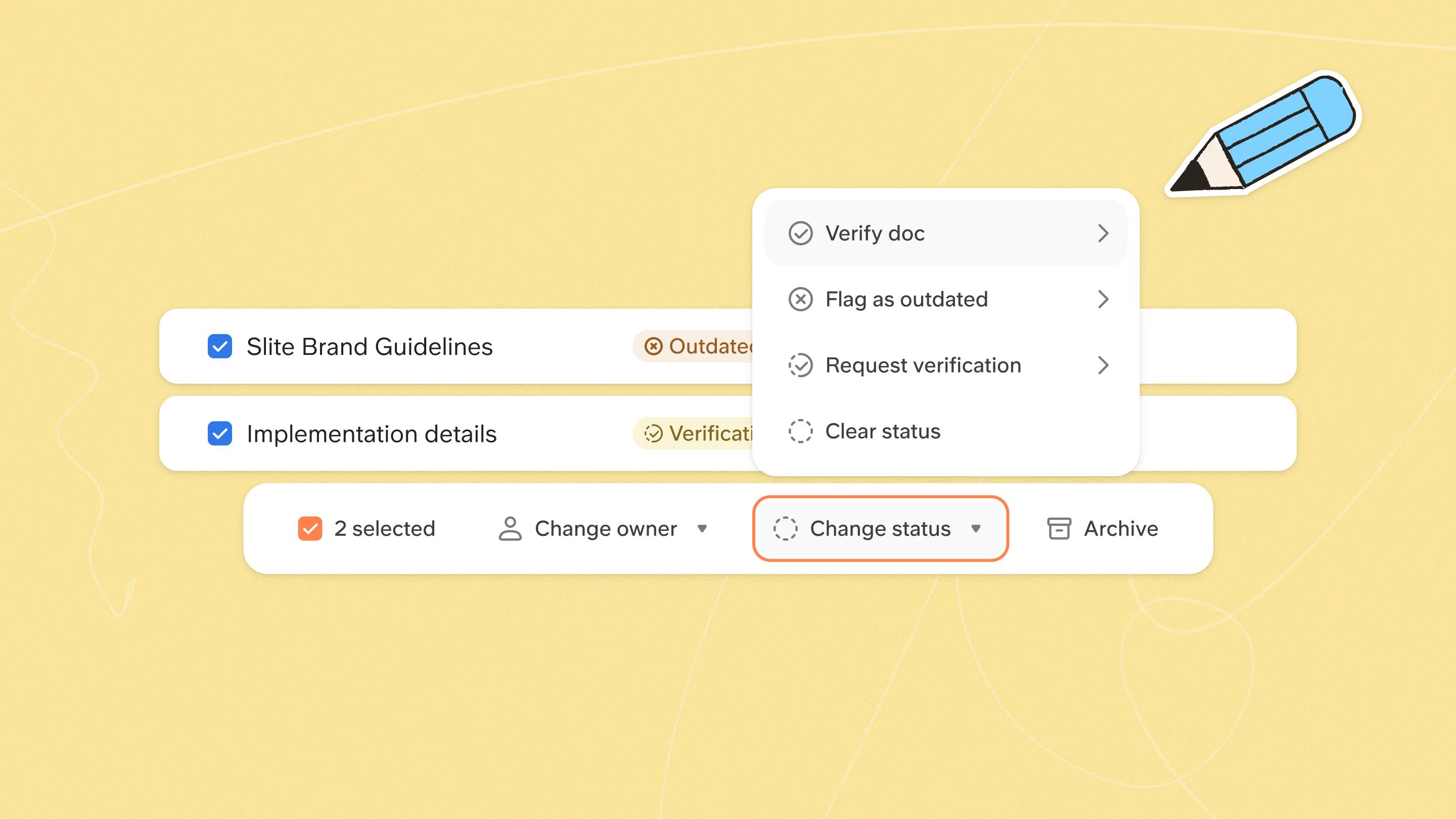
Set up processes to review and update KB articles on a regular basis, because a knowledge base goes static by default.
Across real Slite workspaces, more than 94% of documents sit untouched in a given month, so someone has to own keeping the important ones current.
As situations change and new issues arise, make sure the information in your database remains accurate and relevant.
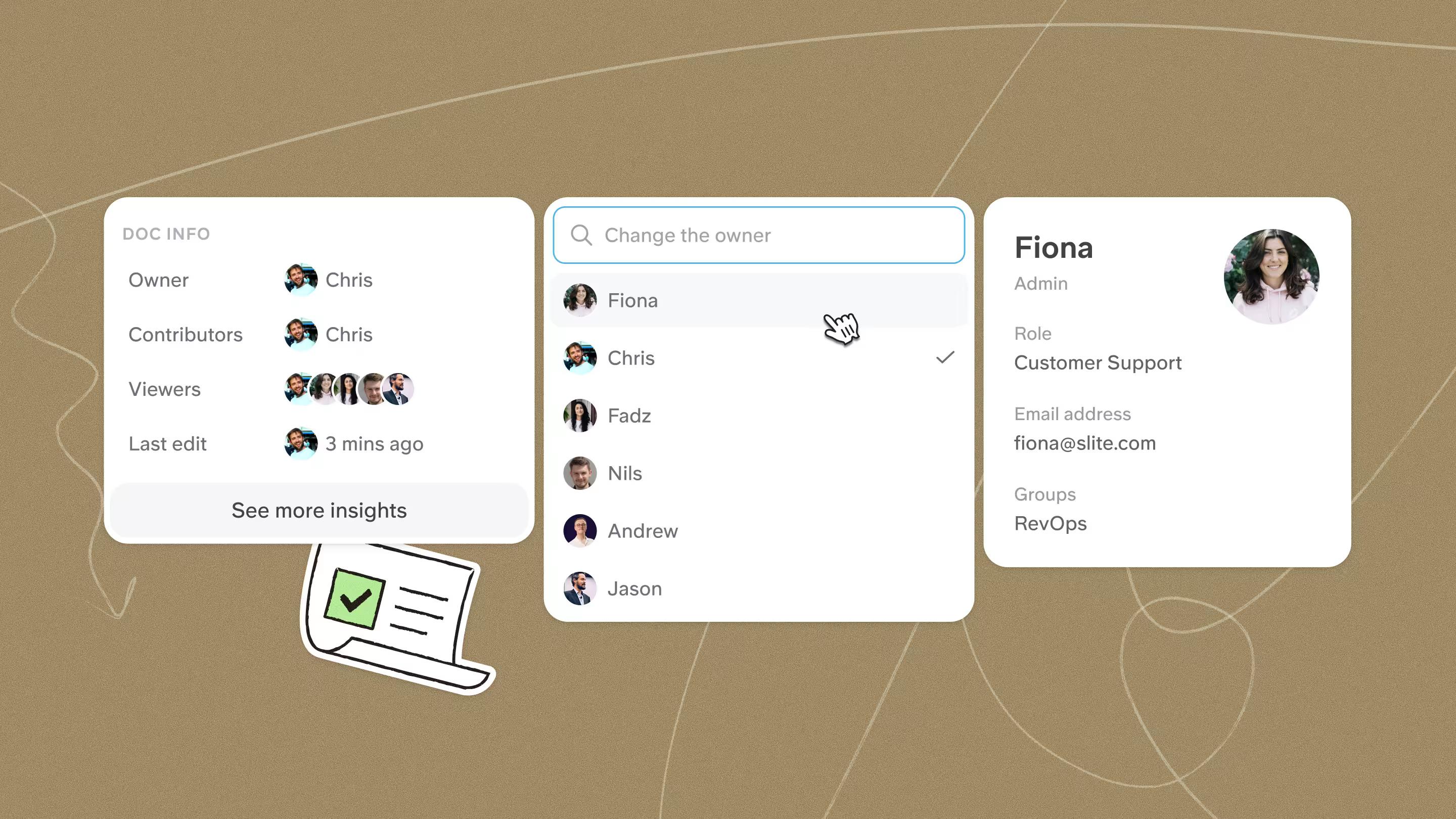
Assign ownership and responsibility for maintaining the knowledge base, and set a regular update schedule with special attention to product, service, or feature upgrades and issues that demand immediate attention.
How modern knowledge bases use AI
The definition of a knowledge base hasn't changed, but how teams run one has. Three shifts stand out, and all of them are about AI.
First, search and retrieval. Most people never write in a knowledge base; they come to read.
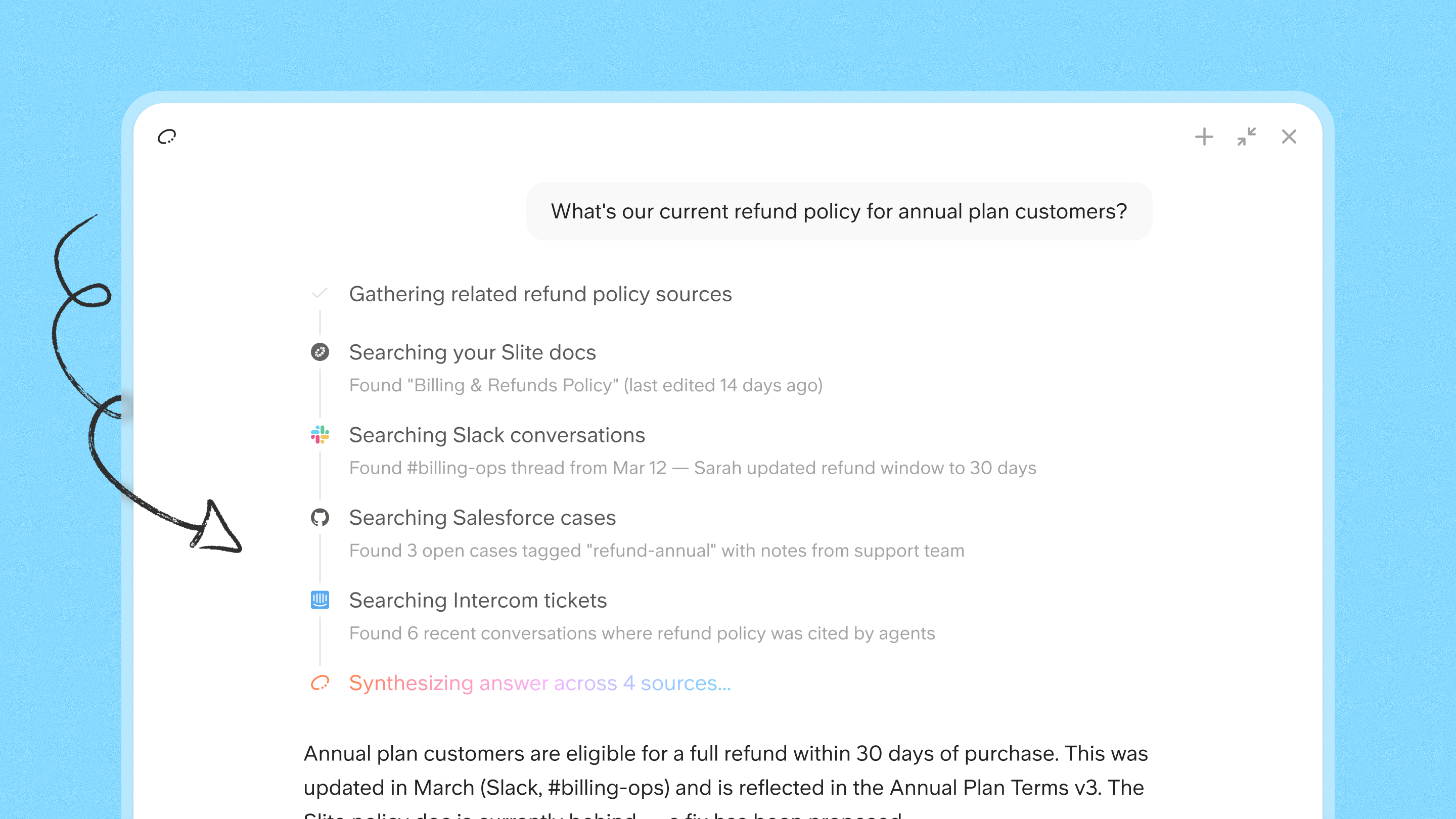
Across real Slite workspaces, about 48% of active users are pure readers and 61% rely on search. AI-powered search sits on top of the KB and answers questions in plain language instead of making people guess the right keyword.
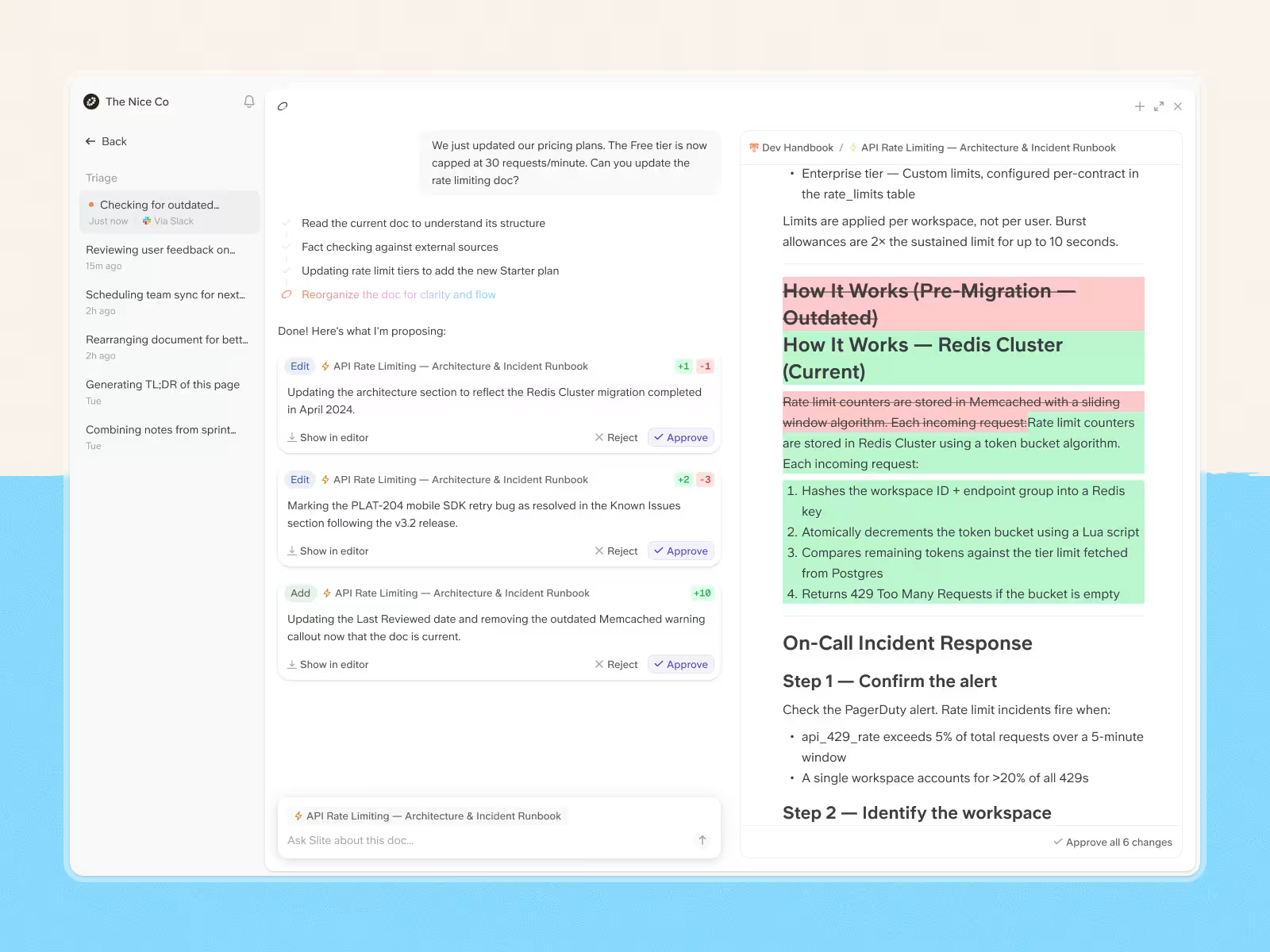
Second, self-maintenance. A knowledge base drifts out of date the moment nobody is looking. Modern tools use AI to flag stale or contradictory content and nudge owners to keep documents current, so the KB stays trustworthy without a full-time editor.
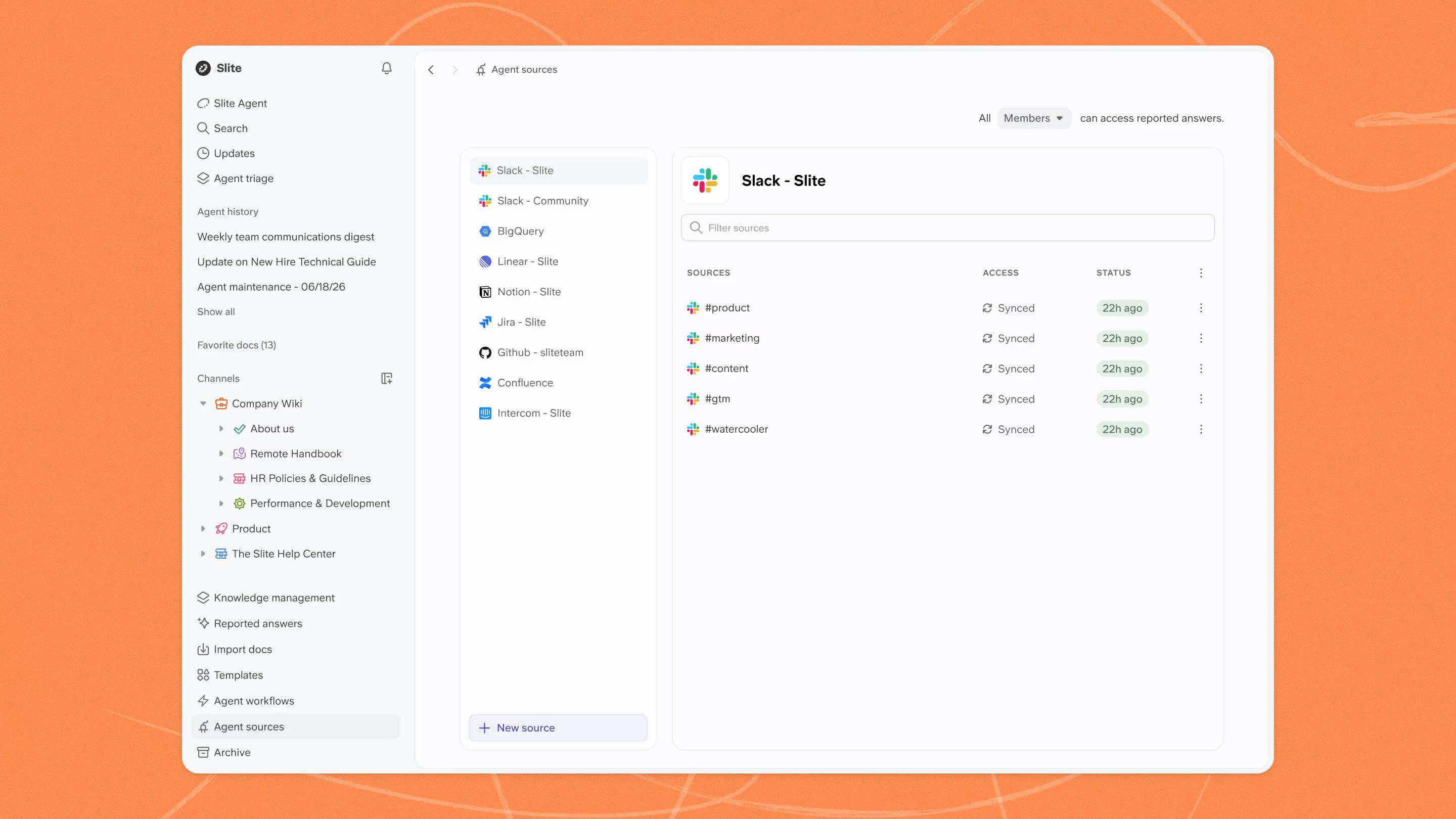
Third, grounding. When you connect an AI assistant to your knowledge base, the KB becomes the source those answers are drawn from. A well-maintained knowledge base is what keeps AI responses accurate and specific to your company rather than generic.
The takeaway: AI doesn't replace the knowledge base, it makes an accurate, well-owned one more valuable than ever.
Examples of knowledge bases
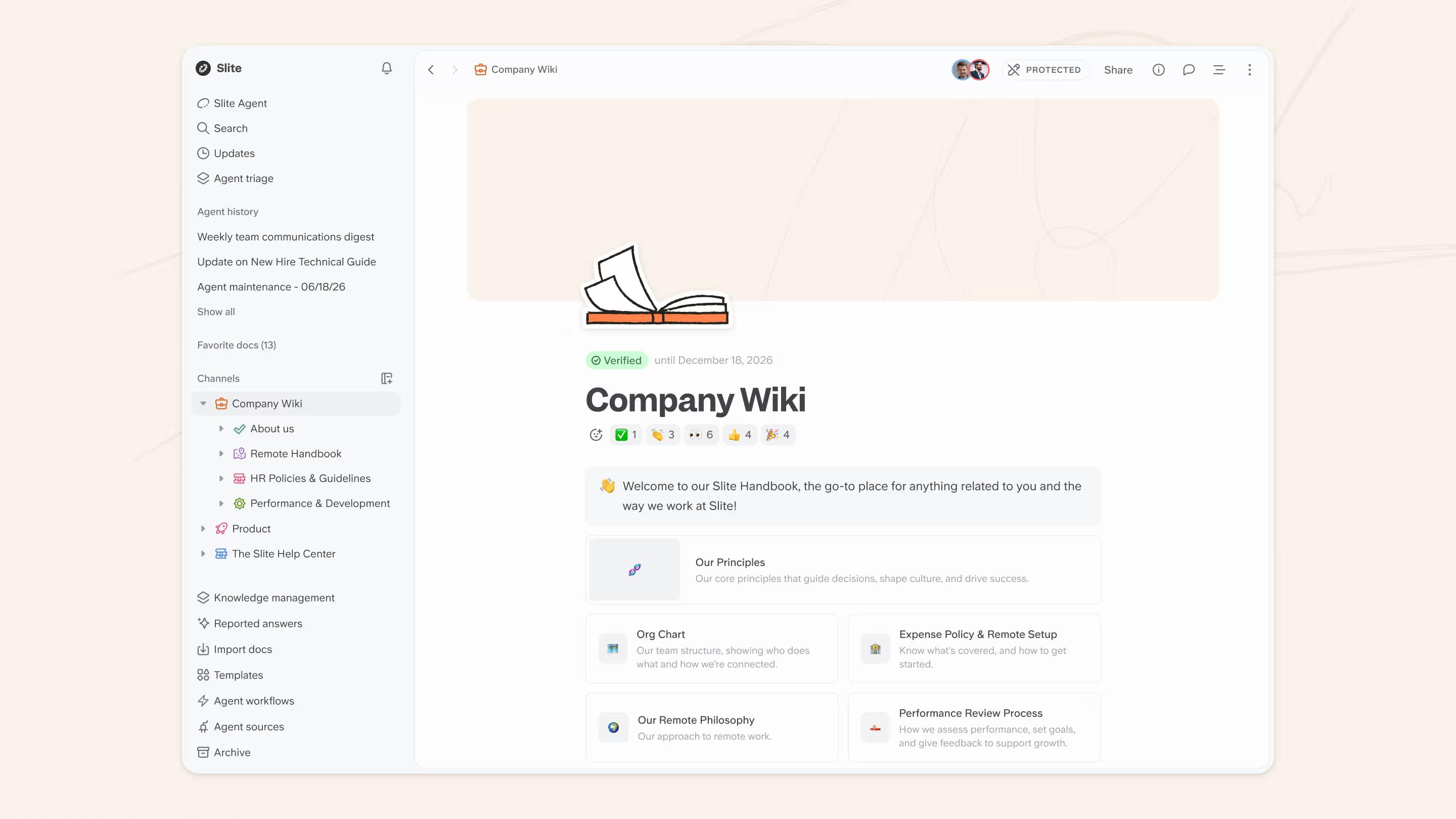
Slite (internal knowledge base)
At Slite, we use our internal knowledge base to increase productivity and collaboration across all members of your team, both humans and agents.
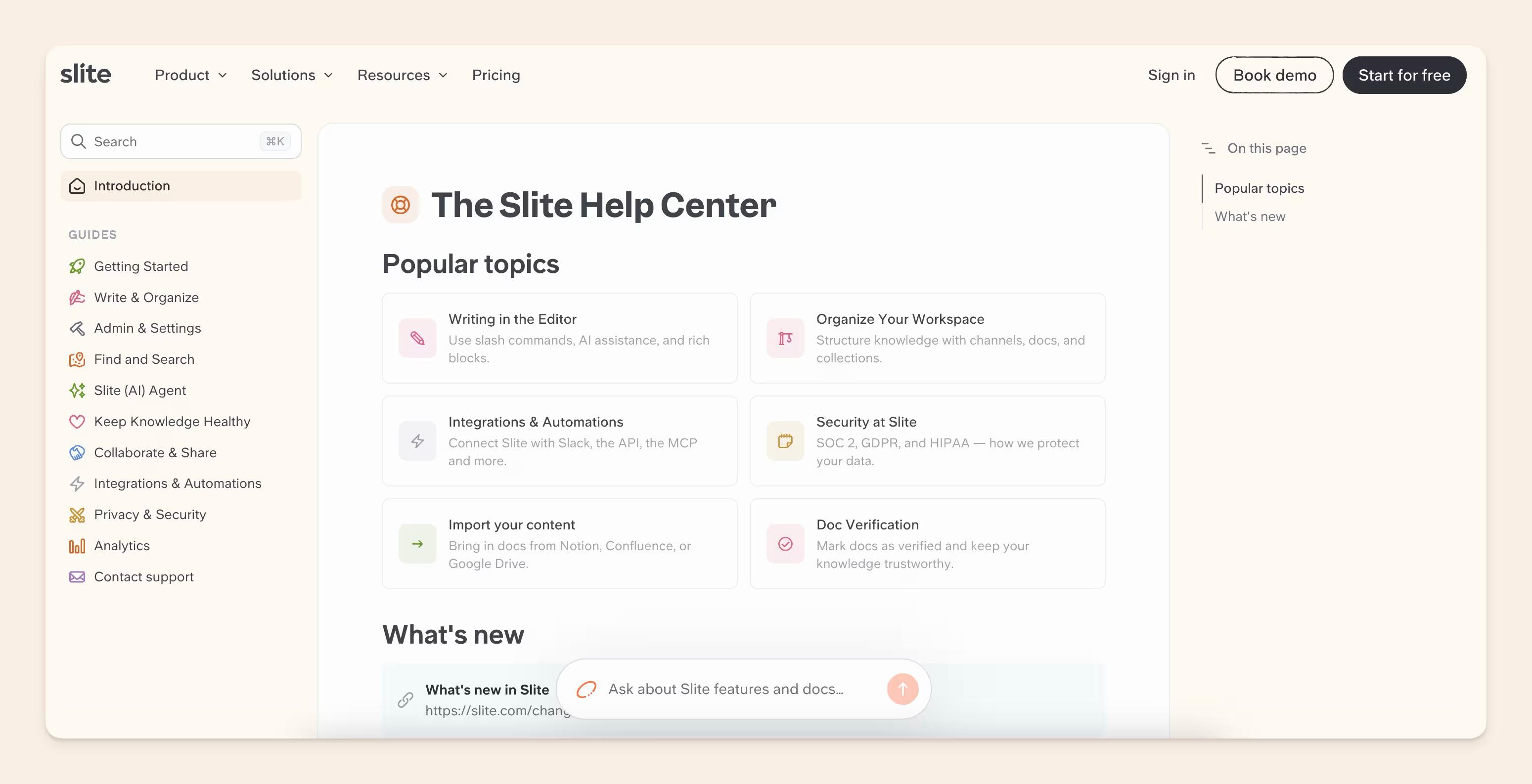
Slite help center (external knowledge base)
Our own public help center at slite.com/help is an example of an external knowledge base.
It's organized by topic, searchable, and open to anyone, so customers can find answers on their own without opening a ticket.
Want more examples of company knowledge bases that rock? We gathered some of the best from fast-growing companies like Buffer, GitLab, and Intercom in our knowledge base examples round-up.
Knowledge base best practices
A few guidelines that keep a knowledge base useful once it's live:
- Start with what people ask for most. You won't document everything at once, so prioritize the areas with the highest demand and build out from there.
- Make it collaborative. Involve the team from day one so contribution and ownership are shared, not left to one person.
- Set clear guidelines. A short standard for style and structure keeps articles consistent and easy to navigate as more people contribute.
- Write skimmable content. Short paragraphs, clear headings, bullets, and screenshots. Most people skim rather than read.
- Keep it current. A knowledge base is only as trustworthy as it is fresh, so review docs on a schedule and whenever something changes.
For the full playbook on keeping a knowledge base accurate over time, read our guide to knowledge base maintenance.
Choose the right knowledge base
Plenty of tools get used as knowledge bases without being built for it. Slack, Google Drive, and Linear all hold knowledge, but none are designed to keep it findable or current. They are systems of record that the knowledge based needs to connect to make it fully honest and up-to-date.
To get real value, look at purpose-built knowledge base software and run each option through a short checklist:
- What internal or external use cases does it need to cover?
- Can it scale as your team grows?
- Is it intuitive enough that people will actually contribute?
- Does it integrate with the tools you already use?
- Can people find information quickly through navigation and search?
- Does it help you manage and verify content, not just store it?
- Does it offer a public help center for customer self-service?
- Does the pricing stay reasonable as you add seats?
- If you handle sensitive information, how strong is its security and access control? Worth a closer look, see our guide to knowledge base security.
Once you've worked through these, you'll have a clear picture of the knowledge base you need. For a deeper comparison, see our round-up of the top knowledge bases.
Knowledge base management
A knowledge base is only as good as its upkeep. In real Slite workspaces, the top 1% of writers create about 47% of all content, and staleness is the single most common complaint we hear, so leaving maintenance to chance is how a knowledge base quietly stops being trusted.
The basics of knowledge base management are:
- give the KB articles each a dedicated owner,
- put documents on verification cycles,
- and review content whenever the company changes
Done consistently, that is what keeps people, and any AI reading the docs, confident the answers are right.
Read our dedicated guide for more strategies on knowledge base maintenance.
Measuring knowledge base metrics
You don't need a dashboard full of vanity numbers. A few signals tell you whether the knowledge base is actually working: how often docs get opened, what people search for and fail to find, how much is being created and updated, and how much has gone stale.
Here are the ones worth tracking, and where they surface in Slite:
| What to track | What it tells you | Where Slite surfaces it |
|---|---|---|
| Top readers and contributors | Who relies on the KB and who keeps it alive | Workspace usage analytics |
| Search performance | What people look for and whether they find it | Ask, with Ask Insights |
| Unanswered questions | The gaps to write next | Ask Insights panel |
| Doc creation and updates | Whether the KB is growing and staying fresh | Doc insights |
| Verification and freshness | Which docs are outdated, expired, or empty | Knowledge Management panel |
Conclusion
A knowledge base turns scattered, in-someone's-head knowledge into a single source of truth your team can rely on. The fundamentals don't change: start with what people need most, keep it current, choose a tool that fits how your team works and connects to your stack, and measure whether it's actually being used. Do that and the payoff compounds, faster onboarding, fewer repeat questions, and answers your people and your AI tools can both trust. Whatever tool you choose, the goal is the same: make it easy for anyone to find the right answer the first time.
Knowledge base FAQs
What is a knowledge base?
A knowledge base is a centralized, searchable library of information that acts as a single source of truth. An internal knowledge base gives employees the policies, processes, and know-how they need; an external one gives customers self-service help articles. The goal is the same: let people find accurate answers on their own.
What's the difference between a knowledge base and a wiki?
The difference is mostly ownership and control. A wiki is open, everyone contributes, and there's often no single owner, so structure emerges organically. A knowledge base has selected contributors, assigned owners, a deliberate hierarchy, and content that's verified and kept up to date. Many teams start with a wiki and formalize it into a knowledge base.
What's the difference between a knowledge base and a database?
A database stores organized information for fast retrieval, while a knowledge base uses connected facts and context to help people make decisions. Databases hold raw data; knowledge bases explain what that data means and how to act on it. In practice, a knowledge base is written for humans to read, not just for systems to query.
Why is a knowledge base important?
A knowledge base protects company knowledge so it doesn't leave when people do, speeds up onboarding, and cuts repetitive questions to support and senior staff. It lets employees and customers self-serve, which frees up teams for higher-value work. Over time it becomes the reliable place people check first instead of interrupting a colleague.
What is an internal (employee) knowledge base?
An internal, or employee, knowledge base is a private repository for the people inside a company. It holds company policies, HR processes, product roadmaps, onboarding material, and process docs. Its job is to let employees find what they need on their own instead of relying on others, which keeps work moving and preserves institutional knowledge.
Is a knowledge base the same as an FAQ page?
No. An FAQ page answers a short, fixed list of common questions in one place. A knowledge base is broader and deeper: a structured, searchable collection of articles, guides, and troubleshooting steps that covers a whole product or organization. An FAQ can live inside a knowledge base, but a knowledge base does much more than a standalone FAQ.
How does AI work with a knowledge base?
AI mostly shows up in two ways: it powers natural-language search so people can ask a question instead of guessing keywords, and it helps keep content current by flagging stale or contradictory docs. Your knowledge base also grounds AI assistants, keeping their answers accurate. To go deeper, see how to build an AI knowledge base.
How do you build a knowledge base?
Start by defining whether it's internal or external and what it should cover. Then inventory existing content and find gaps, decide on a clear structure, write concise articles, make search reliable, invite collaboration, and set up a maintenance routine. Our 7-step guide above walks through each stage in detail so you can build one that people actually use.