Your team's knowledge is scattered. The onboarding steps live in a Google Doc, the deployment runbook is a pinned Slack message, a product decision is buried in a GitHub thread, and the pricing policy is in someone's head. So the same questions get asked every week, new hires wait days for answers, and no one is quite sure which version is current. That used to cost you human hours. Now it costs more: the AI tools your team is adopting are only as good as the knowledge they can reach, and when that knowledge is scattered and stale, your AI assistant answers with the same confidence and the same wrong information. That is why more teams are building an internal knowledge base: one place to improve how work gets done for both the people on the team and the AI workflows now sitting on top of it.
An internal knowledge base is that one place. It is the central, searchable home for everything your company knows, from policies and processes to project docs and decisions, kept current enough that both a person and an AI agent can trust the answer they get back. Get it right and you have a single source of truth that serves your whole team and everything you build on top of it. Here is what an internal knowledge base is, what it holds, how to structure one, how to keep it current, and which tools fit.
Key takeaways
- An internal knowledge base is a centralized, searchable home for your team's internal knowledge, built to serve both people and AI.
- It holds everything from onboarding and SOPs to policies, runbooks, and decisions, so the answer lives in the system instead of someone's head.
- Structure it around how your team actually works, and make contributing easy so the knowledge base doesn't sit empty.
- Keeping it accurate is the whole game: give every doc an owner and a verification state so the knowledge base doesn't deteriorate.
- Slite is purpose-built to stay current, pairing verification with Slite Agent, which searches across your connected tools and can flag docs that have gone stale.
What is an internal knowledge base?
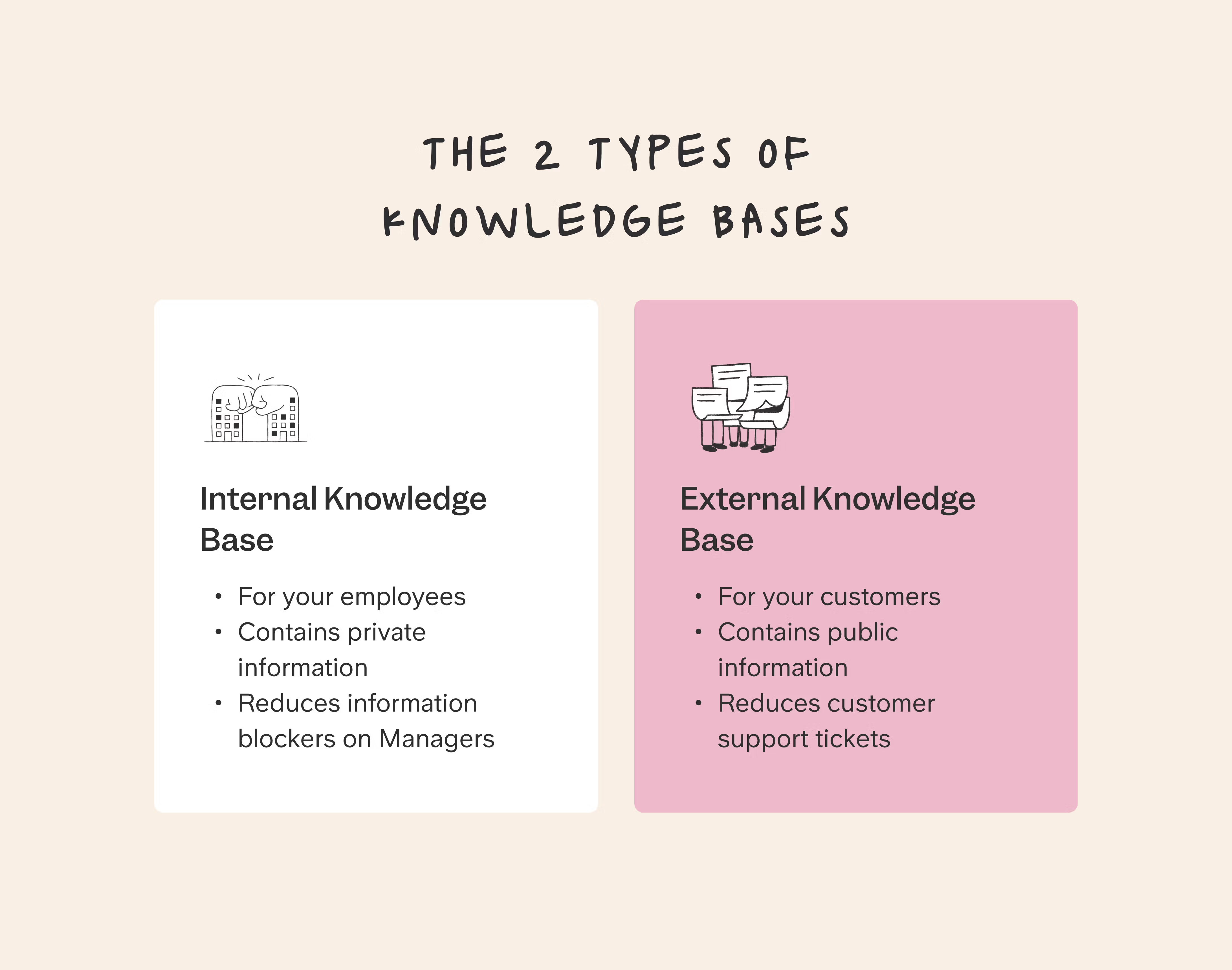
An internal knowledge base is a centralized, searchable place that holds the information your team needs to do its work: company policies, project documentation, meeting notes, processes, and best practices. It is one of the two types of knowledge base: internal, for your own team, and external, for your customers.
A working internal knowledge base is organized on purpose, arranged so anyone can find what they need, whether they are a new hire getting up to speed or a veteran looking for one specific detail.
That structure is what breaks down silos. When everyone can reach the same information, no one has to track down the one person who always seems to have the answer. The knowledge lives in the system, not in someone's memory, so it is there when a teammate needs it and there when your AI search needs it too.
"Do we really need another tool in an already crowded stack?" is a fair question. A knowledge base earns its place only if it does something your existing tools do not: keep knowledge findable and current in one spot, and make it answerable across the tools you already use. Later in this guide we cover how tools like Slite Agent do exactly that, so a knowledge base connects your stack instead of adding to it.
Internal vs external knowledge base
You will see the phrase "knowledge base" used for two different things. An internal knowledge base serves your own team; an external (or public) knowledge base serves your customers. The diagram above shows both. Here is how they compare:
| Internal knowledge base | External knowledge base | |
|---|---|---|
| Audience | Your own employees | Customers and the public |
| Access | Private and permission-controlled | Open or self-serve |
| Content type | SOPs, runbooks, policies, project docs, onboarding | Help articles, FAQs, product guides |
| Examples | Onboarding hub, engineering runbooks, HR policies | Support center, product documentation |
What an internal knowledge base actually holds
An internal knowledge base is a broad container. In practice it holds most of what your company would otherwise keep in people's heads or scattered across a dozen tools:
- Onboarding docs and role checklists that get new hires productive.
- The employee handbook and company policies (HR, legal, IT, and security).
- Standard operating procedures and process docs for how work actually gets done.
- Product and technical documentation, runbooks, and on-call guides.
- Decisions and meeting notes, so the reasoning behind a choice is not lost.
- FAQs and playbooks for the questions and plays your team repeats most.
Examples by team
What that looks like in practice depends on the team. For more, see our full set of internal knowledge base examples.
- IT and engineering: runbooks, incident playbooks, architecture decisions, and on-call guides.
- HR and people ops: onboarding checklists, benefits, policies, and the answers to the questions every new hire asks.
- Sales: battlecards, pricing rules, objection handling, and account notes.
- Support: macros, troubleshooting guides, and escalation paths.
- Product: specs, roadmaps, research findings, and decision logs.
Pulled into one place, this knowledge starts paying off: people find answers without interrupting a colleague, new hires ramp from a single resource, institutional knowledge survives when someone leaves, and both your team and the AI tools sitting on top of the knowledge base draw on information that is actually maintained. The catch is that last part. Those benefits only hold while the content stays current.
Signs your current knowledge base isn't working
Most teams reading this already have a knowledge base of some kind. The real question is whether it still works. A few signs it has stopped:
- It is crowded and outdated, and people have quietly stopped trusting it (often a Notion workspace that grew into a mess).
- The real answers still live in a few people's heads, so the same questions keep coming back.
- Stale docs now do active harm: an outdated guide sends someone down two days of wrong steps, and your AI search reads the same doc as fact and answers confidently wrong.
- You bought search on top of it, and it finds documents but does nothing to keep them correct.
How to structure an internal knowledge base
Structure an internal knowledge base as a clear hierarchy of categories and subcategories that mirror how your organization actually works, then tag each item with metadata like owner, topic, and date. Good structure means people find what they need without guessing, and it makes search far more reliable, for people and for AI.
Most teams reading this are not starting from a blank page. They are revamping a knowledge base that already sprawled. If that is you, resist the urge to port everything over. Start from the questions your team actually asks, build categories around those, then migrate the docs that answer them and archive the rest.
For example, you might have top-level categories like "HR," "Marketing," and "Product," with subcategories like "Benefits," "Social Media," and "Roadmap" underneath. Keep it intuitive so people can find what they need without having to think too hard. Metadata is the other half of structure: the owners, tags, and dates that describe each page and make the knowledge base far easier to search and filter later on. Consistent naming conventions do the same job, so pages are predictable instead of a guessing game.
Make people actually use it
A well-structured knowledge base is still worthless if no one contributes to it. The gap is real: Slite's own workspace data shows 76% of registered users never create a single doc. Closing that gap is mostly mechanics, not motivation:
- Make contributing dead-simple. The lower the friction to add or edit a doc, the more people do it, so favor an intuitive editor and templates over a blank page.
- Put the knowledge base in the workflow. Knowledge should be captured where work already happens, so answers get written down once instead of retyped in Slack every week.
- Lead by example. When leads and managers document decisions and answer in docs rather than DMs, the rest of the team follows.
- Close the loop. Show people that what they write gets used, and surface the questions the knowledge base could not answer so contributors know exactly where to help.
How to keep it accurate and up to date
Keep an internal knowledge base accurate by giving every document a named owner and a verification state, then putting both on a review cadence. The owner is accountable for the content. The verification state marks each doc as verified or outdated on a set interval, say every six months, once a year, or a custom cadence, so a reader can tell at a glance whether they can trust what they are reading.
This is where most knowledge bases quietly fail. They get built, then left alone, and the content drifts out of date until no one trusts it. Assigning owners and review dates turns maintenance from a vague good intention into a system: when a doc comes due, its owner confirms it is still correct or updates it.
When you inherit a mess, this is also how you dig out. Bulk-assign owners, set review dates in one pass, and archive the pages that should have been retired, so search stops surfacing content no one stands behind.
A word of caution: don't swing to the other extreme and force a re-verification of everything on the same rigid schedule. If verification never expires, people use "verify forever" to silence the reminders, and the knowledge base rots behind a green checkmark that no longer means anything. Focus the cadence on the living content people actually rely on. This is the idea behind a self-maintaining knowledge base, and it is worth reading more on knowledge base maintenance if this is where your current setup struggles.
Let AI keep it current, with a human in the loop
Ownership and review cadences make maintenance a system, but someone still has to notice when a doc has drifted from reality. That is where Slite Agent comes in. It searches across your connected tools and can flag when documentation no longer matches what is actually happening in Slack, GitHub, or Linear, then surface the docs that look outdated. Every suggestion goes through human review before it becomes truth, so you get docs that stay current without handing an AI unchecked control over what your company treats as fact. That is the point most teams reach after watching AI answer from stale content: they want AI that helps keep the knowledge base current, not just one that reads from it.
The tools teams use for an internal knowledge base
The right tool depends on how your team works, but the options sort into four types. Each is good at something, and each gives something up.
Document tools (Google Docs, SharePoint)
Document-centric tools like Google Docs, Microsoft SharePoint, or Dropbox Paper are built for writing and sharing individual files. Almost everyone already knows them, which helps adoption, and real-time co-editing is strong. What they lack is structure and maintenance. You get a pile of documents with no built-in hierarchy, ownership, or freshness signal, so a growing knowledge base slowly turns into a folder no one can navigate.
All-in-one platforms (Notion)
An all-in-one tool like Notion combines docs, databases, and task management in one flexible workspace, so you can build a knowledge hub alongside everything else. That flexibility is also the trade-off. Because the tool does everything, documentation is never its focus, and the workspace that felt clean at 50 docs is the crowded, outdated mess teams most often come to replace. You also compromise on focus: the KB shares a tool the whole company has to bend to other jobs.
Wiki platforms (Confluence, MediaWiki)
Wiki platforms like Atlassian's Confluence or MediaWiki (the open source software that powers Wikipedia) are built for collaborative company knowledge, with solid search, tagging, and templates that keep pages consistent. Many people can contribute, which builds shared ownership. The classic failure mode is deterioration: without owners and review cycles, pages pile up and go stale until the wiki becomes the graveyard of outdated docs everyone warns new hires about.
Dedicated knowledge base platform (Slite)
Slite is a dedicated knowledge base platform built specifically to help teams capture, organize, and find what they know. It has a clean editor, full-text search, templates, and integrations with the tools your team already uses.
What sets it apart is the maintenance model. Slite is built to stay current: every doc can have an owner and a verification cycle, so the knowledge base tells you when something is due for review instead of quietly going stale.
On top of that sits Slite Agent, which searches across 20+ connected tools like Slack, Google Drive, GitHub, and Linear, respects each person's permissions, and cites the source for every answer. When it doesn't have a good answer, it's built to say "I don't know" rather than inventing one, which is exactly what you want when both people and AI are relying on it.
If you want to compare specific products side by side, we have rounded up the 15 best knowledge base tools on the market.
Beyond a single tool: AI, access, and security
A knowledge base does not live alone. The rest of your company's context sits in Slack threads, Linear issues, GitHub discussions, and Google Drive, and the questions people ask rarely respect those boundaries. Two things decide whether a knowledge base works across that whole stack: how well AI can answer from it, and who is allowed to see what.
AI across your whole stack
Slite Agent connects your company's tools into one searchable interface, so someone can ask a plain-language question like "What's our customer onboarding process?" and get an answer drawn from across the stack, not just the wiki. Three things make it trustworthy. It searches across more than 20 connected tools, from Slack and Google Drive to Linear, GitHub, Jira, and Intercom. It ranks verified knowledge first, so trusted docs win over stray messages. And it cites the source for every answer, and is built to say "I don't know" rather than guessing. Agorapulse, for one, reports roughly 10x fewer repeated questions in Slack since putting this in place.
Who can see what: access and permissions
The other half is access. Not everyone should see everything, especially at a company handling regulated or sensitive material. A good internal knowledge base supports role- and team-based permissions, so legal, finance, HR, and security content stays with the people who should have it. This is where a knowledge base becomes a compliance question as much as a productivity one: SOC 2, HIPAA, and GDPR-style controls depend on doc-level access being enforced, not assumed. Because Slite Agent is permission-aware, its AI search respects those same boundaries: a search only surfaces what the person asking is already allowed to see. If security is a priority for your team, it's worth planning your knowledge base security model early.
How to measure whether it's working
Once it is running, measure whether the knowledge base is actually working, and frame the numbers as the ROI you can take to your manager. Track it on two levels.
Usage tells you whether people rely on it: adoption (the share of members who view at least one doc in a given week, with a healthy target being a strong majority of the team on living, actively-used content), how many docs get created over time, search click-through rate, and how often people use AI search.
Impact tells you whether it pays off: the time people save finding information, the drop in repeated questions, and how quickly new hires get productive. Those are the figures a manager cares about, and they map directly to the cost of the status quo.
In Slite, Ask Insights surfaces the questions people asked that went unanswered or got flagged, so you can see exactly where your knowledge has gaps and show that the knowledge base is actually answering questions, not just collecting logins.
The bottom line
For years the pitch for a knowledge base was better search: find things faster. Search is largely solved now. The hard part is trust, and trust comes from maintenance: a knowledge base is only as good as it is kept current. That mattered less when a stale doc just slowed a person down. They would read it, sense something was off, and go ask someone. An AI agent doesn't hesitate. Feed it outdated information and it repeats that information confidently, to everyone who asks, at scale. So a maintained knowledge base is no longer just a nicety for your team. It is the foundation every AI tool you build on top of it depends on.
The throughline is simple. Choose a tool built for documentation rather than one you are forcing into the job, make contributing easy, and put ownership and verification at the center so knowledge stays trustworthy for both the people and the machines reading it. Teams that do this see the payoff in fewer repeated questions and faster answers: Agorapulse, for example, reports roughly 10x fewer repeat questions in Slack.
If you want to see what a self-maintaining internal knowledge base looks like on your own stack, book a demo and we'll walk through it with your tools.
FAQ
What does a realistic KB rollout look like?
Week 1 is foundation: account setup, content migration, SSO configuration, and a kickoff call to set success metrics. Week 2 is launch: templates, admin training, and end-user training sessions.
Month 1 is early adoption: a 30-day survey, identifying internal champions, and clearing early friction.
From there, most teams run a phased rollout, starting with a small pilot group (a set of super users or one department) and expanding gradually rather than launching to everyone at once. It reduces risk and builds momentum before going company-wide.
Have you ever seen an internal knowledge base that wasn't a mess?
Yes, and the ones that work share a few traits: clear ownership per document, a verification system that keeps content fresh, and AI that surfaces gaps so you know what to fix.
Nedap, a Dutch company founded in 1929, tried building their own GPT-powered solution, but it hallucinated constantly. The breakthrough came when Slite's AI search started saying "I don't know" instead of confidently giving wrong answers.
The difference between a messy knowledge base and a working one comes down to accountability: whether someone owns keeping each page accurate, and whether the system tells you when something is wrong. Content volume has nothing to do with it.
How do I convince my manager to use a dedicated knowledge-base platform?
Frame it in time and money. In Slite's own enterprise search survey, teams reported spending close to a fifth of their time (roughly one full day a week) just looking for information, and subject-matter experts get interrupted constantly to answer the same questions, which slows everyone down.
From there, quantify the cost for your team size. Then anchor the ROI on two things: hours saved per person each week (you can model this from the roughly one-fifth of time spent searching above) and faster onboarding for new hires. The business case is strongest when you tie it to a pain your manager already feels: repeated Slack questions, slow onboarding, or knowledge lost when someone leaves.