If you’ve ever followed a ‘simple’ setup guide and ended up two days deep in Slack asking the engineer who wrote it, you already know the problem.
Technical documentation is the difference between a product that scales and a team that gets paged.
The hardest part is building documentation your customers, your colleagues, and (in 2026) your AI copilots can actually trust without double-checking.
This guide walks through what technical documentation actually is, the ten document types most teams need (and which look technical but aren’t), how to build it from scratch in five practical steps, and what changes when AI agents start reading your docs alongside humans.
Key takeaways
- Technical documentation answers questions that would otherwise interrupt the people who built the product. The cost of bad docs now shows up as paged engineers, frustrated customers, and AI agents confidently citing stale answers.
- Ten common types: user manuals, API documentation, system administrators’ manuals, installation guides, troubleshooting guides, white papers, release notes, product documentation, FAQs, and developer guides. Most teams need a subset, not all ten.
- Build it in five steps: lock down a technical writing style guide, scope what you actually need right now, gather what already exists, write the gaps, ship and iterate. Don’t try to write everything before launch.
- Stripe, MDN, Twilio, Django, Laravel, DigitalOcean, and Arch Wiki are canonical examples worth studying. AI-assisted search is now standard across all of them as the 2026 differentiator is structure (Diátaxis) and clear ownership of every doc.
- AI agents now read technical documentation alongside humans — and they don’t ask clarifying questions. A stale doc is no longer a human inconvenience; it’s an infrastructure risk that quietly propagates wrong answers across every AI assistant pulling from your knowledge base, at the speed of an API call.
Need help crafting technical documentation? Check out Slite’s Beautiful product & engineering documentation your team can trust
What is technical documentation?
Technical documentation is the structured set of documents such as user manuals, API references, installation guides, troubleshooting articles, and release notes that explain how a product works and how to use it.
Engineering, product, and support teams write it so customers, developers, and internal staff can find authoritative answers without interrupting the people who built the product.
Technical documentation is a broad term. It refers to everything from your first PRD to your API docs for other makers. Let’s define it a bit more.
Different types of technical documentation — what's included vs what's not
10 common types of documents that are considered as technical documentation, are:
| Type | Definition | Who uses it | When it’s made |
|---|---|---|---|
| User manuals | These are booklets or online guides that show you how to use something, like a camera or software. They're full of step-by-step directions. | Anyone trying to figure out how to use a product | After the product is made but before it's sold |
| API documentation | These documents explain how computer programs can talk to each other. If you're building an app, this tells you how to connect it with other software. | Programmers and app developers | While the tool for programmers is being made or right after it's finished |
| System administrators’ manuals | This is a handbook for the tech pros who set up, fix, and make sure computer systems run smoothly. | Tech support and IT folks | After the computer system is ready to go |
| Installation guides | These guides give you the steps to get a piece of software or hardware up and running. | Anyone setting up new tech, from everyday users to IT staff | After making the product but before it hits the market |
| Troubleshooting guides | Got a problem with your tech? These guides help figure out what's wrong and how to fix it. | Users having trouble, help desks, IT pros | After the product is out, with updates when new problems pop up |
| White papers | Think of these as deep dives into a specific tech topic, offering solutions to tech challenges or explaining how a product can help. | Decision-makers and experts looking for detailed info | Anytime, often to explain the benefits of a product or technology |
| Release notes | When software gets an update, release notes tell you what's new, what's better, and what issues are still around. | Anyone using the software | Along with software updates |
| Product documentation | This detailed list tells you exactly what a product can do and its features. | Product managers and other team members usually champion this. | At the start of making a product |
| FAQs (frequently asked questions) | Here you'll find answers to common questions about using a product or service. | Customer support teams and users looking for quick answers | Starts with most commonly asked questions in demo/discovery calls. It’s expanded by adding most likely questions that other people will ask. |
| Developer guides | These guides are for the coders, giving them the nitty-gritty on how to use a technology or work with a programming tool. | Coders and software builders | While creating the tech and updated as it changes |
So, who reads and who writes technical documentation?
It’s read by internal devs, IT staff, CXOs, PMs, CS teams, end-users, and external devs.
Writing is usually shared between engineers (technical specs, API references), product managers (PRDs, release notes), and dedicated technical writers (user manuals, FAQs, customer-facing docs).
The hard part isn’t choosing a writer, it’s defining who owns each doc long-term, since unowned documentation is the single most reliable predictor of stale, untrusted internal documentation.
And, what’s not technical documentation?
Sometimes people get mixed up and think some documents are technical guides when they're really not. While some of it - like your HR handbook - is obviously non-technical documentation, some documents fall in a grey area.
Here's a quick look:
- Marketing Materials: Stuff like brochures and websites that might use tech talk but are really trying to get you to buy something. They're not for teaching you how to use or fix the product.
- Business Plans and Reports: These papers talk about the tech side of a business or new product ideas but are mostly about making plans, guessing future money, and checking out the market.
- Internal Policies and Procedures: Important for running a company, but they're more about rules, doing things right, and what employees should do, not about how to use tech stuff.
- Technical Proposals: They suggest new tech projects or solutions, talking about the good stuff that can come from it, if it's possible, and how much it might cost, instead of step-by-step guides.
- User Stories and Use Cases: Used a lot when making software to explain what a feature should do from a user's point of view. They help figure out what users need but aren't detailed tech instructions. Don’t get us wrong, user stories and use cases help teams decide on what to build next. But, it still counts market research, not technical documentation.
Summarising, here’s a nifty list on what is technical documentation and what isn’t:
How to create technical documentation
Step 0: Put down your technical writing style guide
Your technical writing style guide will help all contributors keep a consistent tone and vision for writing.
The best example is the Apple Style Guide. The beloved brand works hard to keep a similar style of writing everywhere.
And so should you.
While it may not matter right now, it will matter months from now when your team and user base scales up. This includes defining fonts, to step-by-step instructions for document creation, and workflow details.
Step 1: Figure out what you need right now
You don’t need all 10 types of documentation right off the bat. Different needs evolve and come up across your development lifecycle:
1. Day 0 to Day 30: Ideation stage
- Product Specifications: Start with the core idea of your product. Outline features, capabilities, and user needs.
2. Month 1 to Month 6: Development stage
- API Documentation: If your product includes APIs, start drafting the documentation as development progresses.
- Developer Guides: Begin work on guides if your product is aimed at developers, updating as features are finalised.
- Technical Proposals: Continue refining these documents if adjustments are needed based on stakeholder feedback or evolving project scope.
3. Month 7 to 12: Launch prep stage
- System Administrators’ Manuals: Start drafting as the system's architecture is solidified.
- Installation Guides: Draft these guides once the installation process is defined.
- User Manuals and Troubleshooting Guides: Outline and draft user guides based on the developed features and anticipated common issues.
- FAQs (Frequently Asked Questions): Compile questions based on beta testing or anticipated user inquiries.
- Release Notes: Prepare for the initial launch, detailing features, bug fixes, and known issues.
4. Month 13 to 24: Post-Launch and Growth stage
- Update all previous documentation: Reflect changes, updates, and feedback from real-world use.
- Continuous Updates:
- Product Specifications: Update as new features are added or significant product changes occur.
- API Documentation and Developer Guides: Keep these documents current to encourage developer engagement and ease of use.
- System Administrators’ Manuals and Installation Guides: Revise based on software updates or changes in system requirements.
- User Manuals and Troubleshooting Guides: Regularly update these documents to incorporate new solutions and address additional user questions.
- FAQs: Continually add new questions as users interact more with the product.
- Release Notes: With each new version or update, provide detailed release notes to inform users of changes.
As you can see, if you’ve just started building your product, you might just have different iterations of your PRD.
However, if you’ve launched already and are in the growth stage, you will most likely already have created all types of different technical documentation by now but it may be scattered.
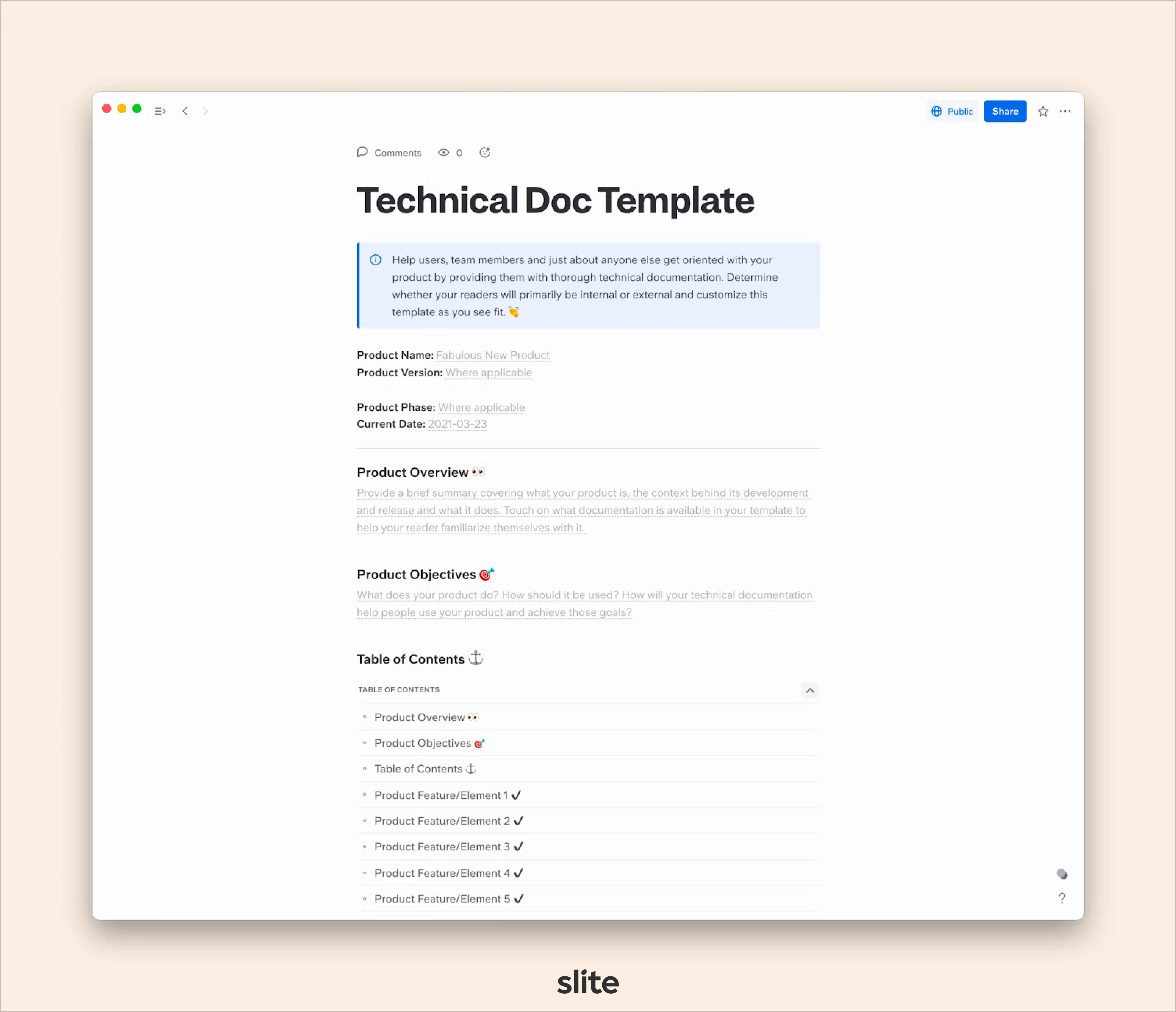
Based on this, start a new workspace in Slite and create different channels or pages for only the types of documentation you have or need.
To get a head start, copy our free technical documentation template directly into your Slite workspace.
Step 2: Collect your existing docs in one place.
Once you’ve structured your homebase, you will have a clear picture on all the documentation you should have at this stage.
Since you might have some of it already, start importing from other sources. Rather than staring at a blank page, start importing the documentation you already have.
Right now, this may be loose meeting notes, product roadmap, or PRDs from your brainstorming calls.
Usually, this type of documentation is created in meetings as quickly created ad-hoc Google docs, Miro boards, Figjam boards, etc.
Most knowledge base tools let you import docs from Google Docs, Notion, or any other popular knowledge base you’re using right now. Once imported, start organising them across categories and name them properly.
If your knowledge base software has a verification status feature like Slite, use it to verify the stuff like technical specs, dev guidelines, etc.
Step 3: Start writing the docs that don’t exist yet, but should.
By step three, it’s time to get started with the actual content creation process. Knowledge creation is never a one-person job. It’s a collaborative process and that’s why you should start involving your team at this stage.
This has 2 benefits:
- It’ll get done faster if everyone contributes by sticking to their timelines.
- It kickstarts the culture of documentation in your team
The best technical documentation is usually produced when:
- Every document has an owner and contributors
- Writers are thoroughly briefed on what to write
- Writers use simple language, headings, and a lot of images to make their documentation extremely readable.
- Writers know who all will be reading the document
- Every completed document is reviewed at least once by someone else.
- Most documents are allotted a verification status so your team knows which documentation is relevant, and when they need to update it.
This will ensure that the content is not only clear, well written, and grammatically correct, but also that it will be effective for users.
If your technical documentation includes any how-to guides or steps to follow, make sure your team members actually test out those steps and confirm that they accomplish what they’re supposed to accomplish.
Step 4: Review the readability of your docs
Since devs, PMs, and other technical folks write your technical documentation, it’s important to double-check it for simplicity. If your documentation can’t be understood by other stakeholders, it’s worthless to have.
This is why, ensure that your documentation:
- Has images, videos, etc. to break down complex SOPs/how-to’s (if any)
- Has internal links to related/relevant articles
- Is broken down by multiple subheadings
- Uses extremely simple language
- Is skimmable (people prefer to skim content, not read chunks of paragraphs word-to-word)
It’s important to put it through a testing phase and check for organisational issues, confusing information, and usability problems.
In order to accomplish this step, you can also look for external users to test out your documentation.
Have them read through it, use it to help them in completing the tasks it’s supposed to, and provide you with their honest feedback.
It’s important to ensure that your testers are external because they will be looking at your documentation with a fresh pair of eyes and won’t have any bias that will affect their evaluation.
Step 5: Ship, collect feedback, iterate.
You know this product philosophy. You just gotta apply it to your documentation too.
Once you’ve published your technical documentation, promote it and proactively ask users for feedback.
Secondly, put down maintenance and hygiene protocols for your documentation.
Technical documents are dynamic and go through updates and changes in accordance with the products they cover.
As such, it’s a good idea to establish a protocol that details what needs to be done when new information needs to be added, changes need to be integrated or general maintenance needs to be made.
Many companies choose to implement a maintenance schedule for their documentation. They set specific dates where they evaluate whether any changes need to be made, so all their information is always up to date and modifications never get overlooked.
Examples and inspiration from the best technical documentation
Here are seven examples of developer documentation that internal and external readers consistently rate highly.
The Diátaxis framework (tutorials, how-tos, reference, and explanation) is a useful lens for noticing which of those four modes each site does best.
AI-assisted search has become standard across this group since 2024, so the bar has shifted from ‘has AI’ to ‘how well does it use it’.
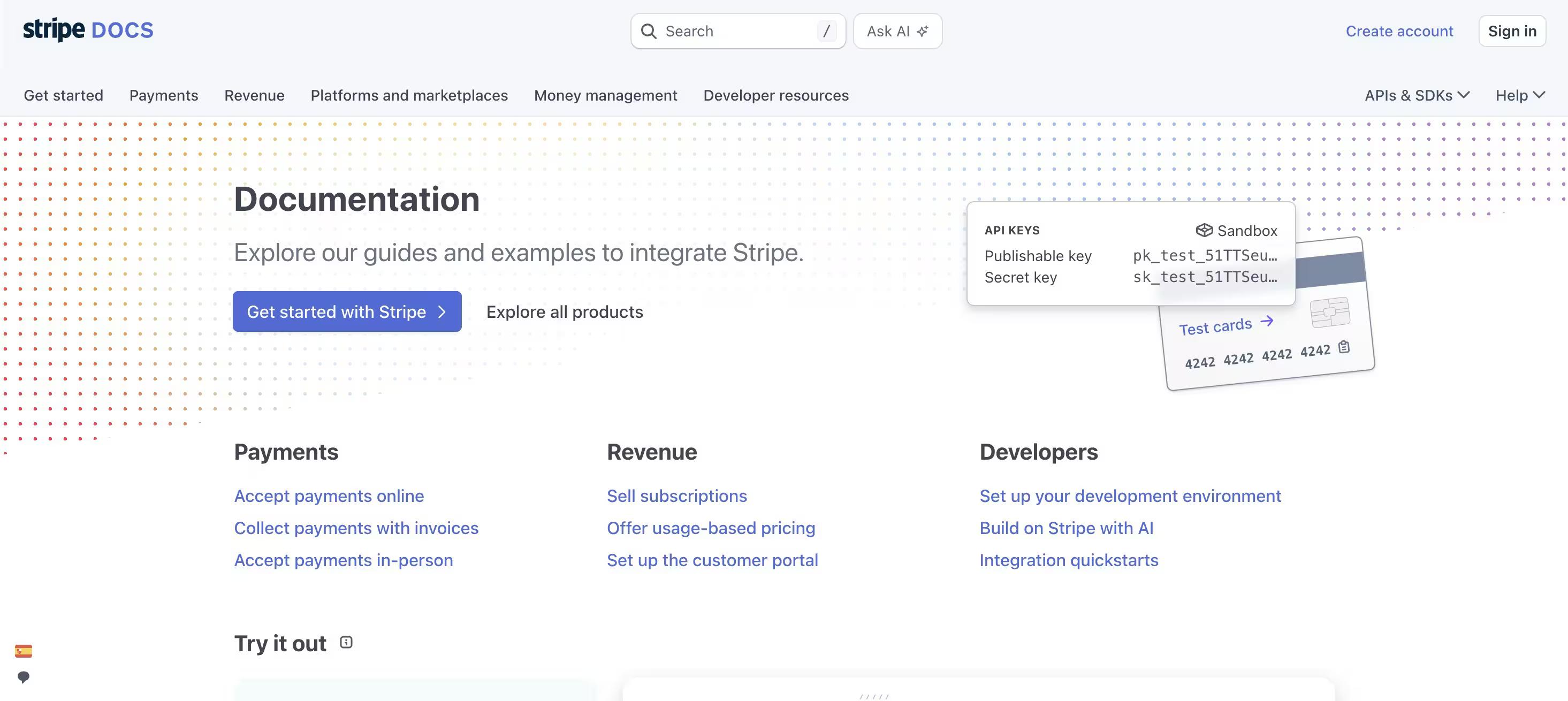
Example 1: Stripe — the benchmark for API documentation
What's Good
- Sticky Sidebar for Navigation: Stripe's documentation features a sticky sidebar/table of contents, greatly enhancing user navigation by providing easy access to different sections without scrolling. The sidebar structures all their documentation like a textbook would. So you can jump from any document to another just via the navbar.
- Sticky Interactive Sandbox: The preview/live sandbox code section allows developers to write, test, and view code in real-time, making it an invaluable tool for learning and experimentation.
- Code Copying Feature: This functionality enables users to easily copy code snippets for use in their projects, streamlining the development process.
What's Bad
- Nothing, really. Stripe’s documentation does everything right. It’s simple to read, the code is easy to copy for devs, and the UI is very intuitive.
The clear, concise, and interactive nature of Stripe’s documentation has made it the go-to favourite integration among developers, particularly when compared to PayPal’s software documentation.
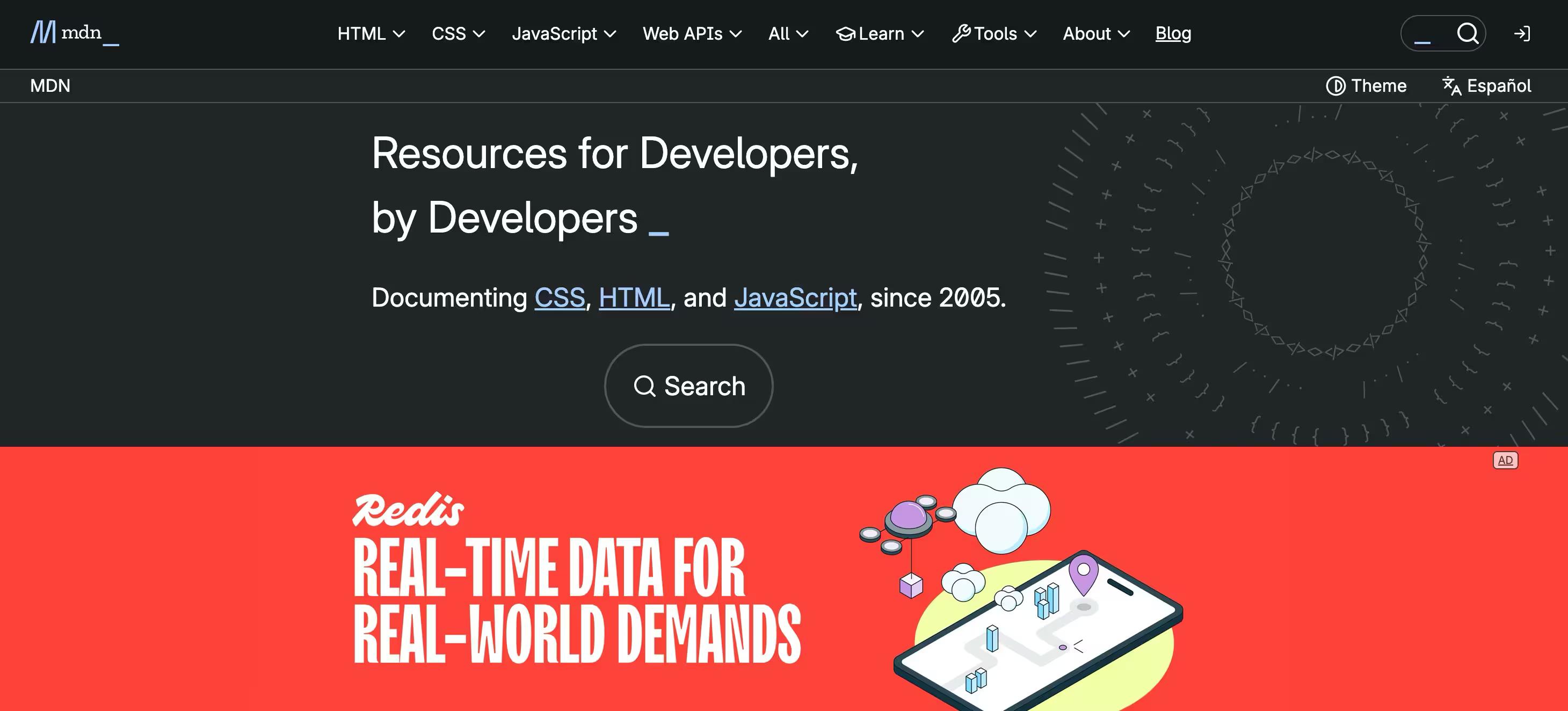
Example 2: MDN Web Docs — an extremely close runner-up
What's Good
- AI Help: MDN ships an AI-powered help feature that returns MDN-sourced answers with the source pages it consulted, so readers don’t have to scan the whole article. Stripe, Twilio, and DigitalOcean now all ship some form of AI-assisted search too — in 2026 it’s table stakes, not a differentiator.
- Comprehensive Content: Offers an exhaustive range of topics, making it more comprehensive than many of its competitors. It has docs created by their internal teams, subject matter experts, technical writers, etc.
- Dedicated Playground: Allows users to experiment with code directly within the documentation, enhancing the learning experience.
What's Bad
- Despite its comprehensive coverage, MDN lacks a singular master URL for easy jumping across different sections, which some users find inconvenient.
However, it’s worth noting that their AI Help feature more than makes up for the lack of master navigation.
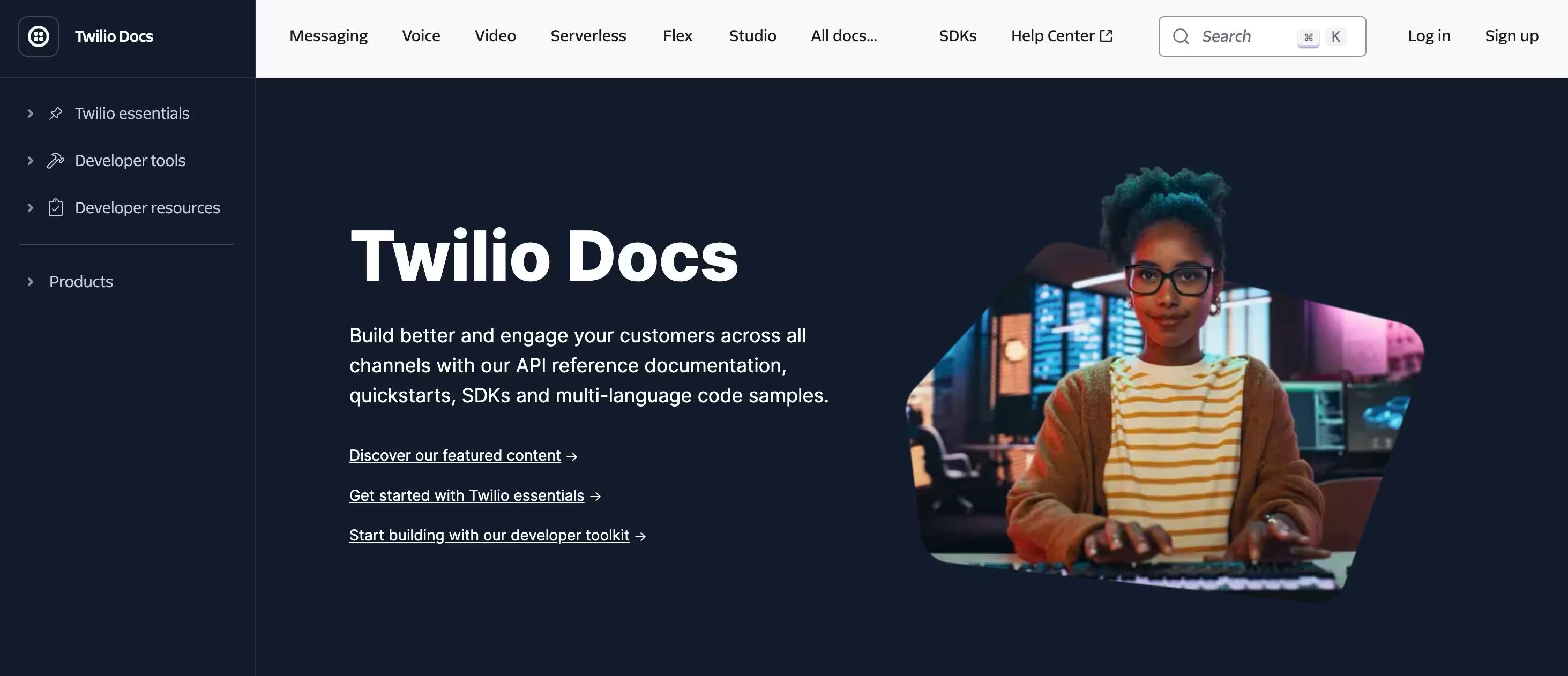
Example 3: Twilio — the closest to Stripe, and the best at process documentation
What's Good
- Interactive Sandbox: Like Stripe, Twilio offers a sandbox for live code previews, enhancing hands-on learning.
- Page Rating Option: Users can rate documentation pages, offering direct feedback to improve the resources.
What's Bad
- Navigation Challenges: Some users find it slower to navigate through the documentation, possibly due to its comprehensive nature.
Twilio's documentation is extremely detailed and is most comparable to Stripe in terms of user experience. Though, some devs do find Stripe's layout cleaner and easier to navigate.
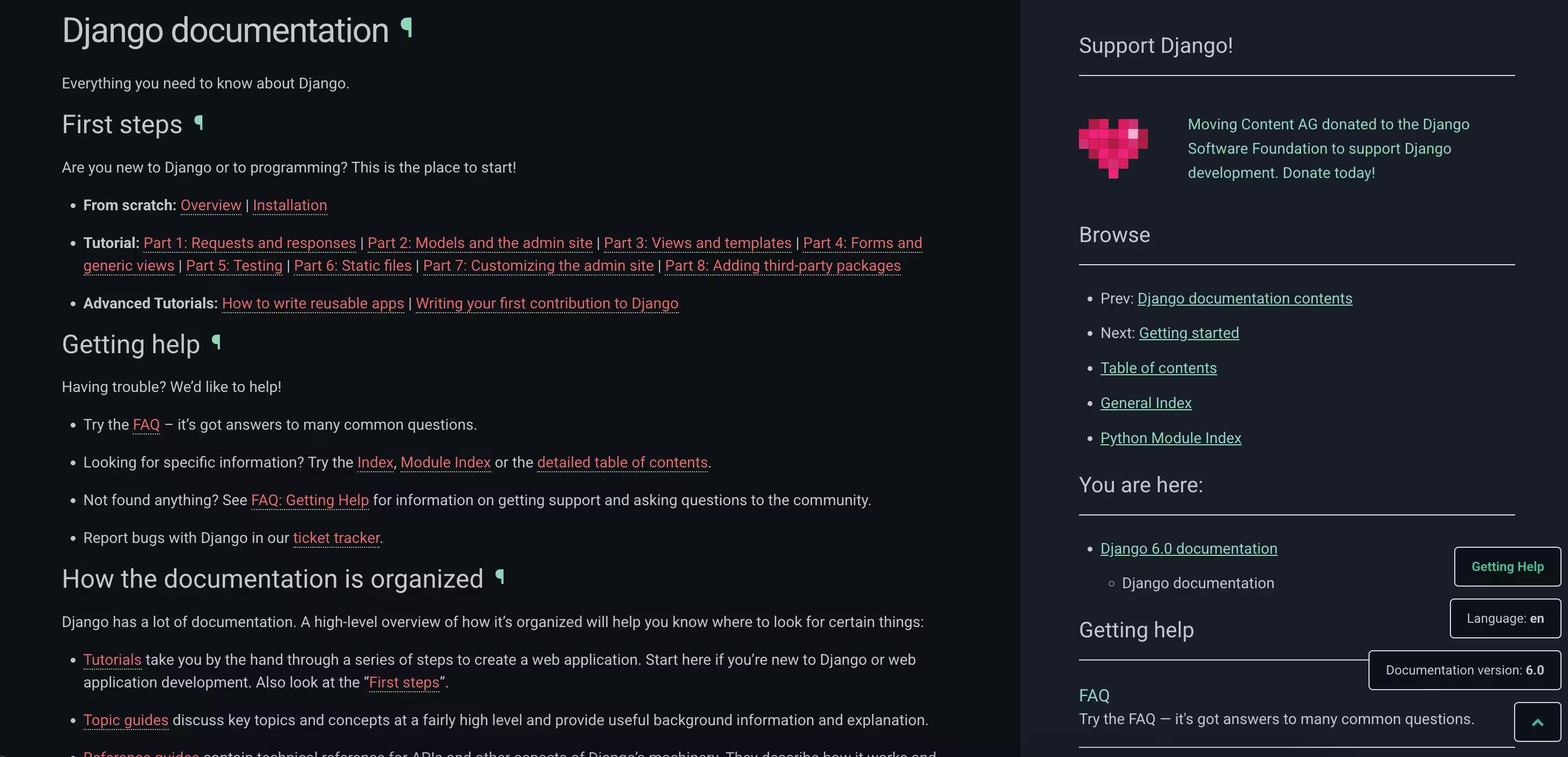
Example 4: Django — gets the job done
What's Good
- Extensive Coverage: Django's documentation covers everything from the basics for beginners to advanced topics for experienced developers, making it a one-stop-shop for Django users.
- Well-Organized: The documentation is logically organised, making it easy for developers to find the specific information they need.
What's Bad
- Due to its comprehensiveness, new users might find it daunting to navigate through the vast amount of information available.
Key Thing to Note
- Django's documentation is a gold standard for framework documentation, offering detailed guides and tutorials that are crucial for both novice and seasoned developers.
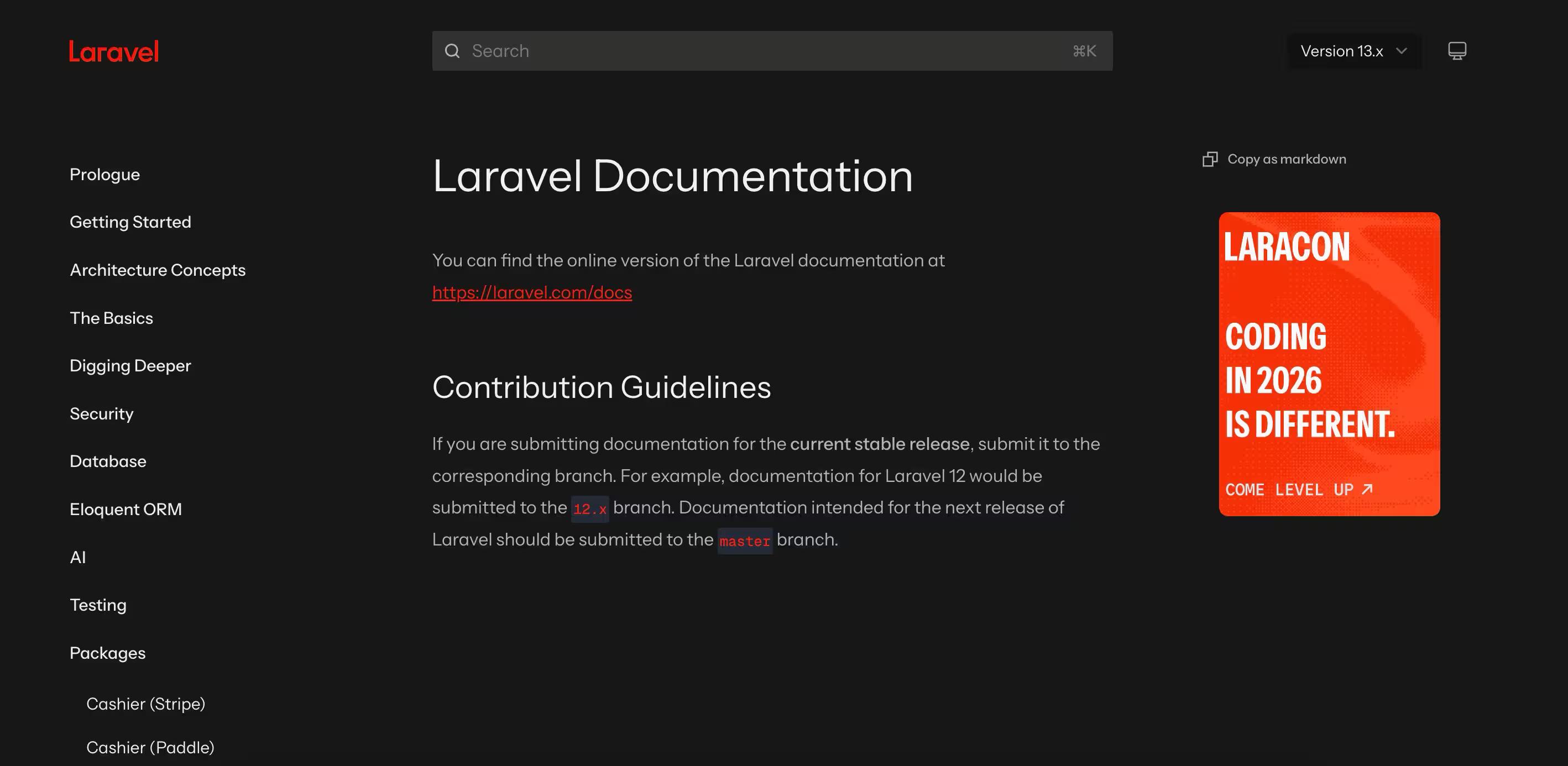
Example 5: Laravel — minimal but comprehensive
What's Good
- Minimalistic Navigation: A minimal sticky sidebar simplifies navigation, making it easy for users to find what they need without distraction.
- Dark Mode Toggle: The option to switch between light and dark modes caters to different user preferences, enhancing readability.
What's Bad
- While its simplicity is a strength, some users might seek more interactive elements similar to those found in Stripe or Twilio's documentation.
Laravel's documentation primarily stands out for its simplicity and effectiveness, especially in how it uses tables, images, and simple language to convey complex topics.
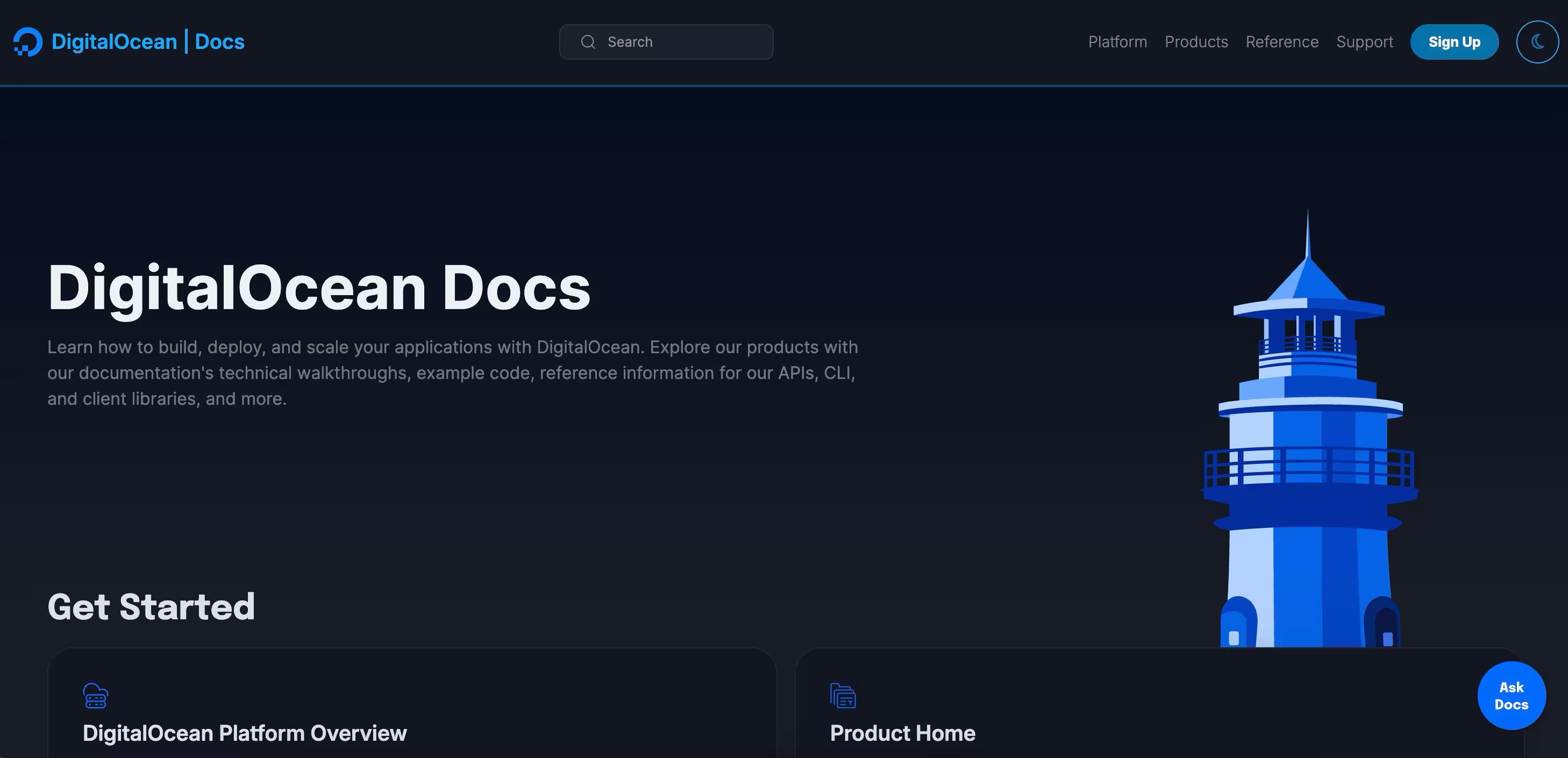
Example 6: DigitalOcean — redefines the meaning of comprehensive
What's Good
- Community Engagement: Features like a comment section at the end of tutorials foster a strong sense of community.
- One-Click Copy Buttons: Enhances usability by allowing users to easily copy code snippets.
- They have an article for everything: They’ve covered all their bases to even the smallest of use cases.
What's Bad
- While comprehensive, some tutorials may assume a level of pre-existing knowledge, potentially making them less accessible to absolute beginners.
DigitalOcean's documentation excels in engaging the community, providing a platform not just for learning but also for discussion and knowledge sharing.
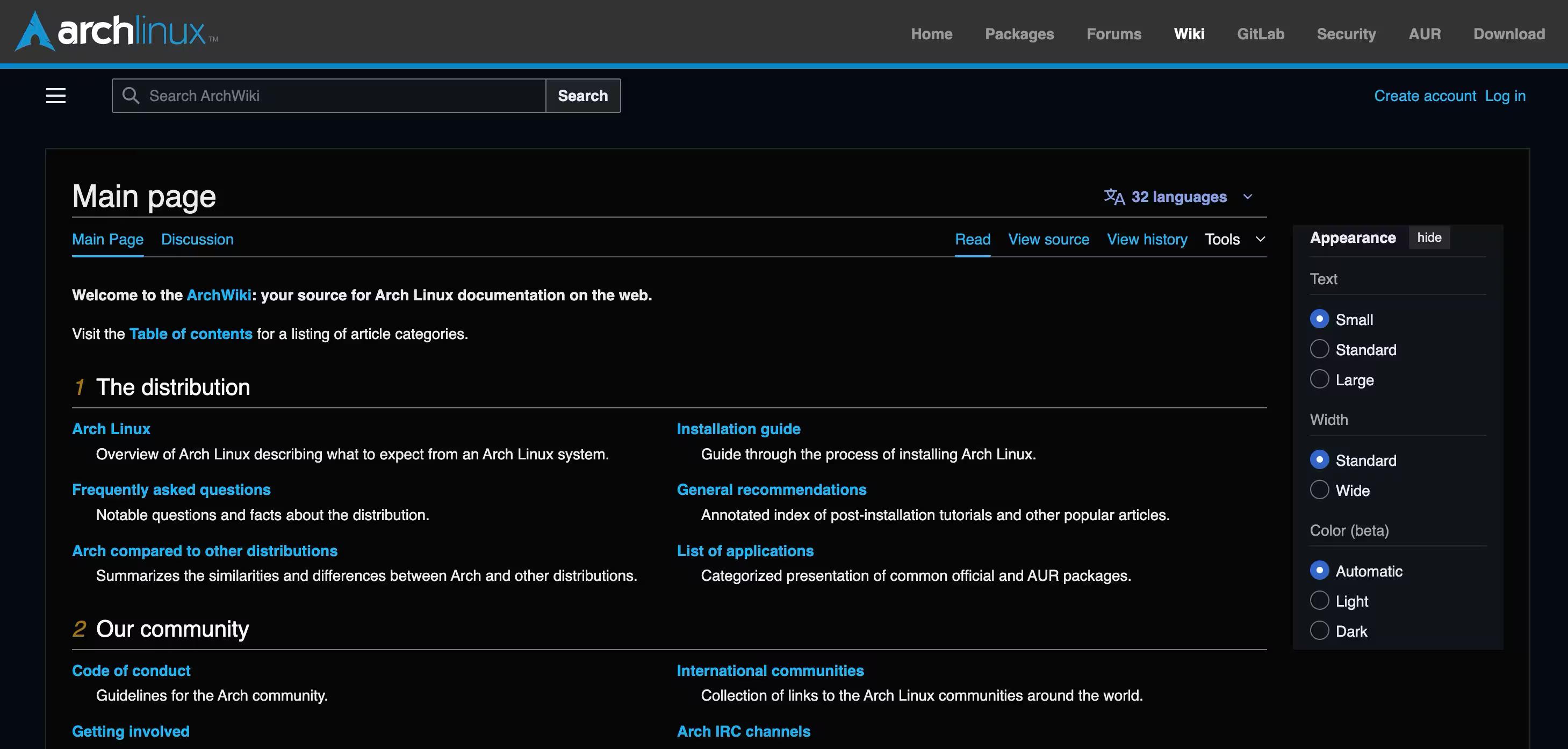
Example 7: Arch Wiki — a familiar layout
What's Good
- Simplicity: Offers a Wikipedia-like simplicity in its design, focusing on delivering information in the most straightforward manner.
- Interlinking: Excellent interlinking between pages aids in navigation and provides a comprehensive web of information.
What's Bad
- The minimalist approach might not cater to users who prefer more guided, tutorial-based documentation with interactive elements.
The Arch Wiki is renowned for its accuracy, up-to-date information, and no-nonsense structure, making it a favourite among users who prefer precision and depth in documentation.
Technical documentation in the age of AI agents
For a decade, technical documentation was something humans read.
Now it’s also something AI agents read on a customer’s behalf.
- Support copilots answer ‘how do I reset my password?’ by searching the knowledge base.
- Coding agents read API references and write integration code without anyone watching them work.
The audience for your docs has effectively doubled and the new audience (agents) never asks clarifying questions, so it will happily run with a half-correct answer.
That changes what ‘good’ looks like. A stale doc used to be a human inconvenience: someone followed an outdated guide, wasted a few hours, pinged the team, and moved on.
Now a stale doc is an infrastructure risk. Every AI assistant pulling from your knowledge base will quietly reproduce its errors at scale, in customer-facing answers and in shipped code.
Three concrete implications for how you write technical documentation in 2026.
- Ownership matters more than ever. Every doc needs a named owner, because ‘ask in Slack’ doesn’t scale to AI agents.
- Structure matters: AI agents do better with the Diátaxis split (tutorials, how-to guides, reference, and explanation) than with documents that mix all four modes in one place.
- Freshness checks have to be automatic; manual quarterly reviews can’t keep up with the rate of product change.
If you’re building or rebuilding documentation today, plan for both audiences from the start.
The same investments that make humans productive are exactly what makes your knowledge base trustworthy enough for an AI agent to read on your behalf.
They are:
- single source of truth,
- named owners,
- version-aware search,
- and a verification status on every doc
Do’s and don’ts of good documentation
| Principle | Do this | Avoid this |
|---|---|---|
| Findability | Sticky sidebar, table of contents, and a search that actually returns the right page (Stripe). | Burying content behind weak search or making readers fall back on browser Cmd-F. |
| Examples | Pair every concept with a runnable sample, screenshot, or short clip (Stripe, Twilio). | Explaining theory without an example — readers can't map abstract steps to their own setup. |
| Plain language | Write for the least-expert reader who'll touch the doc; spell out acronyms on first use (Laravel). | Assuming everyone shares your team's jargon or shorthand. |
| Community input | Give readers a way to comment, react, or correct mistakes (DigitalOcean). | Treating docs as a one-way broadcast and ignoring the feedback you do get. |
| Coverage | Cover both onboarding basics and advanced edge cases for the same topic (MDN Web Docs). | Cramming everything onto one page — chunk content so each page does one job. |
| Freshness | Tag every doc with an owner and a verification date; update on every release (Arch Wiki). | Leaving stale guides live — in 2026 that's an AI-agent risk, not just a human one. |
| Design | Keep layout tidy, scannable, and consistent across pages. | Cluttered pages, inconsistent typography, or no visual hierarchy. |
Final takeaway — structure like a textbook, design for usefulness, and keep improving
Remember, the best documentation grows and adapts with its users. It listens to their struggles and triumphs, evolving to meet their needs better. It's not just about having all the answers but about making those answers accessible and engaging for everyone, from the curious beginner to the seasoned expert.
So, take a page from the playbooks of Stripe, MDN, Laravel, and others who lead by example. Aim to create documentation that doesn't just inform but inspires and empowers your users.
Simply put,
Good technical documentation is a selling point of your product.
Great technical documentation means everyone ships faster. That’s why developers internally vouch to use apps for great documentation. Be one of them.
FAQ
Is technical documentation the same as a knowledge base?
Technical documentation is the content (e.g. user manuals, API references, troubleshooting guides) that explains how a product works. A knowledge base is the platform you store and search that content in, often alongside HR policies, SOPs, and meeting notes. Every modern knowledge base contains technical docs; not every technical doc lives inside one.
How do I get engineers to actually write documentation?
Three things move the needle. First, make documentation part of the definition of done. This means a feature isn’t shipped until its docs are written and reviewed. Second, give every doc a named owner so the work isn’t ambient. Third, scope each piece tightly: a 200-word how-to with one screenshot lands faster than a ‘comprehensive guide’ that never finishes.
How do I migrate technical documentation from Confluence or Google Docs?
Don’t lift-and-shift everything. Audit first: which docs are still accurate, which are duplicates, and which haven’t been opened in a year? Most teams find 30 to 50% of their old library is dead weight. Import only what’s current and owned, and add a verification status on the rest so reviewers can either update or archive them.
How long should technical documentation take to write?
Plan two to four hours per doc for a focused topic with examples and screenshots, plus a 30-minute peer review. A first complete set for one product area usually takes a week of dedicated writing time. Most projects fail not because the writing is slow, but because teams treat it as a one-time sprint and never schedule maintenance. The neglect shows up in the data: in our workspace analysis, fewer than 1 in 20 docs gets updated in a given month.