Most meetings end with someone saying "I'll send round notes" and then everyone forgets what was actually decided until the next meeting starts the same conversation again.
Meeting minutes are the fix: a clear, shared record of who attended, what was discussed, and which action items came out, so decisions don't slip and ownership doesn't blur.
This guide walks you through a practical 8-step process for taking minutes that people actually read, plus a free template, format examples, and a recurring-meeting workflow we use inside Slite — built around AI notetakers, shared collections, and one source of truth instead of three for your team communication tool stack.
Key takeaways
- Meeting minutes are a shared written record of who attended, what was decided, and what's owed to whom — not a verbatim transcript.
- Good minutes capture five things: meeting basics, attendees, purpose, agenda items, and action items with owners.
- Type minutes live during the meeting in a template, then circulate within the same day while context is fresh.
- Use AI notetakers for transcription and recall, but keep the human-edited minutes as the single source of truth.
- Store minutes in a searchable, shared workspace (like Slite collections) so future hires and absent teammates can self-serve context.
Why are they called “meeting minutes”?
The word "minutes" in "meeting minutes" has nothing to do with time. It comes from the Latin word minutia, meaning trifles or details. Meeting minutes capture the relevant details of a meeting as a record for attendees and other interested parties.
Who is responsible for taking minutes for a meeting?
Originally, the corporate secretary generally took notes and prepared meeting minutes.
If there is no specific role for this in your company (as in most modern companies there are none), the job should rotate between people who know how to take notes for a meeting or the people running the meeting.
When taking meeting minutes, it is best to use a template like Slite's free meeting minutes template.
After preparing the minutes, ensure they are accurately documented and distributed to all board members.
What are meeting minutes good for?
Meeting minutes are incredibly handy tools that can offer your team an array of advantages. Once you've integrated them into your regular workflow, you'll never go back.
Why? Meetings are notoriously inefficient — Harvard Business Review found executives spend 23 hours a week in them, with most leaving feeling they were unproductive.
Good minutes are the cheapest fix: a 5-minute write-up that prevents weeks of drifting context.
1. They make meetings actionable
Meeting minutes can help avoid endless discussion and back-and-forths because they make things more efficient.
Also, you'll avoid humming and hawing because you'll have a list of exactly what needs to get discussed and put into action right in front of you.
An effective meeting minutes format also helps with this, as agenda items are often placed in tables that assign contact people, plans of actions, and the like.
2. They outline the meeting's structure
As a general rule, a meeting leader should never go into a meeting without a precise plan outlining the meeting structure and what needs to be discussed.
If you put together regular corporate minutes, you’ll get in the habit of determining meeting agenda items in advance.
This will add structure to your meetings and make sure everything gets discussed thoroughly but efficiently.
3. Keep everyone up to speed
You can simply send meeting attendees a copy of the relevant meeting minutes and they can bring themselves up to speed right away.
This benefit is especially convenient if you use a software like Slite where meeting notes are saved and are easily shareable from one central workspace.
4. Avoid forgetting about important topics
If you know how to take meeting minutes effectively and revise meeting notes before a meeting, you can ensure that nothing important gets left out of the discussion.
You’ll be able to refer to the agenda items already marked down in your draft and even check meeting minutes from the past.
Meeting recap minutes are also handy documents that can be glanced at before a meeting ends, just to make sure everything has been covered. Reviewing past meeting minutes can help ensure that nothing important gets left out of the discussion.
5. Increase accountability
Lastly, meeting minutes add a degree of accountability to both what's discussed in meetings and meetings themselves.
When a topic is discussed at a meeting, the person taking the meeting minutes usually writes down a team, contact person or leader that's associated with that meeting item.
This gives that specific person(s) accountability over that topic and avoids confusion surrounding who's “in charge” of one task or another.
Evidence of deadlines
Minutes for a meeting help keep important deadlines visible, so everybody involved can allocate their time properly and projects can stay on schedule. Software like Slite can help you highlight important deadline dates and make sure those accountable are notified ahead of time.
6. Improves client relationships
Client meetings can be great accountability tools for clients. If there’s ever any doubt about whether an item was discussed at a meeting (or whether the meeting was even held at all), minute meeting notes are handy documents to refer back to provide clarity and avoid frustration.
What to include when writing meeting minutes?
The contents of your meeting minutes will depend on your company's needs and the kind(s) of meeting you generally hold. However, the following elements are usually included in most meeting minute documents:
1. Meeting basics like name, place, date and time
It's important to include basic details about your meeting at the top of your meeting minutes document. This ensures that everything is organized and that your meeting can be identified at a glance.
2. List of meeting participants
Next, you'll want to include a list of everyone who was present at your meeting. Minutes for a meeting should have the name of every attendee present.
This identifies everyone who's working on or involved with a given project or topic, as well as noting down which employees are informed about what.
3. Meeting purpose
Every staff meeting minutes sample should have one central goal. You might discuss a variety of topics, but there should be one main objective on the agenda.
It's essential to note this down because it helps provide direction to the meeting and clarity regarding its focus.
4. Agenda items
A great sample of staff meeting minutes should include all the agenda items that were addressed at a meeting, such outline of topics and provides information important to the person compiling the minutes.
If possible, it's a great idea to talk to the meeting leader and note down these agenda items before the meeting begins for maximum note taking efficiency. Our meeting agenda template can help.
5. Next meeting date and place
At the end of the meeting, your team should determine how long it will be until everyone needs to meet again. Make sure to note down the date and time in your meeting minutes.
6. Documents to be included in the meeting report
You might have additional meeting documents that you'll want to attach to your progress report and refer back to in the future. This might include reports, presentations, documentation, and so on. The sky's the limit.
With Slite, you can share your agenda with team leaders and members in real time and make all the necessary project documentation easily accessible to all interested parties.
7. Key action items
Most teams end meeting minutes with action items describing steps that must be taken to meet project goals.
Capturing every assignment that was mentioned in a meeting can be difficult, but using meeting minute templates and software like Slite can make this process more efficient and ensure that you have an accurate record of upcoming tasks and responsible parties.
How to take meeting minutes effectively
A great meeting starts well before you start writing the minutes.
To ensure you know how to take meeting minutes effectively, you should always clarify what is expected of you as the note-taker, especially if it's a new role for you.
It's also important to check with the meeting owner that the meeting agenda is set in advance. Not only is this an essential step to run an effective team meeting, but it's also a great way to be more efficient.
The steps to creating efficient and effective meeting minutes include:
- Create an outline or use a meeting minutes template
- Check off attendees as they enter the meeting room (online or in person!)
- Take notes of action items and decisions
- Don't write everything down
- Don't forget to record
- Put down meeting minutes as they're discussed
- Review with attendees at the end of the meeting
- Revise your notes and fix any spelling errors
Let's discuss these steps on how to take minutes for a meeting in more detail:
1. Create an outline
Use your agenda items to prepare an outline for your meeting minutes and fill-in the list of meeting attendees.
Slite's meeting minutes template gives you a consistent meeting minutes format and creates an outline for you. This makes the process of creating an agenda, assigning speakers, and recording meeting content much easier.
2. Check off attendees as they enter
When creating minutes for a meeting, check off attendees as they enter the (virtual) room to ensure you don't miss anyone. When the meeting begins, hold a final attendance call and record the results.
3. Take notes of action items and decisions
If necessary, include references to items from earlier meeting minutes, like:
Previous meeting minutes with action items that have been revised
A summary of previous meeting notes
Items that will extend into the current meeting as action items
4. Don't write everything down
When making meeting notes, only write down important and relevant information. You don't want the meeting notes muddled with unimportant material, so focusing on the useful details helps you keep things straightforward and to the point.
5. Record the important meetings
The best way to keep track of meetings is to record it on your iPad, smart phone, or other recording device and inform participants. Recordings can be useful even if you already know how to take notes for a meeting.
6. Put down meeting minutes as they're discussed
Instead of waiting until the meeting is over, write your observations down while the notes are still fresh in your mind. Studying an example of meeting minutes from past executive meetings can help you determine what items your team finds most important.
7. Review with attendees at the end of the meeting
At the end of the meeting, review the MOM (minutes of meeting) with attendees to clarify any issues, add any additional information, and check to see that everything is correct. This gives you a chance to make necessary adjustments immediately.
8. Revise your notes and fix any spelling errors
Revise the notes, fix any spelling errors, and make sure they are clearly written. If you're wondering how to write meeting minutes more efficiently, note-taking software like Slite lets you set up meeting minutes templates for different meetings and pre-attach relevant documents.
More Efficiency & tips for great meeting minutes:
Type directly into your laptop so you don’t have to retype meeting notes later.
If anything is unclear, speak up and ask for clarification right away so you won’t have to poke around after the meeting. Don’t leave room for ambiguity.
Only capture essential points. Write down the main decisions and action items concisely, and be sure not to miss any. Using a detailed meeting minutes template can help ensure you capture all essential points and action items effectively. You’ll always have time to go back to your meeting minutes when wrapping-up after the meeting if you wish to add some more details.
How our team takes recurring meeting notes in Slite
Biggest use case of meeting minutes is for recurring meetings. Be it a 1-on-1 or a 1-to-many, all our meeting notes stay in Slite.
The secret behind our team-wide consistency is our rules around meetings.
Here they are:
Our internal rule: Meeting organiser takes notes
Whoever sets the meeting, takes the notes. If they've set a meeting, they stand to get the most out of that discussion.
That's why, in all Slite meetings, the organiser shares their screen, and starts typing in the meeting doc in real-time. No fluff or postponing.
1 recurring meeting = 1 collection
We create collections for different types of meetings. This gives us tons of benefits, but the biggest benefit is simplicity.
If a team member comes after 2-3 weeks, they can just read the minutes from all the meetings they missed.
Need to revisit which action points were discussed 2 weeks ago? It's all there.
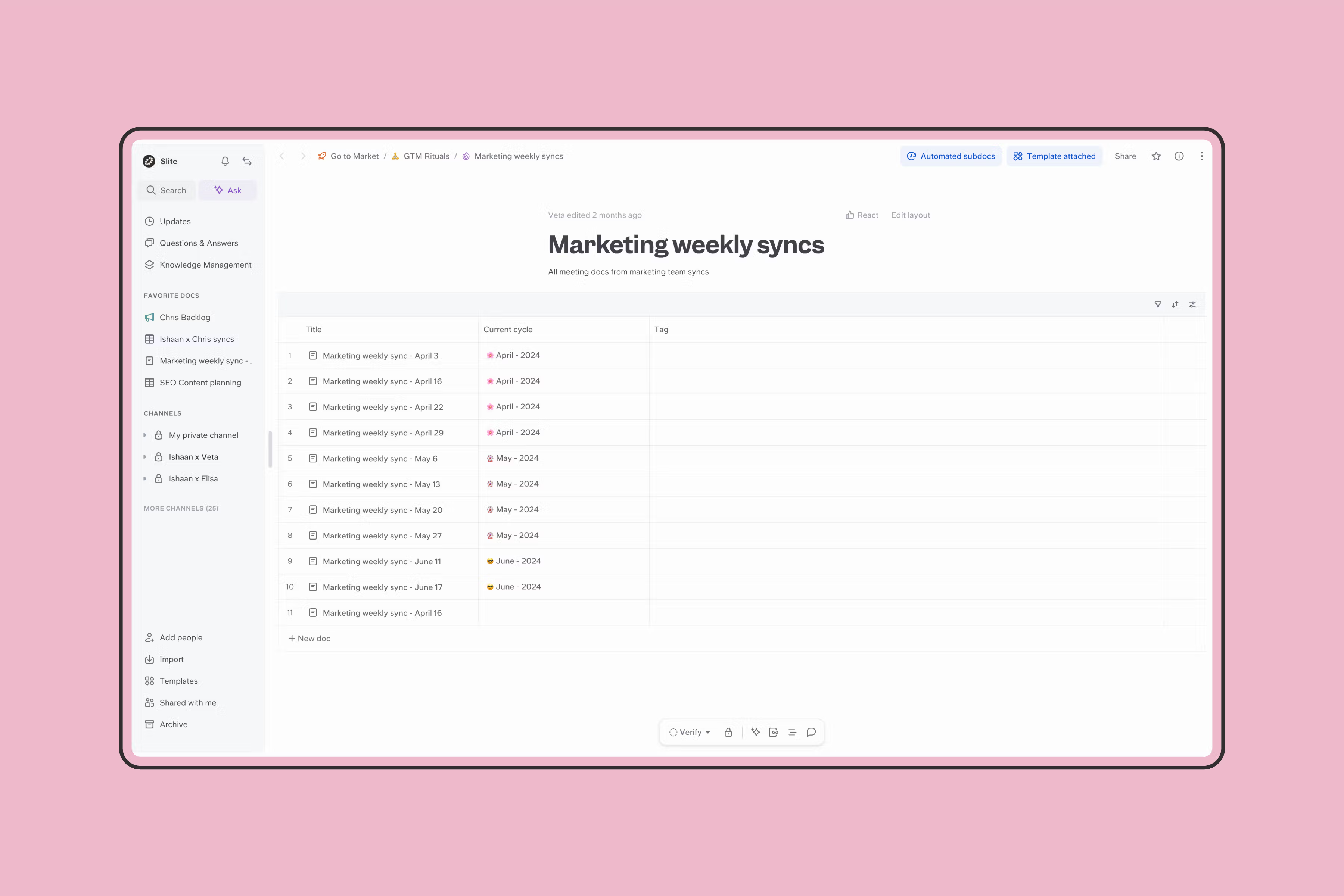
Automate creation and notifications of meeting docs
We get a Slite notifications pinging us on the meeting doc well in advance of the meeting.
Here's how:
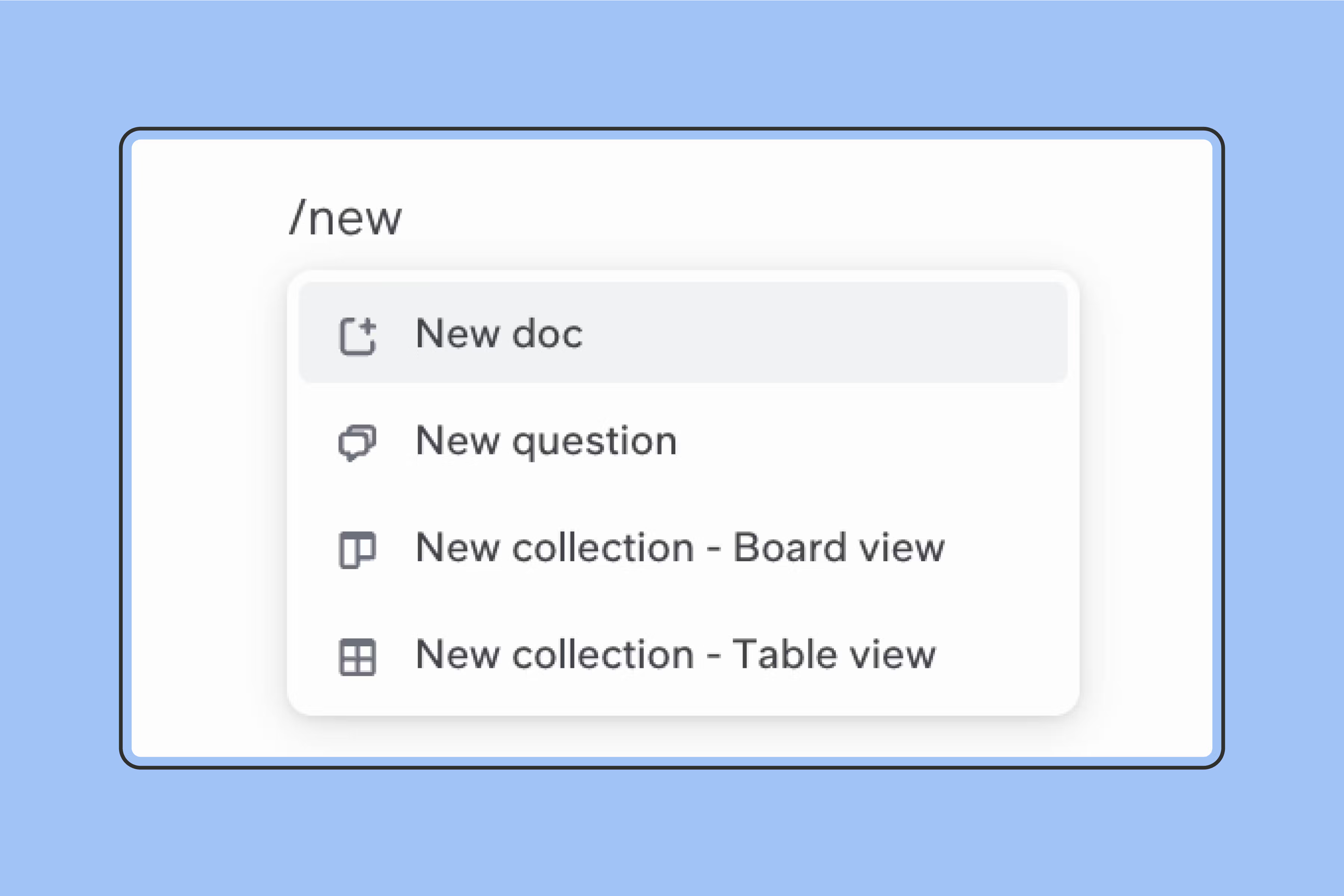
1. Create a collection of docs
Just type /new and select new collection. It should create a new collection inline. Click on its name to go to the source and open the collection full screen.
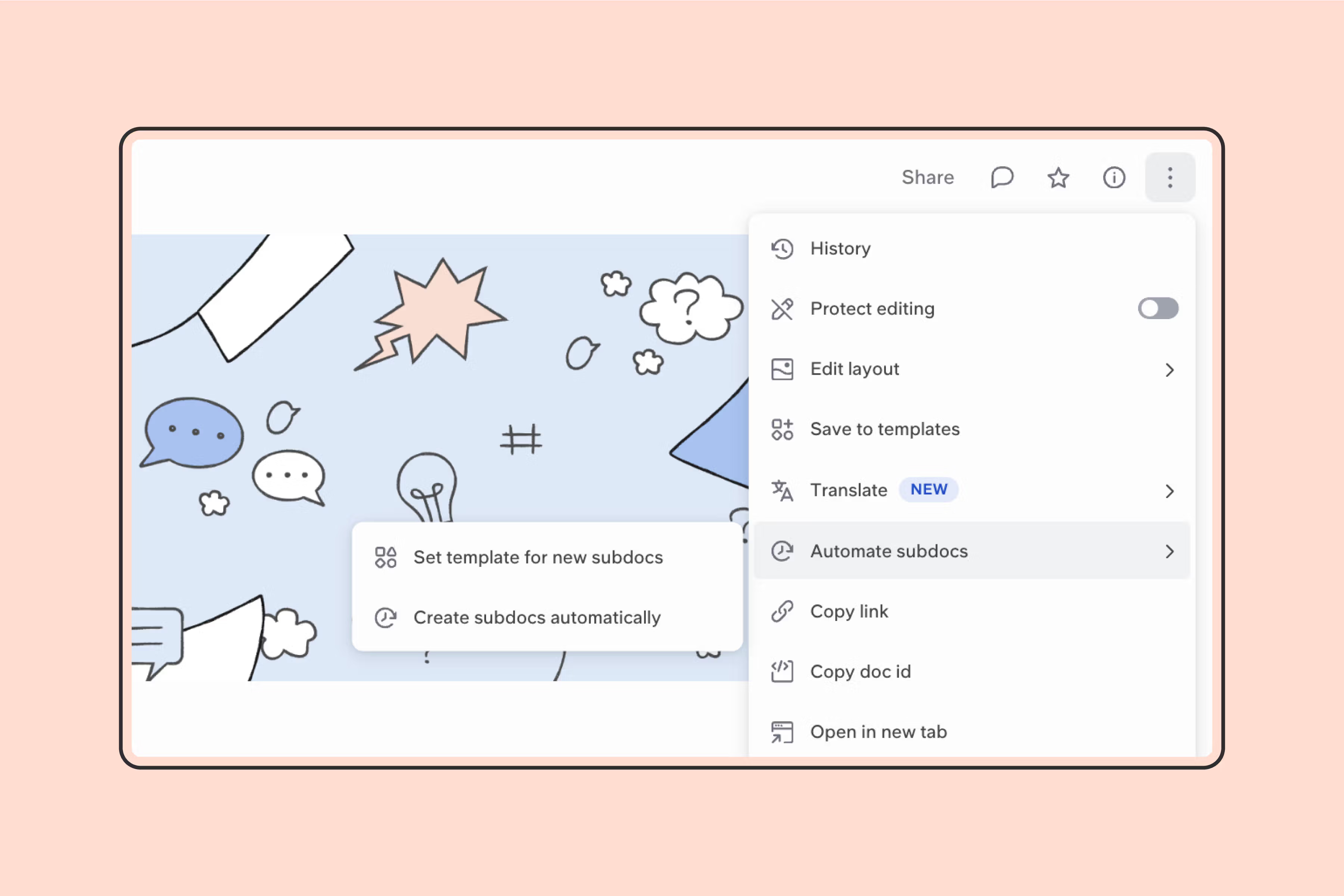
2. Automate subdocs
Click on the three dots at the top right of your screen and navigate to 'automate subdocs'. Click on 'Set template for new subdocs'
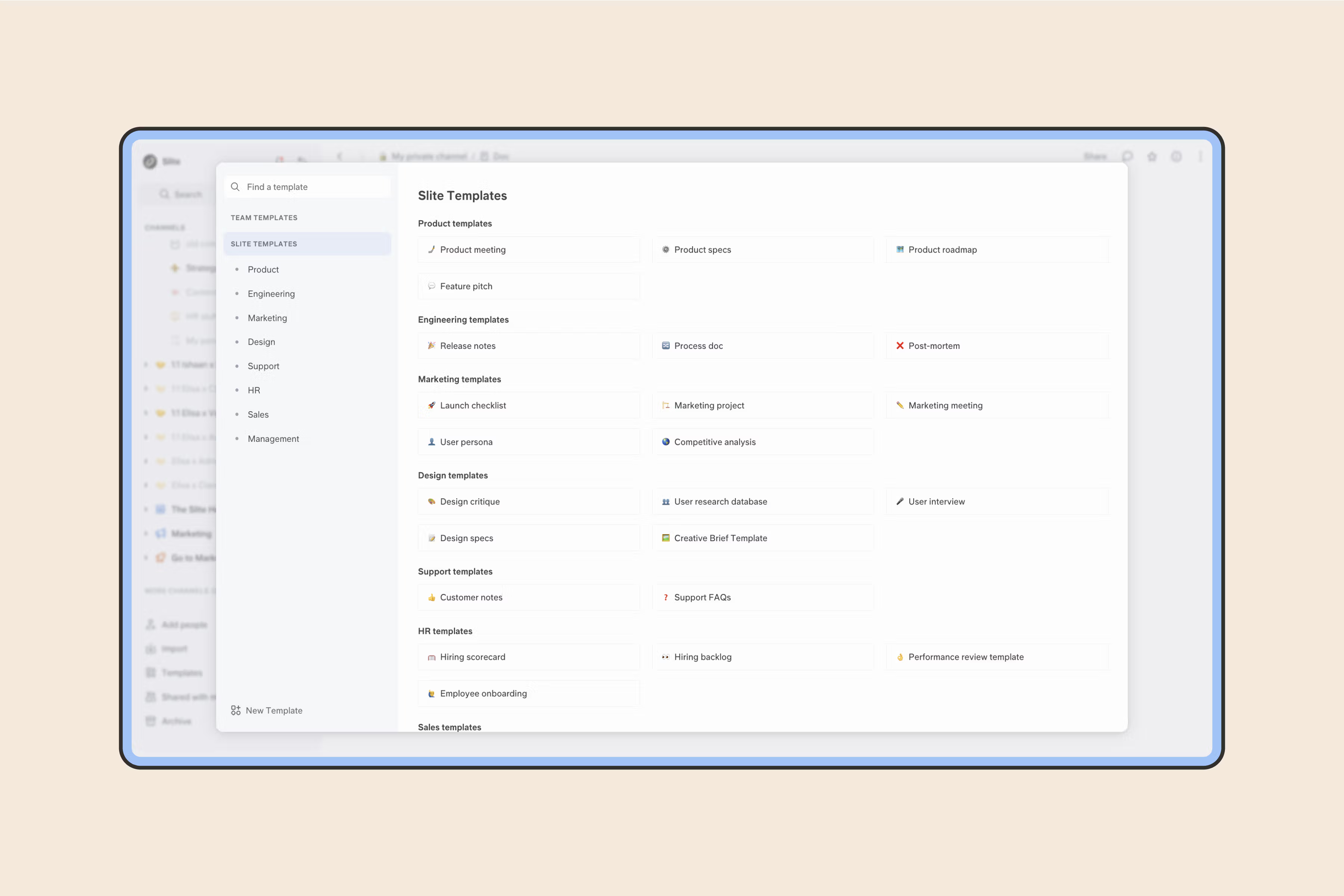
3. Create your custom template
From the bottom left or select one from Slite's Gallery. Once done finalising, click on use template. Now, every time you create a new meeting doc in that collection, it will open pre-filled with your selected template
4. Have subdocs created automatically
Go back to collection settings you went to in step 2. This time, select 'Create subdocs automatically' and select how often you want meeting docs to be created.
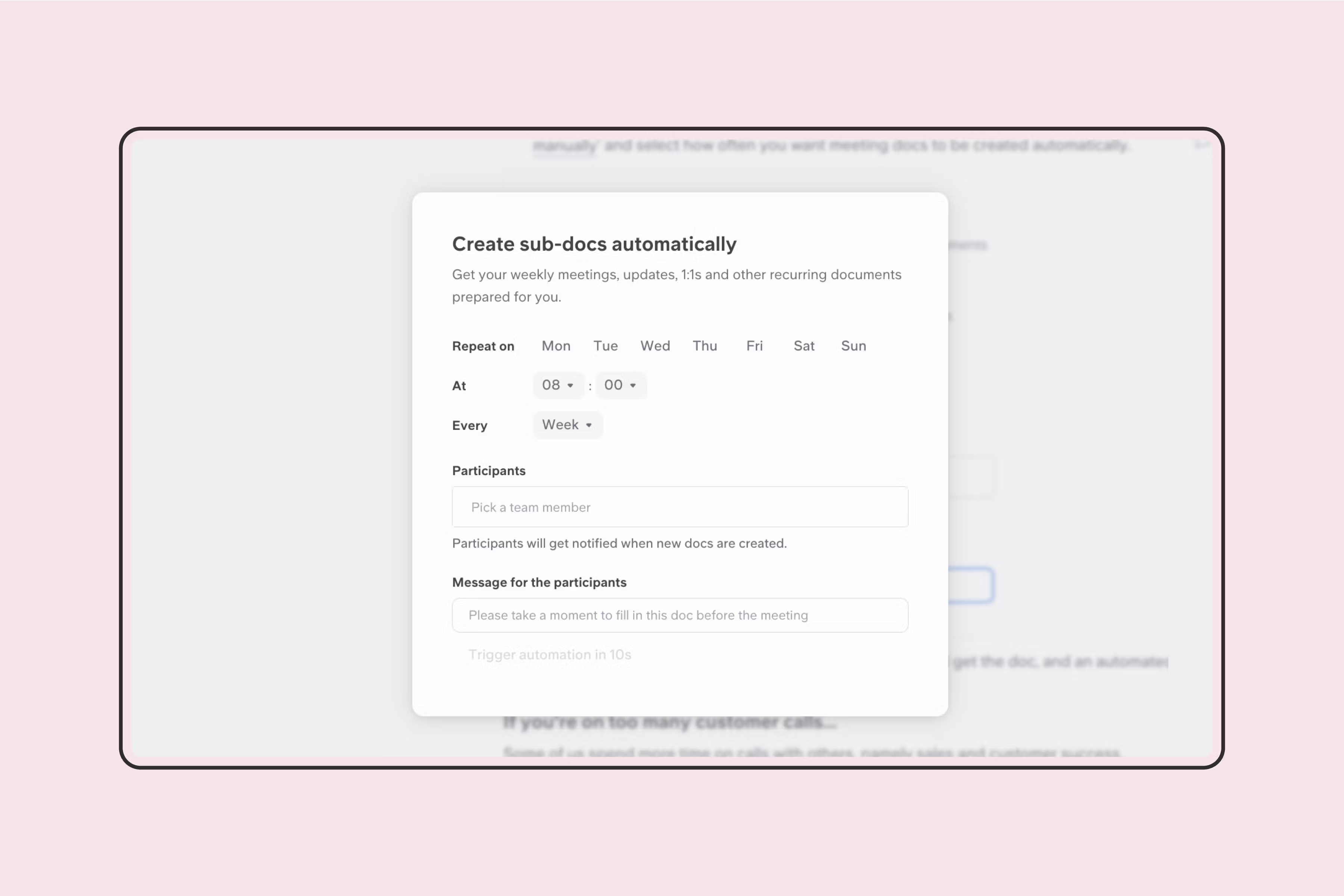
5. All done.
Now before every meeting, your participants will get the doc, and an automated notification for what they need to add to the doc.
When do AI meeting minutes make more sense?
If you spend most of your day on calls (like sales and customer success teams do) taking detailed notes while staying engaged is nearly impossible. AI notetakers handle the recording, transcription, and summary so you can stay present in the conversation.
The 2026 landscape has more options than ever, and most teams now juggle two or three.
The trade-off: when multiple notetakers run in the same meeting, you end up with conflicting transcripts and competing "sources of truth", exactly the kind of fragmentation Slite Ask is built to resolve by querying across all of them.
Six tools we'd consider in 2026:
- tldv: AI meeting note taker for Zoom, Google Meet, and Teams that logs notes into your CRM and surfaces trends across calls
- Granola: quiet, native macOS app that turns your live notes into structured summaries
- Otter: solid for live transcription and post-call search across long meetings
- Fireflies: broad CRM and Slack integrations, useful for sales handoff workflows
- Fathom: clean unlimited free tier that suits individual users and small teams
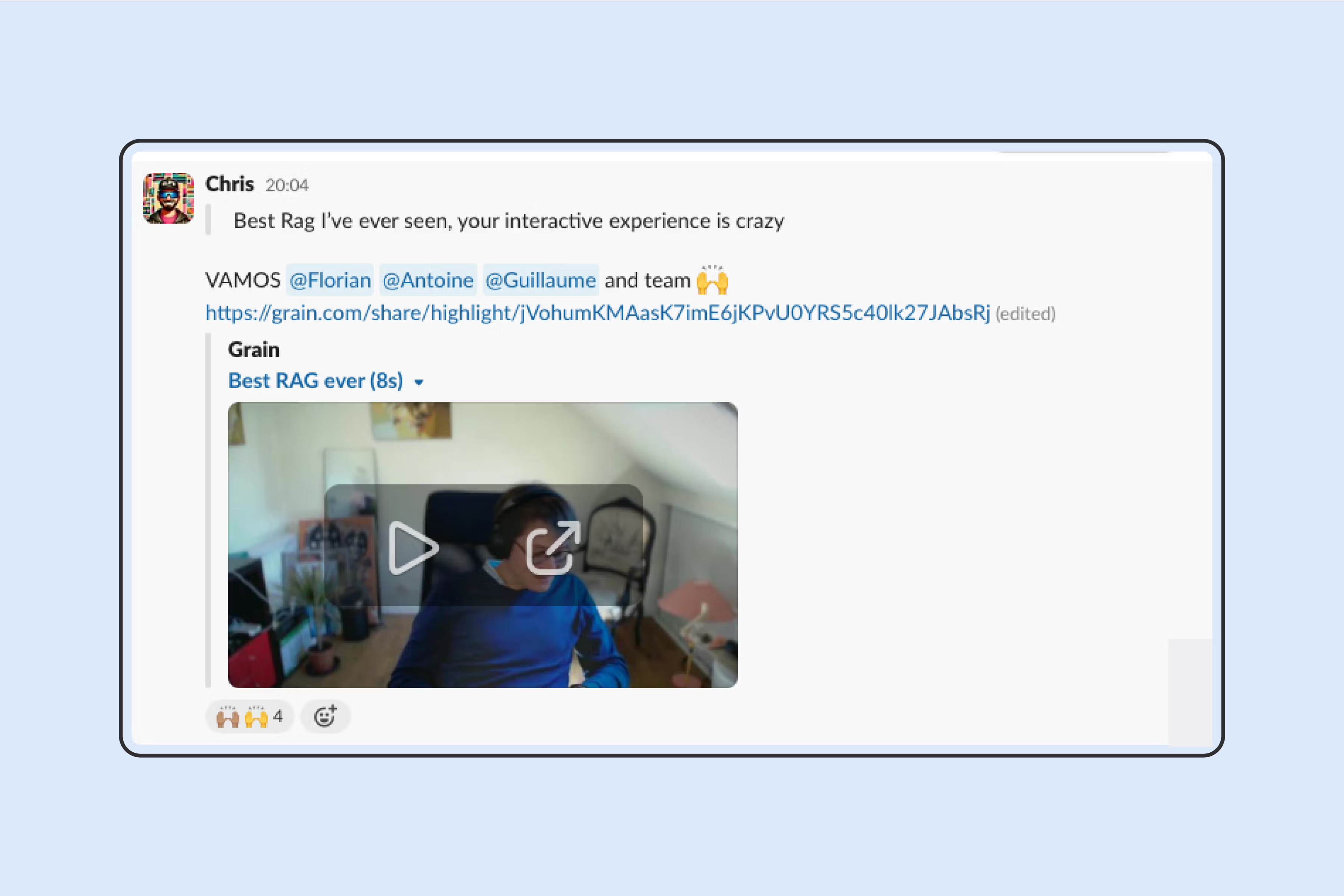
- Grain: call-clip sharing for product and customer-success teams who pull soundbites into their docs
Finalizing your meeting minutes
You should wrap-up your meeting notes right after your meeting concludes, while everything’s still fresh in your mind:
- Complete your meeting notes and clarify points when necessary
- Double-check that decisions and actions are precisely noted
- Keep things as concise and digestible as possible
- Proofread with care
- Send your draft to the meeting leader before sharing it with other attendees. This is especially important for more formal meetings like board meetings or committee meetings, which require careful documentation.
- Use a document editor, like Slite, to easily format your notes in a reader friendly manner.
Sharing your meeting minutes
You made it!
This last step is crucial: make sure to share your meeting minutes with all meeting attendees and relevant stakeholders. Furthermore, you can choose to store your meeting minutes in a collaborative tool like Slite so that everyone has easy access to it.
How to share meeting minutes
Once the meeting minutes are written down, they need to be shared. This can be done physically as paper printouts, but it is easier to distribute them online or through the cloud.
If you are looking for a paperless way to compile and share minutes for a meeting, Slite lets you share minutes with the team online, and also helps you distribute important documents and charts to team members before the meeting.
A meeting minutes example
You'll want to structure your meeting minutes in accordance with the type of meeting you're having.
Below is a meeting minutes example with items for an informal weekly meeting.
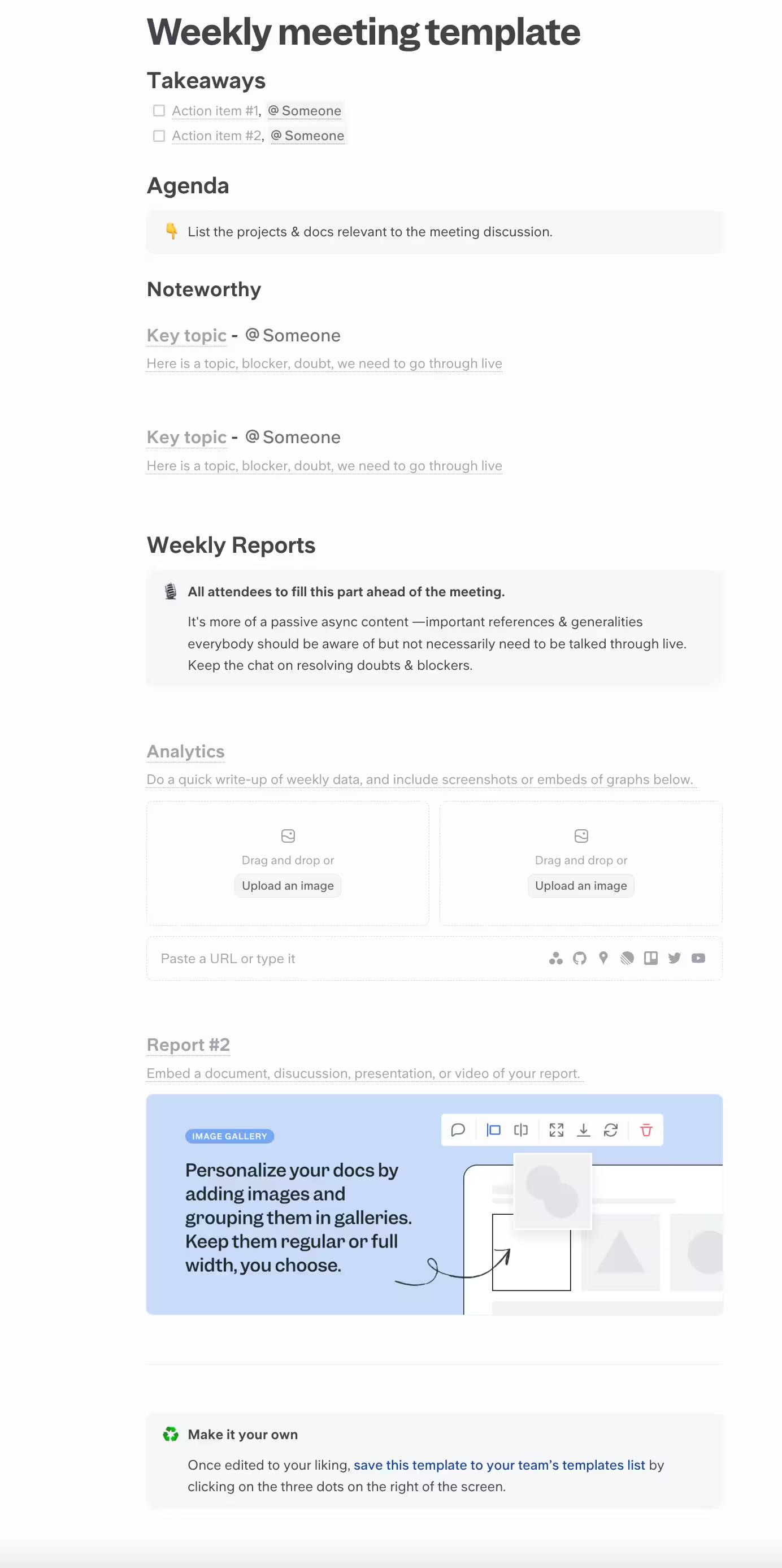
You can discover more fully customizable meeting notes templates with Slite by going to our templates section.
Getting really serious about documentation? Come chat.
If you're looking for templates and structures to build a strong documentation culture, you'll love Slite.
Slite isn't just a tool for better meeting minutes. It's your centralized hub for all things documentation, designed to streamline communication, boost productivity, and keep everyone on the same page.
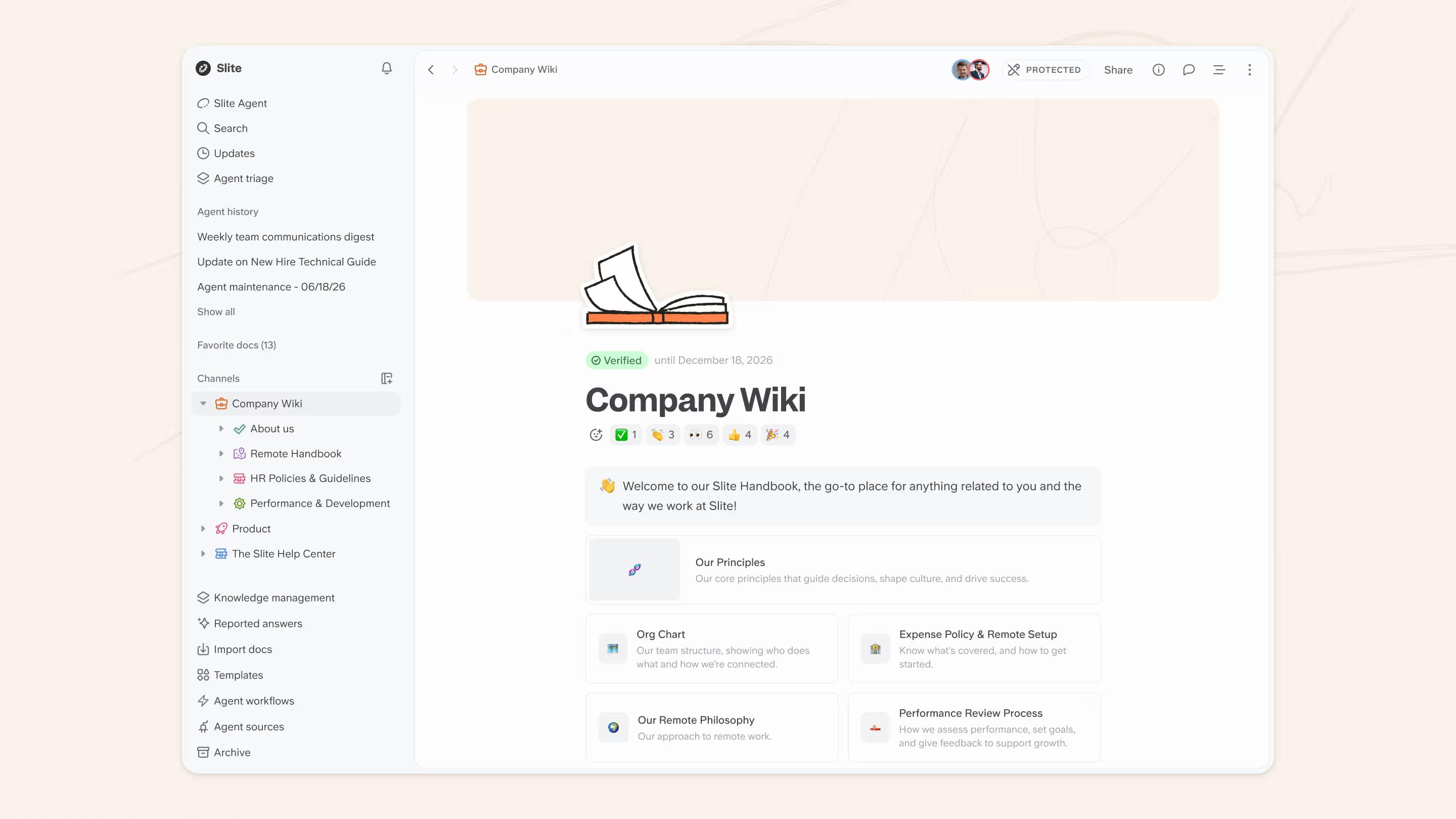
With Slite, you can:
- Create and share meeting agendas effortlessly, ensuring everyone comes prepared.
- Capture and organize meeting notes in real time, avoiding lost information and tedious transcription.
- Build a knowledge base that's easily searchable and accessible to your entire team, eliminating information silos.
- Collaborate on documents seamlessly with built-in commenting and version history.
Book a demo today and see the Slite difference for yourself!
FAQ
What is the best format for meeting minutes?
The best meeting minutes format includes the meeting's basics (date, time, attendees), a one-line purpose, agenda items in a table or numbered list, decisions and action items with owners, and the date of the next meeting. Most teams use a recurring template so the structure stays consistent across every meeting.
How to best write meeting minutes?
Write meeting minutes as the meeting happens, not after. Open a template before you start, type decisions and action items into the doc as they're made, capture owners and dates verbatim, and skip everything that isn't relevant. Review the doc with attendees in the last two minutes, then circulate the same day.
How long should meeting minutes be?
Meeting minutes should be as short as possible while still capturing every decision and action item. For a 30-minute working meeting, that's usually 100–300 words. Board or committee meetings run longer — 500–1,500 words — because they need a record of motions, votes, and discussion. If yours run past 2,000 words, you're transcribing instead of summarizing.
Who should take meeting minutes?
The meeting organizer is usually the right person — they have the most context on the goal, the agenda, and the decisions needed. For board or committee meetings, the corporate secretary takes minutes by default. If the organizer is leading the discussion, rotate the note-taker among attendees who can write while listening.
Are meeting minutes legally required?
For most internal team meetings, no — they're a productivity habit, not a legal obligation. Board meetings of corporations, nonprofits, and many regulated entities are different: minutes are often required by bylaws or jurisdiction, and the corporate secretary is typically responsible for filing them. Check with your legal counsel for specifics tied to your entity type.
Should you take meeting minutes by hand?
Handwritten minutes are slower, harder to share, and easier to lose than minutes captured in a digital template. You can't search them, you can't restructure them once written, sharing them means photocopying or photographing pages, and a misplaced notebook is gone for good. Some handwriting is also just hard for others to read, making the record useless even when it survives. A digital template fixes all of that at once: searchable, editable, instantly shareable, and backed up automatically.