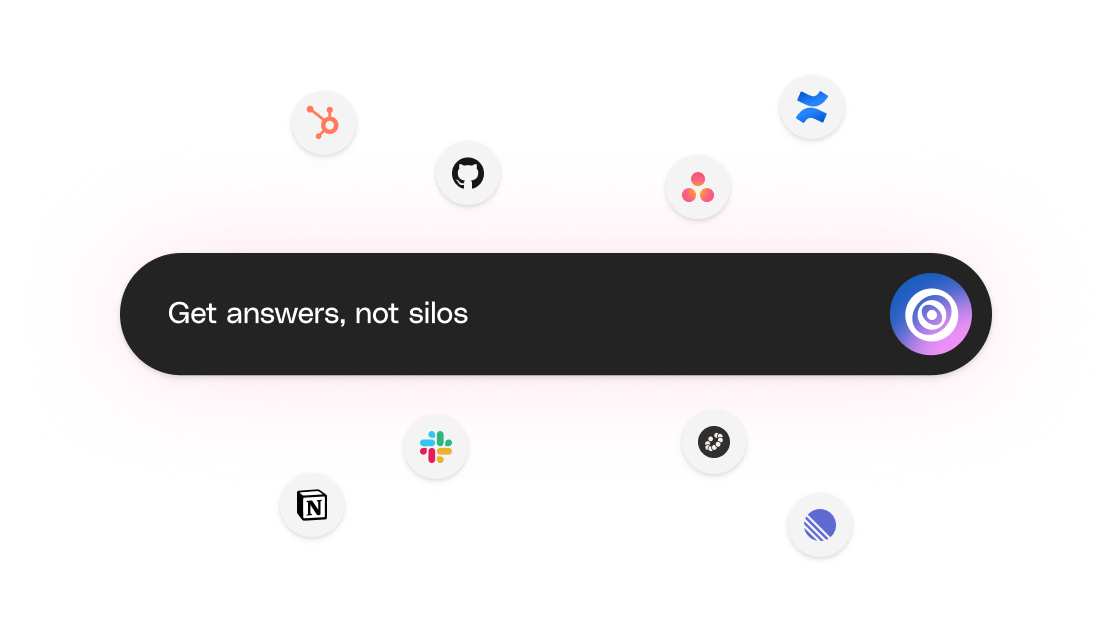
Engineering documentation is the detailed record of a product's design, development, and implementation process. The trouble is that most of what an engineering team actually knows never lands in a doc. It lives in specs scattered across GitHub, ADRs in private repos, runbooks pasted into Slack, and RFCs drafted in five different tools nobody opens twice.
That gap costs more than it looks. New engineers spend their first month reconstructing decisions from scrollback. The same architecture question gets re-debated every quarter because nobody can find last quarter's answer. Post-incident reviews turn into archaeology, and pull request threads loop on "why did we do this?" until somebody who was there in the original meeting jumps in.
Good engineering documentation closes that gap. The rest of this guide covers what engineering documentation actually is, what it isn't, the document types engineering teams produce, who relies on them, how to write them well, where they should live, and how to keep them current as the product evolves.
Key takeaways
- Engineering documentation captures the why behind a build; technical documentation explains how to use the result.
- The 10 doc types span requirements, design, drawings, tests, code, simulations, manufacturing, BOMs, change orders, and compliance.
- The 11-step authoring process moves from purpose and audience through structure, content, visuals, and iteration.
- Most "documentation" (emails, sketches, marketing copy, project plans) isn't engineering documentation.
- Engineering docs belong in a modern knowledge base where verification, agentic discovery, and AI search keep them current.
Interested in fixing your engineering documentation? Check out Slite.
Different types of engineering documentation
Most engineering documentation falls into 5 core components:
- Design specifications
- Technical drawings and schematics
- Calculations and analysis reports
- Test plans and results
- Material lists and sourcing information
These 5 components show up across the 10 specific document types engineering teams ship most often. Use the table below as a quick reference.
| Document type | What it captures | When it's used | Typical owner |
|---|---|---|---|
| Software Requirements Specification (SRS) | Functional and non-functional requirements, scope, constraints, acceptance criteria | Project kickoff and through scope changes | Product manager / lead engineer |
| System Design Document (SDD) | High-level and detailed architecture, components, data flow, interfaces | After requirements freeze; updated on major design changes | Tech lead / architect |
| API documentation | Endpoints, parameters, auth, response shapes, error codes, examples | Throughout the lifecycle of a public or internal API | API owners / DX team |
| Engineering Design Document (EDD) | Component design rationale, trade-offs, alternatives considered, risks | Before implementation of a non-trivial feature or system | Engineer driving the design |
| Bill of Materials (BOM) | Parts, components, materials, quantities, suppliers | Hardware engineering and manufacturing handoff | Hardware engineer / manufacturing |
| Test plan / Test case document | Test strategy, scope, environments, individual test cases, expected results | Throughout QA cycle; updated on regression scope changes | QA engineer / SDET |
| README files | Setup steps, run/build commands, contribution notes, repo conventions | Per repository (every codebase) | Repo owner / lead engineer |
| Runbook / operations playbook | Step-by-step ops procedures, alert responses, recovery steps, on-call notes | Production operations and incident response | On-call engineer / SRE |
| Architecture decision record (ADR) | One decision, the context, the alternatives, the chosen option, consequences | At the moment a non-trivial architectural decision is made | The engineer making the decision |
| Change request / engineering change order (ECO) | Proposed change, impact analysis, approvers, implementation plan | Anytime a controlled artifact changes (hardware, regulated software) | Change control board / lead engineer |
Engineering documentation standards
Standards bodies define what engineering documentation must include. They turn from "nice-to-have docs" into "audit-ready records" the moment regulators or partners ask.
| Standard | Issuing body | What it covers | Where it's required |
|---|---|---|---|
| ISO 9001 | International Organization for Standardization | Quality management system documentation (controlled docs, records, traceability) | Any org pursuing QMS certification; common in regulated B2B supply chains |
| ISO 13485 | International Organization for Standardization | Quality management for medical devices (design history file, design controls, risk docs) | Medical device manufacturers (de facto worldwide) |
| IEEE 1016 | IEEE | Recommended practice for Software Design Descriptions (SDD): viewpoints, design entities, attributes | Software systems where a structured SDD is required by contract or regulator |
| IEEE 829 | IEEE | Standard for software test documentation: test plans, cases, procedures, logs, reports | Regulated and safety-critical software, contracted QA deliverables |
| ANSI/ASME Y14.5 | ASME / ANSI | Geometric Dimensioning and Tolerancing (GD&T) for engineering drawings | Mechanical engineering drawings, manufacturing handoff |
| FDA 21 CFR Part 820 | U.S. Food and Drug Administration | Quality System Regulation for medical devices (design history file, device master record, document controls) | Medical devices sold in the United States |
Most engineering teams only need to know two or three of these well: the ones that match their regulator, their customer, or their certification target. Treat the rest as a glossary you can pull from the shelf when an audit appears on the calendar.
So, who uses engineering documentation?
While engineers are the primary creators and users, a wide range of professionals rely on this documentation throughout a project's lifecycle and beyond.
The amount and types of documentation created (strategic functions, user instructions, troubleshooting guides) are crucial for internal operations and end-users.
Here's a closer look:
1. Engineers (across disciplines)
- Design Engineers: Create initial designs, schematics, and specifications, referring back to these documents throughout the development process.
- Software Engineers: Rely on code documentation and API specifications to understand, integrate with, and maintain software components. In the context of software development, software engineers also focus on creating and maintaining technical documentation, ensuring it aligns with Agile and waterfall approaches.
- Test Engineers: Develop and execute test plans based on requirements and design documents, documenting results for analysis and improvement.
- Manufacturing Engineers: Use BOMs, manufacturing instructions, and CAD files to guide the production process and ensure accurate assembly.
In customer conversations we hear the same engineering pattern over and over: the official architecture doc says one thing, the GitHub issue thread that actually shaped the design says another, and a new hire ends up rebuilding context from Slack scrollback.
2. Project managers
- Track project progress by reviewing design documents, test results, and change orders.
- Communicate project status and technical details to stakeholders using simplified versions of engineering documentation. Ensure that previous versions of these documents are saved and managed for future reference.
- Manage risks and make informed decisions based on information presented in technical reports and analysis.
PMs we work with use engineering docs less as reference and more as a status surface. A doc that hasn't been updated in a sprint is itself a signal that something has slipped.
3. Quality assurance teams
- Develop quality control procedures based on design specifications and industry standards.
- Verify product functionality and performance against documented requirements using test plans and results. Well-written user documentation can significantly enhance customer satisfaction.
- Use engineering documentation to identify root causes of defects and track corrective actions.
QA leads tell us their first move on a recurring defect is almost always to pull the design doc and the test plan side by side and look for the gap between intent and assertion.
4. Regulatory compliance officers
- Ensure the product meets all relevant safety and performance regulations by reviewing compliance documentation. It is crucial to maintain and update existing documentation to ensure all information is current and accessible.
- Utilize test reports and certifications to demonstrate compliance to regulatory bodies.
- Reference engineering documentation during audits and inspections.
Compliance officers care less about prose and more about provenance: who wrote it, when it was last verified, and whether the version cited in an audit matches the version in production.
5. Future engineering teams (maintenance & upgrades)
- Understand the design intent and functionality of existing products through design documents and technical drawings.
- Identify and source replacement parts accurately using BOMs and supplier information. Ensure all hardware and software requirements are met for seamless integration.
- Implement modifications and upgrades safely and effectively by referencing original design specifications and change order history.
The most useful upfront decision a team can make for future maintainers is to mark which docs should
- freeze (a finalized design history file, a shipped change order)
- and which should auto-update (runbooks, on-call procedures, deployment notes).
Mixing those rules is the most common reason maintenance teams stop trusting the wiki.
What's often mistaken for engineering documentation (but isn't)
Engineering documentation is about precision, technical depth, and the why behind design choices. However, some documents often get lumped in with engineering documentation even though they serve different purposes.
1. User manuals and technical documentation
While both deal with technical subjects, user manuals focus on the how for end-users, not the why of engineering. User manuals explain how to use features, troubleshoot issues, and maintain the product. Technical documentation can encompass a broader range, including API documentation and knowledge base articles, but the focus remains on user-facing information.
2. Marketing materials
Product brochures, website copy, and even sales presentations often highlight technical specifications. However, the goal is to promote the product, not document its inner workings (see our project-documentation guide). Marketing materials might lack the technical depth and objectivity of true engineering documentation.
3. Internal communication (emails, chat logs, etc.)
Engineers constantly discuss technical details through emails, chat platforms, and project management tools. While those threads contain valuable information, they lack the structure, version control, and permanence of formal engineering documentation. Relying solely on chat and email for critical information can lead to inconsistencies and miscommunication.
4. Informal sketches and notes
Early-stage brainstorming often involves rough sketches and notes. While valuable for initial ideation, sketches lack the detail and formalization of proper design documents and shouldn't be treated as a substitute.
5. Project management artifacts
Project schedules, budgets, and risk assessments are crucial for project management but don't delve into the technical specifics of engineering design. PM artifacts provide context and constraints but not the engineering rationale itself.
But how is engineering documentation different from technical documentation?
Engineering documentation focuses on the design, development, and implementation of a product or system. It's typically used by engineers and includes detailed specifications, calculations, and design rationales.
Technical documentation, on the other hand, is broader and includes user manuals, guides, and other materials that explain how to use or maintain a product. This type of documentation is often referred to as product documentation and is aimed at end-users or support staff. To learn more about how technical documentation is different from engineering documentation, read our guide on Technical Documentation.
How to create engineering documentation
1. Understand the purpose
Before writing, decide three things: who the doc is for, how long it has to stay accurate, and whether it should freeze at a release or auto-update with the system. Those three answers shape everything that follows. In the context of software product development, clear and concise documentation is crucial to explain product functionality and unify project-related information, addressing potential gaps between stakeholders and engineers.
For example, if you're documenting a software project, you might need to cover:
- How the system is structured
- How different parts work together
- How to set up a development environment
- How to deploy the software
- How to troubleshoot common issues
2. Know your audience
Think about who will be reading your documentation. Are the readers experienced engineers? New hires? Managers who need a high-level overview? Tailor your language and level of detail to your readers. User documentation should be easy to understand, logically structured, and continuously updated based on customer feedback.
If you're writing for a mixed audience, consider creating different versions or sections. You might have a quick-start guide for beginners, detailed technical specifications for engineers, and a summary for management.
3. Choose your tools and define hardware and software requirements
Good tools make documentation easier. Some popular options include:
- A team wiki for collaborative documentation. Slite is built for exactly this, and engineering teams write specs and design docs in shared notes, then Ask answers from across them.
- Version control systems like Git for tracking changes
- Diagramming tools like Draw.io for creating visual aids
- API documentation generators like Swagger for software interfaces
Pick tools that fit your team's workflow and make it easy to keep documentation up-to-date. Technical writers play a crucial role in creating high-quality tech documentation and ensuring effective communication with different audiences.
4. Create a structure
Don't just start writing. Plan out your structure first. A clear structure makes your documentation easier to navigate and update. Here's a basic structure you might use:
- Introduction
- Purpose of the document
- Scope of the project
- Definitions of key terms
- System overview
- High-level description of the system
- Main components and how they interact
- Detailed component descriptions
- Purpose of each component
- How it works
- Interfaces with other components
- Installation / setup instructions
- Usage instructions
- Troubleshooting guide
- Maintenance procedures
- Appendices
- Technical specifications
- Reference materials
5. Write clear, concise content
Now it's time to fill in your structure with content. Here are some tips:
- Use simple language. Avoid jargon unless it's necessary.
- Write in short, clear sentences.
- Use bullet points and numbered lists for easy reading.
- Include plenty of examples.
- Use diagrams, flowcharts, and other visuals to explain complex ideas.
For instance, instead of saying "The system utilizes a polyglot persistence architecture to optimize data storage and retrieval," you might say "We use different types of databases to store different kinds of data." The point is that we pick the storage that fits the access pattern, so reads and writes stay quick.
6. Include code examples
If you're documenting software, include code snippets to illustrate key points. For a deeper walkthrough on annotating examples, see our software documentation guide.
For example:
Explain what the code does and why it's written that way.
7. Document design decisions
Don't just describe what your system does. Explain why it was designed that way. This helps future maintainers understand the reasoning behind the design.
For example: "We chose to use a microservices architecture to allow different parts of the system to be developed and scaled independently. This makes it easier to update specific functions without affecting the entire system."
8. Create visuals
Diagrams carry sequence, parallelism, and scale that prose has to spell out word by word. Use diagrams to show:
- System architecture
- Data flow
- User interfaces
- Decision trees
Tools like Draw.io or Lucidchart can help you create professional-looking diagrams. That's why Slite ships a native integration for Lucidchart and supports Draw.io alongside it. Your diagrams live next to the docs that reference them, so engineers don't bounce between tabs to make sense of an architecture.
9. Include troubleshooting information
No system is perfect. Include a section on common problems and how to solve them so engineers can get unstuck without paging the original author. The table below shows a few realistic engineering-doc troubleshooting examples.
| Problem | Possible cause | Recommended steps |
|---|---|---|
| Build fails on CI but not locally | Stale cache or missing env var | 1. Clear the CI cache. 2. Verify env vars match `.env.example`. 3. Re-run with `--verbose` to surface the failing step. |
| Deploy succeeds but service returns 502 | Health check timing out before the app is ready | 1. Increase the health-check grace period in the deploy config. 2. Verify the readiness endpoint responds within the timeout. 3. Check the service logs for slow startup queries. |
| Tests pass on main but fail on a feature branch | Branch drift from main (missing migrations, schema change) | 1. Rebase the feature branch on main. 2. Re-run the test migration step. 3. If the failure persists, diff the test fixtures against main. |
| Production query returns stale data | Cache key collision or a write that bypasses the cache | 1. Confirm the cache key includes the tenant ID. 2. Audit recent writes for direct-DB paths. 3. Invalidate the affected cache namespace. |
| API returns 401 after a working request | Token expired or rotated mid-session | 1. Re-issue the token via the auth flow. 2. Verify the client refreshes tokens before expiry. 3. Check the token's audience claim matches the service. |
10. Keep it up to date
With shipping speeds now 1.5–2.5× what they were a few years ago, the gap between code and doc widens by the week. Left alone, docs stall: over 94% of active content goes untouched in any given month.
In Slite, there are a few habits we've seen work in practice:
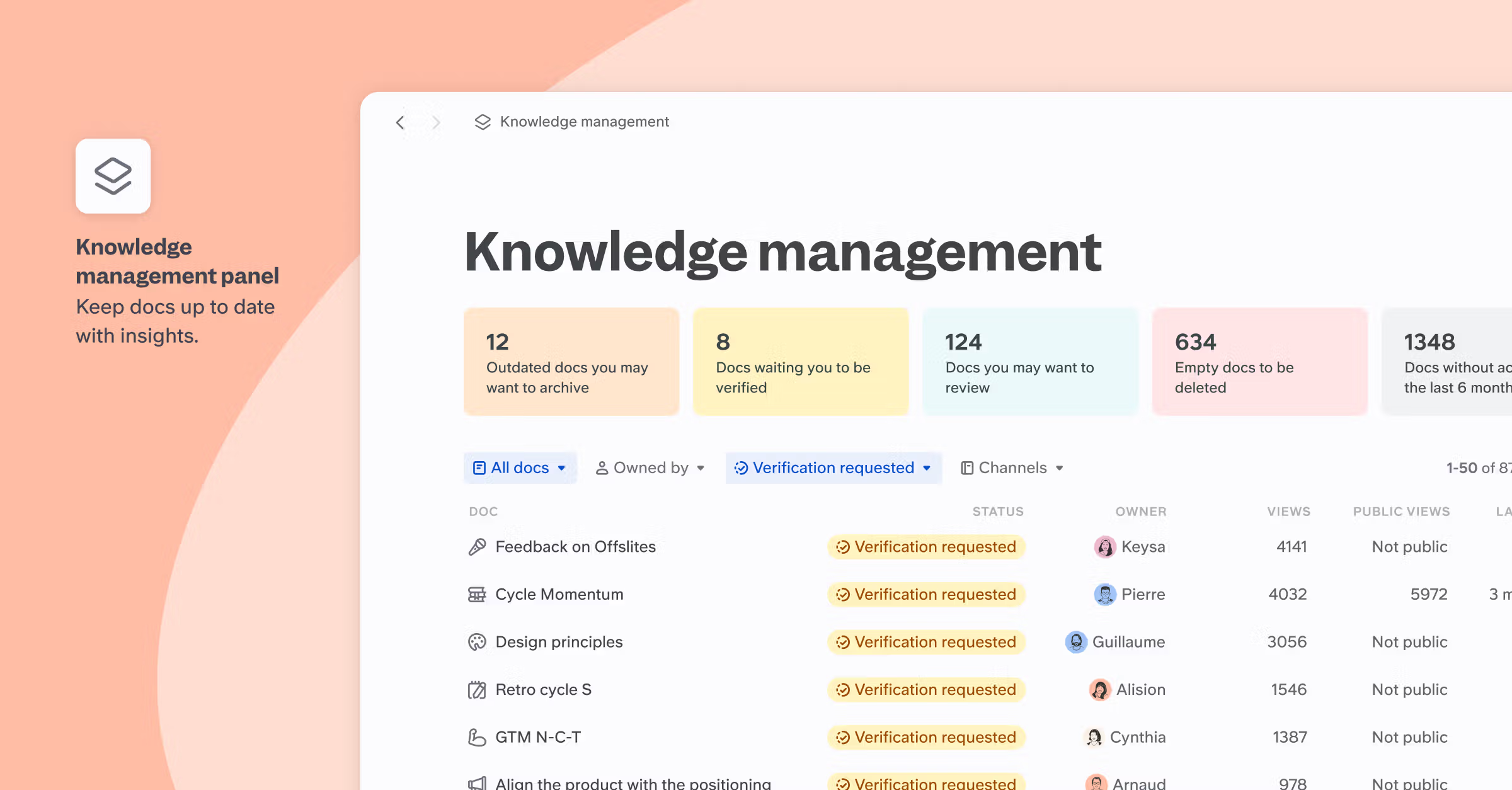
- Set a verification cycle on every doc (6 months, 1 year, custom, or "forever" for genuinely frozen records). When the cycle expires, the verified badge greys out and the doc downranks in AI search until someone reviews it.
- Run a weekly review during support shifts, so the docs that customers and on-call engineers actually hit get checked while the questions are fresh.
- Rotate ownership monthly per channel or area, so no single person becomes the sole keeper of a section.
- Keep a 12-action audit cheat sheet for the quarterly pass: the small list of checks (broken links, expired verification, orphaned drafts, owner-less docs) that catches most of the rot.
11. Get feedback and iterate
Finally, good documentation is a team effort. Encourage your colleagues to provide feedback. Are there unclear sections? Missing information? Use this feedback to continually improve your documentation. The same feedback loop is what makes our internal documentation playbook hold up over time.
Creating thorough engineering documentation takes time and effort, but it pays off in the long run. Good documentation reduces errors, speeds up onboarding, and makes your entire team more efficient.
By following these steps and continuously refining your approach, you'll create documentation that truly adds value to your project.
Engineering documentation templates and samples
To shortcut the blank page, the templates below match the doc types most engineering teams ship first. Every link is a Slite template you can copy and edit.
- Design docs: This software design documentation template is useful for proposals, alternatives, and rollout plans.
- General software docs: This software documentation template is great for system overviews, APIs, and component reference.
- Technical reference: This technical documentation template for cross-team engineering reference material.
- Process and runbooks: This process documentation template is used by many users of Slite for repeatable engineering workflows and on-call playbooks.
- Project records: Great project documentation template for scope, milestones, and decision logs that anchor change orders later.
Where does engineering documentation belong?
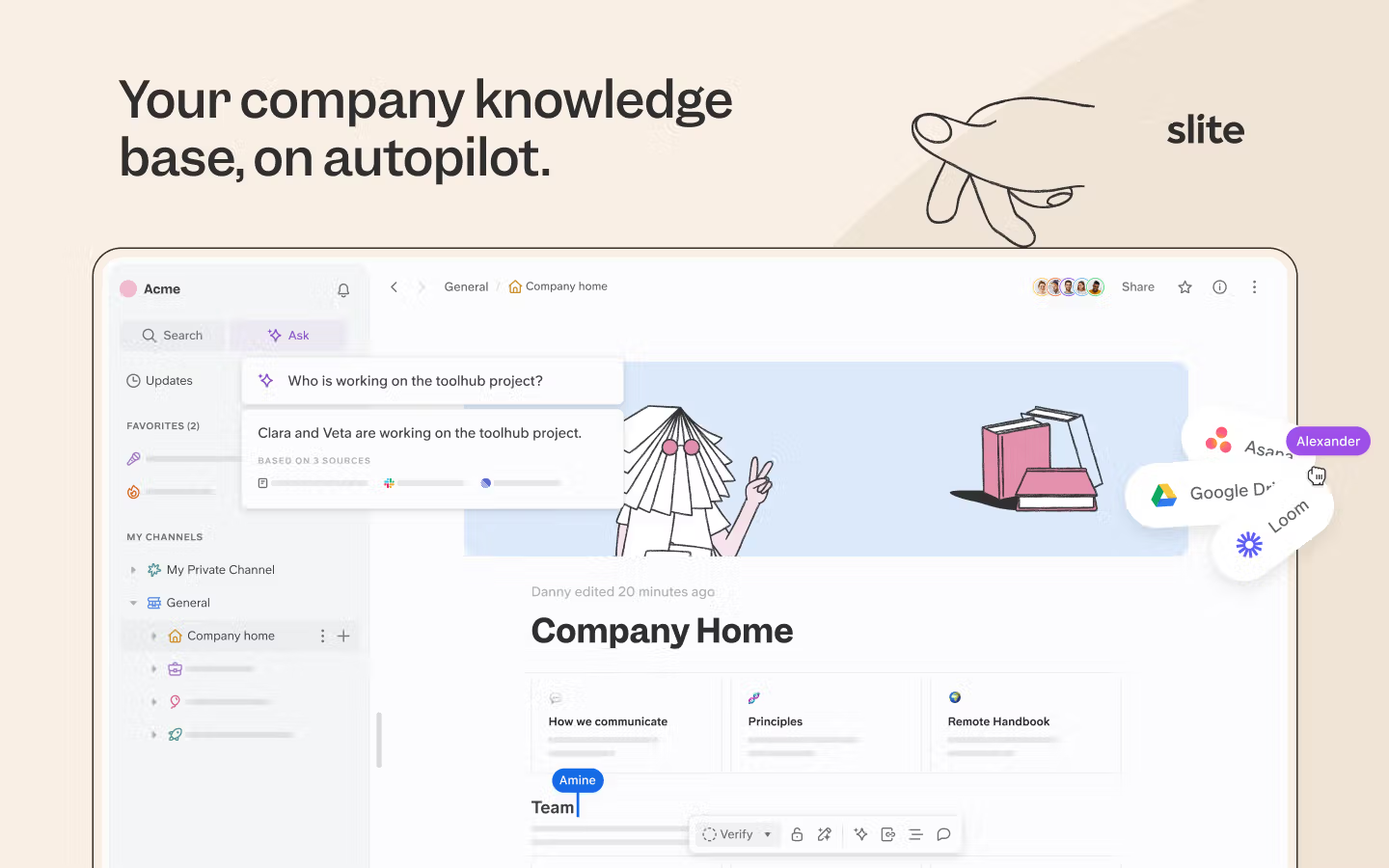
Engineering documentation belongs in a modern knowledge base, not a folder of PDFs and not a sprawl of tools. The right home keeps the canonical doc verified, lets engineers find decision rationale across Slack and GitHub without re-asking, and supports AI search so questions get answered against living content rather than someone's memory.
A modern knowledge base is a digital home for all your team's knowledge. It's a central place where everyone can easily find, update, and share information.
Here's why a modern knowledge base is the right home for engineering documentation:
- Tool taxonomy: Slack carries the team's in-the-moment conclusions, Linear carries decision rationale and ticket history, GitHub carries code-level decisions, and a knowledge base like Slite consolidates the formal docs that outlive any one of those threads.
- Verified content + AI search: Each doc carries a verification cycle and an owner; AI search answers from verified docs first and downranks anything past its review date.
- Organization: You can structure your wiki to match your projects and teams, making navigation a breeze.
- Version control: Most wikis keep track of changes, so you can see who updated what and when.
- Search function: With a good search feature, finding specific information becomes much simpler.
- Integration: Many wikis can connect with other tools your team uses, like project management software or code repositories.
Need a step-by-step before the next section? Our guide on how to set up a knowledge base walks through the structure and ownership choices that hold up under engineering load.
If your engineering documentation is sprawled across multiple tools
You've documented everything perfectly, but you're still fielding the same questions daily. Customer Success needs to understand how the API handles edge cases. Support wants to know why certain errors occur. New engineers ask where to find deployment procedures. You become the bottleneck, constantly pulled into "quick questions" that derail your focus.
The problem isn't missing documentation. It's that critical context lives everywhere. That design decision rationale is buried in a GitHub issue thread. The edge case handling was discussed in last week's Slack channel. The deployment gotchas got mentioned in Linear ticket comments.
Super, part of Slite's Knowledge Suite, bridges this gap by searching across all your engineering tools simultaneously. Ask "Why did we choose microservices for the payment system?" and Super pulls together:
- the official architecture doc,
- the GitHub discussion where the team debated performance tradeoffs,
- the Slack thread about scaling concerns,
- and the Linear ticket that tracked the implementation.

Your documentation becomes the foundation, not the ceiling. Super ensures the informal engineering knowledge that shapes real decisions doesn't get lost between tools. Your teammates can find complete answers without interrupting you.
Book a demo if your team spends too much time reconstructing context that already exists somewhere.
FAQ
Who is responsible for keeping engineering docs current?
Ownership is per doc, not per team. A working model assigns a named owner to every page (usually the engineer closest to the system the doc describes) and gives that owner a verification cycle (monthly, quarterly, yearly) that prompts a confirm-or-update. Group ownership spreads responsibility too thin and is the most common reason docs go stale.
How often should engineering documentation be reviewed?
Match the cycle to the volatility of what the doc describes. Runbooks and on-call procedures benefit from monthly checks because the underlying system changes that often. Architecture overviews and design rationales hold up for 6–12 months. Frozen records (a shipped design history file or a closed change order) never need review at all and should be marked accordingly so the verification cycle doesn't nag.
What's a Document Control Number (DCN) and when is it needed?
A Document Control Number is a unique ID assigned to a controlled document so every revision, audit, and reference traces back to a single source. DCNs are required in regulated environments (medical devices under FDA 21 CFR Part 820, aerospace under AS9100, ISO 9001 quality systems) where every change must be auditable. Outside regulated work, a clear naming convention usually does the same job.
Is README.md considered engineering documentation?
A README is a starting point, not the whole picture. It typically covers what a repository is, how to install it, and how to run it: useful, but limited to a single codebase and rarely the place where design rationale, change history, or cross-system context lives. Treat the README as the entry point and link out to the design docs, ADRs, and runbooks that carry the full engineering record.
Can engineering documentation be automated or auto-updated?
Parts of it. Reference content that derives directly from code (API specs, schema docs, generated diagrams) can be regenerated on every build. Decision rationale and design intent still need a human author. Agentic tooling can flag drift between docs and code or propose edits, but a person should always sign off before a change lands so the doc continues to mean what its authors intended.
Final takeaway
Engineering documentation works when it tells the story of a system (what was built, why, and what was rejected) and stays current as the system evolves. The next step for most teams isn't writing more docs; it's closing the loop between the docs, the code, and the conversations that shape both.
That loop is where the next few years of engineering documentation are headed: verified knowledge bases as the source of truth, agentic discovery surfacing the informal context that lives in Slack, GitHub, and Linear, and agentic editing proposing updates while humans stay in the review seat. Frozen docs stay frozen; living docs catch up overnight.
If you're looking to streamline your documentation process, Slite is built for this loop. Engineering teams write specs and design docs in shared notes, verify them on a cycle that matches the work, and let Ask answer questions across all of it. Try it on a single team first and see whether the docs you stop chasing are the ones that used to chase you.